
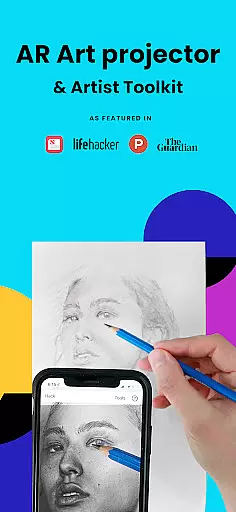
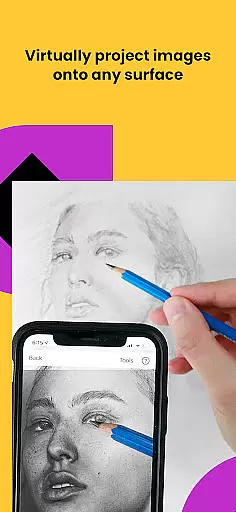
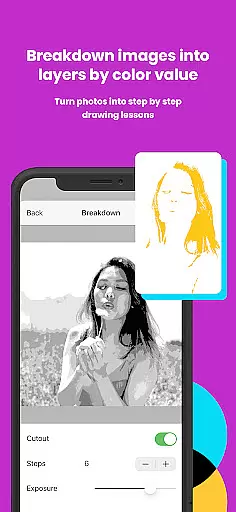
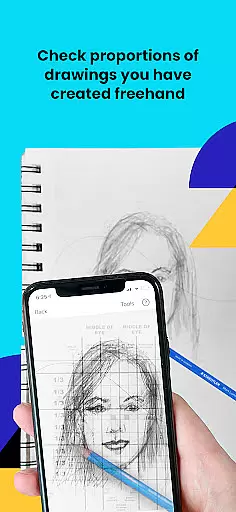
Da Vinci Eye's AR Art Projector is a revolutionary tool for artists of all skill levels, offering an augmented reality tracing and sketching experience. This app allows users to create detailed drawings by projecting images onto their canvas using AR technology. With features like color layer separation, step-by-step image breakdowns, and video tutorials, it provides comprehensive support for improving drawing skills.
The app caters to various creative professionals including illustrators, tattoo artists, and animators. Whether you're perfecting proportions or mastering light and shadow placement, Da Vinci Eye ensures precision in your artwork. Its unique learning method and supportive community make it an essential tool for both beginners and experienced artists looking to refine their craft.
Da Vinci Eye stands out with its advanced AR tracing mode that anchors images to real-world objects, allowing seamless movement between your device and canvas. The app includes a strobe feature for hyper-realistic drawings, time-lapse recording of your work, and zoom functionality for capturing micro-details. These tools help artists focus on intricate elements without losing alignment.
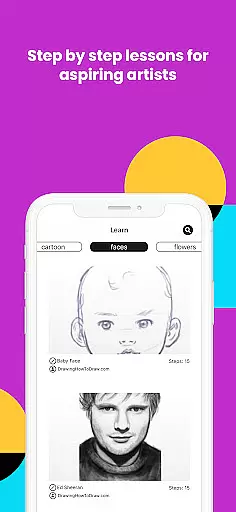
Additionally, the app offers a rich library of lessons and tutorials designed to teach fundamental drawing techniques. Users can transform any photo into a shading lesson, practice with guided instructions, and connect with a community of creatives. The inclusion of classic drawing mode ensures compatibility with traditional methods while still delivering enhanced capabilities through digital innovation.
For any digital art application, the comprehensiveness of creative tools is paramount. AR Art Projector offers an extensive suite of features that cater to artists of all levels. The app includes a unique AR tracing tool, which acts as a modern Camera Lucida, enabling users to project images onto their canvas with precision.
In addition to its primary functionality, the app provides advanced drawing utilities such as color value layer separation and micro-detail zooming. These features allow artists to break down complex images into manageable parts and focus on intricate details, enhancing both the accuracy and depth of their work.
The inclusion of video tutorials and step-by-step shading lessons further enriches the creative process. These educational resources help users refine their skills in recognizing proportions and perfecting strokes, ensuring a comprehensive learning experience alongside practical tools.
With these robust features, AR Art Projector not only supports the creation of hyper-realistic drawings but also fosters artistic growth and mastery over time.
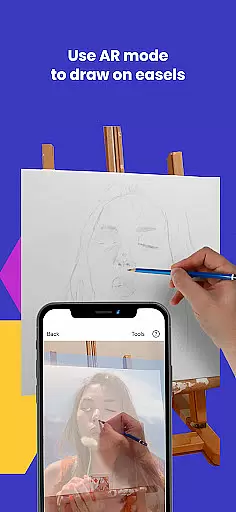
Flexibility in canvas and format options is essential for accommodating diverse artistic styles and preferences. AR Art Projector excels in this area by allowing artists to sketch or draw on virtually any surface. This adaptability ensures that whether you're working on paper, an easel, or other mediums, the app can seamlessly integrate into your workflow.
The app's AR mode enhances this flexibility by anchoring images to real-world objects, providing stability even when the artist or device moves. This feature is particularly beneficial for those who paint or draw on easels, offering a dynamic yet stable projection that adjusts to the artist's positioning.
Moreover, the Classic mode functions similarly to a traditional art projector, catering to artists who prefer a fixed setup. While it lacks the mobility of AR mode, it delivers consistent alignment for stationary projects, making it suitable for detailed work on smaller canvases.
By combining both AR and Classic modes, AR Art Projector ensures that artists have the freedom to choose the method that best suits their creative process, thereby maximizing productivity and artistic expression.
User-friendly interface
Innovative AR features
Comprehensive tutorial library
Vibrant artist community
Excellent customer support
Device compatibility issues
Premium subscription required
Steep learning curve
Limited offline functionality
Occasional performance lags

The ultimate tool for creating animations
 4.60
4.60
Transform photos into amazing monochrome dither art with professional algorithms
4.4
Stylish letters, Stylish Keyboard, Symbols, Emojis, Cool nickname
4.40
Text to Image, Image to Video & AI Chat
4.20
Digital, Abstract, Classic - all types of color wheels in one app!
4.60
Unleash Your Creativity with Draw Cartoon - AR Drawing App
4.10
Create stunning video, photo & magic from text with FlixAI GPT video generator.
3.10
Novices can also easily complete diamond painting masters
4.70
Kling AI is an image and video generation and editing studio powered by AI.
4.50
Draw on screen: FP sDraw is a simple and lightweight drawing app
4.70
Draw Trace image sketch by, AR art projector app, Easy to trace any image.
4.50
Nano Banana AI Image Generator, Anime Filter, AI Portrait, AI Photo Generator
4.30
Beauty Camera - Selfie Camera is the ultimate beauty camera and selfie app
4.30
Experience next-gen icons with a modern liquid glass look.
3.60
Create trending AI photos & videos with powerful effects and 3D styles.
3.20
Pose and morph realistic male and female models! 3D poser app
3.00
Retouch photos. Create or edit images. Endless capabilities.
2.70
Art of Combination Wear OS Watch Faces
4.5
Android 14 style widgets and wallpapers app.
4.0


User Reviews