
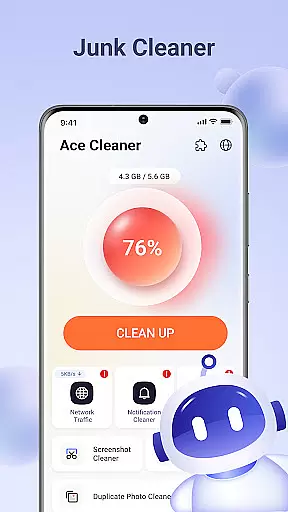
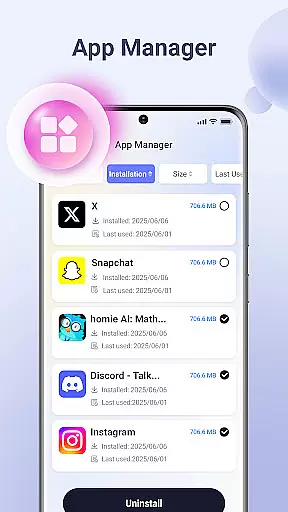
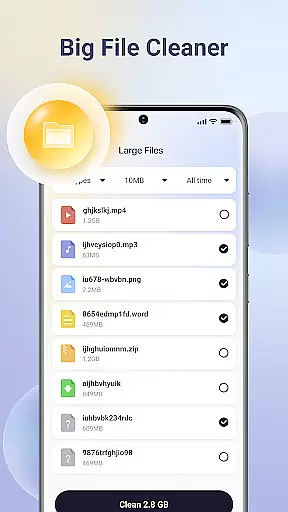
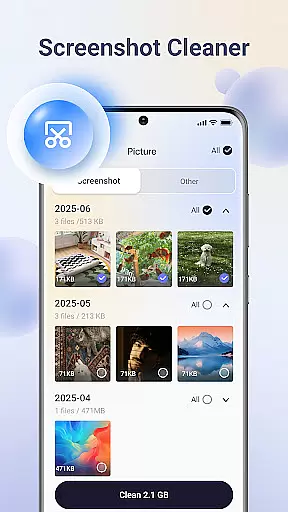
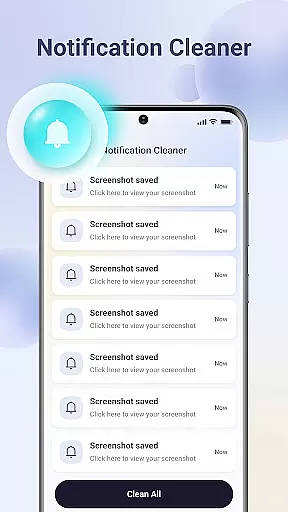
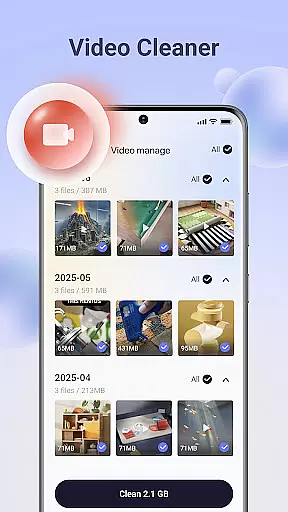
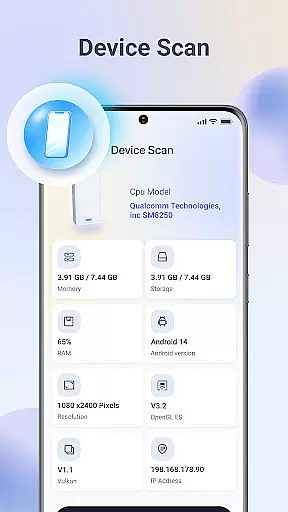
Ace Cleaner is a comprehensive file management and device optimization tool designed to help users efficiently manage their storage space while maintaining privacy and control over personal data. The app focuses on four core functionalities: junk file cleaning, app organization, photo and video management, and large file identification.
With its intuitive interface, Ace Cleaner allows users to scan and remove unnecessary temporary files and cached data that accumulate over time. It also provides detailed insights into app storage usage, enabling users to uninstall unwanted apps. Additionally, the app helps organize media files by identifying duplicates and large files, ensuring users can maintain an organized gallery without losing important memories. All operations are performed locally, guaranteeing complete data privacy.
This tool is particularly useful for individuals who need to free up space on their devices regularly. Whether you're looking to declutter your phone or optimize storage for better performance, Ace Cleaner offers a simple yet powerful solution that combines multiple functions in one easy-to-use application.
Ace Cleaner stands out with its diverse range of features tailored to simplify device storage management. One of its key strengths is the junk file and cache cleaning functionality. By scanning the device, it identifies temporary files and cached data that can be safely removed, helping users reclaim valuable storage space without affecting critical system files.
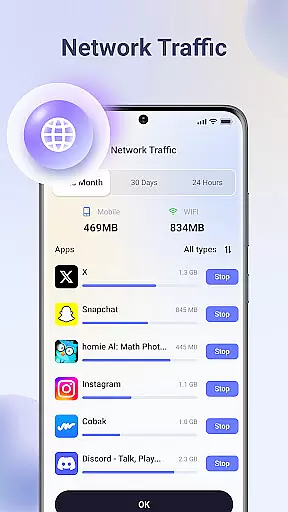
The App Organizer feature provides a transparent view of all installed applications, including their storage and data usage. Users can easily review this information and decide which apps to keep or remove. This ensures optimal use of available storage while giving users greater control over their device's performance.
Another notable feature is the Photo & Video Tidy-Up tool, which assists in organizing media files. It highlights duplicate images, old videos, and other unnecessary content, allowing users to curate their gallery effectively. Similarly, the Large File Finder helps locate bulky files that may be occupying significant space, empowering users to make informed decisions about what to retain or delete. All these features are executed locally, reinforcing the app's commitment to user privacy and security.
Ace Cleaner excels in delivering precise and effective core functionalities that users need for optimal device maintenance. The app's junk file cleaning feature thoroughly scans and identifies unnecessary temporary files and cached data, ensuring that only the relevant files are retained on your device. This meticulous scanning process helps users reclaim valuable storage space without risking the removal of essential system files.
In addition to junk cleaning, Ace Cleaner offers a comprehensive App Organizer. This tool provides detailed insights into installed applications, displaying individual app storage consumption and data usage. Users can make informed decisions about which apps to keep or uninstall, streamlining their device's performance. The clarity and precision of these features ensure that users maintain control over their device's resources while optimizing its efficiency.
The Large File Finder is another testament to the app's commitment to functionality. By identifying sizable files that may be occupying significant storage space, users can evaluate whether these files are worth keeping. This targeted approach to storage management allows users to prioritize important content and remove what's expendable, enhancing both device performance and organization.
Ace Cleaner boasts an interface designed with simplicity and user-friendliness at its core. Navigating through the app's features is intuitive, allowing users of all technical backgrounds to manage their device storage effortlessly. The clean layout ensures that even those new to file management can quickly adapt and utilize the app's full potential without a steep learning curve.
Every function within Ace Cleaner, from junk cleaning to photo tidying, follows a transparent action process. Users are presented with clear choices before any operation, ensuring they understand the implications of their actions. This straightforward approach eliminates confusion and empowers users to take decisive actions regarding their device's storage.
Moreover, the app consolidates various tools such as junk cleaning, app organization, and file management into one cohesive platform. This consolidation reduces the complexity often associated with using multiple apps for different tasks. With Ace Cleaner, managing your device becomes a seamless experience, combining powerful functionality with an accessible interface that prioritizes user control and ease of use.
User-friendly interface
Comprehensive cleaning tools
Local data processing
Efficient storage management
Transparent app controls
Limited advanced options
No cloud backup
Basic design aesthetics
Focused on local use only
Occasional slow scans

pdf merge, word to pdf, jpg to pdf, edit pdf, convert to pdf and much more!
 4.20
4.20
A convenient photo, video, and file recovery tool.
4.00
Extremely fast, secure, and protects your privacy
4.80
Learn the vast amount of system information about device and monitor it's state
4.70
App that Recover your pictures, videos or files after you delete them.
4.20
eXtended Permission Manager - a small app to manage permissions and AppOps
4.50
Bedrock Together: Join any bedrock server on Xbox/PS
4.80
Download any file easily and quickly with Downloader
4.2
Your personal health butler
3.60
Optimize your WiFi network, turn your phone into Wifi Analyzer
4.70
HD Camera captures every special moment.
4.60 4.50
4.50
Use your phone as a webcam on your computer over WiFi or USB.
4.40
Remote for Roku, Fire TV, Samsung TV, LG TV, Android TV, Chromecast and VIZIO TV
4.20
A simple app to back up and restore SMS & MMS messages and call logs.
4.10
A powerful, easy-to-use flight computer on your phone or tablet!
3.80
Clean the junk files on your device
3.40
Undelete and recover your lost or deleted files with DiskDigger!
3.40
PDF Reader - Document Viewer: Read, Manage & Organize Your Documents
3.10


User Reviews