
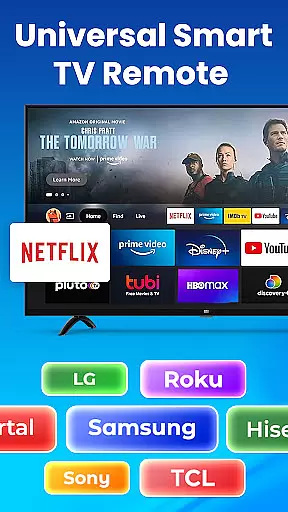
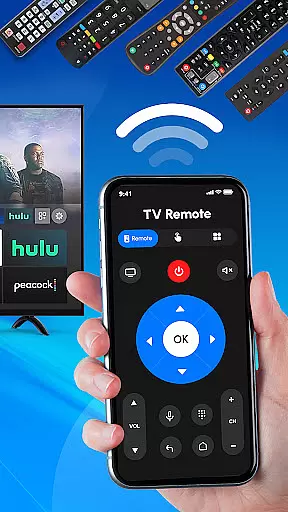
Universal TV Remote Control is a versatile application designed to replace traditional TV remotes for all major TV brands. This app supports Roku, Samsung, LG, Sony, and many other popular TV brands, allowing users to control their TVs directly from their smartphones. With features like Wi-Fi and Bluetooth support, it offers seamless connectivity for both smart and non-smart TVs.
The app provides an all-in-one solution for managing various TV functions such as adjusting volume, changing channels, and switching input sources. Whether you need a Roku remote or a controller for your Samsung TV, this app has got you covered. Its intuitive interface ensures that users can easily navigate and operate their TVs without any hassle.
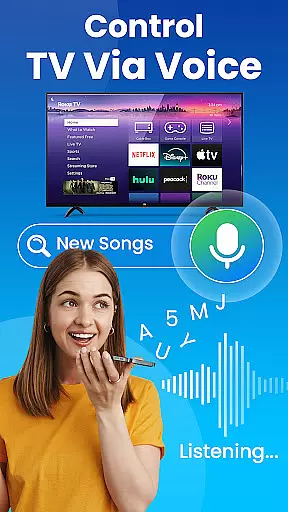
Perfect for modern households, Universal TV Remote Control eliminates the need for multiple remotes and simplifies the TV management experience. By offering advanced features like voice control and compatibility with streaming devices, it enhances user convenience and makes TV control more efficient and enjoyable.
Universal TV Remote Control stands out with its comprehensive feature set tailored for diverse TV brands. The app includes dedicated remote controls for Roku, Samsung, LG, Sony, and other major brands, ensuring broad compatibility. Users can effortlessly manage their Roku TVs, smart TVs, and even older models through Wi-Fi and Bluetooth connections.
One of the key highlights is the full-featured Roku remote functionality, which allows users to power their TVs on or off, change channels, and adjust volume directly from their smartphones. Additionally, the app supports smart TV operations across different brands, providing a unified control experience. This versatility makes it an indispensable tool for households with multiple TV brands.
Beyond basic controls, the app offers advanced features such as voice control and input source switching. These capabilities enhance user interaction and streamline TV management tasks. With its robust performance and user-friendly design, Universal TV Remote Control delivers a superior remote experience that adapts to various user needs and preferences.
In the context of smart home management, ensuring the authenticity and accuracy of connected devices is crucial. Universal TV Remote Control excels in this area by providing verified compatibility with a wide range of TV brands including Roku, Samsung, LG, and Sony.
The application maintains an up-to-date database of supported devices, ensuring users can reliably connect and control their specific TV models. This comprehensive verification process prevents connection issues and ensures optimal performance across different TV brands and models.
Users benefit from the peace of mind that comes with knowing their remote control commands will be accurately interpreted by their television sets. The app's dedicated support team regularly updates the compatibility list based on user feedback and new TV model releases.
This commitment to authenticity extends beyond mere device compatibility. The application also verifies the accuracy of all transmitted commands, ensuring that volume adjustments, channel changes, and input selections perform exactly as intended, creating a seamless and frustration-free user experience.
Universal TV Remote Control offers an impressive array of home management features designed to simplify television control across multiple devices and brands. The application serves as an all-in-one solution for managing various TV functions from a single interface.
Through its intuitive design, users can effortlessly switch between controlling different television sets within their home network. The app supports both Wi-Fi and Bluetooth connections, enabling seamless transitions between smart TVs and traditional models without any noticeable delay in command execution.
Advanced functionality includes source input switching, volume control, channel navigation, and power management - all accessible through customizable interface panels. Users can create personalized control layouts for different rooms or TV models, enhancing their home entertainment management efficiency.
Particularly noteworthy is the application's ability to integrate with both modern smart TVs and older non-smart models, effectively bridging the gap between different generations of television technology while maintaining consistent performance standards throughout the home environment.
User-friendly interface
Wide brand compatibility
Voice control feature
Wi-Fi and Bluetooth support
All-in-one solution
Limited offline functionality
Requires smartphone
Occasional connectivity issues
No physical buttons
Dependent on device permissions

Map-based search app for apartments and homes for rent.
 4.60
4.60
PRO Version of GLB AR Viewer
4.3
Home Ideas | Renovation Advice | Local Pros. Go From Dream to Home with Houzz.
4.70
AI Home Designer & Room Planner: Decorate your interior space with AI
4.40
Design your dream home with 3D planning app, Visualize your dream home in 3D.
4.20
Real estate app to find homes for sale or rent in the right neighborhood for you
4.70
Plan your remodel AI home renovation easily using planner 5D and home decor AI.
4.40
MLS-powered real estate app to find homes for sale & apartments for rent
4.70
Make your phone a surveillance camera remote with a home camera app for Android!
4.40
Find your next home, house, apartment, condo, casa, flat, rental, studio, or bed
4.70
AI-powered home design, interior design, home decor, and room design solutions
4.50
For all of your Airthings devices
4.30
The official app for Home Assistant. Control your home anywhere in the world.
4.30
Technology powering many in-home services for residents across the United States
3.80
Our app allows Sunrun customers to monitor systems, pay bills, and get support.
3.80
Design house plans in 2D & 3D, style furniture, and preview renovation layouts
3.70
This Fire TV Remote control's your Fire TV Device and Insignia Fire TV Remote
3.70
Unlock AI-based barcode scanning and support the development of Grocy Android
4.5
Universal TV Remote for TV, control all Smart TVs with your mobile phone.
4.3


User Reviews