
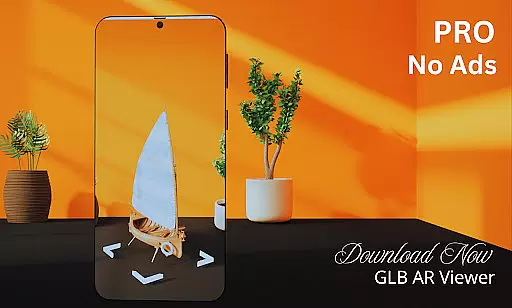
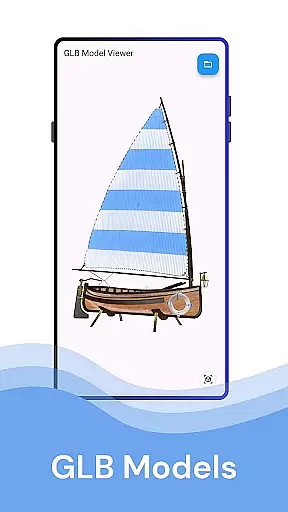
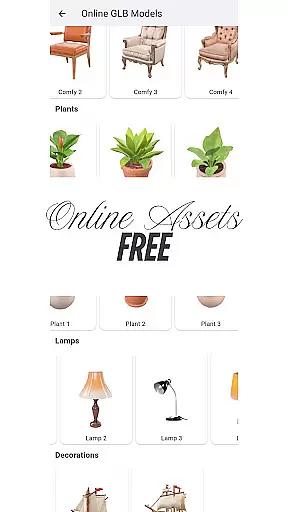
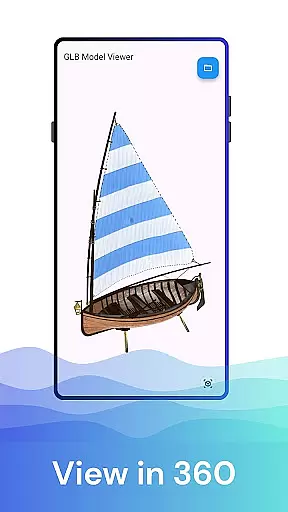
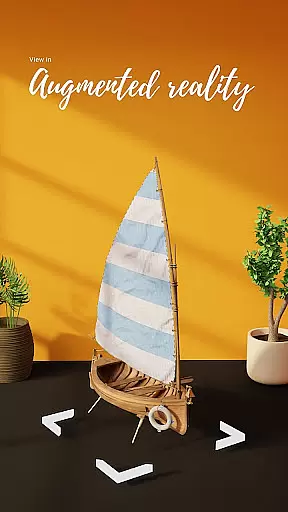

GLB AR Viewer 3D PRO is a cutting-edge application designed for users to seamlessly view and interact with 3D models in GLB format. The app supports both standard 3D viewing and immersive Augmented Reality (AR) experiences, making it an essential tool for professionals and enthusiasts alike.
With its intuitive interface, the app allows users to load GLB files directly from their device storage and visualize them in real-world environments using ARCore technology. Whether you're a 3D artist, developer, or educator, this app provides a fast, reliable way to preview and share your 3D creations anytime, anywhere.
The ability to manipulate 3D models through touch gestures such as rotating, zooming, and panning ensures an interactive and engaging experience. This functionality proves invaluable for showcasing work, testing models, or exploring educational content in augmented reality.
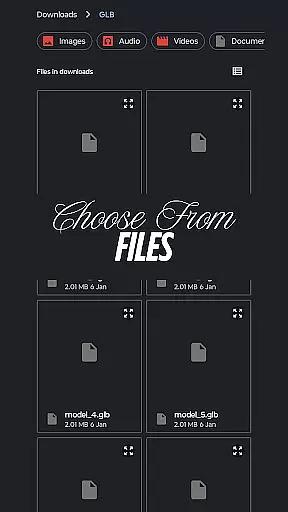
GLB AR Viewer 3D PRO stands out with its robust feature set tailored for 3D model visualization. One of its core features is the ability to open .glb files directly from device storage, providing instant access to 3D models without any complicated setup.
The app's Augmented Reality (AR) viewer leverages ARCore to place 3D models in real-world settings, offering a unique perspective on how these models would appear in physical space. This feature is particularly beneficial for developers testing assets for games or applications and for educators illustrating complex concepts.
Interactive controls allow users to manipulate models effortlessly using touch gestures. These include rotating the model for different angles, zooming in for detail inspection, and panning across the scene. Coupled with a user-friendly interface, these features ensure a smooth and efficient workflow for all types of users.
In the realm of House & Home applications, ensuring the authenticity of property listings is paramount. GLB AR Viewer 3D PRO takes this a step further by allowing users to visualize properties in Augmented Reality (AR). This feature provides an immersive experience where potential buyers or renters can view 3D models of properties as if they were physically there.
The app supports .glb files, which are widely used for high-quality 3D assets. By enabling users to open these files and place the models in their real-world environment using ARCore technology, it ensures that the property representation is both accurate and realistic. This level of detail helps in making informed decisions about the property's suitability.
For real estate professionals, this means listings can be presented with unprecedented clarity and engagement. The ability to showcase properties in AR not only enhances transparency but also builds trust with clients. It reduces the chances of misrepresentation and aligns expectations by providing a true-to-life depiction of the property.
GLB AR Viewer 3D PRO extends its utility beyond just viewing 3D models by incorporating features beneficial for home management. With interactive controls, users can rotate, zoom, and pan 3D models using touch gestures. This functionality is crucial for assessing the spatial dimensions and design aspects of a home, aiding in better space management and planning.
The application's user-friendly interface ensures a smooth experience while navigating through complex 3D structures. Its clean and minimal UI allows users to focus on the details that matter without being overwhelmed by unnecessary complexities. This simplicity makes it accessible even to those who may not be tech-savvy.
Furthermore, the fast and lightweight nature of the app means that it operates efficiently without compromising performance. Whether you're a homeowner looking to redesign your space or a professional involved in home staging, GLB AR Viewer 3D PRO offers practical tools that facilitate effective home management. By integrating seamlessly into workflows, it empowers users to make data-driven decisions regarding their living spaces.
Fast loading times
Easy-to-use interface
Augmented reality support
Interactive 3D controls
Ideal for professionals
Limited file formats
No advanced editing
ARCore dependency
Premium version cost
Device compatibility

Unlock AI-based barcode scanning and support the development of Grocy Android
 4.3
4.3
Calculate baluster spacing with ease and precision.
4.1
An awesome mobile app for Home Security Surveillance - uses ZoneMinder
3.20
Parcel Pending Resident App
4.50
Floor Plan Creator Home Design with 2D interior design and 3d view.
3.90
Security App with HD Video, 2-way Audio, and event detection for Home monitoring
4.40
Samsung remote app helps control all Samsung Smartthings TVs. Fast and Stable!
4.10
Looking for the perfect apartment finder app? Find beautiful rental homes here!
4.60
Make your phone a surveillance camera remote with a home camera app for Android!
4.40
MLS-powered real estate app to find homes for sale & apartments for rent
4.70
Your guide to apartments & rental homes. Find your next place to rent with AG.
4.60
Control your Daikin, Amana & Goodman heating & cooling systems from anywhere
4.40
SmartRent - Opening Doors To A Smarter World
4.40
WiZ smart light system
4.40
3D House Design and AI Room Planner - from floor plans to full interior design.
4.40
For all of your Airthings devices
4.30
Smart AI plant care schedules, Real plant experts, support & Thriving community!
4.20
Design your dream home with 3D planning app, Visualize your dream home in 3D.
4.20
Design house plans in 2D & 3D, style furniture, and preview renovation layouts
3.70


User Reviews