
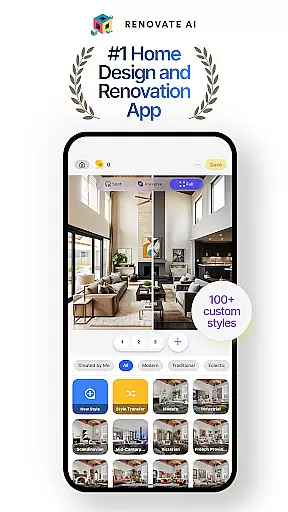
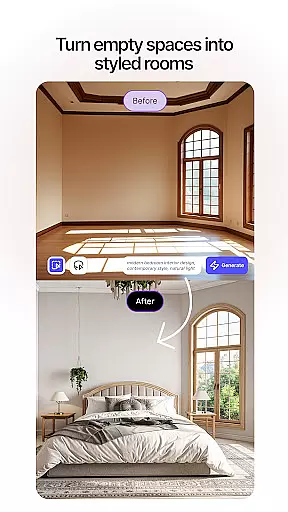
Renovate AI represents the cutting-edge evolution of home design and interior decoration, utilizing advanced AI technology to transform your living spaces. This innovative House & Home application allows users to reimagine their environments through photorealistic 3D renderings and virtual staging options. Whether you're redesigning a single room or planning a complete home renovation, Renovate AI provides all the necessary tools to visualize your dream space.
The app's capabilities extend from interior to exterior design, offering features like 3D elevations, landscape planning with over 40 styles, and exterior remodeling options. Users can experiment with various design elements including wall colors, flooring, and furniture arrangements. The inclusion of professional tools for walls, floors, and backsplashes, combined with object removal and image upscaling features, makes it an all-in-one solution for both amateur decorators and professional designers.
Particularly useful for those undertaking DIY home improvement projects or professionals in need of quick visualization tools, Renovate AI brings sophisticated design capabilities to your fingertips. With its cloud-based storage system and commitment to user privacy, the application ensures that your design concepts remain secure while providing unlimited creative possibilities.
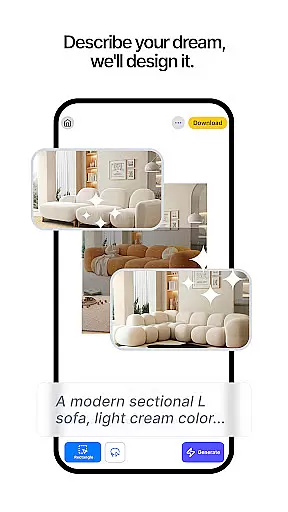
Renovate AI distinguishes itself through a comprehensive suite of design features that cater to both interior and exterior home improvement projects. At its core, the application offers virtual staging capabilities that allow users to instantly redesign interiors by adding furniture, lighting, and fixtures. The 3D elevation feature transforms basic 2D plans into lifelike 3D renderings, while the image upscaling tool converts low-resolution plans into crystal-clear 4K visuals.
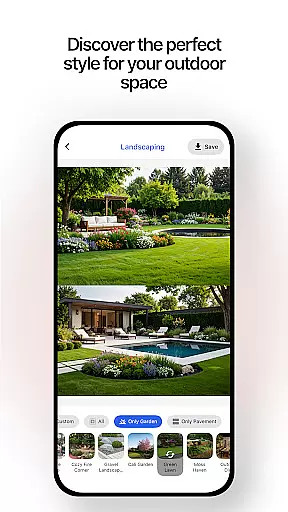
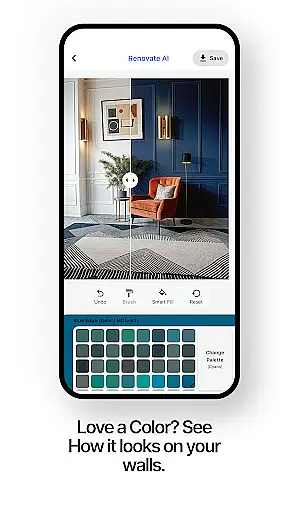
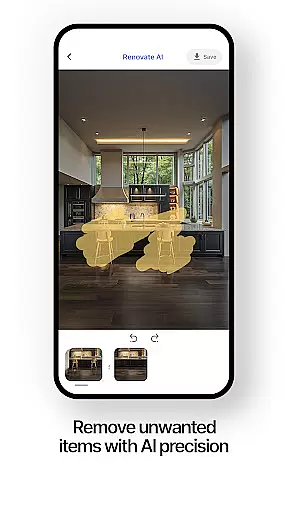
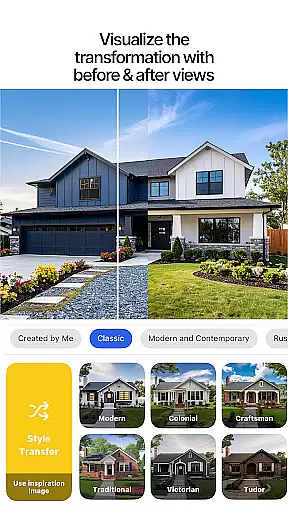
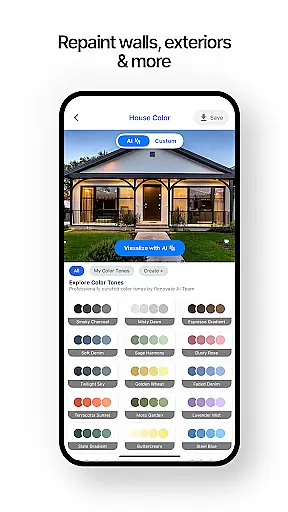
The application's exterior renovation tools provide extensive options for remodeling facades, walls, roofing, and more. Landscape design enthusiasts will appreciate the 40+ available styles for creating gardens and patios. Additional features include sketch-to-render functionality, instant makeovers for testing new wall colors or flooring options, and exterior painting visualization. The object removal tool helps users eliminate unwanted elements from their design space.
What sets Renovate AI apart is its integration of over 10 AI models specifically trained for home design applications. These models power specialized room designer tools for various spaces, from living rooms to bedrooms, and offer suggestions for furniture arrangements, color schemes, and layouts. The application's visual object search and professional-grade tools for walls, floors, and backsplashes further enhance its utility, making it an indispensable resource for anyone involved in home design projects.
In the realm of home design and renovation, having authentic and reliable property listings is crucial for envisioning accurate transformations. Renovate AI ensures that every design option presented is based on verified architectural data and realistic possibilities.
The app employs advanced AI models to analyze existing spaces and provide precise design solutions. This means users can trust that their virtual renovations will translate into feasible real-world applications, whether they are redesigning a single room or an entire house.
By maintaining strict data integrity protocols, Renovate AI guarantees that all suggested modifications, from wall colors to furniture arrangements, are compatible with the original structure. This commitment to authenticity empowers users to make informed decisions about their renovation projects.
Furthermore, the application's cloud-based system securely stores all design data, ensuring that users' creations remain private and protected. This approach not only enhances the reliability of property listings but also builds user confidence in experimenting with various design ideas.
Beyond its impressive design capabilities, Renovate AI offers comprehensive home management features that revolutionize how users interact with their living spaces. These tools extend far beyond basic design functions, providing sophisticated solutions for both interior and exterior property management.
The application's smart room planner enables users to create detailed maintenance schedules, track renovation progress, and manage household inventories. Its AI-powered system can even suggest optimal cleaning routines and seasonal maintenance tasks based on the specific materials and finishes used in each room.
Renovate AI's landscape management features help users maintain their outdoor spaces with automated reminders for planting seasons, fertilization schedules, and irrigation system checks. The app's ability to integrate these practical management tools with creative design functions creates a holistic approach to home ownership.
Additionally, the platform's cloud storage solution allows users to access their home management data from any device, ensuring that important maintenance information is always available when needed most.
User-friendly interface
Comprehensive design tools
Advanced AI capabilities
Secure cloud storage
Versatile design options
Premium features locked
Internet connection required
Steep learning curve
Limited free renders
Subscription costs

An awesome mobile app for Home Security Surveillance - uses ZoneMinder
 3.20
3.20
Our app allows Sunrun customers to monitor systems, pay bills, and get support.
3.80
Resident Center, powered by Buildium, is designed with simplicity in mind.
4.50
Real estate app to find homes for sale or rent in the right neighborhood for you
4.70
Control your Vivint Smart Home with the next generation Vivint App.
4.30
Apartment finder for apartments for rent. Compare prices, amenities & rentals.
4.50
Turn old phones into security cameras, baby monitors, pet cams, and more.
4.70
3D House Design and AI Room Planner - from floor plans to full interior design.
4.40
Samsung remote app helps control all Samsung Smartthings TVs. Fast and Stable!
4.10
Your guide to apartments & rental homes. Find your next place to rent with AG.
4.60
Control your Daikin, Amana & Goodman heating & cooling systems from anywhere
4.40
Plan your remodel AI home renovation easily using planner 5D and home decor AI.
4.40
Make your phone a surveillance camera remote with a home camera app for Android!
4.40
Control your thermostat, comfort, and home monitoring from your phone
4.30
Book your local plumber 24/7, track your service order & get exclusive coupons
4.00
Floor Plan Creator Home Design with 2D interior design and 3d view.
3.90
Use Home by ShowingTime to easily manage showings, tours, feedback and more
3.60
Unlock AI-based barcode scanning and support the development of Grocy Android
4.0
Universal TV remote Control for Roku TV brands via WiFi remote
4.2


User Reviews