
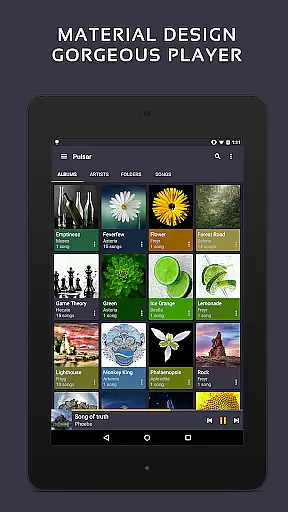
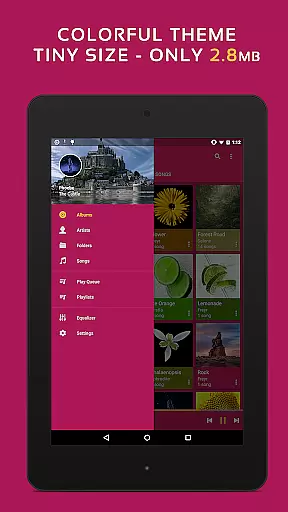
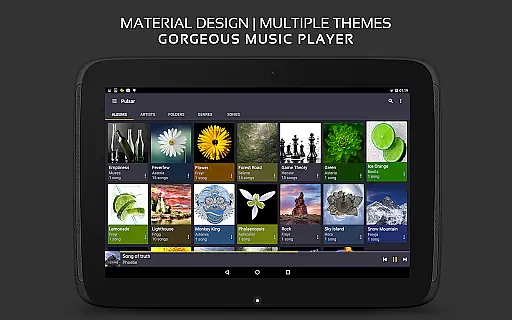
Pulsar Music Player Pro stands as a premium music application tailored for Android users who appreciate high-quality audio playback and an elegant user interface. This offline audio player integrates material design principles, offering a visually appealing experience without advertisements. With millions of downloads, it has established itself as the ultimate choice for discerning music enthusiasts.
The app encompasses essential features such as gapless playback, lyrics display, crossfade, play speed adjustment, tag editing, last.fm scrobbling, Chromecast support, voice commands, Android Auto compatibility, equalizer settings, music visualizer, audio balance control, ReplayGain, and a sleep timer. These functionalities cater to diverse musical needs, ensuring a comprehensive and customizable listening experience.
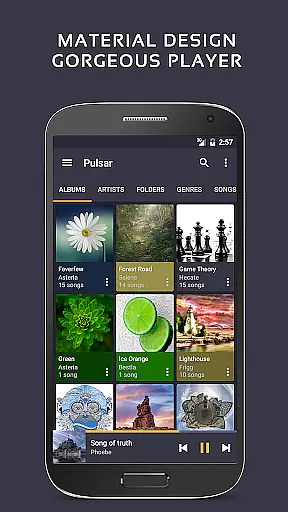
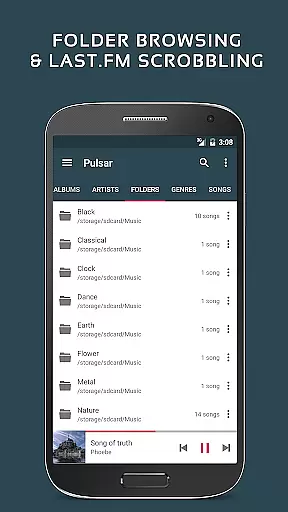
Pulsar Music Player Pro boasts an array of sophisticated features that enhance music playback and management. The app's user interface is meticulously designed with animations and material design elements, providing an intuitive and visually pleasing interaction. Users can organize and play music by album, artist, folder, and genre, while smart playlists offer selections based on most played, recently played, and newly added tracks.
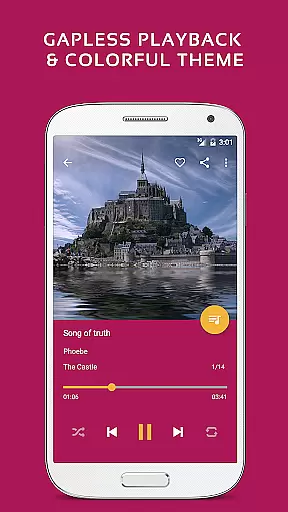
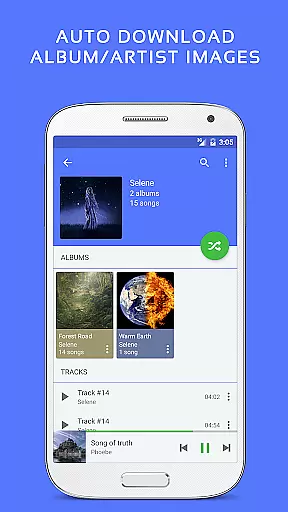
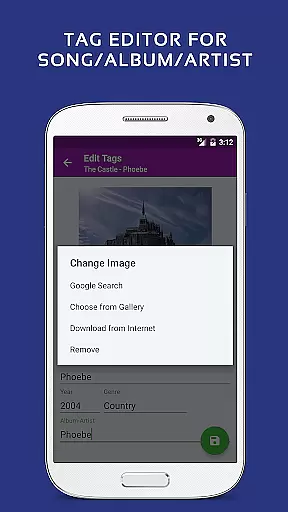
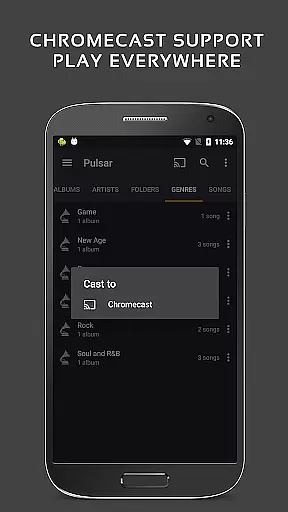
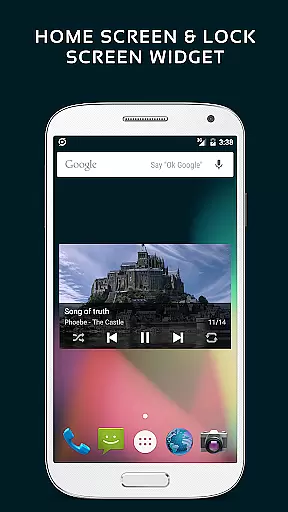
Advanced functionalities include automatic syncing of missing album/artist images, fast search capabilities across albums, artists, and songs, and a resizable home screen widget. The app supports gapless playback, play speed adjustment, crossfade, ReplayGain volume normalization, and a built-in metadata tag editor. Additionally, it displays lyrics, renders music visualizations, and integrates with Chromecast, Google voice commands, and Android Auto. Enhanced features in the paid version include 16 extra themes, theme customization, a 5-band equalizer controller, 9 pre-built equalizer presets, bass booster, reverb, and more.
Pulsar Music Player Pro offers an extensive music library that supports a wide range of audio file formats including MP3, AAC, FLAC, OGG, and WAV. This ensures that users can enjoy their music collection without compatibility issues.
The application respects copyright laws by providing tools for managing legally owned music files. Users can import their personal collections and access them through the app's intuitive interface, ensuring a seamless listening experience while maintaining legal integrity.
With features like automatic album art downloading and metadata tag editing, Pulsar enhances the organization and presentation of your music library. These capabilities not only improve usability but also help maintain the authenticity of the original content.
By focusing on user-owned libraries rather than streaming services, Pulsar emphasizes the importance of personal music collections and provides a platform for enjoying legally acquired tracks with high-quality playback options.
Pulsar Music Player Pro places a strong emphasis on audio quality, offering advanced features such as gapless playback, crossfade support, and ReplayGain volume normalization. These functions ensure that listeners experience their music exactly as intended by the artists.
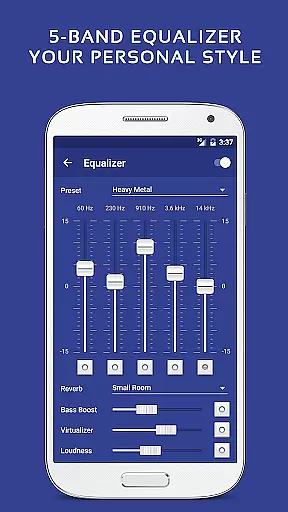
The inclusion of a 5-band equalizer controller with nine pre-built presets allows users to customize their sound profile according to personal preferences or specific genres. Additional audio effects like bass boost and reverb enhance the overall listening experience.
For audiophiles seeking precise control over their playback settings, Pulsar provides play speed adjustment and sound balance modification. These features enable fine-tuning of audio output to match individual hearing preferences or playback equipment characteristics.
By combining these sophisticated audio processing tools with support for high-resolution audio formats, Pulsar delivers exceptional sound quality that satisfies even the most discerning music enthusiasts while maintaining complete offline functionality without advertisements.
Offline playback
No ads
Material design UI
Gapless playback
Equalizer presets
Paid version only
Complex UI
Limited formats
No cloud sync
High cost

Full-featured, High-Quality Groovebox Workstation, perfect for Live Performance!
 4.80
4.80
Your song collections with lyrics and chords on Android smartphones and tablets.
4.80
Bass Booster & Volume Equalizer Pro improves your music and video sound quality
4.60
Super Sound Editor, Song Maker & Mixer, Vocal Remover, Voice Recorder & Changer!
4.60
Learn to play the piano using falling notes!
3.80
A complete sound package for the sound engineer or enthusiast
4.60
Powerful 10-Band equalizer pro with sound booster improves Android audio quality
4.30
Learn the notes on the guitar fretboard fast with this easy and fun app
4.60
MilkDrop for Android TV
3.00
Play your hearts out on TouchTunes jukeboxes & connect with fellow music lovers.
4.80
Simple & Intuitive Metronome
4.70
Pay Once, no monthly payment
4.60
Reverse your voice & songs instantly! Fun singing challenge with cool effects.
4.60
A synth that really lets you shape your sounds!
4.50
Time Trainer: accurate metronome w tools to help you develop your internal time!
4.20
PowerAudio is a powerful offline music player.
4.20
Permanently backup Now Playing. Maps, filters & listening stats.
4.00
Simple mp3 and mp4 player with advanced features.
3.40
Music Streaming suite for Ampache, Nextcloud Music and compatible backends.
4.5


User Reviews