
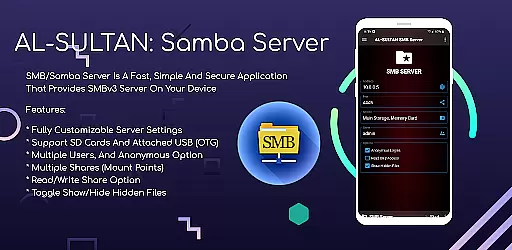
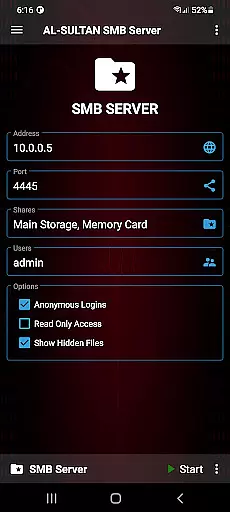
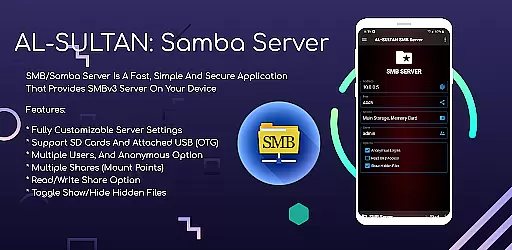
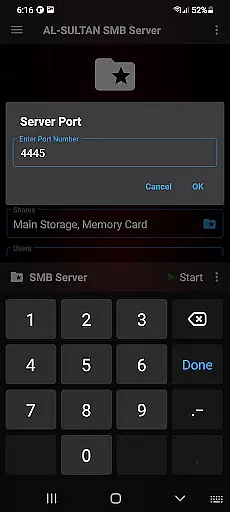
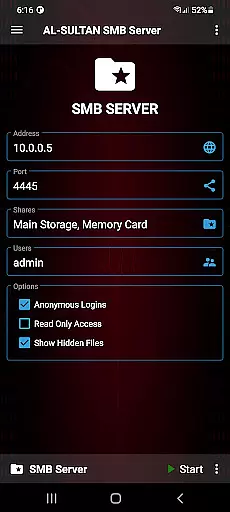
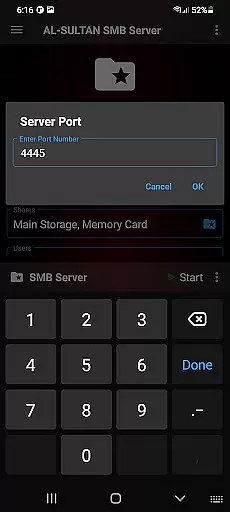
SMB/Samba Server Pro is a premium communication application designed to transform your mobile device into a secure SMBv3 server. This app allows users to easily share files across devices and networks, making it an ideal solution for both personal and professional environments.
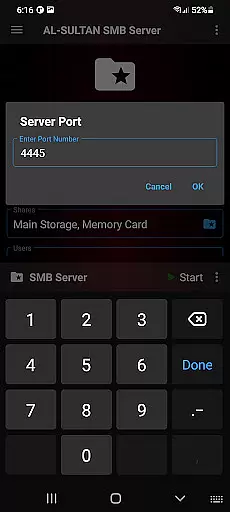
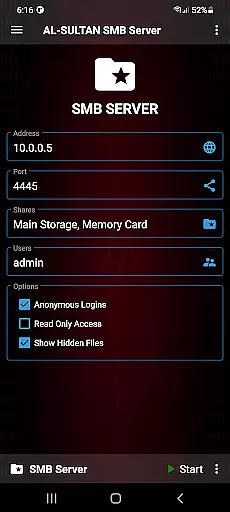
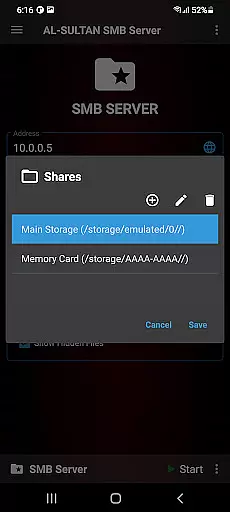
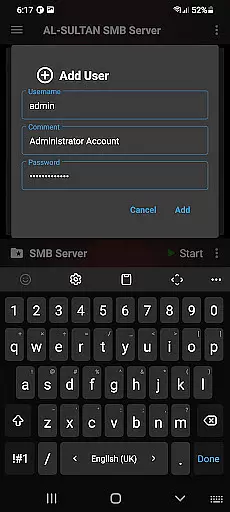
The application stands out with its fully customizable server settings, support for external storage options like SD cards and USB OTG devices, and advanced security features. Whether you need to set up multiple user accounts or configure various sharing permissions, this app provides the tools necessary to create a tailored file-sharing experience.
With its intuitive interface and reliable performance, SMB/Samba Server Pro is particularly useful in office settings where seamless file sharing between computers and mobile devices is essential. The ability to toggle hidden files and enable root support further enhances its versatility, making it a must-have tool for power users.
SMB/Samba Server Pro offers an impressive array of features that cater to both basic and advanced user needs. At its core, the application provides robust server functionality with complete control over server settings, allowing administrators to fine-tune every aspect of their file-sharing environment.
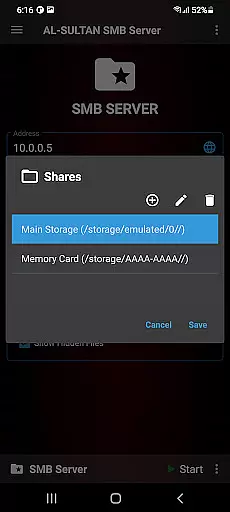
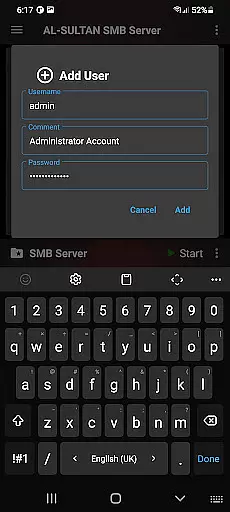
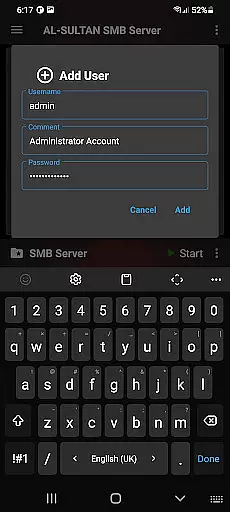
The app's support for multiple storage options sets it apart from competitors. Users can seamlessly integrate SD cards and USB OTG devices, effectively expanding their available storage space while maintaining optimal performance. Additionally, the multiple user account system - complete with anonymous access options - ensures flexible permission management for different team members or departments.
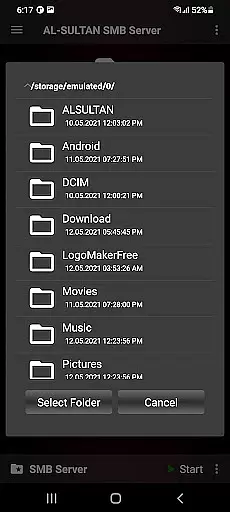
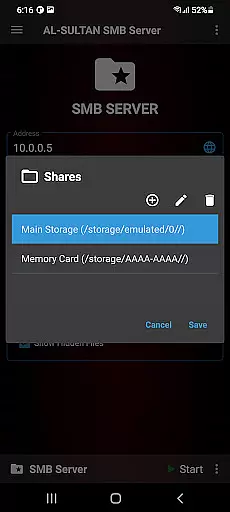
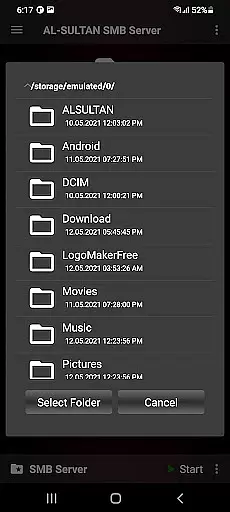
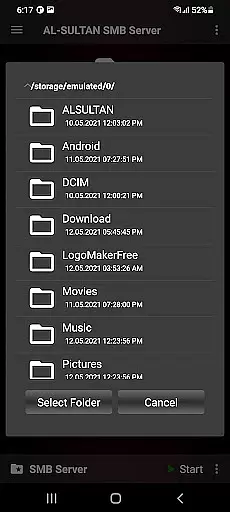
Advanced features include the ability to create multiple shares (mount points) with individual read/write permissions, toggle visibility of hidden files, and utilize root support for enhanced functionality. These capabilities make SMB/Samba Server Pro an exceptionally versatile tool for managing complex file-sharing requirements across various devices and operating systems.
Real-time messaging speed and reliability are crucial for any communication application, ensuring that messages are delivered instantly and without fail. SMB/Samba Server Pro excels in this area by providing a fast and secure environment for file sharing and communication.
The application supports multiple users with customizable server settings, allowing each user to tailor the experience to their needs. This customization extends to read/write permissions on shares, ensuring that only authorized individuals can make changes, thus maintaining message integrity.
With support for SD cards and attached USB devices (OTG), SMB/Samba Server Pro ensures that data transfer is not only quick but also versatile, accommodating various storage solutions. This flexibility enhances the overall reliability of the messaging system, as files can be shared from different sources without interruption.
Media sharing support is an essential feature for modern communication apps, enabling users to exchange photos, videos, and other media seamlessly. SMB/Samba Server Pro offers robust media sharing capabilities through its multiple shares (mount points) and read/write options.
Users can toggle the visibility of hidden files, which is particularly useful when managing media libraries where certain files might need to remain unseen. This level of control over file visibility ensures that media sharing remains organized and purposeful.
Furthermore, root support adds another layer of functionality, allowing advanced users to manage their media libraries at a deeper level. Whether it's for personal use or within a team setting, these features collectively enhance the media sharing experience, making SMB/Samba Server Pro a reliable choice for efficient and secure media exchange.
Highly customizable server settings
Supports multiple storage options
Multiple user account management
Anonymous access option available
Advanced root support functionality
Requires technical knowledge
Paid version only
No cloud integration
Limited beginner-friendly features
Complex setup process

Call Forwarding is easy and simple application to use.
 3.80
3.80
SMS & MMS Messaging App to easily send messages or schedule SMS on Chat
4.10
Block spam calls & scam - no more annoying calls with the call blocker function
4.30
Messenger app for faster and simpler SMS text messaging, and personalized themes
4.10
This app enables the phone to receive and send FT8 traffic!
3.80
Fast Dialer & Contact Manager with Caller ID and Spam Protection
4.00
Comprehensive and powerful scan tool app with enhanced functions
3.00
Read OBD2 data and DTCs Create custom dashboards Enhanced diagnostics available
4.70
Group Chat That’s Fun & Games
4.30
We’re taking the yada yada out of wireless—now we’ve taken it out of your app.
4.70
Build your web browser around you with private search, and more.
4.60
Connect and browse the internet with a fast VPN proxy server and IP blocker.
4.50
Experience real private browsing without tracking, surveillance, or censorship.
4.50
A customizable phone number in the cloud
4.20
BE PRIVATE
Anonymous. No Trace. Fast.
4.20
SMS Messenger ensures that communication become effortless and accessible.
3.80
Manage and Fund Calling Accounts and Schedule and Join Video Sessions
3.60
At select facilities, you now have an easy way to video visit your loved ones!
3.30
Official NDI app: turn your phone into a professional live-streaming IP camera.
3.20


User Reviews