
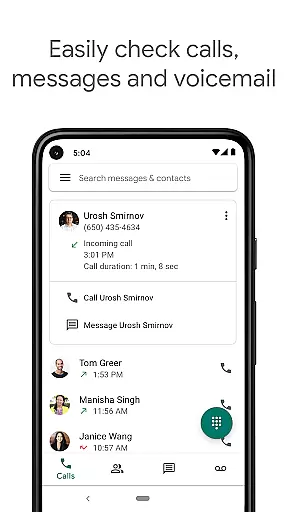
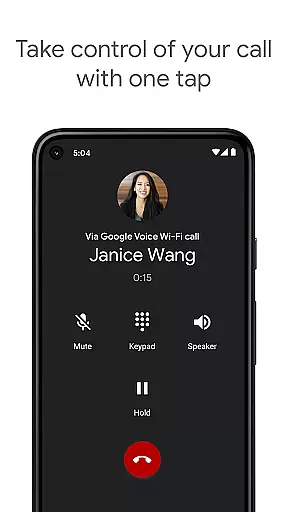
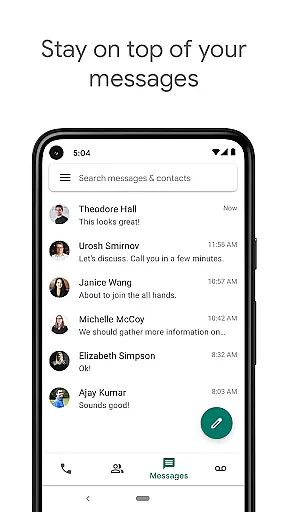
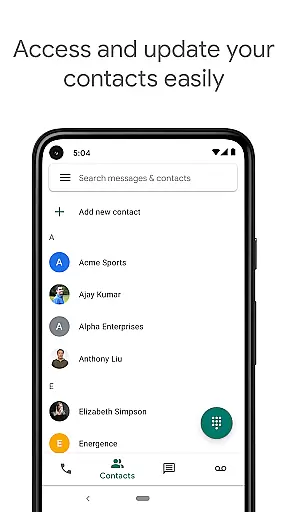
Google Voice is a communication app that provides users with a dedicated phone number for calling, text messaging, and voicemail services. The app seamlessly syncs across all devices including smartphones and computers, ensuring you stay connected wherever you are. With features like spam filtering, personalized call settings, and automatic backup of calls and messages, it offers a comprehensive communication solution.
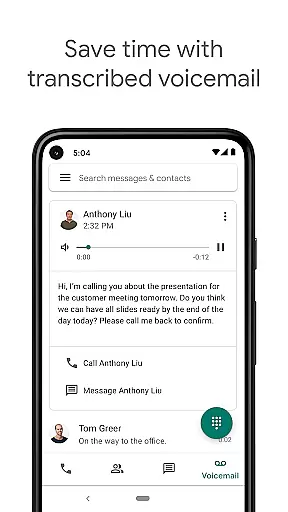
The app stands out with its advanced voicemail transcription service, which allows users to read their voicemails as text directly in the app or via email. Additionally, Google Voice helps users save on international calling costs by offering competitive rates without requiring extra international minutes from their mobile carrier. This makes it an ideal choice for individuals seeking efficient and cost-effective communication tools.
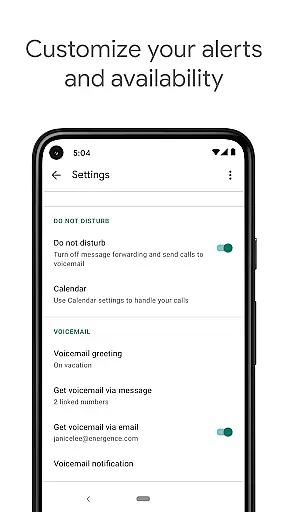
Google Voice boasts a range of features designed to enhance user control and convenience. One notable feature is automatic spam filtering, which helps keep unwanted calls at bay while allowing users to block specific numbers. Personalized settings enable users to manage how calls, texts, and voicemails are forwarded, providing flexibility based on individual preferences.
Another standout feature is the app's ability to store and back up calls, text messages, and voicemails. This ensures that users can easily search through their communication history whenever needed. Moreover, the advanced voicemail transcription service converts spoken messages into readable text, making it easier than ever to stay updated without listening to lengthy voicemail recordings.
Real-time messaging speed and reliability are crucial for effective communication tools like Google Voice. This feature ensures that messages are delivered instantly and consistently, providing users with a seamless experience.
Google Voice achieves this by leveraging Google's robust infrastructure, which supports quick transmission of text messages across devices. Whether you're at home, in the office, or on the go, your messages are synced and available wherever you need them.
The benefit to users is significant. Instant message delivery means you can have real-time conversations without delays, making it ideal for both personal and professional communication. Additionally, the reliability factor ensures that your messages are always delivered, reducing the chances of miscommunication.
Overall, Google Voice's commitment to fast and dependable messaging enhances user productivity and connectivity, allowing individuals to manage their communications efficiently and effectively.
Media sharing support is an essential feature for modern communication apps, enabling users to share various types of media effortlessly. In Google Voice, this functionality allows users to send and receive multimedia content such as images, audio files, and documents.
Google Voice integrates smoothly with other Google services and supports multiple file formats, ensuring compatibility and ease of use. Users can easily attach media files to messages and be confident that recipients will view them without issues.
This feature offers substantial value to users by enriching their communication options. Instead of being limited to text, users can share rich media, enhancing the context and depth of their conversations. This is particularly useful for collaborative work environments where visual aids and detailed documentation are often necessary.
In summary, Google Voice's media sharing capabilities ensure that users can communicate comprehensively and dynamically, meeting diverse communication needs while maintaining high standards of quality and compatibility.
User-friendly interface
Advanced voicemail transcriptions
Cost-effective international calls
Automatic spam filtering
Cross-device synchronization
Limited to certain regions
No support for MMS
Occasional transcription errors
Dependent on internet connection
Requires Google Account

BiP is a fast, secure, free messaging and HD video calling app!
 4.10
4.10
Save 10% automatically on your first international mobile top up.
4.60
Fast and mini browser with Ad Blocker,Video Downloader and Video Player
4.40
This app enables the phone to receive and send FT8 traffic!
3.80
A softphone with crystal clear SIP Calling & Reliable VoIP dialer
4.00
FolderSync enables easy sync of files between cloud storage and Android devices.
4.60
Stay in touch with the people who matter most.
4.60
Simple tool for businesses to talk to their customers.
4.40
Telegram is a messaging app with a focus on speed and security.
4.00
A browser that does more than load page, like keeping your privacy safe.
4.70
Adblock & VPN Browser: Blocks banners, pop-ups and video ads, fast downloader!
4.60
Messenger, an MMS & SMS messages app with Blockers, Driving mode & Private box
4.60
Connect and browse the internet with a fast VPN proxy server and IP blocker.
4.50
Smart and simple anti-wiring application - IMSI-catchers catcher
4.40
Get through your inbox faster with the mail app designed to simplify your life.
4.40
Tether to Windows, OS X, Linux PCs or Android tablets. No root. No tether fees.
3.90
Caller ID, Spam Call & SMS Blocker
3.80
Official NDI app: turn your phone into a professional live-streaming IP camera.
3.20
Comprehensive and powerful scan tool app with enhanced functions
3.00


User Reviews