
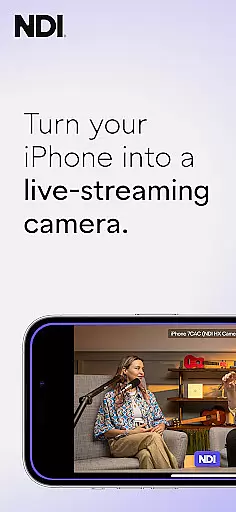
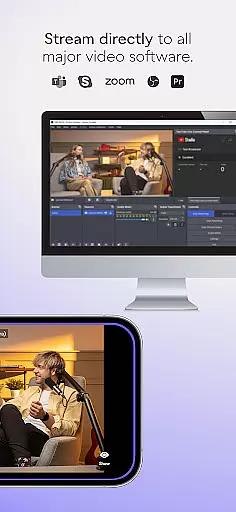
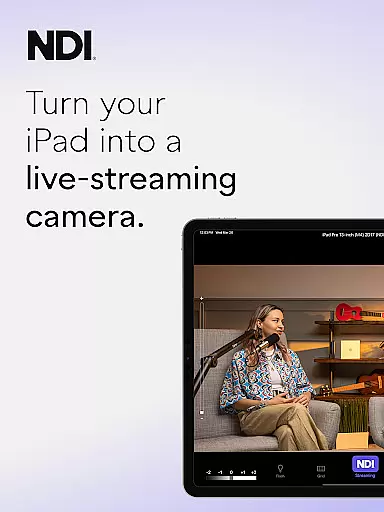
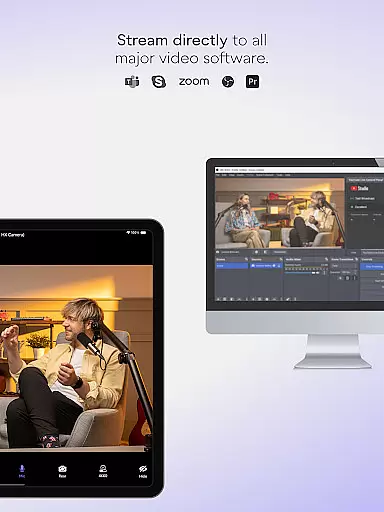
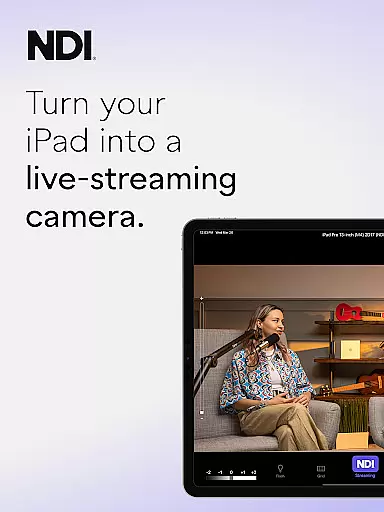
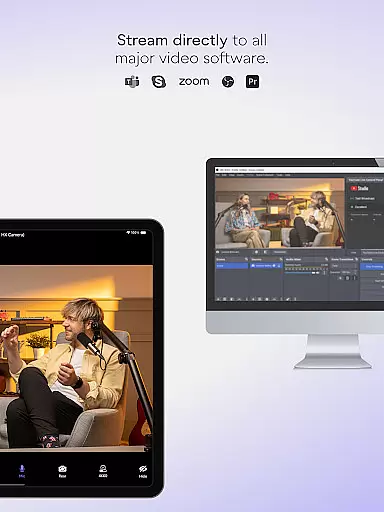
NDI Camera is a professional live-streaming application that transforms your mobile device into a high-quality NDI camera. With its intuitive interface and powerful features, the app allows users to stream low-latency video and audio directly to popular platforms such as MS Teams, Skype, and Zoom. Designed for both amateur and professional use, it offers seamless integration into any live production system.
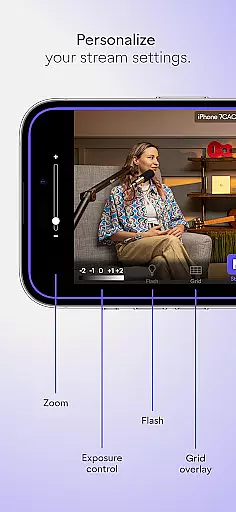
The app provides advanced functionalities including tally light with multiple modes, front and rear camera selection, and optional grid overlay. These features make it an ideal tool for enhancing live broadcasts, webcasts, and presentations by introducing new camera angles and vantage points. Whether you're streaming from a small meeting or a large event, NDI Camera ensures your content is delivered with exceptional quality.
With support for NDI 4 or newer, this app is perfect for professionals seeking to expand their production capabilities using mobile technology. Its ease of use and professional settings, such as adjustable bandwidth modes and autofocus, ensure that users can tailor their streaming experience to fit specific network conditions and production needs.
NDI Camera stands out with its array of sophisticated features designed to enhance live-streaming experiences. The app boasts a modernized UI that simplifies navigation and control, ensuring users can operate it effortlessly. One notable feature is the fixed viewfinder, which now displays the full video height, providing a more accurate preview of the streamed content.
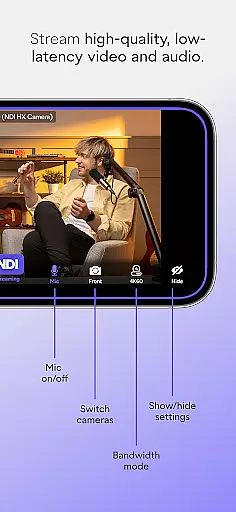
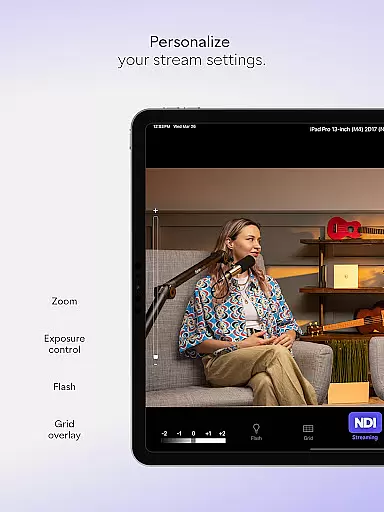
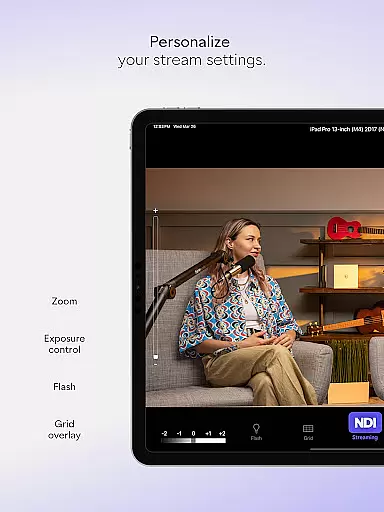
For professional environments, NDI Camera offers extensive customization options. Users can choose between high, medium, and low bandwidth modes to optimize streaming based on their network's capabilities. Additionally, the app includes practical tools like an on-screen connection meter, pinchable zoom, and tally display for monitoring preview and on-air status. These functionalities collectively contribute to a versatile and reliable streaming solution.
Another remarkable aspect is the app's compatibility with major communication platforms such as MS Teams, Skype, and Zoom. This makes NDI Camera not just a standalone tool but an integral part of a broader ecosystem, enabling users to incorporate mobile perspectives seamlessly into their productions. Overall, these features empower users to deliver dynamic and engaging live content.
Real-time messaging speed and reliability are crucial for seamless communication, especially in live-streaming scenarios. NDI Camera excels in this area by ensuring that video and audio streams are transmitted with minimal delay.
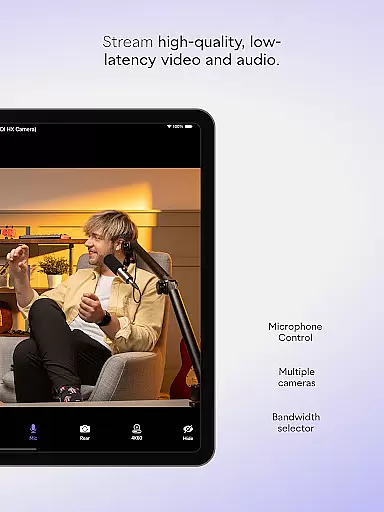
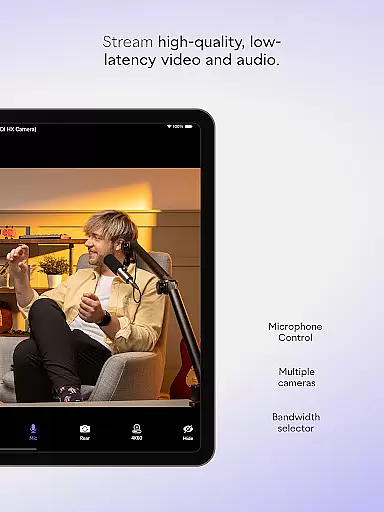
The app leverages NDI 4 or newer technology to maintain high-quality, low-latency streaming. This means users can expect crisp video and clear audio almost instantaneously, making it ideal for professional environments where timing is everything.
With its intuitive UI modernization in V1.7, the app now offers an even smoother experience. Users can easily switch between different bandwidth modesu2014high, medium, and lowu2014to match their network's capabilities, ensuring consistent performance regardless of internet speed fluctuations.
NDI Camera provides robust media sharing support, allowing users to stream directly to popular platforms like MS Teams, Skype, Zoom, and more. This versatility makes it a valuable tool for professionals looking to integrate mobile devices into their live production systems.
The app supports both front and rear camera selections, offering flexibility in capturing various perspectives. Whether you need to introduce new camera angles or add vantage points to your coverage, NDI Camera has you covered.
Additional features such as autofocus, pinchable zoom, and an optional grid overlay enhance the useru2019s ability to capture precise shots. The on-screen connection meter and tally display further ensure that users are always aware of their streaming status, providing peace of mind during important broadcasts.
User-friendly interface
High-quality streaming
Multiple platform support
Customizable settings
Professional-grade tools
Requires NDI 4 or newer
Limited free features
Network dependent
Occasional bugs
Premium version costly

Fast and simple walkie talkie app
 4.20
4.20
Call Forwarding is easy and simple application to use.
3.80
Messenger for SMS - texting message app, faster, simpler & safer, for you.
4.70
Block spam calls & scam - no more annoying calls with the call blocker function
4.30
Welcome to the future of phone service.
4.60
Fast Dialer & Contact Manager with Caller ID and Spam Protection
4.00
Caller ID App! Add names & photos to unknown calls & Call Recording
4.40
A softphone with crystal clear SIP Calling & Reliable VoIP dialer
4.00
Call & Text Anywhere With A Canadian Number.
3.60
Manage BoostMobile Account
4.60
FolderSync enables easy sync of files between cloud storage and Android devices.
4.60
Connect and browse the internet with a fast VPN proxy server and IP blocker.
4.50
Create a secure hotspot on-the-go with Portable WiFi - Mobile hotspot.
4.40
Simplify texting with Messages SMS, offline messaging, themes & smart tools!
4.30
HD Video Meeting app is a fast & unlimited video conferencing app across world.
4.30
SMS & MMS Messaging App to easily send messages or schedule SMS on Chat
4.10
Tether to Windows, OS X, Linux PCs or Android tablets. No root. No tether fees.
3.90
At select facilities, you now have an easy way to video visit your loved ones!
3.30
Auto Reply SMS, Text Messaging, Away SMS Response, Busy SMS messages, Block Text
3.10


User Reviews