


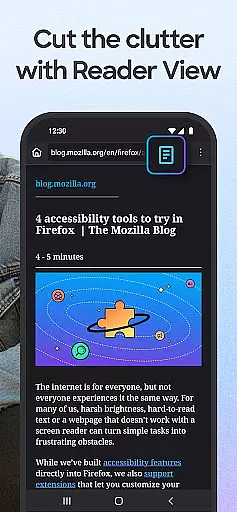
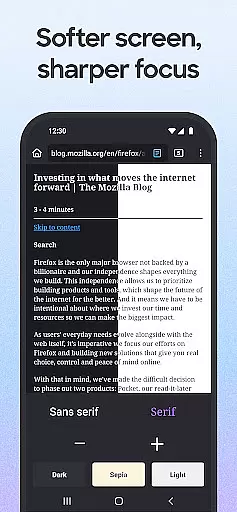
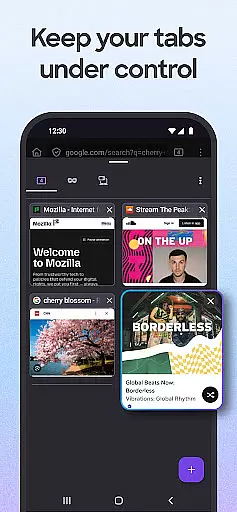
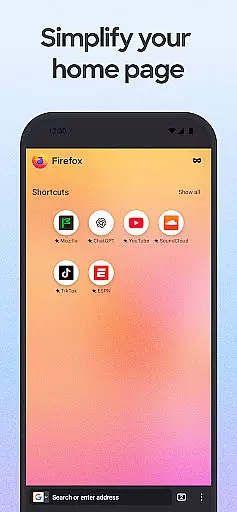
Firefox Fast & Private Browser is a top-tier communication tool designed to provide users with a secure and customizable internet browsing experience. As a privacy-focused browser, Firefox offers automatic tracker blocking, enhanced tracking protection, and private browsing modes that ensure your online activities remain confidential. The browser stands out with its ability to sync across devices, making it easy to access open tabs, passwords, and bookmarks from your phone on desktop and vice versa.
In addition to its robust security features, Firefox delivers an intuitive user interface with easy-to-use tabs, helpful add-on extensions, and tailored search engine options. Users can enjoy a faster browsing experience thanks to Enhanced Tracking Protection that blocks ad trackers, while the availability of dark mode helps save battery life and reduce eye strain. Whether you're managing passwords, watching videos, or multitasking, Firefox provides the tools needed for a seamless and efficient browsing session.
This browser is particularly beneficial for those who prioritize online privacy and need a reliable tool for both personal and professional communication. With over 20 years of commitment to an open and accessible internet, Firefox continues to be a trusted choice for millions of users worldwide.
Firefox Fast & Private Browser distinguishes itself through a comprehensive suite of features designed to enhance user privacy and streamline navigation. One of its standout capabilities is the automatic tracker blocking, which by default prevents social media trackers, cross-site cookie trackers, crypto-miners, and fingerprinters from monitoring your online behavior. This feature alone significantly boosts your browsing security and speed.
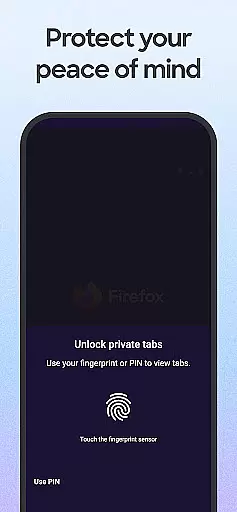
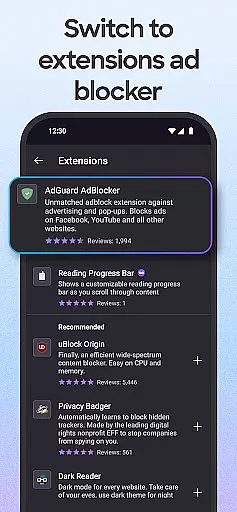
Beyond tracker blocking, Firefox offers enhanced tracking protection with customizable settings, allowing users to choose a 'strict' mode for even more privacy. The browser supports various ad blocker extensions, private search engine configurations, and hide private tabs functionality, ensuring that your browsing history remains confidential. Additionally, Firefox's password management system securely stores and syncs login details across devices when connected to a Mozilla account, simplifying access to frequently visited sites.
For users seeking a personalized browsing experience, Firefox provides extensive customization options. You can tailor your search engine preferences, move the search bar for one-handed navigation, and utilize the Firefox search widget directly from your home screen. Moreover, features like video pop-out, background play, and easy sharing options make multitasking and content distribution effortless. These innovations collectively contribute to a superior browsing experience that prioritizes user control and privacy.
Real-time messaging speed and reliability are crucial for a seamless communication experience. Firefox Fast & Private Browser ensures that your interactions with web applications, chats, and other real-time services remain smooth and uninterrupted.
The browser's Enhanced Tracking Protection not only safeguards your privacy but also enhances page load speeds by blocking unnecessary trackers and scripts. This means your messages and interactions load faster without compromising security.
With reliable synchronization across devices through your Mozilla account, you can seamlessly continue conversations and interactions on one device that you started on another. This cross-device continuity ensures that no message or interaction is missed, providing a dependable communication flow.
Moreover, the browser's optimized performance ensures minimal latency during data-heavy operations like video calls or live chats. By prioritizing speed and reliability, Firefox empowers users to communicate efficiently in todayu2019s fast-paced digital environment.
Media sharing support is essential for modern browsers, enabling users to share images, videos, and files effortlessly. Firefox Fast & Private Browser offers robust media sharing capabilities that enhance user interaction and content dissemination.
With easy access to sharing options directly from the browser interface, users can quickly send links or specific items on a page to their most recently used apps. This streamlined process facilitates efficient collaboration and information exchange.
Firefox also supports secure sharing, whether youu2019re using private browsing mode or not. This ensures that sensitive media content remains protected while being shared across platforms, maintaining confidentiality and trustworthiness.
In addition, features such as pinned videos allow multitasking without interruptions, enhancing productivity during media-rich tasks. These functionalities make Firefox an ideal choice for users who prioritize versatile and secure media sharing in their daily communications.
Strong privacy protections
Customizable search options
Cross-device syncing
Efficient ad blocking
User-friendly interface
Occasional performance lags
Limited native integrations
Advanced settings may overwhelm beginners
Fewer mobile-specific features
Resource-intensive on older devices

 3.90
3.90
Enables Plus features of Quick Search.
4.2
Enjoy secure messaging & calling. Safe Messenger: group chats, calls, messages.
4.20
Connect and browse the internet with a fast VPN proxy server and IP blocker.
4.50
An agentic AI browser for Android, built by Perplexity
4.50
Watchgram for Telegram: Experience seamless Telegram messaging on your watch
1.80
Auto Reply SMS, Text Messaging, Away SMS Response, Busy SMS messages, Block Text
3.10
Group Chat That’s Fun & Games
4.30
Telegram is a messaging app with a focus on speed and security.
4.00
Browse fast on Opera Mini, with Data Saving, News, Football Scores, and Download
4.60
Manage BoostMobile Account
4.60
FolderSync enables easy sync of files between cloud storage and Android devices.
4.60
Create a secure hotspot on-the-go with Portable WiFi - Mobile hotspot.
4.40
Block spam calls & scam - no more annoying calls with the call blocker function
4.30
2nd Phone Number Line for Anonymous Texting, Calling, and Picture Messages
4.30
BiP is a fast, secure, free messaging and HD video calling app!
4.10
Share the moment!
4.10
Manage and Fund Calling Accounts and Schedule and Join Video Sessions
3.60
At select facilities, you now have an easy way to video visit your loved ones!
3.30


User Reviews