
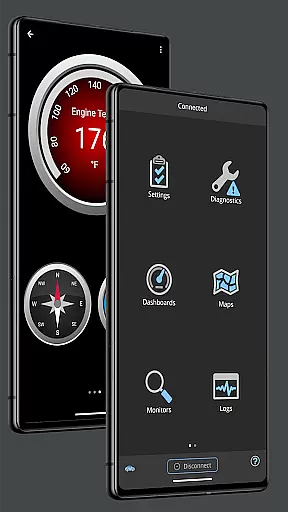
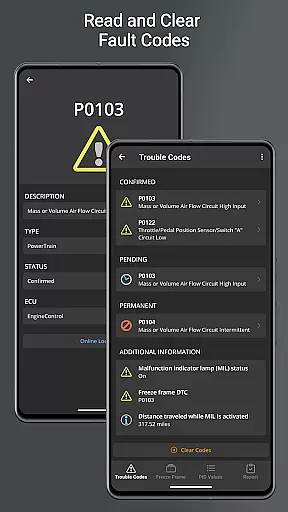
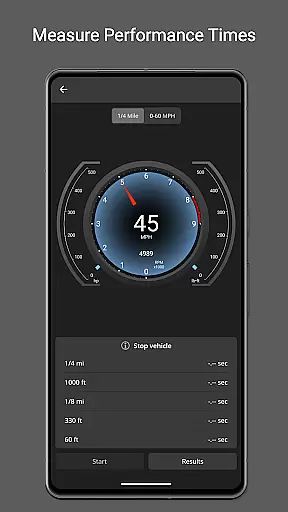
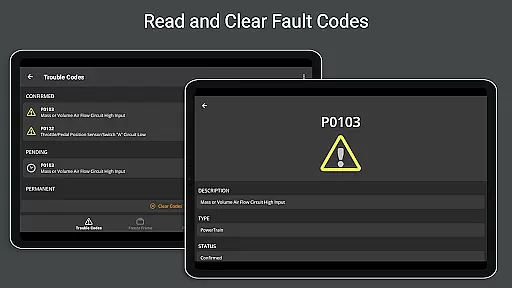
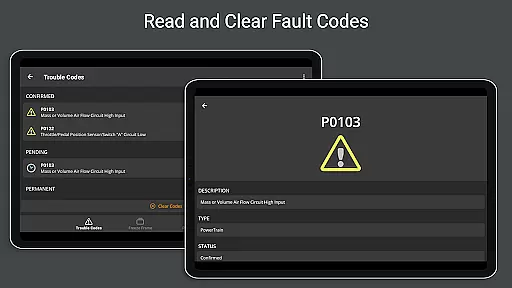
OBD Fusion is a comprehensive vehicle diagnostics tool designed for Android users, enabling direct access to OBD2 vehicle data. This app allows you to perform essential functions such as clearing check engine lights, reading diagnostic trouble codes, and estimating fuel economy. With its extensive feature set, it caters to professional mechanics, DIY enthusiasts, and everyday drivers who wish to monitor their car's performance in real time.
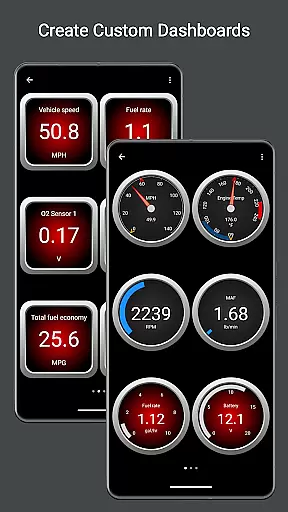
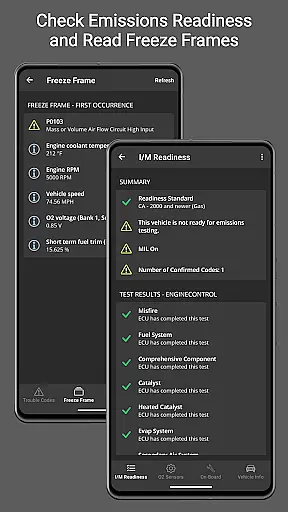
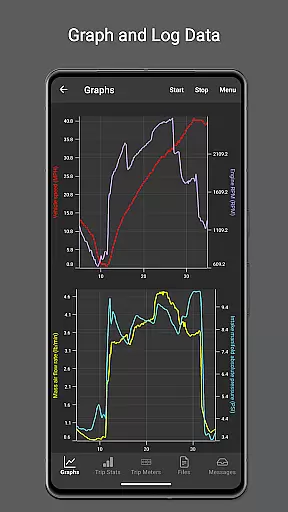
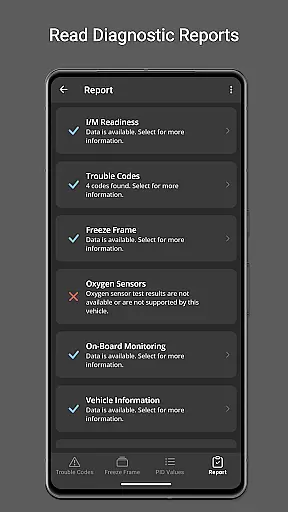
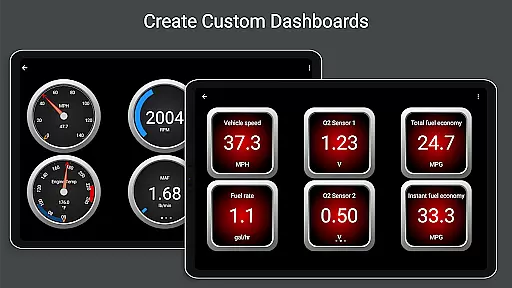
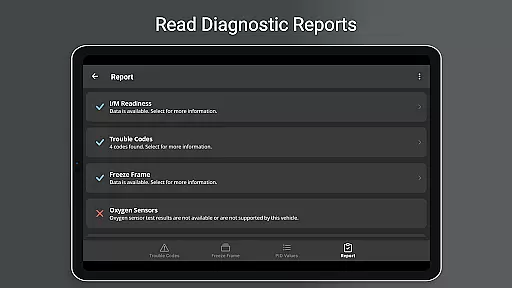
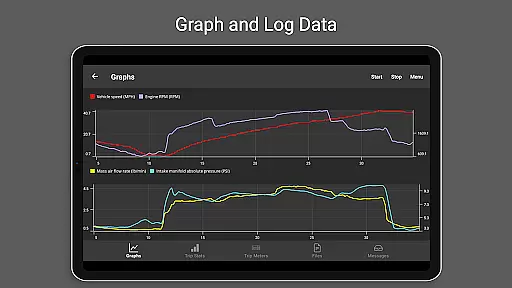
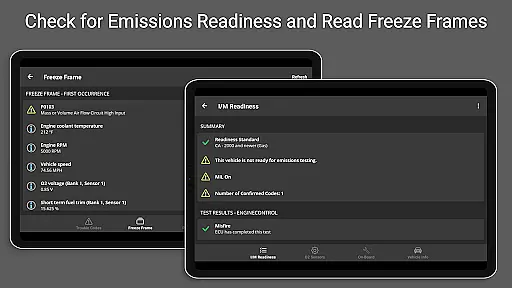
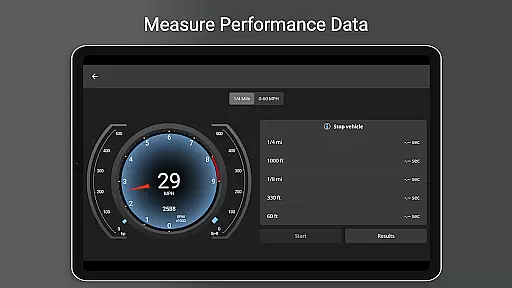
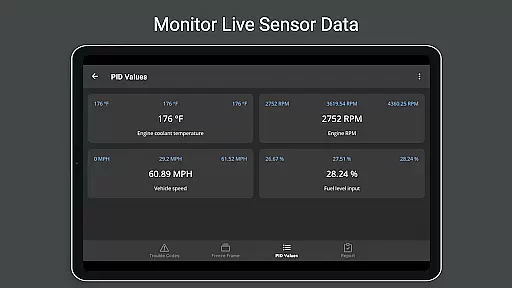
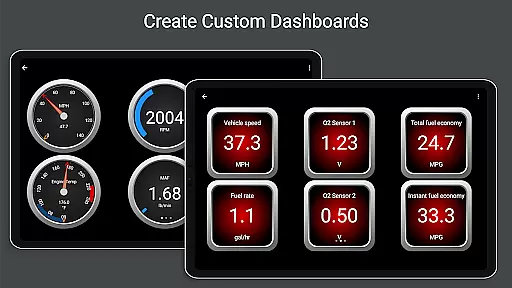
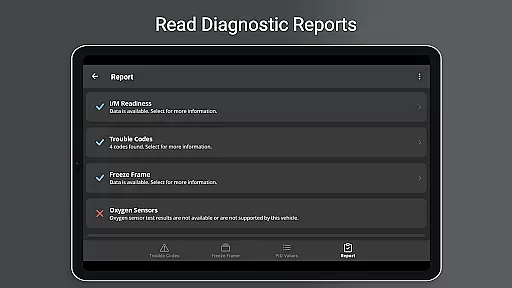
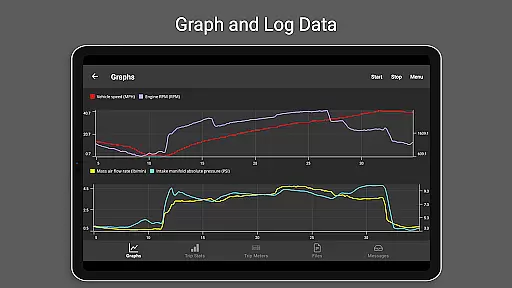
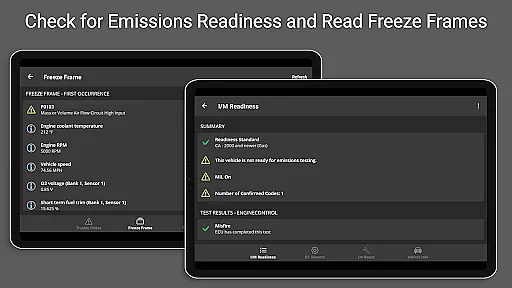
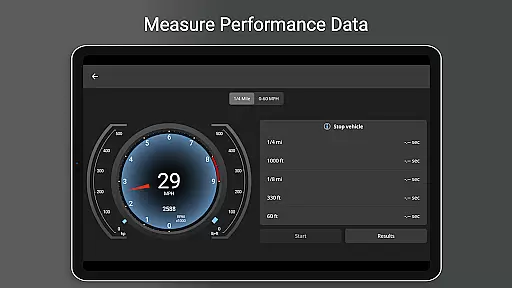
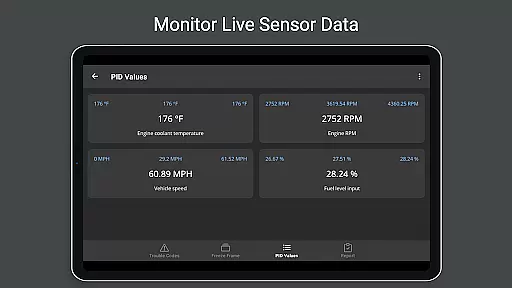
One of the standout features of OBD Fusion is its customizable dashboard, which provides real-time graphing of vehicle sensors, emission readiness checks, and detailed diagnostic reports. Whether you're diagnosing an engine issue or tracking fuel usage over multiple trips, this app offers valuable insights into your vehicle's health. Its compatibility with various scan tools and support for different connection types like Bluetooth, USB, and Wi-Fi makes it versatile for a wide range of users.
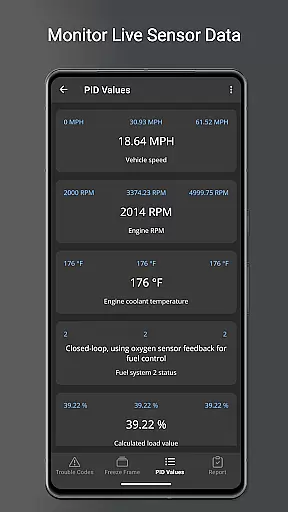
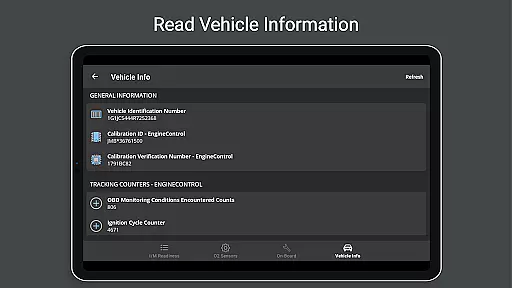
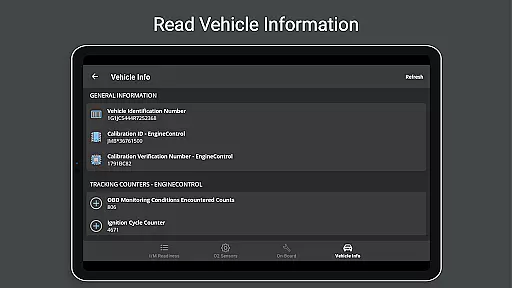
OBD Fusion stands out due to its rich feature set tailored for both casual users and automotive professionals. The app supports over 150 PIDs (Parameter IDs), allowing users to access detailed vehicle information such as VIN numbers, calibration IDs, and live sensor data. It also includes specialized functionalities like oxygen sensor tests, Boost readouts, and air-to-fuel ratio displays, provided the vehicle supports the necessary PIDs.
Another key aspect is its adaptability through customizable dashboards and fast switching between them, ensuring that users can tailor the interface to their specific needs. Additionally, OBD Fusion offers advanced reporting capabilities, including full diagnostic reports that can be stored and emailed. The inclusion of Android Auto support (excluding dashboard gauges) further enhances usability, making it a robust solution for those seeking a detailed and flexible vehicle diagnostics tool.
Real-time messaging speed and reliability are crucial for effective communication tools like OBD Fusion. This app ensures that data from your vehicle is transmitted to your Android device without delays, providing instant feedback on diagnostics and performance metrics.
OBD Fusion achieves this by maintaining a stable connection with OBD-II and EOBD compliant vehicles through compatible scan tools. The app processes information such as diagnostic trouble codes, fuel economy readings, and sensor data in real time, allowing users to make informed decisions quickly.
For users who need up-to-the-minute updates on their vehicle's status, the app's reliable messaging system means they can trust the information being presented. Whether monitoring engine health or tracking fuel usage, OBD Fusion delivers timely data that is essential for both professional mechanics and car enthusiasts alike.
Media sharing support in OBD Fusion allows users to export and share detailed diagnostic reports and logged data effortlessly. With features like data logging to CSV format, users can easily export their vehicle's performance metrics and share them via email or other platforms for further analysis.
The ability to generate full diagnostic reports that include VIN numbers, calibration IDs, and emission readiness statuses makes media sharing an invaluable feature. These reports can be shared with mechanics or used for personal records, ensuring that all parties have access to accurate and comprehensive vehicle information.
Including over 150 supported PIDs and customizable dashboards, OBD Fusion provides extensive data sets that can be shared with peers or professionals. This enhances collaborative efforts in troubleshooting and optimizing vehicle performance, making it a versatile tool for anyone involved in automotive maintenance and diagnostics.
User-friendly interface
Comprehensive diagnostic tools
Customizable dashboard options
Supports multiple connection types
Real-time data logging and export
Requires compatible scan tool
Limited Android Auto functionality
Potential connectivity issues with cheap adapters
Advanced features may overwhelm beginners
Some enhanced PIDs are vehicle-specific

 3.90
3.90
Call Forwarding is easy and simple application to use.
3.80
Radio communication simulator for gaming communities
4.1
Secure Messaging App to Enhance Messenger Texting Experience and Organize SMS.
3.50
A web browser that respects your privacy.
4.30
Messages: Fast, simple SMS app with scheduling and smart features.
4.00
Messenger for SMS - texting message app, faster, simpler & safer, for you.
4.70
Fast Dialer & Contact Manager with Caller ID and Spam Protection
4.00
Simple tool for businesses to talk to their customers.
4.40
فیلتر شکن قوی پرسرعت کلید جدید برای اندرویدسریع ترین وی پی ان برای همه اپراتورها
4.70
FolderSync enables easy sync of files between cloud storage and Android devices.
4.60
Enjoy secure messaging & calling. Safe Messenger: group chats, calls, messages.
4.20
WazzapMigrator: transfer your WhatsApp history from iPhone to Android
4.00
Messages is Private SMS Messenger 2023 with text message, instant messaging.
4.00
Message and video call your family and friends in HD!
3.80
Call & Text Anywhere With A Canadian Number.
3.60
Chat on the Jabber network (XMPP protocol); support for SMS and other gateways
2.10
An app dedicated solely to marriage, not dating, and supported by a rigorous verification mechanism to ensure seriousness.
4.1
Bringing the functionality of Winlink to your Android device
4.1


User Reviews