
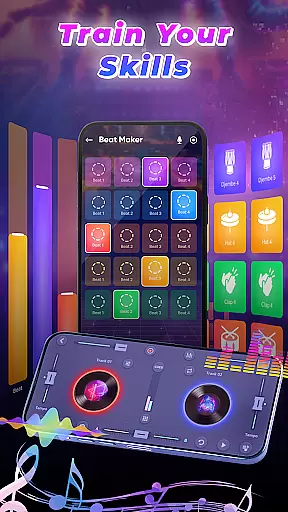
DJ Music Mixer - Beat Maker is a versatile music creation tool designed for both amateur and professional DJs. This app combines a powerful virtual DJ mixer with advanced beat-making capabilities, allowing users to create, remix, and record high-quality music mixes directly on their mobile devices.
The application features an intuitive interface with professional-grade tools such as Equalizer, Bass Booster, and various sound effects. Users can access a comprehensive library of drum kits, launchpad samples, and mixing tools that cater to different musical styles from classic to modern beats.
Whether you're preparing for a live performance or creating tracks in your studio, DJ Music Mixer - Beat Maker provides all the necessary features to produce professional-sounding mixes. Its ability to save recordings in HD quality makes it an essential tool for music producers who need portability without compromising on functionality.
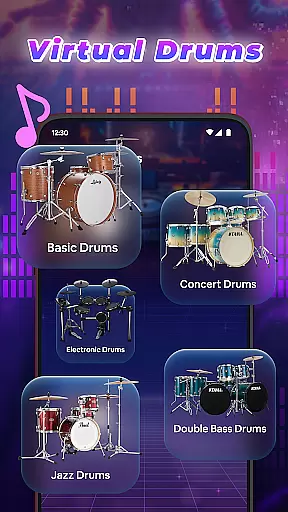
DJ Music Mixer - Beat Maker stands out with its comprehensive feature set tailored for music creators. The app includes a professional beat maker system with multiple drumming styles and kits, ranging from Ludwig to African drums, enabling users to experiment with diverse rhythms.
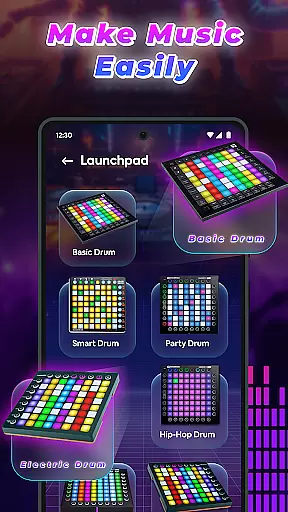
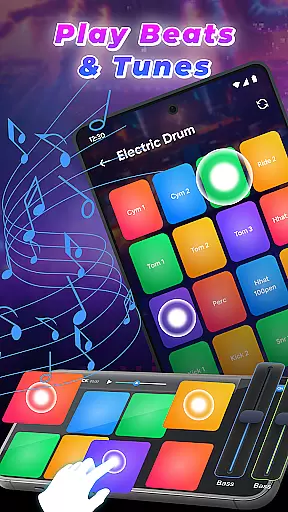
The built-in Remix Launchpad offers various sample categories including Party Drum, Acoustic Drums, and Hip-hop Drum sets. These are accessible through both horizontal and vertical user interfaces, providing flexibility in workflow. Advanced DJ Music Mixer functionality allows seamless integration with users' personal music libraries.
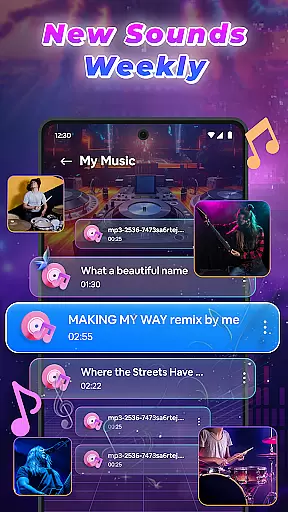
Additional notable features include real-time audio effects processing, optimized beat detection for smooth transitions, and HD recording capabilities. The app supports comprehensive file management through artist, album, and folder organization, while maintaining high audio quality throughout the mixing and recording process.
In the realm of DJ Music Mixer - Beat Maker, the vastness of the music library stands as a pivotal feature. This app grants users access to an extensive array of tracks, artists, albums, and folders, ensuring that every musical preference is catered for.
With meticulous attention to detail, the app provides optimized beat detection, which not only enhances the mixing experience but also ensures smooth transitions between tracks. This functionality empowers both novice and professional DJs to craft mixes with precision and ease.
The inclusion of real-time effects and the ability to save creations in suitable formats further enriches the user's journey, making it an indispensable tool for live performances and everyday music creation.
Moreover, the app upholds the highest standards of copyright authenticity, allowing users to explore and utilize its music library with confidence, knowing that all content is legitimate and respects intellectual property rights.
Audio quality is paramount when producing music, and DJ Music Mixer - Beat Maker excels in delivering pristine sound. The app offers various audio quality options, enabling DJs to record their mixes in HD audio, thus preserving the integrity of their work.
Whether engaging in live DJ sessions or crafting beats in a studio setting, users can apply real-time effects to elevate their soundscapes. These features ensure that each mix not only meets but exceeds industry standards.
Furthermore, the app supports multiple formats for saving projects, providing flexibility and convenience without compromising on quality. Users can seamlessly switch between different audio settings to find the perfect balance for their creations.
Ultimately, DJ Music Mixer - Beat Maker equips creators with the tools necessary to produce high-quality audio content, enhancing both the listening experience and the artistic expression of its users.
User-friendly interface
Wide range of drum kits
High-quality recording
Real-time effects processing
Comprehensive music library
Limited free features
Occasional bugs
Heavy storage usage
Subscription required
Complex for beginners

The Cubase remote control app
 3.60
3.60
10-Band Audio Equalizer, Sound / Bass Booster for Spotify Users & Music Players
4.40
Most Advanced AI Song Generator and Music Creator. Rap, Pop, Rock, Gospel & more
4.70
JBL PartyBox APP works with 110/310/710/120/320/520/Encore/Encore 2/Encore Ess 2
4.80
Listen to live FM radio stations, sports, music and news on global radios online
4.70
Smart piano keyboard, Classical to Pop, Real-time multiplayer connection!
4.20
Offline Music Player & MP3 Player.Powerful equalizer, Lyrics, Themes, Tag Editor
4.80
The Minimalistic Premium Music Player. Handmade with passion for music
2.20
Full featured mp3 and audio player with Chromecast and Android Auto support.
4.40
Voice recorder - Audio recorder. Best recorder for recording
4.90
More downloads than any other metronome. Includes drum machine & tempo trainer.
4.80 4.70
4.70
A complete sound package for the sound engineer or enthusiast
4.60
Manage your Sonos system directly from your home-screen!
4.40
Equalizer, Bass Booster and Volume Booster (Eq & Bass) improve sound quality
4.30
Advanced 10-Band Audio Graphic Equalizer Sound Booster Pro
4.30
Time Trainer: accurate metronome w tools to help you develop your internal time!
4.20
A sleek, no-frills player designed for true music lovers.
4.20
Learn to play the piano using falling notes!
3.80


User Reviews