
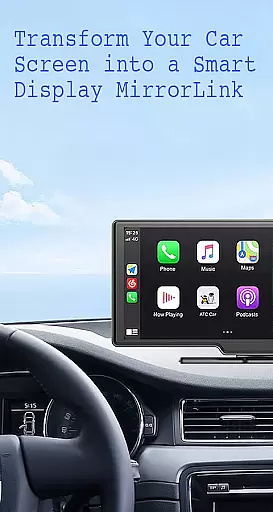
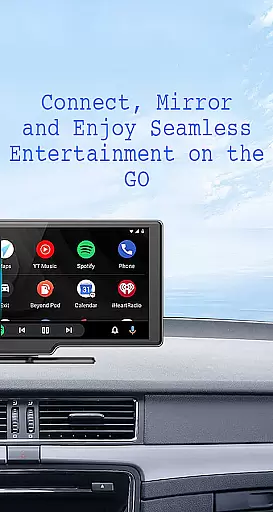
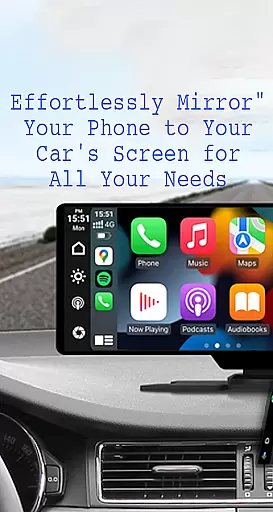
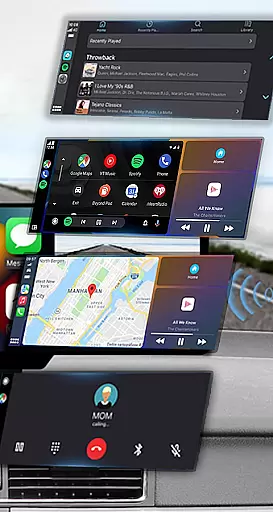
Mirror Link is a cutting-edge application designed to seamlessly connect your smartphone to your car's display system. This innovative solution supports both wireless and USB connections, enabling users to mirror their phone's screen directly onto their vehicle's larger display. The app ensures enhanced driving safety by providing intuitive access to essential phone features without requiring drivers to look away from the road.
With its comprehensive feature set, Mirror Link allows for effortless multimedia streaming, hands-free calling, and navigation. Whether you're commuting to work or embarking on a road trip, this app transforms your car's display into a convenient control panel for all your mobile needs. Compatible with various car models and devices, it delivers a reliable mirroring experience that caters to modern drivers seeking convenience and safety.
The app boasts an impressive array of features that cater to diverse user needs. Its static screen sharing capability maintains a stable connection between your phone and car display, ensuring smooth performance during your journey. The one-click connection process simplifies setup, while supporting both wireless and wired connectivity options for maximum flexibility.
Mirror Link excels in multimedia management, allowing users to enjoy music, videos, and maps directly on their car's screen. The automatic playback feature intelligently pauses and resumes media when connecting or disconnecting from the car display. Additionally, its universal compatibility extends to all car brands with built-in web browsers, and it integrates seamlessly with popular systems like MirrorLink CarPlay and Android Auto, making it an indispensable tool for modern vehicles.
Functionality completeness in a car screen mirroring app like Mirror Link ensures that users can seamlessly connect their smartphones to their vehicle's display system. This includes essential features such as static screen sharing, multimedia access, and automation capabilities.
The app provides comprehensive coverage by supporting both wireless and USB connections, catering to different user preferences and vehicle compatibilities. With one-click screen sharing and communication, it simplifies the process of mirroring your phone's content onto the car's larger display.
Users benefit from having full access to their phone's functionalities right on their car's touchscreen. They can enjoy music, videos, maps, and even hands-free calling through Apple CarPlay or Android Auto integration. Such extensive functionality enhances driving safety by minimizing distractions and allowing drivers to keep their focus on the road.
Usability is a critical factor for any application designed to enhance driver experience while ensuring safety. Mirror Link excels in this area by offering intuitive controls and straightforward setup procedures, making it accessible even for non-technical users.
Operational smoothness is evident in how efficiently the app handles tasks such as connecting to a car's display via Miracast or Wireless Display options. By simply turning on these functions within the vehicleu2019s dashboard settings and selecting u201cConnect Caru201d within the app, users experience quick and stable connections without hassle.
This ease-of-use extends beyond just connectivity; once connected, Mirror Link allows automatic playback control of media when entering or exiting vehiclesu2014features that contribute significantly towards an uninterrupted user journey. These aspects collectively ensure that Mirror Link not only meets but exceeds expectations regarding usability and operational fluidity.
User-friendly interface
Wireless connectivity
Universal compatibility
Automatic media control
Enhanced driving safety
Limited to compatible devices
Occasional connection issues
Requires Miracast support
Basic free version
Learning curve for setup

Wireless reverse charging using phone now is possible
 4.30
4.30
With Endoscope Camera Connector you can connect your phone with endoscope cam
3.70
Easily evaluate the performance of Scandit's barcode and ID scanning SDK
4.10
Test DPC is a sample device policy controller for use with Android Enterprise.
4.20
CloudEye 365 is a easy-handling APP
3.60
An impressive collection of tools, characters, weapons, skins and more!
4.30
Simulator of real black light
3.50
Mirror phone to TV effortlessly! Stream, share & connect with Airplay ease.
3.60
The best PS2 games from your childhood come to life in their mobile version!
4.00
Barcode scanning made simple!
4.40
Al QURAN-القرأن الكريم app to read Quran offline just like an actual Quran book
4.30
Manage apps & elevate your gaming experience with Game Launcher: Gaming Hub app.
4.30
Game Booster GFX for smoother gaming experience. Enjoy 120 FPS and 4x Game Space
4.20
use your smartphone as Remote control drones .
4.20
You can remote control and play much easier.
4.10
charging your phone by other phone easly
4.00
Sad ringtones full of feeling, sad music ringtones
3.90
Experience virtual reality on your smartphone with Cardboard.
3.50
Record with Double Camera Video Recording using Dual Camera Front and Back Video
3.00


User Reviews