
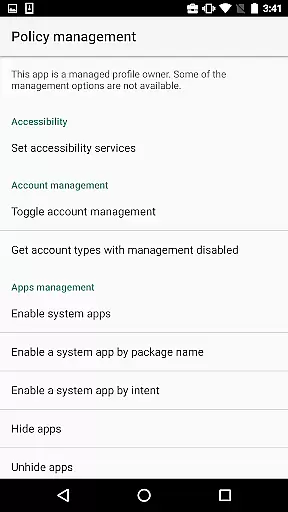
Test DPC is a specialized development tool designed exclusively for Android Enterprise management testing. This app serves as a sample device policy controller, allowing developers to simulate managed environments such as device owner mode or managed profiles.
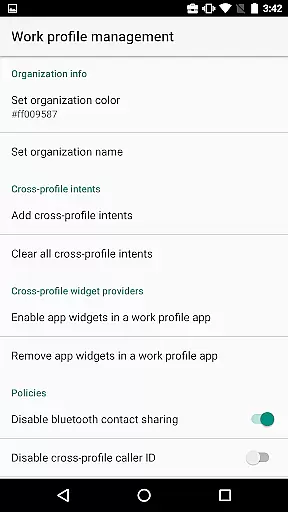
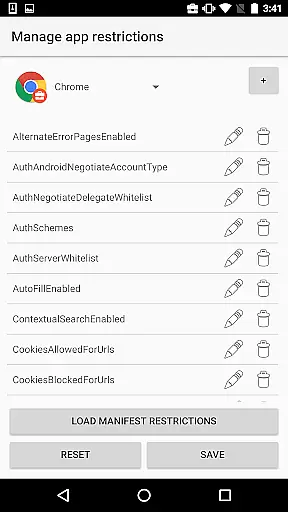
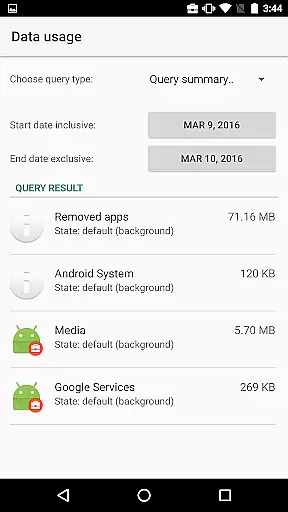
The application enables users to configure work profiles, implement security policies, and test various enterprise management features. It provides comprehensive tools for setting application restrictions and managing device policies, making it invaluable for developers who need to verify their apps' behavior in controlled enterprise settings.
While strictly intended for development purposes, Test DPC demonstrates how enterprise mobility management solutions can be implemented. The app's source code, available on GitHub, serves as an excellent reference implementation for developers building commercial device policy controllers.
Test DPC offers an extensive set of features for Android Enterprise development and testing. The app allows developers to create and manage work profiles, enabling them to test how their applications behave in managed environments.
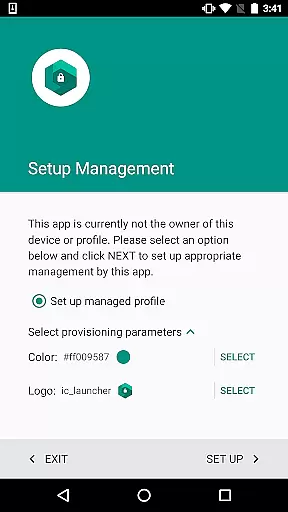
Among its capabilities are setting application-specific restrictions, configuring security policies, enabling system features, and controlling various device functionalities. The app supports multiple provisioning methods including QR code, NFC, and manual setup.
What sets Test DPC apart is its dual purpose as both a testing tool and reference implementation. Developers can explore the complete source code on GitHub, gaining valuable insights into proper DPC implementation while testing their apps against realistic enterprise management scenarios.
Functionality completeness refers to the extent to which an application provides features that cover all intended use cases. For Test DPC, this means offering developers a comprehensive set of tools to simulate various managed contexts within Android Enterprise environments.
The app allows users to configure device policies, set up work profiles, and manage security policies. This broad functionality enables developers to thoroughly test their applications under different enterprise scenarios. The ability to experiment with these settings ensures that apps will behave as expected when deployed in real-world managed environments.
Test DPC's feature set includes application restriction management, security policy enforcement, and work profile configuration. These capabilities provide complete coverage of typical device management tasks. Developers can be confident that they're testing against all relevant policy configurations.
By maintaining such extensive functionality, Test DPC serves as both a testing tool and implementation reference for other Device Policy Controllers (DPCs). This dual purpose makes it invaluable for Android Enterprise developers seeking to ensure their applications meet enterprise requirements.
Usability focuses on how easily developers can interact with and understand Test DPC's features while operational smoothness pertains to the reliability and efficiency of its functions. Both aspects are crucial for ensuring a productive development experience.
The application presents a clear interface for managing various device policies and configurations. Its straightforward presentation of complex enterprise features enables developers to quickly grasp and utilize its capabilities. The intuitive organization of functions contributes significantly to its overall usability.
Operationally, Test DPC demonstrates smooth performance when applying policies or switching between different management contexts. The absence of noticeable delays or errors during configuration changes enhances the development and testing process. This reliability is essential when evaluating application behavior under different policy conditions.
Furthermore, the availability of source code supports both usability and operational understanding. Developers can examine the implementation details to better comprehend the app's functionality and ensure their own applications achieve similar operational efficiency.
Comprehensive policy testing
Open-source reference
Multiple provisioning
Enterprise feature demo
Developer friendly
Not for production
Limited UI design
Complex for beginners
No real data support
Development only

Connect and find your Smart Tag 2 devices through our app.
 3.60
3.60
Tune your game graphics with our GFX optimizer for optimal gaming experience
4.50
Connect and find your Smarttag devices through our app.
4.00
Connect your phone to any endoscope camera, USB camera, or borescope with ease.
3.70
With Endoscope Camera Connector you can connect your phone with endoscope cam
3.70
Collection of Maps and Mods for Dmod
3.30
Explore The Holy Quran Majeed for Muslim. Listen to MP3 Quran & Al Quran Kareem.
4.80
MirrorLink for connecting your Android phone to your car’s infotainment screen.
4.50
Mirror phone to TV effortlessly! Stream, share & connect with Airplay ease.
3.60
Expo is a free & open source platform to build apps using JavaScript and React.
4.70
Popular mods fnaf mods for melon playground
4.50
Block, disable and secure phone camera from secretly taking photos by spyware.
4.50
Game booster GFX may reduce interruptions and improve gaming experience.
4.50
Enjoy Minecraft Mod Scary Neighbor Granny for Minecraft PE.
4.30
A Pydroid Quick Install repository provider.
4.00
a wireless controller that provides a seamless and gaming experience for players
3.80
Endoscope camera an app to connect with endoscope cam or any device
3.30
Identify securely online
3.10
Zlink Carplay Android a mirror link app with a Carplay interface style
4.2


User Reviews