
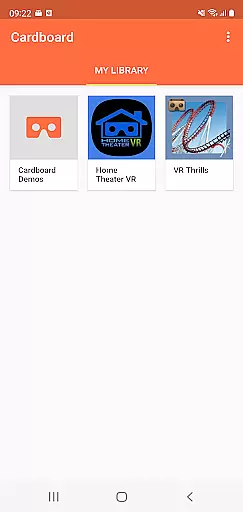
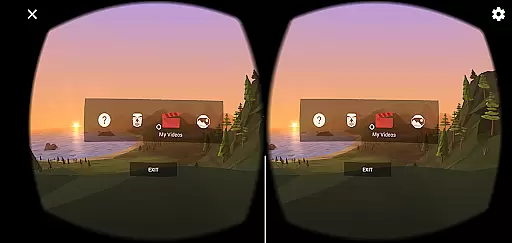

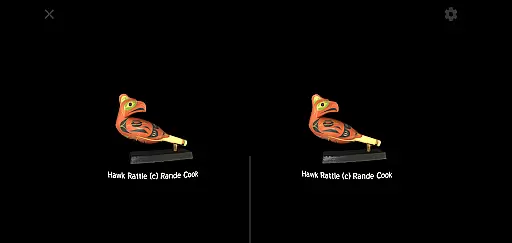
Cardboard is an innovative virtual reality (VR) platform that transforms your smartphone into a VR headset. The app serves as the gateway to launch immersive VR experiences, discover new apps, and configure your Cardboard viewer. With its user-friendly interface, it allows users to explore a wide range of VR content, from games to educational experiences.
To fully enjoy the capabilities of Cardboard, you will need a compatible viewer. This app provides all the necessary setup instructions and tools to ensure a seamless VR experience. Whether you're a developer or a VR enthusiast, Cardboard offers an accessible entry point into the world of virtual reality.
The app also connects users to a community of VR developers through Google+, allowing for sharing and collaboration. By agreeing to Google's Terms of Service and Privacy Policy, users can safely enjoy the diverse VR ecosystem while adhering to safety guidelines and usage recommendations.
Cardboard stands out with its unique ability to convert any smartphone into a VR device. It supports a variety of VR content, including games, 360-degree videos, and educational simulations. The app includes a built-in QR code scanner to calibrate different Cardboard viewers, ensuring optimal performance across devices.
One of the key features is its integration with Google's vast ecosystem, providing access to a growing library of VR apps. Users can easily discover new VR experiences through the app's intuitive interface. Additionally, Cardboard emphasizes accessibility, making VR technology available to a broad audience without requiring expensive equipment.
Safety is a priority, and the app includes clear warnings against using VR while driving or in situations where attention is crucial. The app also encourages community engagement by linking users to the Google+ community for developers and enthusiasts, fostering innovation and collaboration within the VR space.
Functionality completeness in a virtual reality app like Cardboard is crucial for delivering an immersive experience. This refers to the app's ability to provide all necessary features that allow users to fully interact with VR environments without limitations.
The Cardboard app excels in this area by offering seamless integration with VR experiences, enabling users to launch their favorite apps directly from the platform. It also includes viewer setup functionalities, ensuring users can calibrate and optimize their devices for the best possible VR experience.
Users benefit from having a centralized hub where they can discover new VR apps while maintaining compatibility with various Cardboard viewers. This comprehensive approach ensures that no matter what type of content users are looking for, they will be able to access it easily and efficiently.
Ultimately, the functionality completeness of Cardboard enhances user engagement by providing everything needed within a single application, making virtual reality more accessible and enjoyable on smartphones.
Usability and operational smoothness are essential for any technology aiming to offer a pleasant user experience, especially when dealing with complex systems such as virtual reality on mobile devices.
Cardboard has been designed with simplicity at its core, allowing even first-time VR users to navigate effortlessly through its interface. The intuitive design ensures that launching VR experiences or setting up a viewer requires minimal steps, reducing potential frustration and learning curves.
Operational smoothness is further enhanced by optimizing performance to work seamlessly across different smartphone models. By prioritizing stability and speed, Cardboard minimizes loading times and maximizes responsiveness during use.
This focus on usability not only makes virtual reality more approachable but also encourages longer and more frequent usage sessions, leading to higher satisfaction levels among users who expect nothing less than flawless operation from their digital experiences.
User-friendly interface
Wide range of VR content
Accessible entry to VR
Active developer community
Regular updates
Requires separate viewer
Limited high-end features
Dependent on smartphone specs
Occasional compatibility issues
No offline support

If you are looking for melon playground mod that fun you deffinitely try our app
 2.70
2.70
Connect your phone to any endoscope camera, USB camera, or borescope with ease.
3.70
Easily evaluate the performance of Scandit's barcode and ID scanning SDK
4.10
Collection of Maps and Mods for Dmod
3.30
Demo version of the mcpro24fps manual video camera. Try and buy a full version!
4.00
MirrorLink for connecting your Android phone to your car’s infotainment screen.
4.50
Simulator of real black light
3.50
The best PS2 games from your childhood come to life in their mobile version!
4.00
Now Available on Android ™
3.40
Read Holy Quran Feel Like Real Quran & Listen Al Quran Mp3 Audio Online Offline.
4.70
Block and secure the microphone and protect from secret listening and recording.
4.50
Block, disable and secure phone camera from secretly taking photos by spyware.
4.50
Al QURAN-القرأن الكريم app to read Quran offline just like an actual Quran book
4.30
Game Booster GFX for smoother gaming experience. Enjoy 120 FPS and 4x Game Space
4.20
Android secret code for smart phone, mobile codes, with secret codes app
4.20
CloudEye 365 is a easy-handling APP
3.60
Mirror phone to TV effortlessly! Stream, share & connect with Airplay ease.
3.60
Identify securely online
3.10
A great tool help you to format Micro SD memory Card
3.10


User Reviews