
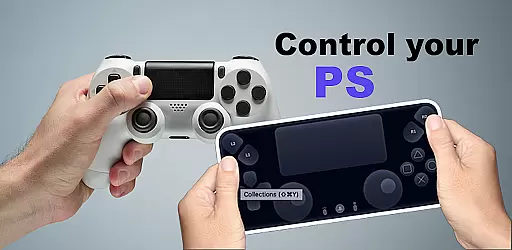
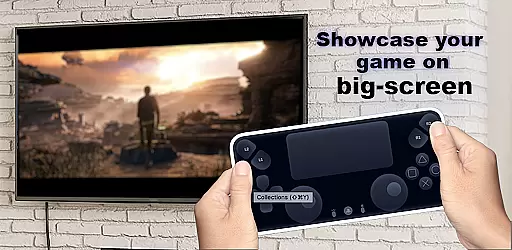
The Ps Controller for PS4 PS5 is an innovative application that allows users to remotely control their PlayStation consoles from a separate location using a mobile device. This app transforms your smartphone into a virtual Dualshock controller, providing full access to your PS5 or PS4 console. With the ability to stream gameplay directly to your device with minimal latency, it offers a seamless gaming experience even when you're not physically near your console.
One of the standout features of this app is its capability to serve as a second screen for multiplayer gaming sessions. Whether you need an additional controller for local co-op games or simply want to enjoy gaming on the go, the Ps Controller app delivers impressive functionality. By supporting both third-party and official Dualsense/Dualshock controllers, it ensures compatibility across various Android devices, making it a versatile tool for all types of gamers.
The Ps Controller for PS4 PS5 boasts several key features that enhance the remote gaming experience. Firstly, it enables users to utilize their smartphones as virtual Dualshock controllers, allowing for intuitive touch-based controls that mimic the physical buttons and joysticks of traditional gamepads. This feature is particularly beneficial for those who require an extra controller for multiplayer games but do not have one readily available.
Another significant aspect of the app is its low-latency streaming capability. Gamers can stream content directly from their PlayStation consoles to their mobile devices without noticeable delays, ensuring smooth gameplay. Additionally, the app supports third-party controllers, expanding its usability beyond just native hardware options. Users can customize their experience by adjusting settings such as button mapping and sensitivity, tailoring the controls to their preferences. These features collectively make the Ps Controller app a powerful tool for enhancing accessibility and convenience in gaming.
Functionality completeness is a critical aspect of any application, ensuring that all promised features are fully operational and accessible. The Ps Controller for PS4 PS5 excels in this area by offering users the ability to transform their mobile devices into virtual Dualshock controllers. This includes access to all essential buttons and joysticks found on physical controllers, allowing for an authentic gaming experience from a remote location.
The app also supports streaming from PlayStation consoles to your device with minimal latency, which is crucial for maintaining an immersive gaming experience. By covering various functionalities such as using the mobile device's touchscreen as a controller and supporting third-party peripherals, the Ps Controller ensures broad compatibility and usability across different devices and user preferences.
For users who require a second controller for multiplayer games, the Ps Controller provides a viable solution without the need to purchase additional hardware. This comprehensive feature set demonstrates the app's commitment to delivering a complete and versatile remote play experience for PlayStation gamers.
Usability and operational smoothness refer to how intuitively and efficiently users can interact with an application. The Ps Controller for PS4 PS5 achieves high marks in these areas by providing a streamlined interface that allows gamers to easily navigate and utilize its features. With clear visual cues and responsive touch controls, users can quickly adapt to using their mobile device as a game controller.
Operational smoothness is further enhanced by the app's support for low-latency streaming, which is vital for real-time gameplay. Players can expect consistent performance even when connected via mobile data, although network conditions may affect usability. The app's design takes into account various playing styles and network environments, aiming to deliver a seamless experience regardless of the situation.
Additionally, the Ps Controller accommodates different control schemes, including third-party and physical controllers, making it adaptable to individual user needs. Such flexibility not only improves overall usability but also ensures that gamers can enjoy their favorite titles without being hindered by operational limitations.
User-friendly interface
Low latency streaming
Supports multiple controllers
Customizable controls
Enhances multiplayer gaming
Requires stable internet
Limited iOS support
Occasional connection issues
Higher data usage
Not all games compatible

Record with Double Camera Video Recording using Dual Camera Front and Back Video
 3.00
3.00
Wireless reverse charging using phone now is possible
4.30
Connect and find your Smarttag devices through our app.
4.00
Connect your phone to any endoscope camera, USB camera, or borescope with ease.
3.70
Demo version of the mcpro24fps manual video camera. Try and buy a full version!
4.00
Mirror Link Car Display to share your screen with car dashboard wirelessly
4.1
MirrorLink for connecting your Android phone to your car’s infotainment screen.
4.50
DamonSx2 is the open Source LGPL Emulator
3.20
Now Available on Android ™
3.40
TV USB connector app provides you a seamless cast option from your phone to tv.
4.70
Block and secure the microphone and protect from secret listening and recording.
4.50
Game booster GFX may reduce interruptions and improve gaming experience.
4.50
Phone Software Update Quick Checker helps you to keep your phone apps up to date
4.50
Enjoy Minecraft Mod Scary Neighbor Granny for Minecraft PE.
4.30
An impressive collection of tools, characters, weapons, skins and more!
4.30
Test DPC is a sample device policy controller for use with Android Enterprise.
4.20
Connect and find your Smart Tag 2 devices through our app.
3.60
CloudEye 365 is a easy-handling APP
3.60
A great tool help you to format Micro SD memory Card
3.10


User Reviews