
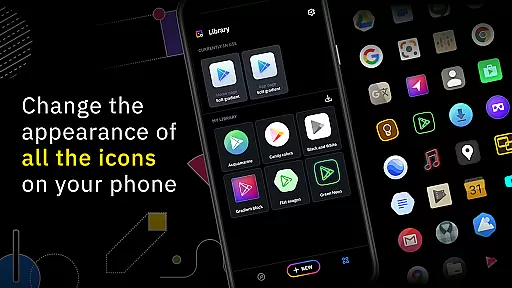
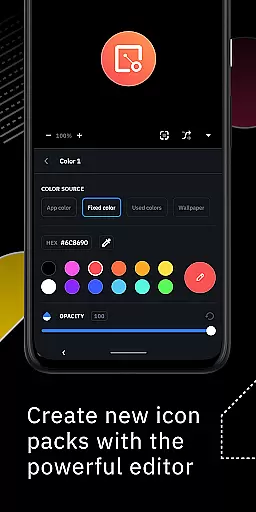
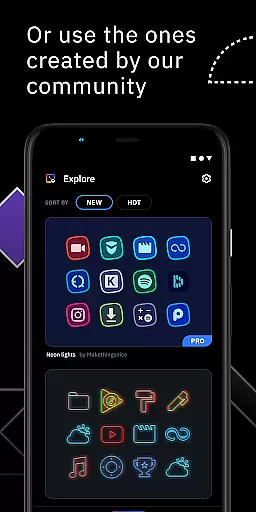
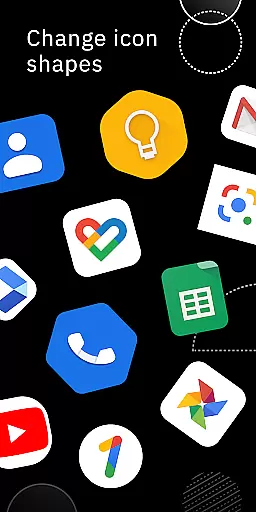
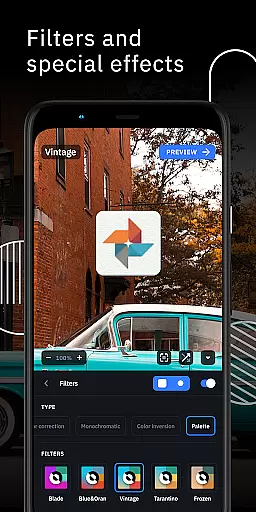
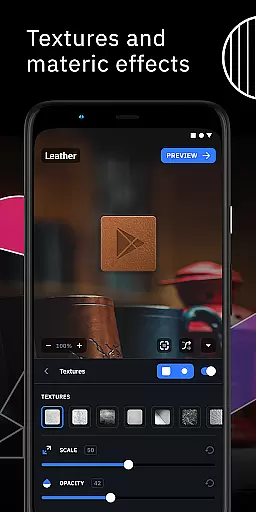
Icon Pack Studio is a unique personalization app that allows users to create their own icon packs from scratch. With an advanced editor, you can resize and move elements of your custom icons, applying filters like lights, shadows, textures, and bezels. The app also supports importing and tweaking existing icon packs, making it versatile for various customization needs.
This app stands out by ensuring that the icon packs created cover any app on your device, something no other Play Store icon pack can achieve. It works seamlessly with Smart Launcher and is compatible with many other popular launchers, providing flexibility in personalizing your home screen.
One of the standout features of Icon Pack Studio is its advanced editor, which provides precise control over every element of your custom icons. You can apply special filters such as lights, shadows, textures, and bezels to enhance the visual appeal. Additionally, the ability to import and tweak any installed icon pack offers unparalleled customization options.
The app ensures comprehensive coverage for all apps on your device, a feature unmatched by other icon packs available on the Play Store. Its compatibility with a wide range of launchers, including Nova Launcher, Action Launcher, and more, makes it a versatile tool for personalization enthusiasts.
Icon Pack Studio offers an extensive range of customization options that allow users to create personalized icon packs from scratch. The app provides advanced editing tools, enabling the resizing and repositioning of any element within your custom icons.
With special filters such as lights, shadows, textures, and bezels, users can enhance their icons to achieve a professional look. Once satisfied with the design, applying the new icon pack to your custom launcher is a seamless process, completed in just a few taps.
This level of customization ensures that no two icon packs need to be the same, offering a unique home screen experience tailored to individual preferences. The ability to import and tweak any installed icon pack further expands the creative possibilities.
Compatibility is a cornerstone of Icon Pack Studio's design, ensuring that the icon packs you create will work with almost any launcher. While optimized for Smart Launcher, this app extends its support to a wide array of popular launchers including Nova Launcher, Action Launcher, and many others.
The app has been tested with numerous launchers, providing a reliable experience across different devices and home screen configurations. However, it's important to note that some launchers like Xperia Home and Pixel Launcher are not supported, so users should verify their launcher's compatibility.
By covering any app on your device, Icon Pack Studio surpasses other icon packs available on the Play Store in terms of theme compatibility. This ensures a consistent visual style across all applications, enhancing the overall aesthetic of your smartphone's interface.
User-friendly interface
Advanced editing tools
Comprehensive app coverage
Versatile launcher support
Active community contributions
Limited to supported launchers
Requires manual adjustments
No automatic icon updates
Premium features may require payment
Learning curve for new users

Capture moments that pass like a storm, second by second.
 4.2
4.2
Beautiful realistic hybrid watch face with numerous customization options.
4.50
Try creating your own keyboard with "Keyboard theme for android" app now!
4.50
Turn text & photos into stunning AI videos, art, and creative visual stories.
4.50 4.50
4.50
Nothing Icon pack with more than 3750+ highly crafted icons.
4.70
Organize and manage your photos and videos effortlessly with Photo Gallery
4.20
Stylish Pink Cute Hippo keyboard with 10000+ customized keyboard themes!
4.60
Transform your phone with stylish zipper lock themes and 4D live wallpaper
4.10
Bring adorable pets to life on your screen. Playful, interactive and full of fun
4.60
Add cute Shimeji pets to screen, interact with them and relax with cute motions
4.60
300+ widgets inspired by Material You and Material 3 expressive design.
4.60
Customizable screen pets that play, climb, and keep you company.
4.50
Run multiple accounts of the same app on a single device
4.10
Transfer your live wallpapers from Windows to Android using Wallpaper Engine!
4.00
Ultimate widget creator. Design custom widgets for a truly unique home screen!
3.90
Customize glowing edges, wallpapers, and caller screen with EdgeAura.
3.50 3.50
3.50
Prank your friends with realistic broken screen and cracked HD effects!
4.5


User Reviews