

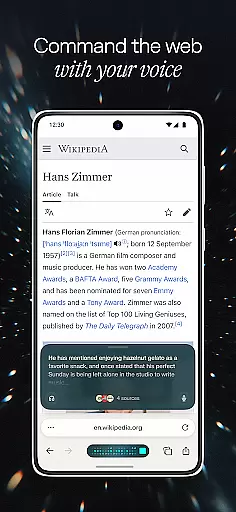



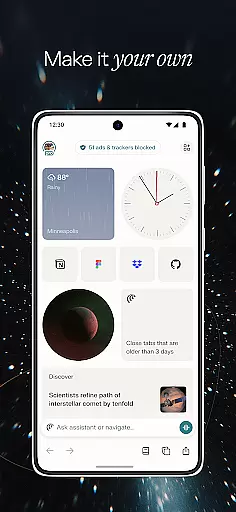
Comet is a cutting-edge communication app designed to revolutionize mobile browsing with its AI-driven capabilities. This Android application serves as the first agentic AI browser built specifically for mobile users, offering an intelligent assistant right in your pocket. With Comet, you can seamlessly browse the web while having instant access to a personal AI assistant that helps answer questions and execute tasks on your behalf.
The app stands out with its unique features such as voice-enabled tab interactions, smart summarization across multiple tabs, and an integrated ad blocker for uninterrupted browsing. Whether you're conducting research, managing daily tasks, or simply exploring the web, Comet ensures a streamlined and efficient experience by synthesizing information and filtering out unnecessary distractions like spam and pop-up ads.
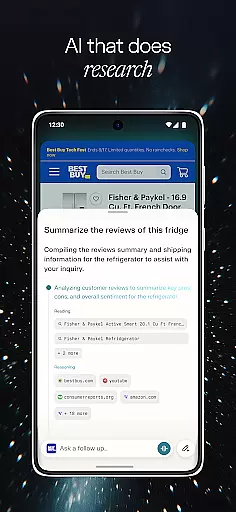
Comet offers a comprehensive suite of innovative features tailored to enhance mobile browsing. The app's standout capability is its AI assistant, which provides expanded reasoning and lets users track the actions taken by the assistant in real-time. This feature allows for greater transparency and control over how tasks are executed, ensuring users remain informed and engaged throughout their browsing sessions.
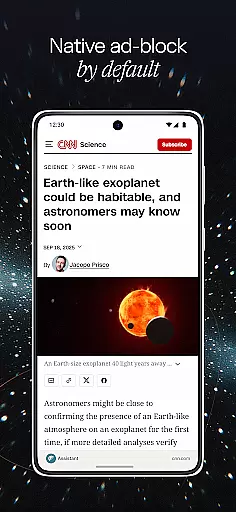
In addition to its AI prowess, Comet incorporates advanced voice recognition technology that enables users to interact with their open tabs through natural language commands. Another remarkable feature is the app's ability to summarize content across all open tabs, not just individual pages, providing a holistic view of gathered information. Furthermore, Comet includes a robust built-in ad blocker that filters out unwanted advertisements while allowing users to whitelist trusted sites, thus maintaining a clean and focused browsing environment.
Comet for Android revolutionizes real-time messaging by integrating an AI assistant directly into your browsing experience. This ensures that every interaction is not only instantaneous but also intelligent, providing users with reliable and context-aware responses.
The app's advanced architecture allows the AI assistant to process queries and execute tasks with minimal latency. Whether you're asking it to find specific information or perform actions across multiple tabs, Comet delivers results swiftly without compromising accuracy.
What sets Comet apart is its transparency feature, where users can observe each step of the assistant's reasoning process. This visibility builds trust and enables users to intervene when necessary, ensuring both speed and precision in communication.
Comet facilitates seamless media sharing through its innovative tab-based chat system. Users can easily exchange information found across different web pages without having to switch contexts or manually copy links.
The application's smart summarization capability extends to media sharing as well. When sending content from multiple sources, Comet automatically generates concise summaries, making it easier for recipients to understand the shared information's relevance.
Furthermore, the built-in ad blocker enhances the media sharing experience by eliminating unwanted distractions. This ensures that all shared content remains focused on what truly matters, creating a cleaner and more professional communication environment.
AI-powered browsing
Voice command support
Multi-tab summarization
Built-in ad blocker
Transparent AI actions
Limited to Android
Requires constant connectivity
Potential privacy concerns
Learning curve for new users
Resource-intensive operation

We’re taking the yada yada out of wireless—now we’ve taken it out of your app.
 4.70
4.70
Experience real private browsing without tracking, surveillance, or censorship.
4.50
HD Video Meeting app is a fast & unlimited video conferencing app across world.
4.30
Comprehensive and powerful scan tool app with enhanced functions
3.00
RemoteHams.com Android RCForb Client Pre-Release
4.30
A softphone with crystal clear SIP Calling & Reliable VoIP dialer
4.00
Fast internet with AI, Adblock & VPN. Browse on a safe, incognito web browser.
4.70
Simple tool for businesses to talk to their customers.
4.40
Group Chat That’s Fun & Games
4.30
Use this Dialer app alone or as a TREK: Total Interface companion.
4.70
Useful. Social. Expressive.
4.70
Adblock & VPN Browser: Blocks banners, pop-ups and video ads, fast downloader!
4.60
Faster version of Messages. Messenger for your contacts.
4.50
Manage your mobile phone plan, check unlimited 5g data usage and track rewards
4.50
Fast and mini browser with Ad Blocker,Video Downloader and Video Player
4.40
2nd Phone Number Line for Anonymous Texting, Calling, and Picture Messages
4.30
Messenger app for faster and simpler SMS text messaging, and personalized themes
4.10
Call & Text Anywhere With A Canadian Number.
3.60
Official NDI app: turn your phone into a professional live-streaming IP camera.
3.20


User Reviews