
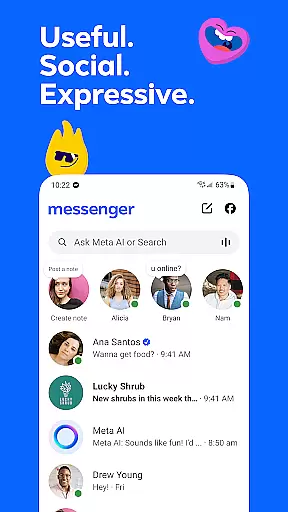




Messenger is a versatile communication app that allows users to connect with friends and family effortlessly. The app supports instant messaging, voice calls, and video calls, making it easy to stay in touch regardless of location. With features like Meta AI assistant, users can get instant answers to questions or receive help with various tasks.
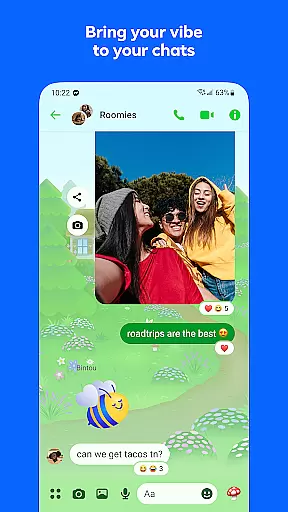
One of Messenger's standout capabilities is its multimedia sharing options. Users can send high-definition photos, create shared albums, and even share large files directly within chats. The app also offers unique chat customizations, such as themes and disappearing messages, allowing for personalized interactions. These features make Messenger suitable for both personal and community-based communication.
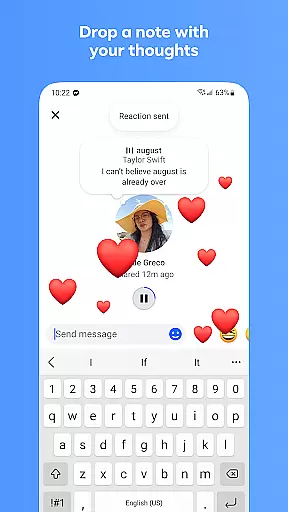
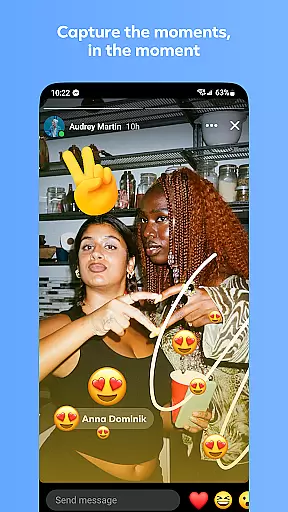
The app's ability to foster community engagement sets it apart. Users can join interest groups, participate in creator channels, and connect with like-minded individuals. Whether it's for casual conversations or building meaningful connections, Messenger provides the tools necessary to maintain vibrant social interactions while offering creative expression through stickers, GIFs, and reactions.
Messenger stands out with its comprehensive feature set tailored for modern communication needs. One of its key aspects is the integration of Meta AI, which serves as a virtual assistant capable of answering questions, providing advice, and assisting with tasks like homework. This functionality adds an intelligent layer to everyday interactions, enhancing user productivity.
The app excels in content sharing and customization. Messenger allows users to send high-definition images and create shared albums for group chats, preserving memories in a collaborative way. Additionally, features like disappearing messages and customizable chat themes enable users to tailor their experience according to privacy preferences and personal style. These elements ensure that conversations remain engaging and relevant.
Another notable feature is the support for large file transfers up to 100MB, including documents like Word, PDF, and Excel files. This makes Messenger not only a social tool but also a practical solution for professional environments. Combined with creative tools powered by Meta AI, such as image editing and animations, Messenger becomes a dynamic platform for both work and play.
Real-time messaging speed and reliability are crucial for maintaining seamless communication in today's fast-paced digital world. Messenger ensures that your messages are delivered instantly, allowing for smooth and uninterrupted conversations.
The app employs advanced server infrastructure and optimized data transmission protocols to guarantee minimal latency. This means your texts, voice messages, and multimedia content reach the recipient almost instantaneously, creating a natural flow of dialogue.
For users, this translates into dependable communication that they can count on, whether they're chatting with friends, family, or colleagues. The peace of mind that comes from knowing your messages will be received without delay enhances the overall messaging experience.
Moreover, Messenger's commitment to reliability extends to its notification system, ensuring you never miss an important message. With real-time delivery and read receipts, users can engage in conversations confidently, knowing their messages are seen and responded to promptly.
Media sharing support is an essential feature for any modern messaging app, enabling users to express themselves beyond plain text. Messenger excels in this area by offering robust capabilities for sending photos, videos, and documents with ease.
The app allows you to send high-definition images and videos, preserving the quality of your cherished memories. Whether it's a stunning landscape or a memorable family moment, Messenger ensures your media is shared in all its clarity and detail.
In addition to personal media, Messenger facilitates professional exchanges by supporting large file transfers up to 100MB within chats. This includes Word documents, PDFs, Excel sheets, and more, making it a versatile tool for both personal and business communication needs.
By integrating comprehensive media sharing options, Messenger empowers users to communicate more effectively and creatively. From sharing life's precious moments to collaborating on work projects, the app provides a platform for rich, multimedia interactions that enhance connections and foster meaningful relationships.
Free messaging and calling
High-definition photo sharing
Integrated AI assistant
Customizable chat themes
Large file sharing capability
Limited Meta AI availability
Privacy concerns with data
Occasional bugs in updates
Heavy on storage space
Requires Facebook account

BiP is a fast, secure, free messaging and HD video calling app!
 4.10
4.10
We’re taking the yada yada out of wireless—now we’ve taken it out of your app.
4.70
Send SMS and chat messages easily with a fast text messaging app for Android.
4.10
Create a secure hotspot on-the-go with Portable WiFi - Mobile hotspot.
4.40
Chill zone on your phone: relax with fun reels & hype shorts!
4.20
Fast, Simple And Secure Application That Provides SMBv3 Server On Your Device
3.30
RemoteHams.com Android RCForb Client Pre-Release
4.30
Manage Phone Calls, call history, and contacts easily with Phone Pro.
4.1
TeamSpeak - Secure Chat for Gaming & Business
3.10
Messenger for SMS - texting message app, faster, simpler & safer, for you.
4.70
Messenger, an MMS & SMS messages app with Blockers, Driving mode & Private box
4.60
Caller ID App! Add names & photos to unknown calls & Call Recording
4.40
Smart and simple anti-wiring application - IMSI-catchers catcher
4.40
A web browser that respects your privacy.
4.30
BE PRIVATE
Anonymous. No Trace. Fast.
4.20
Share the moment!
4.10
WazzapMigrator: transfer your WhatsApp history from iPhone to Android
4.00
This app enables the phone to receive and send FT8 traffic!
3.80
A softphone app with seamless SIP calling and an intuitive VoIP dialer
3.50


User Reviews