
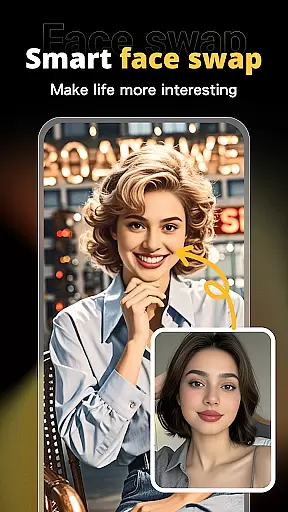
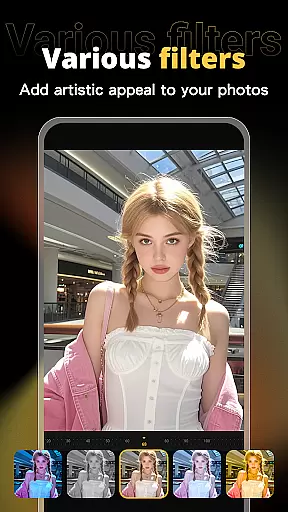


X PhotoKit is a versatile photo editing application designed to unleash users' creativity through advanced AI-powered tools. The app's standout feature is its intelligent AI face swapping, which allows users to seamlessly replace faces in photos with natural and realistic results. Beyond this, the app offers comprehensive photo editing capabilities including filters, effects, and adjustment tools that enhance the visual impact of images.
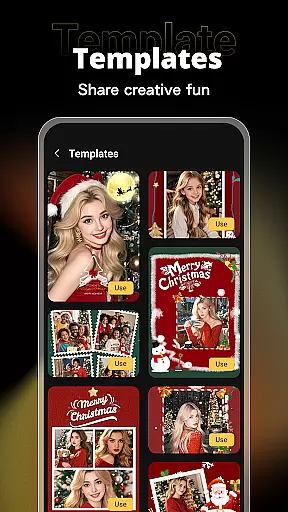
Users can also create professional-quality collages, posters, and covers using built-in templates tailored for various occasions. With additional features like image stitching for panoramic scenes and an intuitive interface, X PhotoKit caters to both casual users and those with more specific design needs. Whether enhancing personal portraits or crafting promotional materials, this app provides a complete suite of tools to meet diverse photo editing requirements.
X PhotoKit stands out with its robust set of features tailored for creative photo editing. The AI face swap functionality uses intelligent algorithms to ensure seamless and realistic face replacements, making it ideal for fun social media content. Its comprehensive editing suite includes a wide range of filters, effects, and precise adjustment tools that allow users to beautify their photos effortlessly.
The app also offers multiple layout options for creating photo collages, along with professionally designed templates for posters, holiday cards, and other visual content. Image stitching is another key feature, enabling users to combine multiple photos into panoramic views. Designed for ease of use, X PhotoKit ensures that all these powerful tools are accessible to users of all skill levels, providing a simple yet effective solution for both personal and commercial photo editing projects.
Real-time capture and preview functionality is essential for ensuring that users can see the results of their photo edits instantly. This feature allows users to visualize changes as they apply filters, effects, and adjustments, providing immediate feedback on their creative decisions.
X PhotoKit offers a seamless real-time editing experience through its advanced processing capabilities. The app ensures that even complex edits like AI face swapping and image stitching are previewed without delay, maintaining a smooth workflow for users.
The benefit of real-time capture and preview in X PhotoKit is the ability for users to fine-tune their work efficiently. Whether enhancing personal portraits or creating professional-quality posters, this feature helps achieve the desired outcome faster and with greater precision.
AI beauty and enhancement features focus on improving the visual appeal of photos while maintaining a natural look. This balance is crucial for users who want to enhance their images without making them appear overly processed or artificial.
X PhotoKit employs intelligent algorithms to ensure that enhancements such as skin smoothing, color correction, and facial retouching are applied subtly. The app's AI technology analyzes each photo individually, adjusting enhancements to suit the specific characteristics of the image.
Users of X PhotoKit benefit from the app's commitment to natural-looking enhancements. By preserving the authenticity of photos while elevating their quality, X PhotoKit empowers users to create visually stunning images that retain their original charm and character.
AI-Powered Editing
Versatile Templates
User-Friendly Interface
Realistic Face Swap
Panoramic Stitching
Limited Free Features
Occasional Ads
Premium Subscription
High Storage Use
Learning Curve

All-in-One Editor & AI Photo Enhancer, Beautify & Retouch, Collage, Cartoonify
 4.20
4.20
Easily stitch panoramas from multiple photos or video.
4.40
1M influencer's special filter
4.60
How old age camera Gender Swap App Face Shape Hairstyle App Hair Styler App fun!
4.00
Perfect body tune & face app - photo retouch, makeup, slim body & beautify face.
4.80
Create AI Photos, Improve and restore quality of blurry, old or damaged pics.
4.20
Gallery Slideshow is slideshow maker app for slideshow from your gallery photos.
3.90
Movie camera, supports pro recording settings for filming. Try it and be amazed!
4.50
Try an anime version, cartoon yourself, and generate AI hug or aging videos!
3.70
Android Native system HD camera app. Never been so simple and faster.
4.70
A must-have app for landscape photographers
4.60
Shooting photos and records video easily and efficient with professional Camera
4.30
Smart, light, and fast photo and video gallery
4.30
AI-powered video creator by MiniMax - Where ideas meet cinema
4.20
Catch sunlight, sunrise sunset times and sun phases with the AR sun tracker.
4.10
Perfect photos with body shaping, BG changer and object remover.
3.70
Raw Image Viewer. Gallery with support of raw images (.cr3, .cr2, .nef, .raf).
2.00
Photo Album Watch Face shows your favorite pictures as a Watchface.
1.90
Add a dreamy vibe to your selfies and videos with soft style filters
4.1


User Reviews