
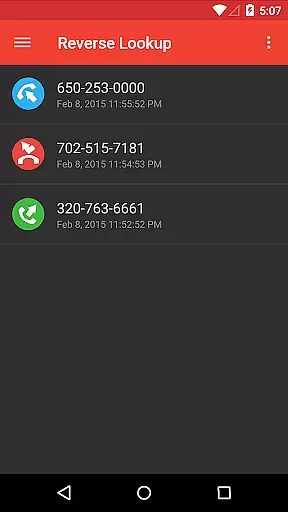
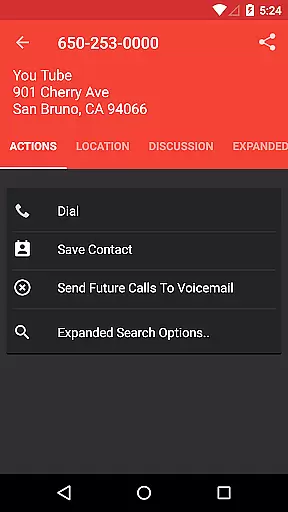
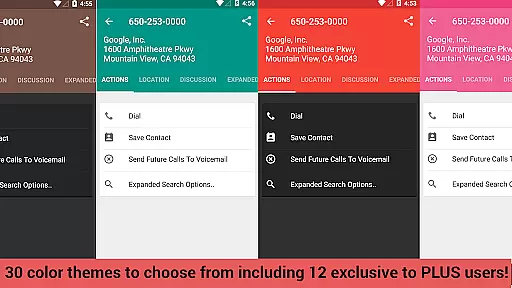
Reverse Lookup+ is a powerful communication tool designed to help users identify unknown callers and protect themselves from spam calls. The app provides detailed caller information by accessing publicly available data published by phone companies, including the caller's location when possible. This premium version is completely ad-free, offering an uninterrupted user experience while directly supporting ongoing development efforts.
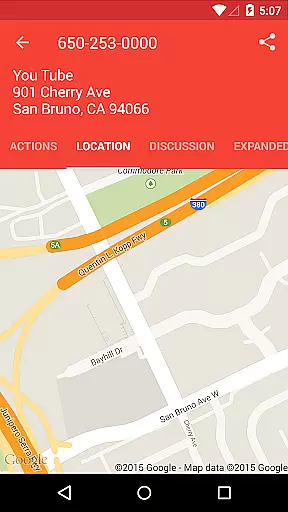
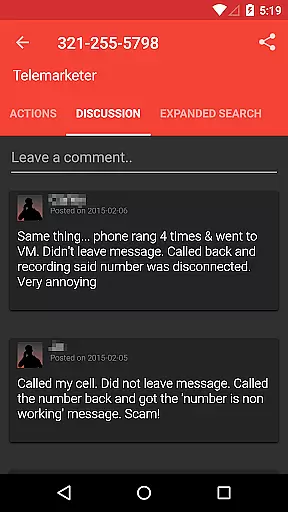
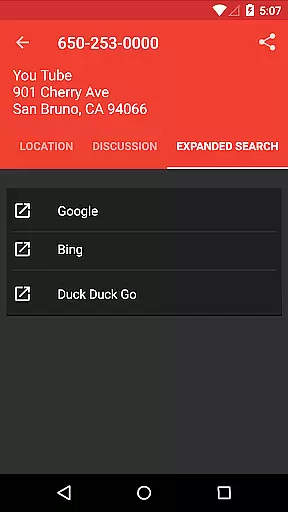
Beyond basic caller identification, the app includes advanced features that enhance its utility. Users can benefit from community insights through the comments section, save contacts effortlessly, and even map the caller's location when data is available. With one-tap search expansion to popular search engines like Google, Reverse Lookup+ ensures comprehensive research capabilities. Its integration with device functionalities allows for seamless call management and voicemail settings.
This application proves especially valuable in professional environments where screening calls is essential. By enabling users to block spammers and scammers effectively, it helps maintain productivity and prevents potential security threats. The app's ability to display unknown calls on the main screen and create notifications based on user preferences makes it an indispensable tool for anyone seeking better control over their incoming communications.
Reverse Lookup+ distinguishes itself through a comprehensive set of features designed to optimize call management. The app's core functionality lies in its ability to access and display publicly available data from phone companies, providing users with accurate caller information. This includes mapping the caller's location when available, typically showing the billing address or carrier's office for that number. The app maintains complete transparency about data sources and limitations, ensuring users understand the information's origin.
What sets Reverse Lookup+ apart is its sophisticated permission system and integration capabilities. The app utilizes specific permissions to enhance functionality while respecting user privacy. These include internet access for database lookups, contact permissions for filtering known numbers and creating voicemail contacts, and phone state monitoring for intelligent notifications. The implementation of these features demonstrates careful consideration of both functionality and privacy concerns.
Additional notable features include the community-driven comments section, which allows users to share insights about specific numbers, and the one-click calling capability after completing a lookup. The app also supports various device-specific functions such as network state monitoring and account integration for voicemail settings. These features collectively create a robust solution for managing incoming calls and maintaining control over communication channels.
Real-time messaging speed and reliability are crucial for effective communication applications. Reverse Lookup+ ensures that users can quickly identify unknown callers and manage their contacts efficiently. The app's infrastructure is designed to provide instant results when querying caller information, which is essential during incoming calls.
The application leverages its access to lookup databases through an internet connection, ensuring that the information retrieved is both current and fast. This immediacy in delivering data helps users make informed decisions about incoming calls, whether to answer, block, or send them directly to voicemail.
Moreover, the READ PHONE STATE permission allows the app to create timely notifications for unknown numbers. These alerts keep users updated without delay, enhancing the overall reliability of the communication process. Such features ensure that Reverse Lookup+ remains a robust tool against spam calls and potential scammers.
Media sharing support within communication apps like Reverse Lookup+ involves the ability to exchange various types of media seamlessly. Although primarily focused on caller identification, this app extends its functionality by allowing users to expand searches beyond its database with one tap, integrating popular search engines such as Google.
This expanded search capability facilitates a richer investigation into unknown callers by tapping into a broader spectrum of publicly available data published by phone companies. Users benefit from accessing diverse sources that may include images or additional contact-related content not found within the app itself.
Additionally, Reverse Lookup+ aids in managing media associated with contacts by enabling easy saving of caller details as new contacts. While it doesn't directly share media files, it streamlines contact managementu2014a form of mediau2014by using permissions like READ CONTACTS and WRITE CONTACTS to filter known numbers and organize 'send to voicemail' options effectively.
Comprehensive caller ID
Ad-free experience
Community insights
One-tap search
Privacy-focused
Limited cell data
No GPS tracking
Device-specific issues
Premium cost
Outdated info possible

Manage your data, talk & text - affordable phone plans & data usage made simple
 4.30
4.30
Enables Plus features of Quick Search.
4.3
A web browser that respects your privacy.
4.30
Message and video call your family and friends in HD!
3.80
Chill zone on your phone: relax with fun reels & hype shorts!
4.20
Manage Phone Calls, call history, and contacts easily with Phone Pro.
4.1
A browser that does more than load page, like keeping your privacy safe.
4.70
Get through your inbox faster with the mail app designed to simplify your life.
4.40
Telegram is a messaging app with a focus on speed and security.
4.00
HD Video Meeting app is a fast & unlimited video conferencing app across world.
4.30
Our Black Friday sale is here. Unlock special discounts on Proton Mail now.
4.30
BiP is a fast, secure, free messaging and HD video calling app!
4.10
Send SMS and chat messages easily with a fast text messaging app for Android.
4.10
Federated instant messaging for your mobile device (Jabber, XMPP, Snikket)
4.10
Fun, free app that lets kids video call and message family and close friends.
3.80
Manage and Fund Calling Accounts and Schedule and Join Video Sessions
3.60
Weargram is an unofficial Telegram Client for Wear OS.
3.50
At select facilities, you now have an easy way to video visit your loved ones!
3.30
TeamSpeak - Secure Chat for Gaming & Business
3.10


User Reviews