

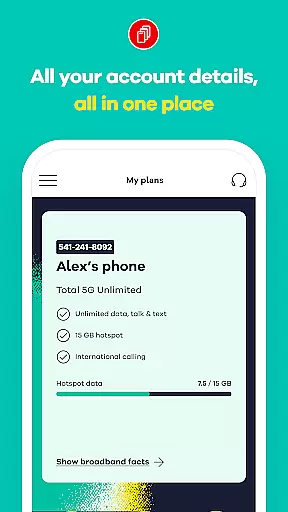
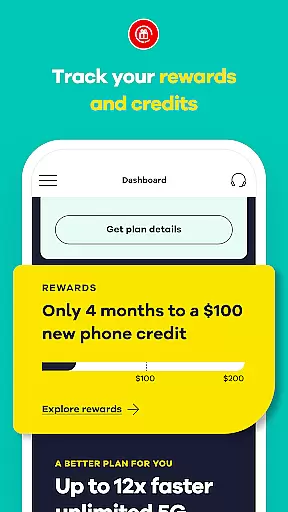
My Total Wireless: Account App is a comprehensive communication tool designed to simplify mobile account management. This application allows users to effortlessly track past and future payments, monitor current plans, manage rewards, and oversee data usage. With its intuitive interface, the app provides quick access to all essential account details, enabling users to manage their devices and monitor unlimited data usage with ease.
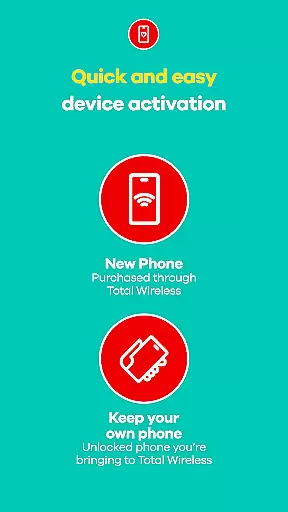
The app features an enhanced activation experience, ensuring swift setup while leveraging the reliable Verizon Wireless 5G network. Whether making payments or tracking rewards, My Total Wireless offers full control over phone services. Its seamless functionality extends to managing 5G network plans, optimizing data usage, and even earning rewards for consistent connectivity. This makes it an indispensable tool for both existing and prospective Total Wireless customers seeking efficient service management.
My Total Wireless stands out with its robust feature set tailored for optimal communication management. The app provides detailed cell phone plan management, allowing users to organize devices and optimize data usage effectively. Even with unlimited data plans, users can track consumption patterns and adjust settings to maximize efficiency.
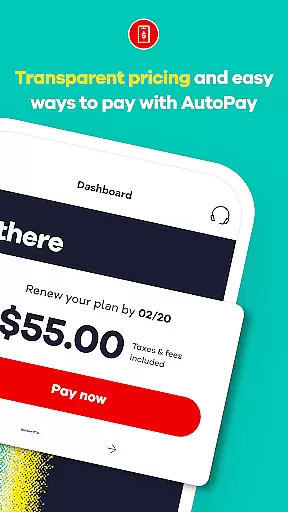
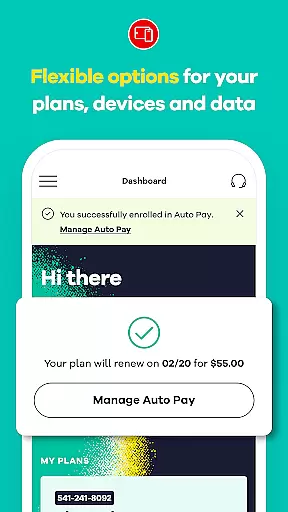
One of the key highlights is the support for 5G network plans, offering access to Verizon's most reliable mobile network. Users can switch to Total 5G or Total 5G+ Unlimited plans, often accompanied by promotional benefits like free phones during limited periods. The app also facilitates automatic plan renewals through Auto Pay, ensuring uninterrupted service. Additionally, the Total Wireless Wallet feature enables users to add funds directly within the app, streamlining purchases for service plans, devices, and accessories.
Real-time messaging speed and reliability are crucial for any communication app, ensuring that users can send and receive messages instantly without delays. My Total Wireless: Account App excels in this area by providing seamless access to all account details at a glance, allowing users to manage their devices and monitor data usage efficiently.
The app's infrastructure is designed to handle high volumes of data transactions smoothly, making sure that every interaction with the app feels instantaneous. Whether you're checking your current plan, tracking rewards, or managing multiple devices, the app delivers real-time updates, keeping you informed about your account status at all times.
For users, this means no more waiting or worrying about whether their actions have been registered. The reliable messaging system ensures that every command, from switching plans to adding funds via Total Wireless Wallet, is executed promptly and accurately. This reliability builds trust and enhances user satisfaction, as customers know they can depend on the app for timely and accurate information.
Media sharing support is an essential feature for modern communication apps, enabling users to share various types of media effortlessly. My Total Wireless: Account App offers robust media sharing capabilities, allowing users to upload and share important documents, images, and other files related to their account management activities.
The app supports a wide range of file formats, ensuring compatibility and ease of use when sharing media. Whether you need to upload proof of payment, share screenshots of your data usage, or exchange documents for account verification, the app handles these tasks seamlessly. This versatility makes it easier for users to communicate effectively with customer support or share relevant information with family members managing the same account.
Moreover, the appu2019s enhanced activation experience and integration with the Verizon Wireless 5G network ensure that media sharing is not only possible but also fast and reliable. Users can expect quick upload and download times, even when dealing with large files. This level of support empowers users to take full control of their mobile network experience, enhancing both convenience and efficiency in managing their Total Wireless account.
User-friendly interface
Comprehensive account management
Supports 5G network plans
Rewards program integration
Auto Pay for seamless renewals
Limited to Total Wireless customers
Requires constant service for rewards
Promotions have strict terms
Dependent on Verizon network coverage
Initial setup may require time

Enables Plus features of Quick Search.
 4.2
4.2
SMS Messenger ensures that communication become effortless and accessible.
3.80
Quickly and easily identify and block unknown callers
3.70
Simplify texting with Messages SMS, offline messaging, themes & smart tools!
4.30
Chill zone on your phone: relax with fun reels & hype shorts!
4.20
HD Video Meeting app is a fast & unlimited video conferencing app across world.
4.30
An agentic AI browser for Android, built by Perplexity
4.50
Weargram is an unofficial Telegram Client for Wear OS.
3.50
Simple tool for businesses to talk to their customers.
4.40
فیلتر شکن قوی پرسرعت کلید جدید برای اندرویدسریع ترین وی پی ان برای همه اپراتورها
4.70
Identify unknown numbers, block spam calls, customize calls with cool themes.
4.60
Faster version of Messages. Messenger for your contacts.
4.50
A web browser that respects your privacy.
4.30
Send SMS and chat messages easily with a fast text messaging app for Android.
4.10
Share the moment!
4.10
Telegram is a messaging app with a focus on speed and security.
4.00
Call Forwarding is easy and simple application to use.
3.80
At select facilities, you now have an easy way to video visit your loved ones!
3.30
A Browser with powerful ad blocker to help focus on what really matters.
3.00


User Reviews