
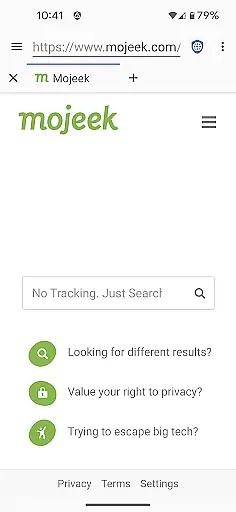
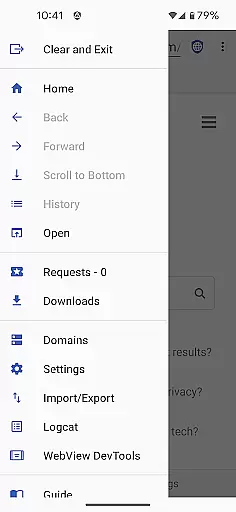
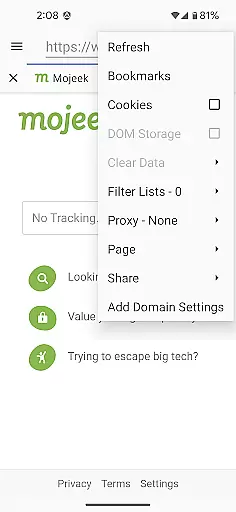
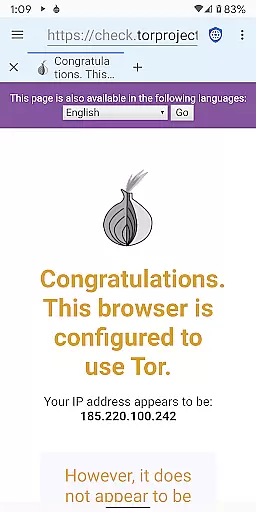
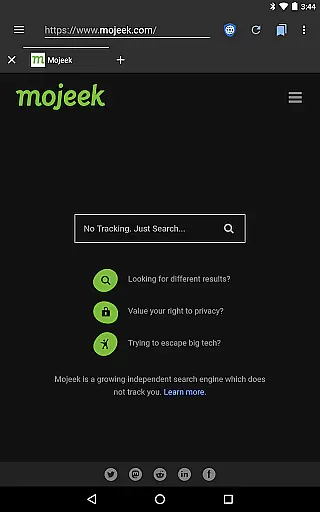
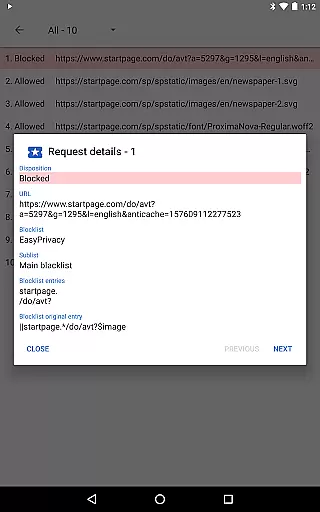
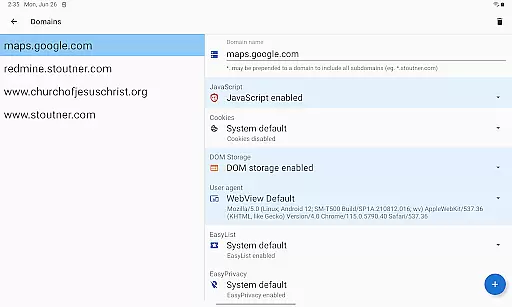
Privacy Browser is a communication app designed to protect user privacy by minimizing data collection both online and locally. Its core functionality revolves around disabling privacy-invasive features by default, allowing users to enable them temporarily or on a per-site basis. This ensures websites cannot easily track users through technologies like JavaScript, cookies, and DOM storage.
In addition to its privacy-focused architecture, the app supports advanced features such as ad blocking via EasyList, Tor Orbot proxy for anonymous browsing, and SSL certificate pinning for enhanced security. Privacy Browser leverages Android’s WebView but plans to transition to Privacy WebView in future updates, enabling even more robust privacy controls.
This app is ideal for users who prioritize anonymity while browsing the web, making it suitable for secure communications and private information management.
Privacy Browser offers several notable features that set it apart from traditional browsers. First, it blocks invasive tracking mechanisms by disabling JavaScript, cookies, and other tracking technologies by default. Users can enable these features temporarily if needed, ensuring functionality without compromising privacy.
The app also includes integrated EasyList ad blocking, which prevents intrusive ads from loading, enhancing both speed and privacy. Additionally, Privacy Browser provides Tor Orbot proxy support, allowing users to browse anonymously through the Tor network. SSL certificate pinning further secures connections, protecting against man-in-the-middle attacks.
Another key feature is the ability to import and export settings and bookmarks, offering flexibility and customization. With plans to adopt Privacy WebView, the app aims to deliver advanced privacy features not available in standard browsers, solidifying its position as a leader in secure communication tools.
Privacy Browser excels in providing real-time messaging speed and reliability by minimizing the data sent to the internet. This ensures that your communications remain fast and uninterrupted while maintaining a high level of privacy protection.
The browser disables privacy-sensitive features by default, which not only enhances security but also reduces unnecessary data exchange that can slow down messaging. If needed, users can enable specific features for a particular website, ensuring optimal performance tailored to their needs.
With integrated EasyList ad blocking and SSL certificate pinning, Privacy Browser further secures your messaging activities against intrusive ads and potential security threats. These features contribute to a seamless and secure communication experience without compromising on speed or reliability.
Privacy Browser offers robust media sharing support while prioritizing user privacy. By minimizing the data stored on the device, it ensures that your shared media files are not retained longer than necessary, reducing the risk of unauthorized access.
The browser's Tor Orbot proxy support and SSL certificate pinning provide an additional layer of security during media sharing. These technologies help protect your data from interception and ensure that your shared content reaches its intended destination securely.
Moreover, Privacy Browseru2019s ability to import/export settings and bookmarks allows users to maintain their preferred configurations across devices. This feature facilitates a consistent and secure media sharing experience, regardless of the device being used.
Enhanced privacy
Ad blocking
Tor support
Customizable settings
Secure connections
Limited compatibility
No iOS version
Advanced setup
Slower speeds
Feature learning curve

Tether to Windows, OS X, Linux PCs or Android tablets. No root. No tether fees.
 3.90
3.90
Phone Dialer with Caller ID, Address Book & Contacts Manager.
4.30
Google's fast and secure browser
4.10
Our Black Friday sale is here. Unlock special discounts on Proton Mail now.
4.30
Connect and browse the internet with a fast VPN proxy server and IP blocker.
4.50
Send SMS and chat messages easily with a fast text messaging app for Android.
4.10
HD Video Meeting app is a fast & unlimited video conferencing app across world.
4.30
FolderSync enables easy sync of files between cloud storage and Android devices.
4.60
Read OBD2 data and DTCs Create custom dashboards Enhanced diagnostics available
4.70
فیلتر شکن قوی پرسرعت کلید جدید برای اندرویدسریع ترین وی پی ان برای همه اپراتورها
4.70
Browse fast on Opera Mini, with Data Saving, News, Football Scores, and Download
4.60
Block spam calls & scam - no more annoying calls with the call blocker function
4.30
BiP is a fast, secure, free messaging and HD video calling app!
4.10
A softphone with crystal clear SIP Calling & Reliable VoIP dialer
4.00
Threema is the messenger with the most consistent focus on security and privacy.
4.00
This app enables the phone to receive and send FT8 traffic!
3.80
Message and video call your family and friends in HD!
3.80
Official NDI app: turn your phone into a professional live-streaming IP camera.
3.20
TeamSpeak - Secure Chat for Gaming & Business
3.10


User Reviews