
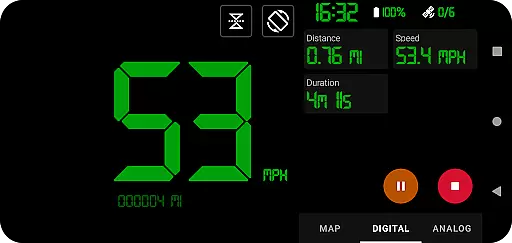
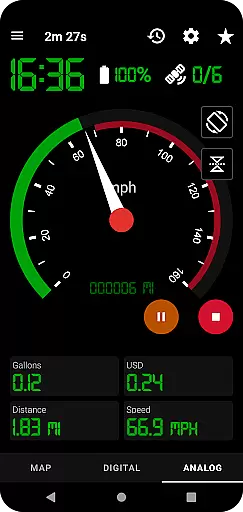
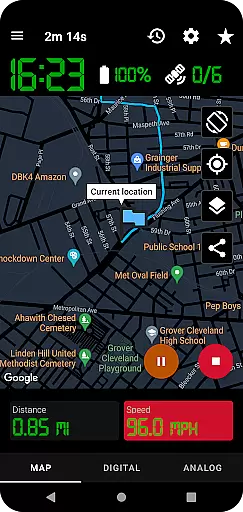
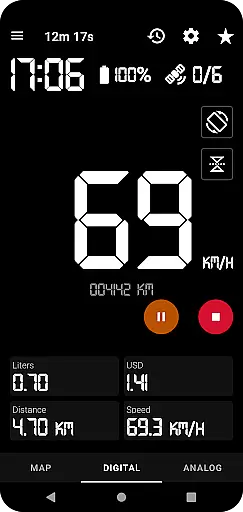
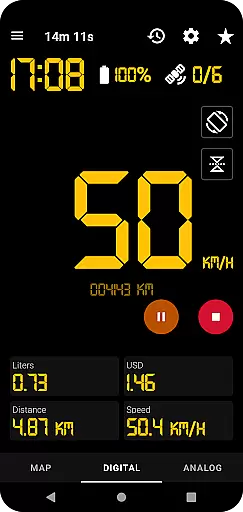
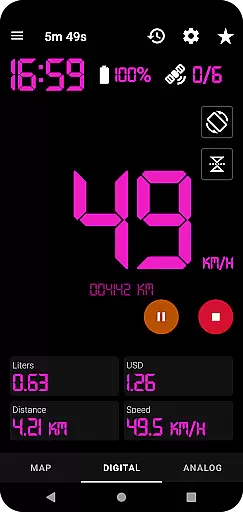
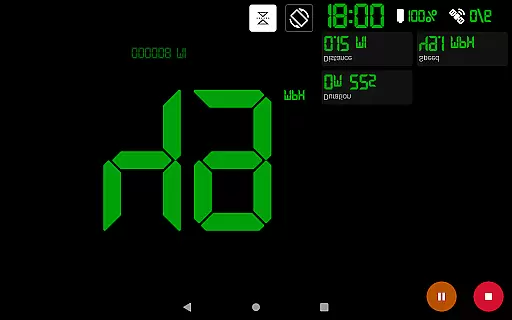
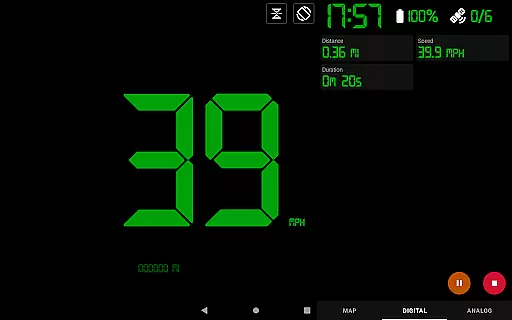
GPS Speedometer Pro is a comprehensive navigation and tracking application designed to help users monitor their speed, distance, and routes using the phone's built-in GPS. The app offers multiple display modes including analog, digital, and head-up display (HUD) options, making it versatile for various activities such as driving, running, or cycling.
One of its standout features is the ability to operate seamlessly in the background, allowing users to multitask on their phones without interrupting the tracking process. Additionally, the app provides advanced functionalities like fuel cost estimation, over-speed alerts, and odometer readings, ensuring both convenience and safety during travel.
Whether you're commuting, exercising, or exploring new terrains, GPS Speedometer Pro serves as an essential tool for real-time navigation and post-trip analysis. Its ability to export routes in .gpx format adds extra utility for users who rely on third-party software for detailed route examination.
GPS Speedometer Pro stands out with its rich feature set tailored for accurate tracking and user convenience. The app utilizes your phone's GPS to record routes, speed, and distance with precision, while offering multiple display formats such as analog, digital, and HUD modes to suit different preferences. Users can also take advantage of app shortcuts for one-tap start/stop functionality, streamlining the tracking process.
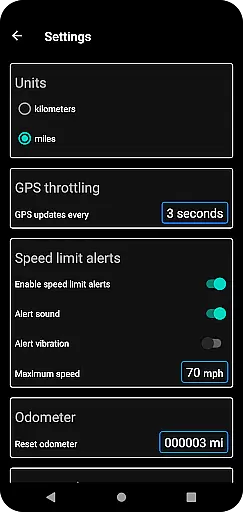
Advanced capabilities include fuel cost estimation, an odometer, and over-speed alerts that work even when the app runs in the background. These features ensure users stay informed about their travel metrics while prioritizing safety. Furthermore, the app supports downloading routes in .gpx file format, enabling integration with third-party mapping tools for deeper analysis.
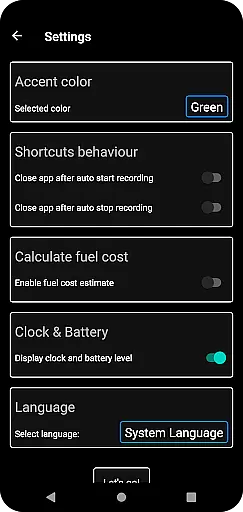
The inclusion of light and dark themes, adjustable map types, and orientation settings enhances usability across various environments. With its robust combination of real-time tracking, data export options, and privacy assurance, GPS Speedometer Pro delivers a reliable and customizable navigation experience.
Map accuracy is crucial for any navigation app, and GPS Speedometer Pro excels in this area. The application leverages your phone's built-in GPS to meticulously record your routes and speed, ensuring that the data presented on the map is as precise as possible.
The app offers multiple map types including light, dark, and terrain views, which not only enhance visual clarity but also adapt to different lighting conditions and user preferences. This flexibility ensures that users can select the map style that best suits their environment, improving overall accuracy perception.
Furthermore, the feature that allows the map to follow your current location while tracking guarantees that you are always aware of your position. This real-time tracking capability provides an accurate depiction of your journey, making it easier to navigate and track your progress with confidence.
Effective route planning is essential for optimizing travel, and GPS Speedometer Pro offers a robust set of features to assist with this task. Users can switch between different speedometer views such as map, digital, or analog displays, allowing them to choose the most suitable interface for monitoring their journey.
In addition to its tracking capabilities, the app enables users to pause, stop, and resume tracking at any time. This flexibility is particularly useful for route planning, as it allows users to manage their trips efficiently without draining their battery unnecessarily.
Another standout feature is the ability to download routes in .gpx file format, facilitating integration with third-party software for further analysis. With the latest update, users can even replay saved routes within the app, providing valuable insights into their travel patterns and recorded speeds, thus enhancing future route planning efforts.
User-friendly interface
Accurate GPS tracking
Customizable display modes
Background operation
Privacy-focused design
Limited offline maps
Occasional GPS inaccuracies
No social sharing
Premium features locked
High battery usage

Fully offline 1:50k New Zealand topographical map North Island
 4.1
4.1
Navigate with your watch and keep the phone in your pocket!
4.60
Turn your tablet or Android powered unit into a full blow Android Auto headunit.
2.30
America’s largest public fast charging network, with over 500 charging stations.
4.50
Plan routes, share locations, and set custom alert zones
4.40
NJ TRANSIT information and ticketing at your fingertips
3.70
Truck Safe GPS Navigation & Maps: Parking, Fuel, Diesel, Weight Station
4.80
Simple & easy to use a compass app. Get accurate directions.
4.20
Navigation, weather, offline maps & tools for smarter, safer travel planning.
4.00
Get there with the Waymo Driver — The World’s Most Experienced Driver™
4.90
GPX Viewer PRO shows tracks, routes and waypoints from gpx and kml files.
4.60
"Balad" is a map and navigator with a Persian voice assistant and a complete city guide
4.40
Explore a light pollution map to find suitable dark sky locations for observing.
4.30
Get directions, Maps, GPS navigation & GPS Maps using GPS App
4.10
Use GPS Maps and GPS Voice Navigation to find your way and get directions
4.10
Avoid delays. Get real-time GPS navigation, safety alerts and live traffic.
4.10
Get route, find shortest path, near by places and weather update
3.90
Live Satellite view app for find GPS navigation Direction and live location map
3.70
Play in the outdoors with Android as your Handheld GPS and offline topo maps!
3.50


User Reviews