
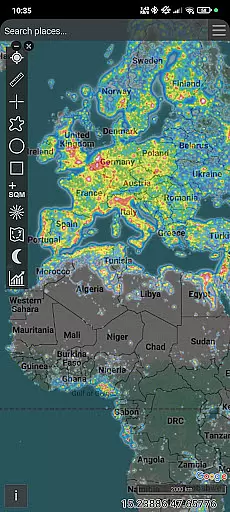
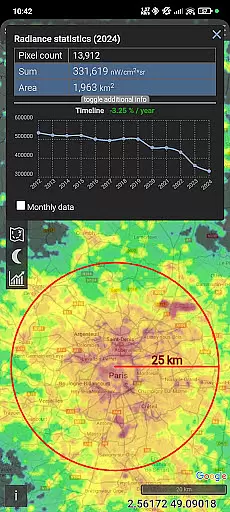
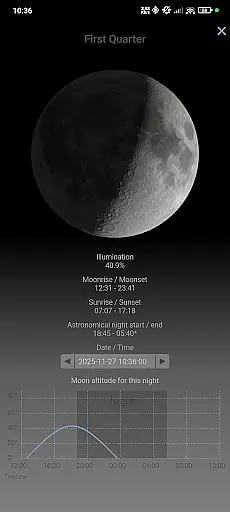
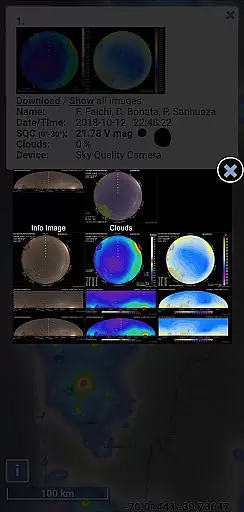
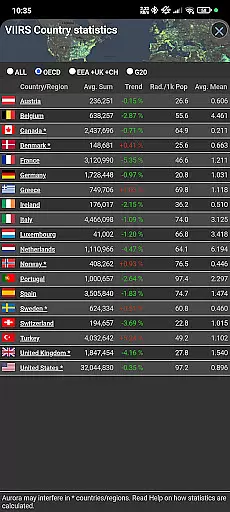
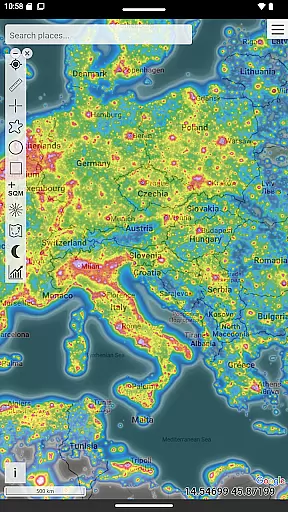
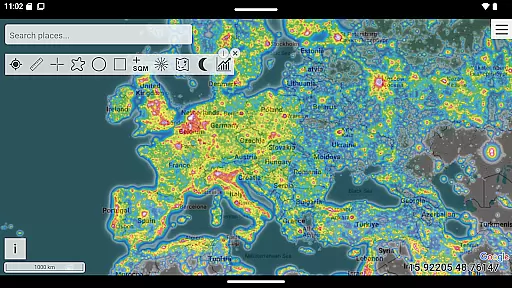
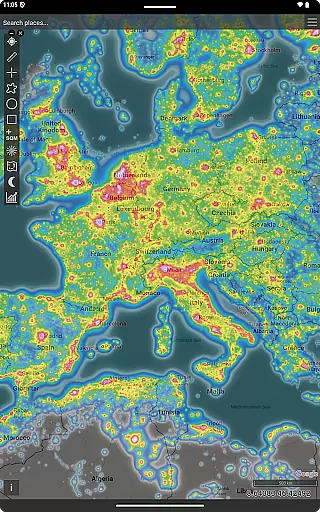
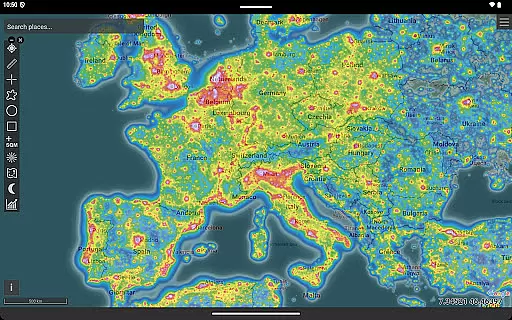
Light Pollution Map is a specialized navigation tool designed for astronomy enthusiasts, travelers, and nature lovers who seek darker skies. The app combines high-resolution VIIRS satellite data with an interactive global map to provide users with detailed information about light pollution levels across the globe. With its accurate sky brightness overlays and various mapping tools, it helps users identify optimal locations for stargazing, astrophotography, and other night-sky-related activities.
One of the standout features of this app is its use of NASA's VIIRS Day/Night Band data, ensuring scientific-grade accuracy in evaluating artificial sky glow. Whether you're planning a camping trip under the stars or conducting research on light pollution, this app offers the most up-to-date and precise data available. Its intuitive interface, smooth controls, and fullscreen mode make it easy to explore different regions and compare historical light pollution trends.
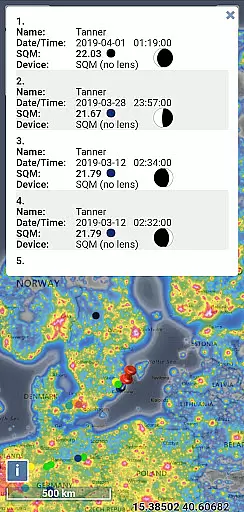
The app also includes additional layers such as Aurora predictions, cloud coverage, and user-submitted SQM measurements, enhancing its utility for both casual users and professionals. Light Pollution Map focuses purely on delivering accurate and actionable data without intrusive ads or unnecessary features, making it an essential tool for anyone interested in preserving and enjoying dark skies.
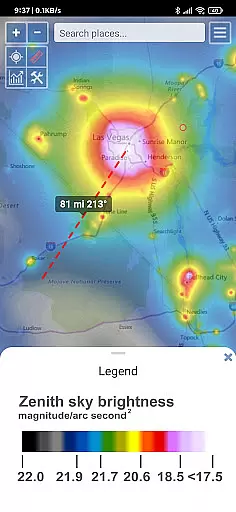
Light Pollution Map stands out with its comprehensive set of features tailored for both amateur stargazers and professional researchers. At its core, the app provides an interactive light pollution map powered by VIIRS (Black Marble 2.0) satellite radiance data. This ensures that users receive the most accurate and scientifically validated information about night-time light emissions across the globe. The app also offers various overlays, including sky brightness maps with colorblind-friendly options, allowing users to customize their viewing experience based on personal preferences.
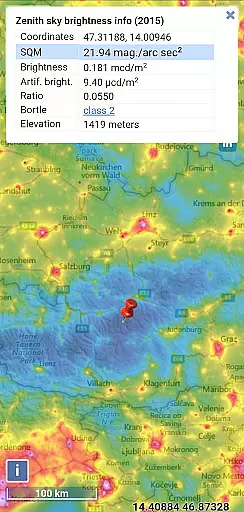
Beyond its primary mapping capabilities, the app includes advanced tools such as point/area info, moon phase details, brightness simulation, and the ability to find the closest dark-sky site. Users can estimate MPSAS (magnitude per square arc second) and Bortle scale values for easy comparison between locations. Additionally, the app supports multiple light pollution datasets, enabling users to switch between different sources for a more nuanced analysis. For those interested in tracking changes over time, the app allows users to compare historical VIIRS data, providing valuable insights into how light pollution evolves in specific areas.
Another key advantage of Light Pollution Map is its offline functionality. Users can cache the World Atlas 2015 dataset for access without an internet connection, making it ideal for remote locations. The app also integrates seamlessly with GPS, ensuring accurate location-based data retrieval. With its clean, privacy-respecting design and absence of ads or tracking, Light Pollution Map delivers a focused and reliable experience for all users seeking darker skies.
Map accuracy is essential for users who rely on precise geographical data to make informed decisions. Light Pollution Map excels in this area by integrating high-resolution VIIRS satellite data, which is trusted by research institutions and environmental agencies worldwide. This scientific dataset ensures that the app provides maximum accuracy when evaluating artificial sky glow.
The app's commitment to accuracy is further demonstrated through its various mapping tools. Users can access point and area information, moon info, brightness simulation, and even find the closest dark site. These features collectively ensure that whether you're an astronomer, astrophotographer, or stargazer, you can trust the app's data for your activities.
With global coverage and high detail, Light Pollution Map offers an intuitive and fast map interface with smooth controls and fullscreen mode. The accuracy of the data allows users to compare historical VIIRS data and track how light pollution changes over time. This functionality is invaluable for planning dark-sky trips or conducting light pollution research.
While Light Pollution Map focuses primarily on providing accurate light pollution data, it also offers valuable route planning features for those seeking dark-sky locations. By leveraging detailed and interactive maps, users can identify optimal routes to nearby dark places suitable for stargazing, astrophotography, or camping trips.
The app includes functionalities such as finding the closest dark site and comparing light pollution levels across different areas. These tools are crucial for planning trips where minimizing light interference is key. Whether you're observing the Milky Way, watching meteor showers, or spotting auroras, the app helps you navigate to the best locations.
Additionally, Light Pollution Map supports offline mode, GPS integration, and smoother performance, making it a reliable companion for your travels. With these capabilities, users can plan their journeys confidently, knowing they have access to the most accurate and up-to-date night-time light data available.
User-friendly interface
Highly accurate data
Offline mode available
No ads or tracking
Global coverage
Paid app
Steep learning curve
Limited free features
Requires internet for updates
Heavy on storage

Offline maps & GPS for hiking, travel, fieldwork & outdoor adventures
 4.70
4.70
Find shortest way and save energy . Distance and area calculator.
4.70
Turn your tablet or Android powered unit into a full blow Android Auto headunit.
2.30
Find EV & Tesla charging stations with PlugShare
4.70
Number locator, real connection map
4.10
Find radar maps, GPS coordinates, altitude, offline maps, location, travel route
4.40
Phone Tracker and GPS Location Sharing
4.20
Get route map navigation with 3D satellite view, and live earth camera streaming
3.70
Drive safe with real-time speed camera radar, police, and traffic alerts
3.80
Get there with the Waymo Driver — The World’s Most Experienced Driver™
4.90
Find AI powered cameras, ALPRs, and other surveillance infrastructure near you
4.70
Rideshare, taxi cabs, and more for your airport travels and everyday trips.
4.50
Maps, Driving Directions & GPS navigation using directions app & GPS App
4.30
Easy, Moderate and difficult offroad adventures.
4.00
Route Planner is travel map to get turn by turn navigation & driving directions
3.90
Discover over 800 points of interest along the canal.
3.70
Explore offline maps with radar, satellite view, and real-time alerts.
3.60
Your real-time window to the world. Explore anywhere, anytime.
3.30
Explore the world with Live Satellite View, 3D Maps, GPS Navigation & Earth Map.
2.90


User Reviews