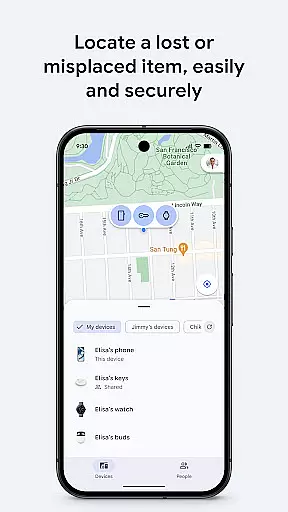
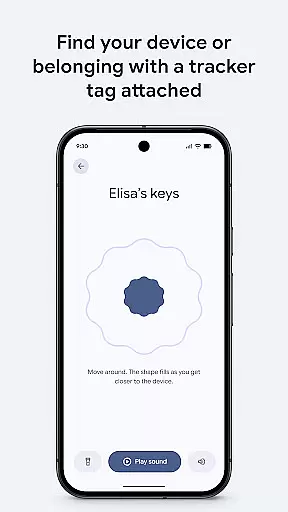
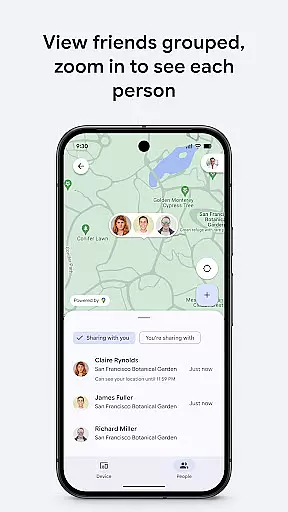
Google's Find Hub is a powerful tool designed to help users locate and manage their devices and personal items. The app allows you to view the real-time location of your phone, tablet, headphones, and other accessories on a map, even when they are offline. With features like remote sound alerts, device locking, and data erasure, it ensures that lost devices can be found or secured with ease. Additionally, all location data within the Find Hub network is encrypted, ensuring privacy and security.
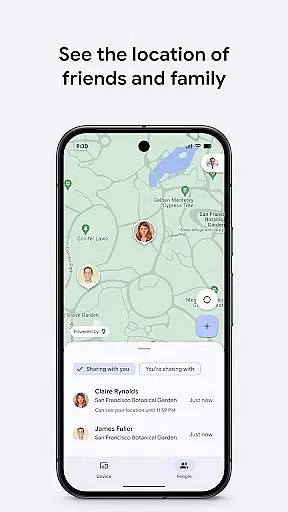
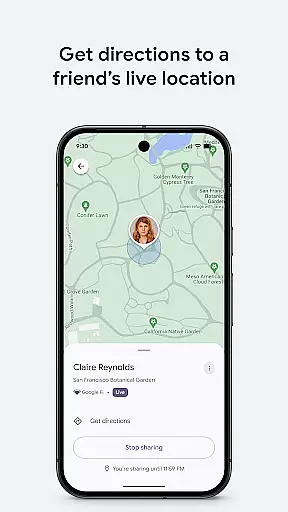
Beyond device tracking, Google's Find Hub also offers robust location sharing capabilities. Users can share their live location with friends and family, making it easier to coordinate meetups or ensure loved ones reach their destinations safely. This combination of device management and location sharing makes the app an essential tool for anyone looking to keep track of their belongings and stay connected with people who matter.
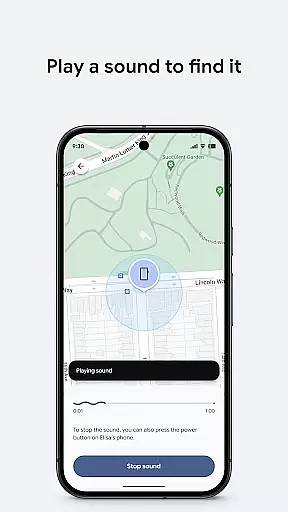
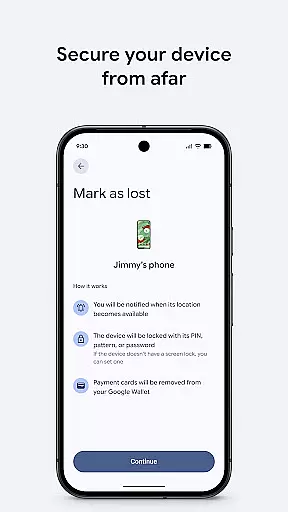
One of the standout features of Google's Find Hub is its ability to display the location of multiple devices and accessories on a map interface. Whether your phone, tablet, or headphones are online or offline, the app uses advanced technology to pinpoint their locations. If a device is nearby but out of sight, you can play a sound remotely to help locate it quickly. For situations where recovery isn't possible, the app lets you remotely lock or erase your device to protect sensitive information.
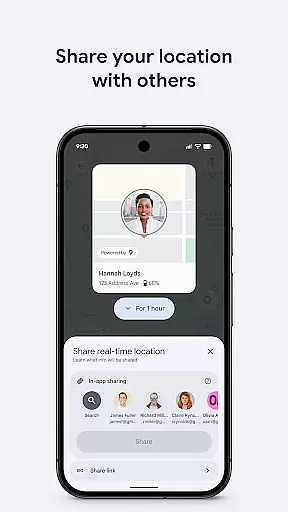
In addition to device management, Google's Find Hub excels in location sharing. You can temporarily share your live location with trusted contacts, allowing them to see where you are in real time. This feature is particularly useful for coordinating group activities or ensuring the safety of family members during travel. All shared location data is encrypted, maintaining user privacy while providing peace of mind. These comprehensive tools make Google's Find Hub an indispensable utility for modern digital life.
Google's Find Hub delivers exceptional core functionality that ensures users can accurately locate their devices and personal items. The app employs advanced mapping technology to display the precise location of phones, tablets, headphones, and other accessories on a map interface.
Even when devices are offline, the app utilizes innovative methods to provide last known locations. This reliability is further enhanced by the ability to play a sound remotely, aiding in the physical search for nearby lost devices.
The effectiveness of Google's Find Hub extends to security features as well. Users can remotely secure or erase their devices, protecting sensitive information from unauthorized access. The option to add a custom message on the lock screen facilitates potential recovery if found by others.
The user interface of Google's Find Hub exemplifies simplicity and intuitive design. Upon launching the app, users are greeted with a clean, organized layout that makes navigation effortless. Key functions such as viewing device locations and initiating security measures are prominently displayed.
For location sharing, the process is straightforward. Users can easily share their live location with friends or family through a few taps, ensuring coordination for meetups or safety checks. The absence of cluttered menus or complex settings enhances the overall user experience.
All these features are encapsulated within a visually appealing design that maintains consistency across different devices. The thoughtful arrangement of elements and clear labeling make Google's Find Hub accessible even to those who may not be tech-savvy, ensuring that all users can take full advantage of its capabilities without a steep learning curve.
User-friendly interface
Advanced encryption
Real-time tracking
Remote device control
Secure location sharing
Limited offline support
Requires Google account
Occasional sync delays
No standalone desktop app
Dependent on internet

 4.50
4.50
Unit and currency converter with easy and simple UI.
4.80
Effortlessly run ADB commands directly on your device without a PC.
4.20
Bedrock Together: Join any bedrock server on Xbox/PS
4.80
Fast Video Downloader, Movie Downloader, Torrent Downloader & Adblock Browser
4.70
Connect wirelessly to your computer to watch movies, browse the web, play games
5.00
The Ultimate Flex Drivers Utility App - Convenient Tapping & Block Filters
4.70
Game Booster, GFX Tool is now compatible with newer game update
4.50
Introducing Smart Printer, your ultimate destination for printing solutions!
4.00
ADB support Android 4.X-Android 13(Support wireless pair mode).No root required!
4.70
Connect instantly to a fast, encrypted VPN with one tap
4.60
HD Camera captures every special moment.
4.60
With videos, electrical calculators, and built-in ebook, Ugly’s has your answer.
4.50
Mirror your screen to Fire TV - Super fast and simple
4.40
Remote for Roku, Fire TV, Samsung TV, LG TV, Android TV, Chromecast and VIZIO TV
4.20
Carry a FTP server in your pocket and avoid USB cables for file transfer
4.20
An open-source APK explorer for Android!
4.10
Smart and comfortable browsing experience.
3.80
A recovery soft,it features photo recovery, video recovery, file recovery.
3.40


User Reviews