
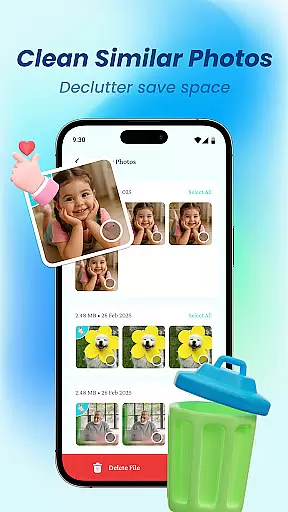
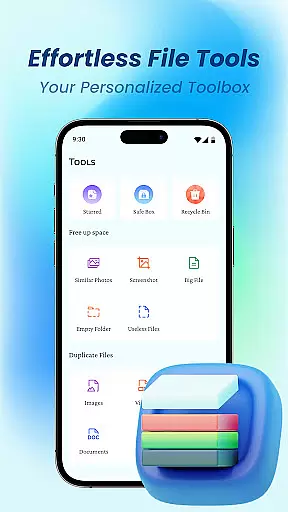
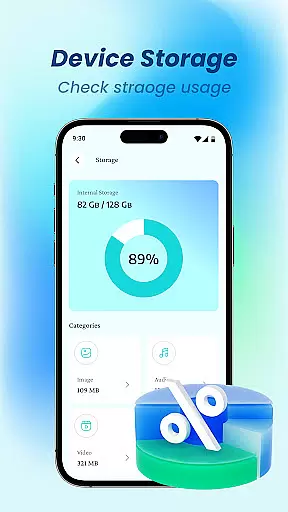
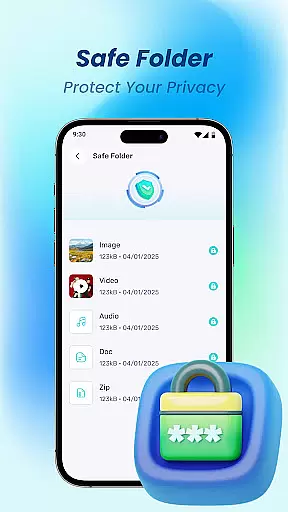
Device File Storage is a comprehensive file management tool designed to help users take complete control of their phone's storage. This app provides a powerful file browser that allows you to view, organize, and manage all your files in one centralized location.
The app's key features include total file visibility, effortless organization tools, and built-in privacy protection. Whether you need to sort your photos, music, or work documents, Device File Storage offers the necessary tools to keep everything perfectly organized while ensuring your private files remain secure through its file locker feature.
Ideal for anyone looking to streamline their digital life, this app is particularly useful for professionals and students who need to manage large collections of files on their mobile devices. By providing both basic file management functions and advanced privacy features, Device File Storage helps users maintain an organized and secure mobile workspace.
Device File Storage stands out with its robust set of features designed to simplify file management. The app's powerful file browser provides complete visibility into your device's storage, eliminating the frustration of lost or hidden files.
Organization is made effortless through intuitive tools that let you create folders, move items, batch select, and rename files with ease. These features are especially helpful when managing different types of content like photos, music, and documents. The app also includes a secure file locker function, allowing users to hide private files and protect sensitive information from unauthorized access.
What sets Device File Storage apart is its focus on user privacy and control. Unlike many file managers that simply provide basic viewing capabilities, this app gives users the power to truly master their files while keeping their personal data safe. The combination of organizational tools and security features makes it an indispensable utility for anyone seeking to maintain an efficient and protected mobile storage system.
Device File Storage offers a robust set of tools designed to provide users with precise control over their device's storage. The app's core functions are engineered for maximum accuracy, ensuring that every file operation is executed flawlessly.
The powerful browser functionality allows users to locate and manage files with ease, eliminating the frustration of lost or hidden files. This level of precision in file handling establishes Device File Storage as an effective solution for both casual users and power users alike.
With features like batch selection, folder creation, and effortless file movement, the app streamlines file organization. These capabilities not only save time but also enhance productivity by maintaining a structured digital environment.
Furthermore, the secure file locker adds an extra layer of privacy protection, giving users peace of mind when managing sensitive documents. This combination of accuracy, effectiveness, and security makes Device File Storage an indispensable tool for comprehensive file management.
A user-friendly interface is at the heart of Device File Storage's design philosophy. The app ensures that even those unfamiliar with file management can easily navigate and utilize its features through an intuitive layout and straightforward controls.
Every function, from renaming files to creating new folders, is implemented with simplicity in mind. Users can perform complex tasks like organizing large collections of photos or work documents without needing extensive technical knowledge.
The app's minimalist design avoids unnecessary complications, presenting users with a clean and organized dashboard. This approach reduces the learning curve typically associated with powerful management tools, allowing for immediate productivity.
By combining essential file management features with an accessible interface, Device File Storage proves that powerful tools can also be simple to use. This careful balance between functionality and usability sets a new standard for mobile file managers.
User-friendly interface
Powerful file browser
Secure file locker
Batch file management
Cross-platform support
Limited cloud integration
No automatic backup
Premium features locked
Occasional bugs
Ads in free version

 4.50
4.50
Transfer Files, APK from Phone to Watch & Install.
4.0
Extremely fast, secure, and protects your privacy
4.80
A recovery soft,it features photo recovery, video recovery, file recovery.
3.40
HD Video player and downloader for all formats, fast & smooth 4K video playback.
4.60
Mirror your screen to Chromecast and Android TV - Super fast and simple
4.60
With videos, electrical calculators, and built-in ebook, Ugly’s has your answer.
4.50
Protect your device with antivirus, storage cleanup, and system monitoring
4.70
Fast VPN USA for any country. Super secure VPN for calls, streaming, games, TV.
4.40
The ultimate tool for network analysis, wifi scanning and problem detection.
4.90
Unit and currency converter with easy and simple UI.
4.80
Excellent scientific calculator with symbolic algebra, integrals, derivatives
4.80
Learn the vast amount of system information about device and monitor it's state
4.70
eXtended Permission Manager - a small app to manage permissions and AppOps
4.50
The Ultimate Bluetooth Keyboard & Mouse. Securely control your PC, Mac, and more
4.50
Just one-tap to easy translate in any language after calls within seconds.
4.20
Remote for Roku, Fire TV, Samsung TV, LG TV, Android TV, Chromecast and VIZIO TV
4.20
Quickly & easily calculate the spacing of handrail balusters
4.20
MS-DOS in your pocket. Play old DOS games anywhere you are ;)
4.10


User Reviews