
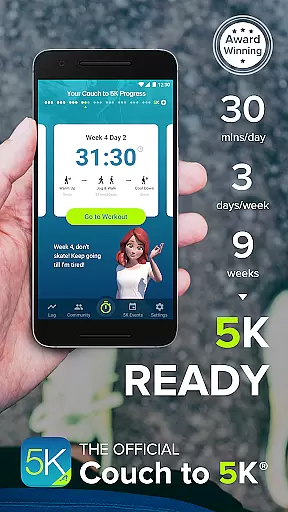
Couch to 5K is the official training app designed to help new runners transition from being inactive to completing a 5K race. The program spans nine weeks, requiring only 20 to 30 minutes of your time, three times a week. With features like virtual coaching and GPS support, it ensures you stay motivated and on track.
Designed by Active.com trainers, this app offers customizable options such as choosing from four different virtual coaches and integrating your favorite playlists. It also provides essential tools like workout logging, performance tracking, and community support, making it an all-in-one solution for beginner runners aiming to improve their fitness levels safely and effectively.
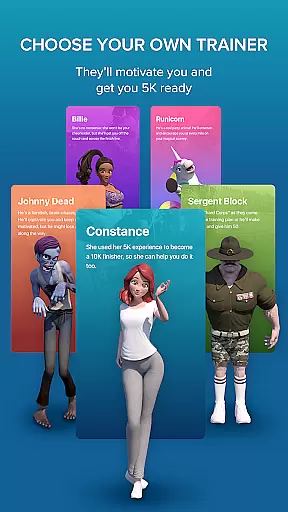
The Couch to 5K app boasts a variety of features that cater to both novice and experienced runners. One standout feature is the choice of four virtual coaches—Johnny Dead, Constance, Billie, or Sergeant Block—who provide audio cues to guide you through each workout. This personalized coaching approach helps users maintain motivation and adhere to their training plans.
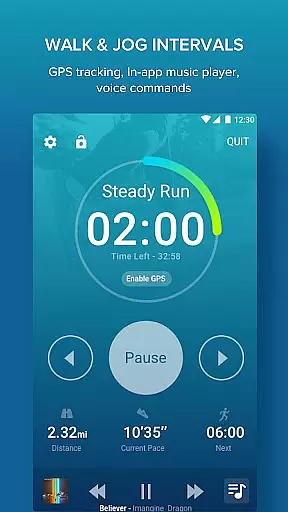
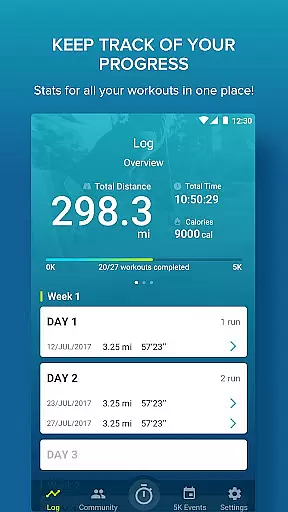
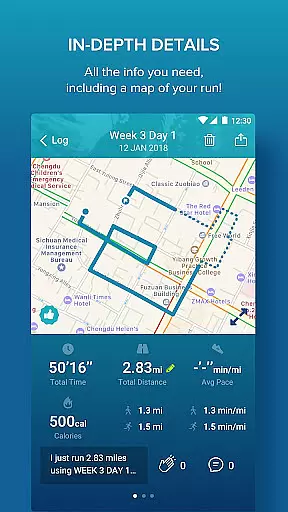
Additionally, the app includes robust tracking capabilities with free GPS support, allowing users to calculate distance and pace while mapping their routes. Users can log workouts, repeat sessions, and compare performances using detailed graphs. These features not only enhance the user experience but also foster a sense of accomplishment and progress over time.
Personalized planning in fitness applications refers to the ability to create tailored workout schedules based on individual goals, current fitness levels, and progress. Couch to 5K excels in this area by offering a structured nine-week program designed by Active.com trainers.
The app provides users with a clear path from being inactive to completing a 5K run. It achieves this through carefully planned workouts that evolve as users progress, ensuring they are always challenged but not overwhelmed. This gradual increase in intensity helps prevent injury and promotes sustainable growth.
Users benefit from the app's personalized approach as it adapts to their pace, allowing them to repeat workouts if necessary and track their best performances. The flexibility within the program ensures that each user can progress at a rate that suits their personal capabilities and time commitments.
Ultimately, the personalized planning feature empowers users to transform their lifestyle safely and effectively. By following the app's guidance, users gain confidence and build endurance, leading to improved overall health and the achievement of running a 5K race.
Progress visualization is crucial for maintaining motivation and tracking improvements over time. In the context of Couch to 5K, this feature allows users to see how far they've come since starting the program, providing tangible evidence of their hard work paying off.
The app offers various tools for visualizing progress, such as graphs that compare distance and pace across different workouts. These visual aids help users understand trends in their performance, like whether they're getting faster or able to run longer distances without fatigue.
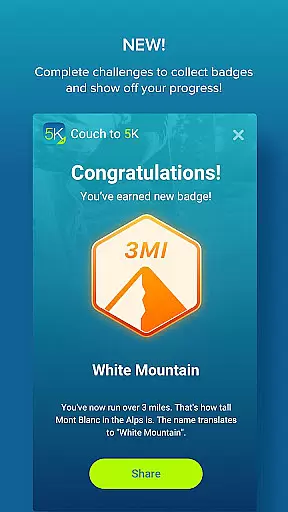
Additionally, Couch to 5K enables users to log their workouts and share their achievements on social platforms like Facebook. Sharing milestones not only celebrates personal victories but also fosters a sense of community and accountability among users.
By integrating these visualization tools, Couch to 5K enhances user engagement and retention. Seeing consistent improvement encourages users to stick with the program, ultimately leading to successful completion of the 5K goal and potentially inspiring further fitness pursuits.
User-friendly interface
Comprehensive training plan
Motivating virtual coaches
Integrated music player
Active running community
Premium price point
Limited advanced features
No video tutorials
Occasional bugs
Basic UI design

Text notifications, button control, heart monitor & more for your Amazfit.
 2.40
2.40
“Overcoming pain based on EMDR” helps you to alleviate chronic pain and stress.
4.10
Easy reconstitution calc for mixing peptides and creating protocols
4.70
The app helps you address digestive symptoms based on the Fast Tract Diet.
3.50
Meditation app, head space app provides calm music to help you meditate & sleep
5.00
Using Recognise™ has been shown to reduce pain and improve performance
4.3
Eat smarter with Eato, your personal calorie counter and nutrition tracker!
4.40
Pilates, Calisthenics, Yoga
4.50
Point, scan, and unlock truth in every bite.
4.50
Effortlessly and naturally release anxiety by harnessing the power of your brain
4.60
The simplest way to track your 21 Day Program containers, exercises, and water.
4.50
Binaural Beats - Fully Customizable Waves - Pure Sound - No Loops
4.50
Memory, mind & logic exercises. Puzzle games, IQ & brain test for kids & adults
4.50
Walk, track, and burn calories with step counter & GPS walking tracker
4.20
This is an application that serves as a companion app for smart watch.
4.20
Your Health Has Met Its App (℠)
3.90
Find Paid Clinical Trials In Your Area
3.70
Your plan in your pocket 24/7
3.00
A simple way to calculate peptide doses and also to convert different units.
4.2


User Reviews