
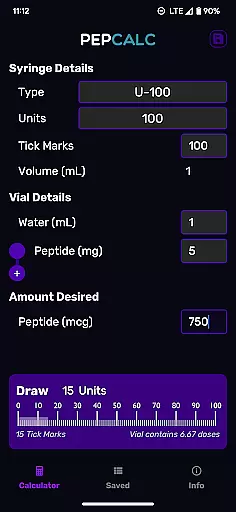
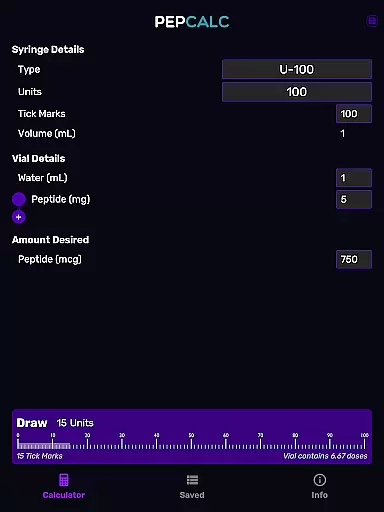
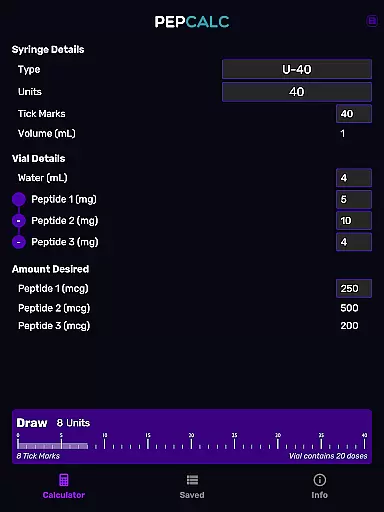
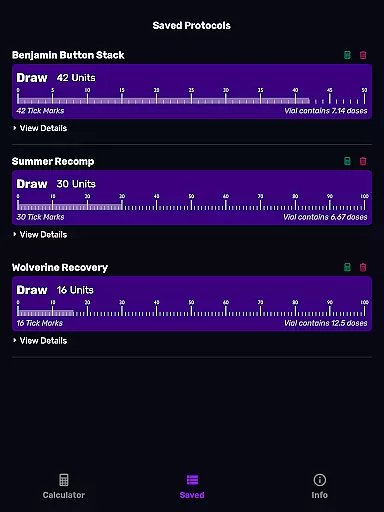
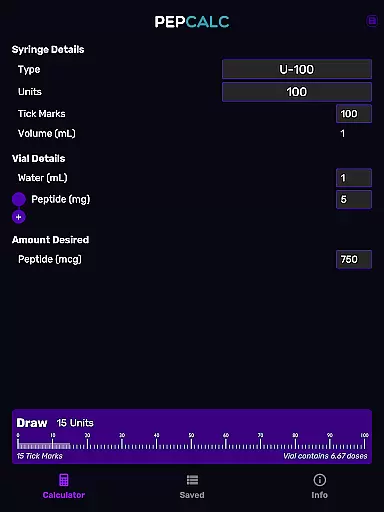
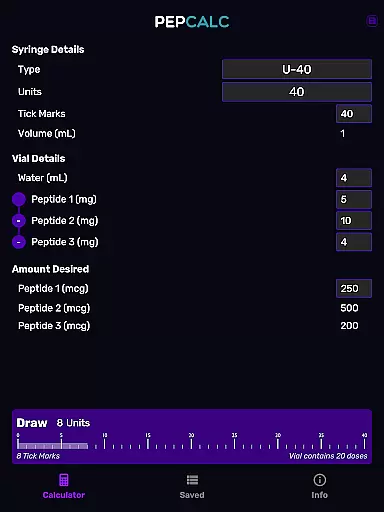
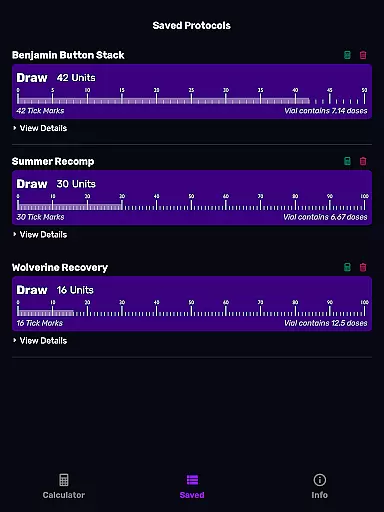
PepCalc is the leading peptide reconstitution calculator app designed for researchers and health enthusiasts. This tool simplifies complex calculations by providing accurate measurements for peptide reconstitution amounts per unit or tick mark. With its fully configurable inputs, users can customize volume, units, tick marks, and more to match their specific needs.
One standout feature is its support for multi-peptide blends, allowing users to calculate precise amounts for blended peptides. Whether you're working with U100, U40, or other instruments, PepCalc adjusts automatically to ensure accuracy. The app also offers a convenient saved protocols function, enabling users to store their favorite calculations along with notes for future use.
Ideal for professionals in lab settings, PepCalc eliminates unnecessary retyping and ensures precision in every calculation. Its intuitive interface, combined with dark mode support and an ad-free experience, makes it a reliable choice for anyone involved in peptide research or biohacking.
PepCalc stands out with its comprehensive set of features tailored to simplify peptide calculations. The app provides fully configurable inputs, allowing users to enter details such as volume, units, tick marks, and desired quantities with precision. This flexibility ensures that each calculation matches the exact requirements of different experiments or protocols.
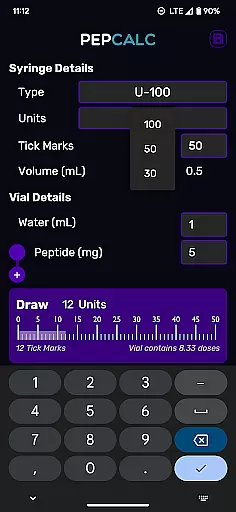
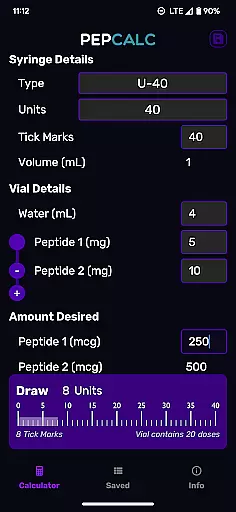
Another key feature is its ability to handle multi-peptide blends. Users working with complex mixtures can input additional peptides, and PepCalc will compute all necessary amounts accurately. The app also supports various instrument types, including U100 and U40, with automatic adjustments based on selection. For those needing custom setups, the 'other' option gives full control over input parameters.
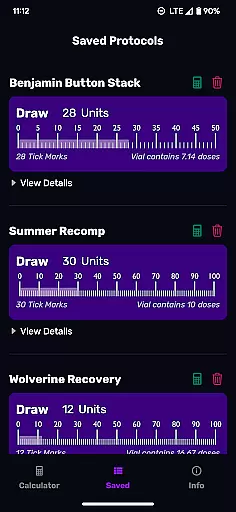
For added convenience, PepCalc includes a saved protocols function with note-taking capabilities. This allows users to save their favorite calculations and easily retrieve them later without retyping data. Combined with dark mode support and an ad-free environment, these features create a seamless user experience focused on efficiency and accuracy.
Personalized planning in PepCalc allows users to configure inputs according to their specific needs for peptide reconstitution. The app supports fully customizable parameters such as volume, units, tick marks, and quantity of peptides.
This feature is crucial for researchers and professionals who require precision in their work. With the ability to adjust each parameter, users can tailor their calculations to match the exact requirements of their experiments or protocols.
PepCalc takes personalized planning a step further by supporting multi-peptide blends. This means that if you are working with more than one peptide, the app will compute all necessary amounts, ensuring accuracy and saving time.
By offering saved protocols with notes, users can store their favorite calculations for future use. This eliminates the need for repetitive data entry and enhances productivity, making PepCalc an invaluable tool for personalized and efficient lab work.
Progress visualization in PepCalc provides users with clear and accurate representations of their peptide reconstitution calculations. By inputting specific values, users can visualize how different parameters affect the final outcome.
The app's instrument type selection feature adds another layer of precision to progress visualization. Users can choose between U100 and U40 instruments, and PepCalc will automatically adjust the volume accordingly, or select 'other' for full control over the inputs.
One of the standout aspects of progress visualization in PepCalc is its support for multi-peptide blends. When working with complex mixtures, the app computes all necessary amounts and displays them in an easy-to-understand format.
In addition to calculation visualizations, PepCalc offers dark mode support and a user-friendly interface. These features ensure that users can comfortably work with the app in various lighting conditions, enhancing the overall experience of tracking and visualizing their scientific progress.
User-friendly interface
Highly customizable inputs
Multi-peptide blend support
Saved protocols with notes
No ads or signup required
Limited to peptide calculations
Advanced features may overwhelm beginners
Requires manual input for precision
No cloud sync for saved protocols
Specific niche audience

Relax to calm sounds, white noise, music, guided meditation and bedtime stories
 4.40
4.40
Transform your body and soul with DBFFitness, with a 40-day fitness journey.
4.1
Enjoy the Gluten Free living with the best app. SCAN the barcodes & SEARCH.
3.60
Build Healthy Habits!
4.60
Pupillary distance PD with camera quick and easy, checking glasses frames on you
3.70
Grow with self-tests and personal routine.
4.30
Find Paid Clinical Trials In Your Area
3.70
Looking to take control of your health? Our psychology-based programs can help.
4.10
Control your blood pressure, heart rate and blood sugar in a fast way.
4.00
Protect your healthy sleep
4.80
Mind on steroids - relaxation, productivity, meditation and sleep!
4.60
The Crunch Mobile app - Find a gym, manage favorites, reserve & cancel classes.
4.60
Pilates, Calisthenics, Yoga
4.50
Track heart rate & HRV in 30s! Get live health insights and anomaly alerts
4.40
Blood Pressure Log, HRV & Heartbeat Tracker. Pulse Checker.
4.40
Your portable blood pressure tracker. Record, monitor, and analyze BP anytime.
4.30
Create powerful subliminal audio with custom affirmations and background music.
4.00
3D Body Measurement System
3.60
HRV4Training helps you optimize goals and improve performance. No sensors needed
3.30


User Reviews