
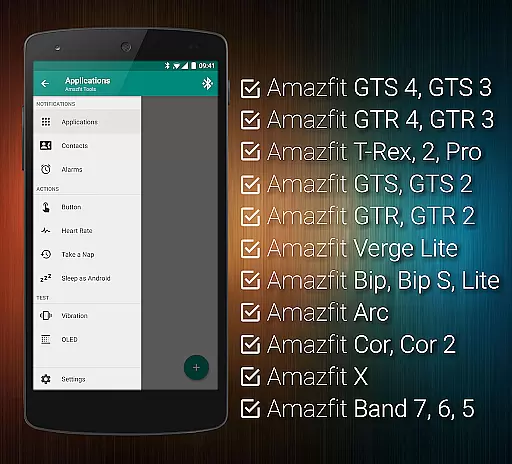
Tools & Amazfit is a comprehensive companion app designed to maximize the functionality of your Amazfit smart bracelet. It offers advanced features such as customizable notifications, continuous heart rate monitoring, and integration with Sleep as Android. The app supports various models including Amazfit GTS, GTR series, Bip, Arc, Cor, X, and Band series, ensuring compatibility across the Amazfit product line.
With its unique capabilities like Button Control Profiles, Power Nap feature, and Idle Alerts, Tools & Amazfit enhances user experience by providing personalized control over device functionalities. Whether you want to fine-tune notification settings or export/import configurations, this app caters to both casual users and tech enthusiasts looking for granular control over their wearable devices.
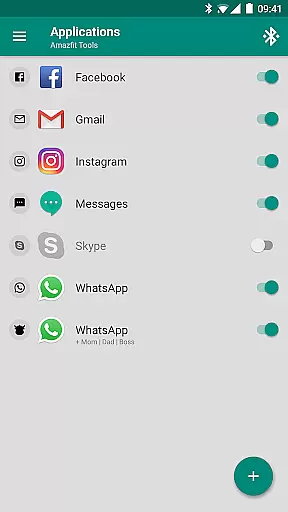
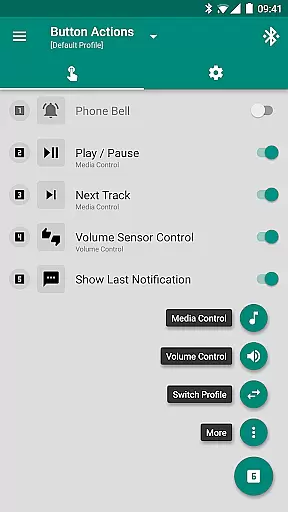
One of the standout features of Tools & Amazfit is its Display Text Support, which allows users to see full caller contact names and notification contents directly on their Amazfit device. This ensures that you never miss important information even when your phone isn't nearby. Additionally, the app provides extensive customization options through Button Control & Sensor Control, enabling actions to be assigned to button presses or hand movements.
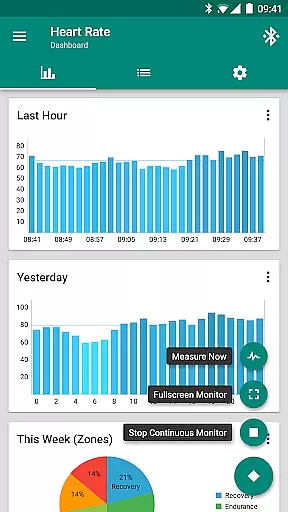
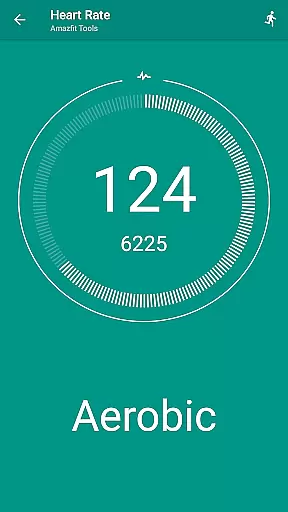
The app also includes health-focused features like continuous heart rate monitoring with configurable dashboard charts and idle alerts that remind you to stay active throughout the day. For those interested in automation, Tasker support allows for advanced customization of actions and events. These robust features make Tools & Amazfit an indispensable tool for anyone seeking to get the most out of their Amazfit smart bracelet.
Personalized planning in Amazfit Tools allows users to tailor their smart bracelet experience to their unique needs. This feature goes beyond simple notification management by offering advanced customization options for health and activity tracking.
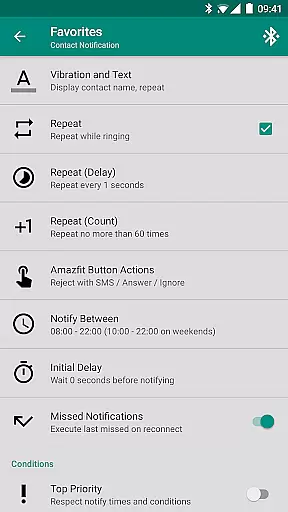
The app provides detailed configuration settings for heart rate monitoring, sleep tracking, and idle alerts. Users can set specific thresholds for heart rate notifications, create personalized sleep schedules, and define custom intervals for inactivity alerts.
What sets this application apart is its integration with third-party services like Sleep as Android and Tasker. These integrations enable users to create sophisticated automation routines and receive intelligent reminders based on their personal habits and preferences.
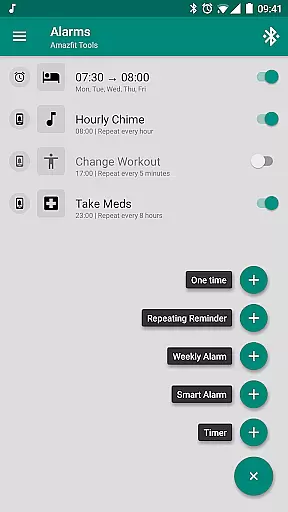
The benefit to users is significant - they can create a truly individualized health and fitness plan that adapts to their lifestyle. Whether it's setting up power naps, configuring workout reminders, or establishing medication alerts, the app puts complete control in the user's hands.
Progress visualization in Amazfit Tools transforms raw health data into meaningful insights through comprehensive graphical representations. The app offers various dashboard charts that display users' fitness achievements and health metrics in an easily digestible format.
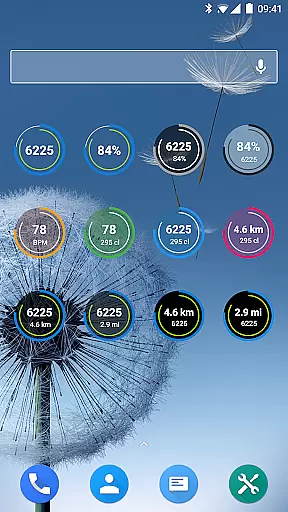
Users can view their daily progress through customizable widgets that show fitness goal completion rates, heart rate trends, and sleep quality analysis. These visual elements are not just static displays but interactive tools that allow users to drill down into specific time periods or data points.
The application stands out by providing multiple visualization options including line charts, bar graphs, and circular progress indicators. Each visualization type can be fine-tuned to show different time frames, from hourly snapshots to weekly overviews.
This feature proves invaluable for users seeking to understand their health trends and make informed decisions about their fitness journey. The clear visual representation of progress helps maintain motivation and enables users to adjust their routines based on concrete data.
User-friendly interface
Extensive customization options
Advanced health tracking features
Wide device compatibility
Regular updates and improvements
Requires compatible Amazfit device
Some features may overwhelm new users
Occasional sync issues reported
Premium features come at extra cost
Limited iOS support

Your plan in your pocket 24/7
 3.00
3.00
Sync your activities of the most popular sports tracking services
2.70
50 HD sounds to help you relax during the day and sleep great at night!
4.40
Load the bar with this barbell & plate calculator. It's leg day, not brain day!
4.70
The OFFICIAL Couch to 5K® running training app! A 9 week walk-run workout plan.
4.50
Pupillary distance PD with camera quick and easy, checking glasses frames on you
3.70
The Crunch Mobile app - Find a gym, manage favorites, reserve & cancel classes.
4.60
Walk, track, and burn calories with step counter & GPS walking tracker
4.20
Comprehensively record and manage your health
4.50
Memory, mind & logic exercises. Puzzle games, IQ & brain test for kids & adults
4.50
Binaural Beats - Fully Customizable Waves - Pure Sound - No Loops
4.50
For Absolute Novices to Strength Training. Simple. Effective.
4.40
Grow with self-tests and personal routine.
4.30
Interval timer for High Intensity Interval Training, Tabata and Circuit Training
4.20
This is an application that serves as a companion app for smart watch.
4.20
Get alert about getting out of desired heart rate zone.
4.10
Pedometer that gives you sweatcoins for steps. It pays to walk!
4.10
Understand your body’s most meaningful messages and transform your health.
3.90
Control your sleep in real-time wearing Garmin device
3.60


User Reviews