
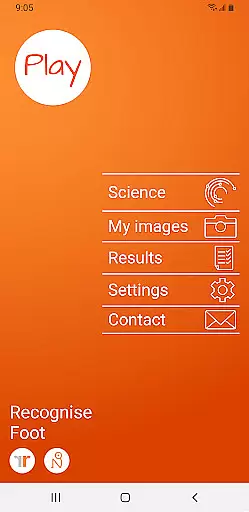
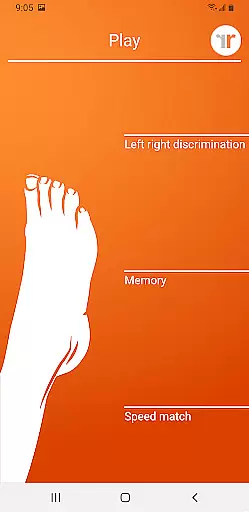
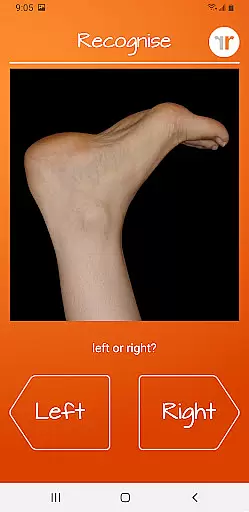
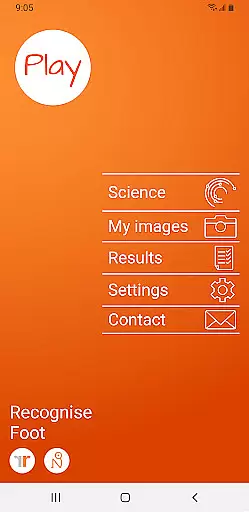
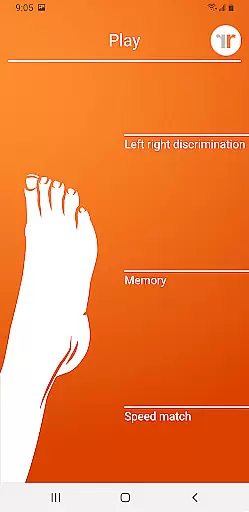
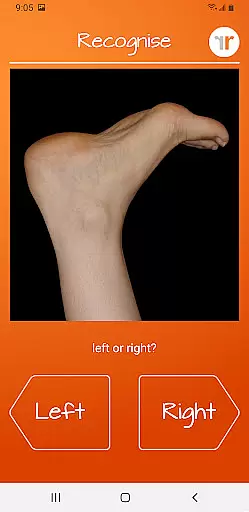
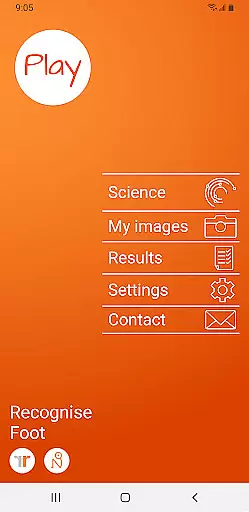
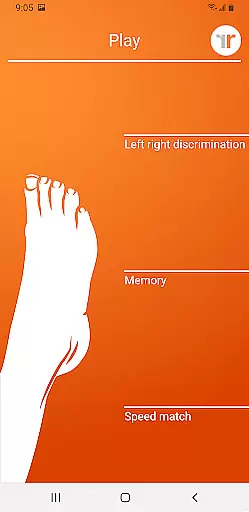
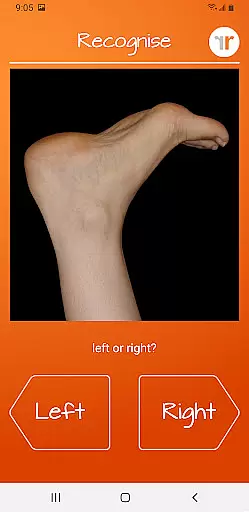
Recognise Foot is a specialized health and fitness application designed to assist users in reducing pain, enhancing performance, and aiding rehabilitation through a structured Graded Motor Imagery program. The app focuses on improving the user's ability to quickly and accurately recognize left or right body parts, which is crucial for those recovering from injuries or managing chronic pain conditions.
The application offers both testing and training modes. In the test mode, users can assess their current ability to discriminate between left and right images. The training mode helps harness the brain's neuroplasticity using various tools and graded difficulty levels. Recognise Foot also provides detailed progress tracking through graphs and results, making it an essential tool for both patients and clinicians.
Recognise Foot stands out with its comprehensive features tailored for effective rehabilitation. The app includes 'Memory' and 'Speed match' tools that elevate the training experience by challenging the user’s cognitive abilities. These tools are complemented by graded difficulty levels and personal best challenges, ensuring continuous improvement and engagement.
Another significant feature is the powerful clinical integration tools. Users can export and email their results directly to their clinician or therapist, facilitating better communication and more personalized care. Additionally, the app allows users to capture their own images and incorporate them into their training routines, providing a customized experience that aligns with individual therapeutic goals.
Recognise Foot offers a personalized approach to motor imagery training, which is crucial for individuals dealing with complex pain and injury states. The app's unique features such as 'Left/Right Discrimination' testing allow users to assess their current cognitive abilities related to body perception.
By incorporating graded difficulty levels and personal best challenges, the app tailors the experience to each user's progress, ensuring that the rehabilitation process is adapted to individual needs. This customization is key to harnessing the brain's neuroplasticity effectively.
The ability to capture your own images and use them in training adds another layer of personalization, making the therapy more relevant to the user's specific situation. With comprehensive tracking tools, users can visualize their improvement over time, which is essential for maintaining motivation and achieving successful rehabilitation outcomes.
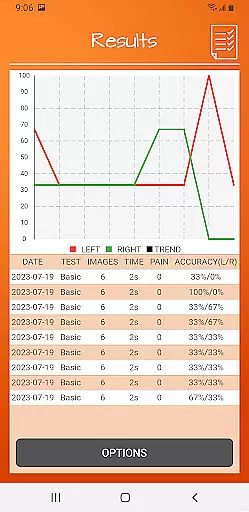
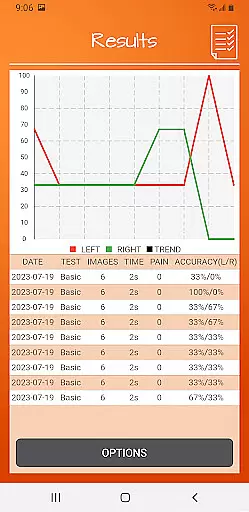
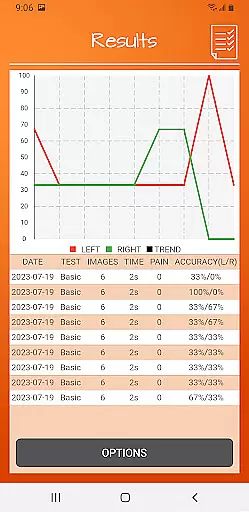
One of the standout features of Recognise Foot is its detailed onscreen results and graphs, which play a vital role in mapping a user's progress. Visual feedback is important as it provides tangible evidence of improvement, which can be incredibly motivating during rehabilitation.
The app allows users to see their performance metrics at a glance, with visual data presentations that make it easy to understand one's development over time. This feature is complemented by powerful clinical integration tools that enable users to export and email their results directly to healthcare providers.
With this progress visualization, both patients and clinicians can make informed decisions about the rehabilitation process. It ensures that any necessary adjustments to the treatment plan can be made promptly, thus optimizing the recovery journey for the user.
User-friendly interface
Comprehensive progress tracking
Customizable training options
Effective clinical integration
Science-backed methodology
Requires consistent use
Premium pricing
Limited to specific conditions
Steep learning curve
Dependent on external guidance

Live Heart Rate Pro - Real Time Heart & Workout Data For Wear OS & Bluetooth BLE
 3.20
3.20
Your Health Has Met Its App (℠)
3.90
Transform your body and soul with DBFFitness, with a 40-day fitness journey.
4.5
Personal Measurements - Track your gains!
4.50
Effortlessly and naturally release anxiety by harnessing the power of your brain
4.60
Beauty Care, Makeup & Skin Care Scanner | Pregnancy App For A Mom | Healthy Baby
5.00
Medbridge GO gets you moving - get back to doing what you love, faster!
4.90
Looking to take control of your health? Our psychology-based programs can help.
4.10
Comprehensively record and manage your health
4.50
Power-lifting, weightlifting and Wendler 531 app to track your workout program.
4.90
Weight loss app: home workout for women to lose weight & burn calories.
4.80
Protect your healthy sleep
4.80
Measure your Pupil Distance for Eyeglasses and VR headsets in 3 quick steps.
4.70
Walk. Earn: Get rewarded for every step! Walk, move, and earn real rewards.
4.70
You deserve easy access to important insurance information. Download for FREE.
4.70
Your portable blood pressure tracker. Record, monitor, and analyze BP anytime.
4.30
This is an application that serves as a companion app for smart watch.
4.20
Get alert about getting out of desired heart rate zone.
4.10
Your plan in your pocket 24/7
3.00


User Reviews