
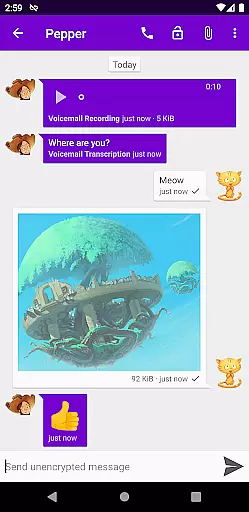

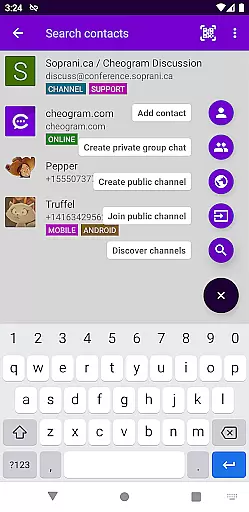
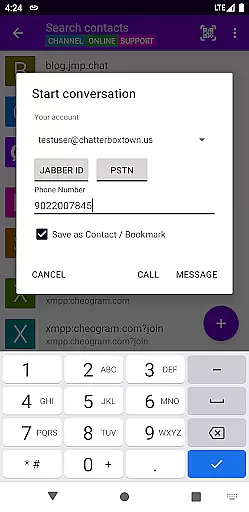
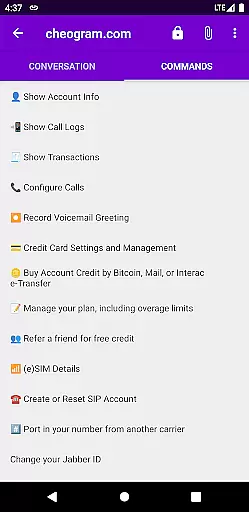
Cheogram is a versatile communication app that connects users to a global network, emphasizing cross-platform interaction. It supports rich media messaging and seamless integration with various services.
Key features include threaded conversations, sticker packs, and address book synchronization. The app also offers a free one-month trial of the JMP.chat service, enhancing its value for users seeking robust communication tools.
Cheogram stands out with its comprehensive feature set tailored for efficient communication. The app supports multimedia messages, including animated content, ensuring dynamic interactions.
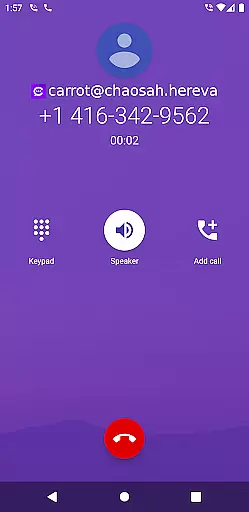
It provides practical functionalities such as contact tagging, command UI, and native phone app integration when using telephony gateways. These features collectively enhance user experience by streamlining communication processes.
Real-time messaging is a critical feature for any communication app, and Cheogram excels in this area. The app ensures that messages are delivered instantly across its worldwide network, maintaining a seamless flow of conversation.
Cheogram's architecture supports both media and text messages, including animated media, ensuring rich interactions without delays. This robust infrastructure allows users to engage in conversations with the confidence that their messages will be received promptly and reliably.
The app also integrates with gateways' add contact flows and the native Android Phone app when using a gateway to the phone network. These integrations enhance the real-time experience by providing unobtrusive displays of subject lines and showing links to known contacts by name.
With Cheogram, users can expect a reliable messaging experience that keeps them connected with friends, family, and colleagues around the globe without interruptions or delays.
Media sharing is an essential aspect of modern communication, and Cheogram offers comprehensive support for exchanging various types of content. Users can share both media and text messages, including animated media, enriching their conversations with visual elements.
The app provides an intuitive interface for attaching files and images, streamlining the process of media sharing. Whether it's photos, videos, or documents, Cheogram ensures that all shared content is delivered accurately and efficiently.
In addition to direct media sharing, Cheogram also supports sticker packs, adding a playful element to conversations. These stickers allow users to express emotions and reactions creatively, enhancing the overall communication experience.
By focusing on seamless media sharing capabilities, Cheogram empowers users to communicate more effectively and enjoyably, making every interaction more engaging and meaningful.
User-friendly interface
Rich media support
Address book integration
Free trial available
Cross-platform connectivity
Limited to Jabber services
No standalone use
Requires external account
Complex setup
Gateway dependency

Pure modern IRC experience for Android
 3.70
3.70
Messages: Fast, simple SMS app with scheduling and smart features.
4.00
Phone Dialer with Caller ID, Address Book & Contacts Manager.
4.30
A Browser with powerful ad blocker to help focus on what really matters.
3.00
WazzapMigrator: transfer your WhatsApp history from iPhone to Android
4.00
Welcome to the future of phone service.
4.60
Messages is Private SMS Messenger 2023 with text message, instant messaging.
4.00
Experience real private browsing without tracking, surveillance, or censorship.
4.50
BE PRIVATE
Anonymous. No Trace. Fast.
4.20
Enhance browsing with AI-powered features and Copilot.
4.70
We’re taking the yada yada out of wireless—now we’ve taken it out of your app.
4.70
Say “hello” to privacy.
4.60
Our Black Friday sale is here. Unlock special discounts on Proton Mail now.
4.30
HD Video Meeting app is a fast & unlimited video conferencing app across world.
4.30
Fast and simple walkie talkie app
4.20
Telegram is a messaging app with a focus on speed and security.
4.00
Quickly and easily identify and block unknown callers
3.70
Weargram is an unofficial Telegram Client for Wear OS.
3.50
TeamSpeak - Secure Chat for Gaming & Business
3.10


User Reviews