
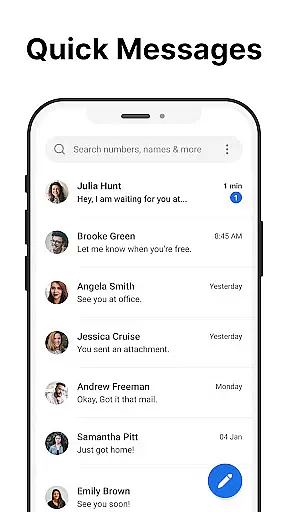
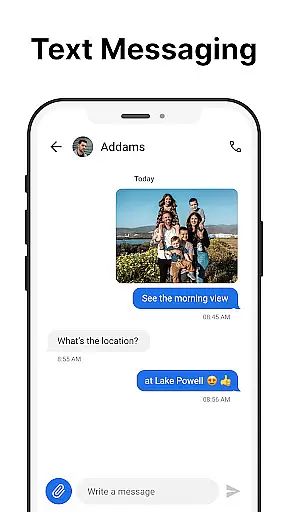
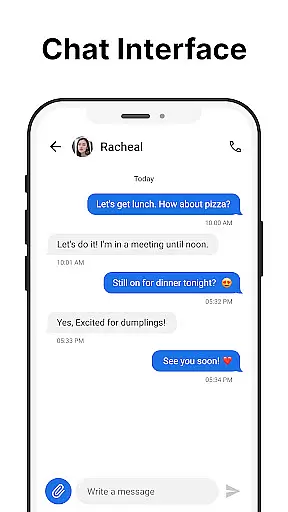
Messages is a dedicated SMS messaging app designed specifically for Android users who value simplicity and reliability in their communication tools. The app allows you to send and receive text messages without requiring an internet connection, making it ideal for areas with poor connectivity or when you want to avoid using mobile data.
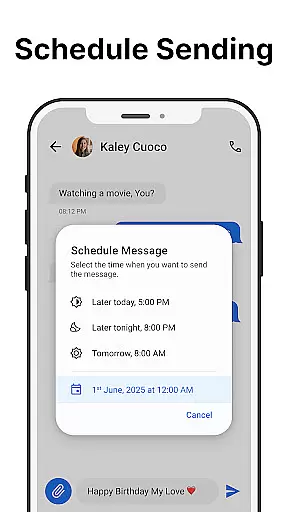
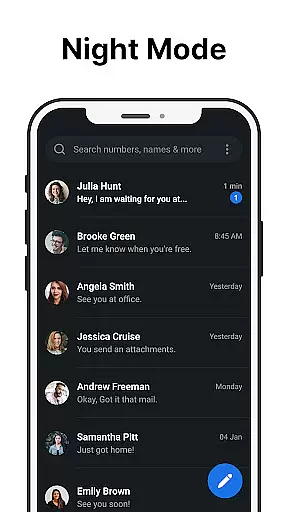
Beyond basic texting, Messages offers several advanced features that enhance the user experience. You can schedule messages for later delivery, manage group conversations effortlessly, and even block unwanted senders to keep your inbox organized. The inclusion of a dark mode helps reduce eye strain while also conserving battery life, which is particularly useful for devices with OLED screens.
The app's After Call screen is another standout feature, providing instant access to your SMS inbox right after each phone call. This functionality streamlines communication by allowing users to quickly follow up on calls with text messages. Whether you're coordinating with colleagues or staying in touch with loved ones, Messages ensures your communications are efficient and reliable.
Messages distinguishes itself through a variety of robust features tailored to meet the needs of modern communicators. One of its core functionalities is the ability to send and receive SMS messages quickly and reliably, ensuring that your communications are always delivered without delay. Additionally, the app supports scheduled messaging, enabling users to compose texts at their convenience and have them sent automatically at a later time.
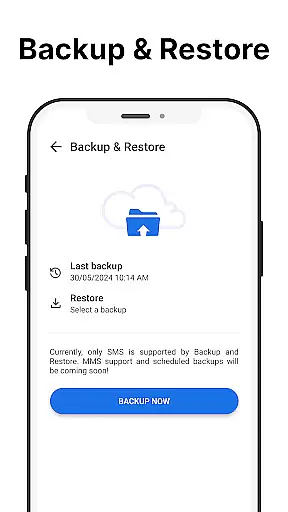
Group messaging is another highlight, allowing you to create and manage multiple recipient conversations with ease. This feature is perfect for coordinating events, sharing updates with family members, or collaborating with teammates. For added peace of mind, Messages includes backup and restore capabilities, safeguarding your important conversations against accidental loss or device changes.
Privacy and customization are also prioritized within the app. Users can personalize their notification sounds and ringtones, apply a dark theme for better visibility, and pin essential chats to the top of their inbox for quick access. Furthermore, the integrated spam-blocking feature helps maintain a clutter-free environment by filtering out unwanted messages. These thoughtful additions make Messages a versatile and user-friendly choice for anyone seeking a reliable SMS solution.
Real-time messaging speed and reliability are crucial for effective communication. The Messages app excels in this area by providing a seamless SMS experience without requiring an internet connection. This ensures that your messages are sent and received instantly, regardless of your network conditions.
The app's infrastructure is designed to handle high message volumes while maintaining optimal performance. Whether you're sending individual texts or managing group conversations, the delivery speed remains consistently fast. Additionally, the reliable delivery confirmation system gives users peace of mind, knowing their messages have reached the recipient.
For users, this means never missing an important conversation due to connectivity issues. The app's robust architecture ensures minimal latency, making it ideal for time-sensitive communications. This reliability is particularly valuable for both personal and professional use cases where prompt responses are essential.
Media sharing support is an integral part of modern messaging applications, and Messages delivers this feature with excellence. While primarily focused on text-based communication, the app also allows users to share various media formats effortlessly. This functionality extends beyond simple image sharing to include videos, audio files, and documents.
The app maintains compatibility with multiple file formats, ensuring users can send and receive different types of media without restrictions. The intuitive interface makes attaching files straightforward, while the preview feature lets users verify their selections before sending. This comprehensive media support enhances the overall messaging experience.
Users benefit from this feature by being able to share rich content alongside their text messages. Whether it's sharing photos with family, sending work documents to colleagues, or exchanging multimedia files with friends, the app handles all media sharing needs efficiently. The integration of this feature with the core messaging system demonstrates the app's commitment to providing a complete communication solution.
User-friendly interface
Offline functionality
Scheduled messaging
Spam blocking
Dark mode available
Limited multimedia support
No end-to-end encryption
Basic UI design
In-app advertisements
Local backups only

Radio communication simulator for gaming communities
 4.3
4.3
Use this Dialer app alone or as a TREK: Total Interface companion.
4.70
This app enables the phone to receive and send FT8 traffic!
3.80
Comprehensive and powerful scan tool app with enhanced functions
3.00
Weargram is an unofficial Telegram Client for Wear OS.
3.50
Call & Text Anywhere With A Canadian Number.
3.60
A softphone app with seamless SIP calling and an intuitive VoIP dialer
3.50
BE PRIVATE
Anonymous. No Trace. Fast.
4.20
Simple tool for businesses to talk to their customers.
4.40
Manage your data, talk & text - affordable phone plans & data usage made simple
4.30
Our Black Friday sale is here. Unlock special discounts on Proton Mail now.
4.30
Fast and simple walkie talkie app
4.20
SMS Messenger is a lightning-fast messaging app.
4.20
BiP is a fast, secure, free messaging and HD video calling app!
4.10 3.90
3.90
Official NDI app: turn your phone into a professional live-streaming IP camera.
3.20
TeamSpeak - Secure Chat for Gaming & Business
3.10
Watchgram for Telegram: Experience seamless Telegram messaging on your watch
1.80
Manage Phone Calls, call history, and contacts easily with Phone Pro.
4.4


User Reviews