
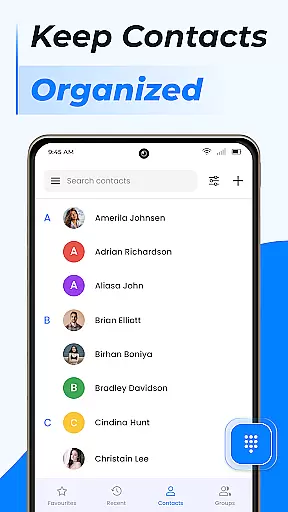
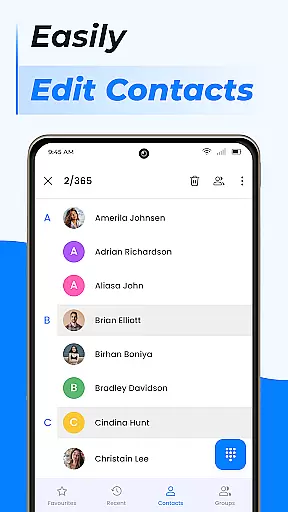
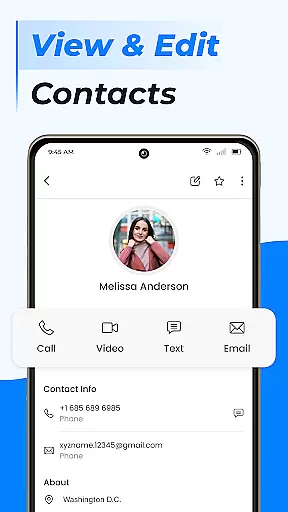
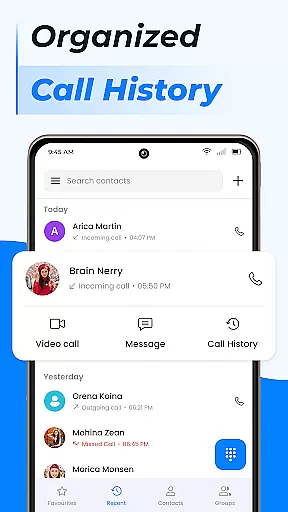
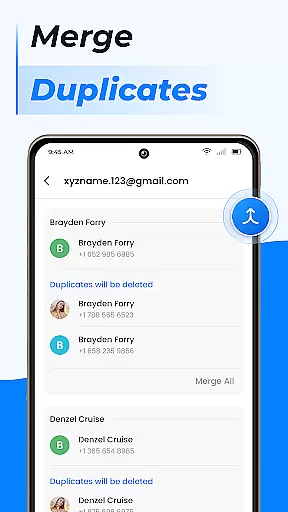
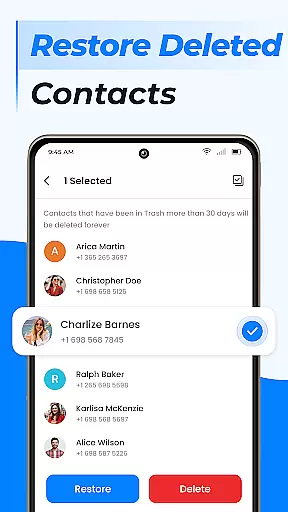
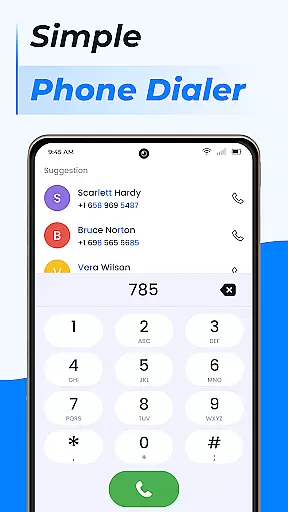
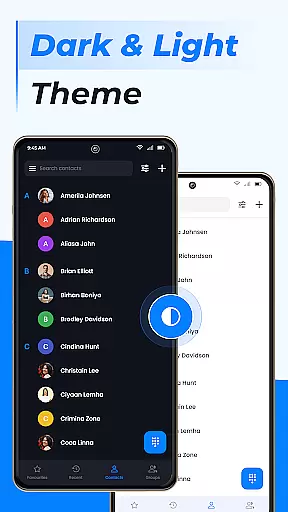
Contacts is an essential communication management application designed to streamline contact organization on Android devices. The app allows users to efficiently manage their address book by providing key functionalities such as adding new contacts, editing existing ones, and handling duplicate entries. Its intuitive interface ensures that users can maintain an up-to-date and clutter-free contact list.
In addition to basic contact management, Contacts offers advanced features like group creation, which enables users to categorize their contacts for better accessibility. Whether it's for professional networking or personal connections, this app makes sure that important contacts are easily reachable. With capabilities such as call blocking, text message filtering, and profile updates, Contacts provides a comprehensive solution for organizing and optimizing your communication channels.
The true value of Contacts lies in its ability to simplify complex tasks. By offering seamless integration with cloud services and Google Contacts, the app ensures that users' contact information is always backed up and synchronized across multiple devices. This feature not only enhances data security but also provides peace of mind knowing that valuable connections are safely stored and readily accessible whenever needed.
Contacts stands out due to its rich array of features tailored for efficient contact management. One of its primary strengths is the ability to add, edit, and merge contact details effortlessly. Users can update their address books in real-time, ensuring that every piece of contact information remains current and accurate. This functionality is particularly beneficial for professionals who frequently interact with new clients or colleagues.
Beyond individual contact management, the app excels in group organization. It allows users to create custom groups, making it easier to send targeted messages or emails without sifting through an entire contact list. Additionally, the app includes a powerful dialer function equipped with call blocking, caller ID, and smart search options. These tools collectively enhance the calling experience by reducing unwanted interruptions and speeding up contact retrieval.
Another significant advantage of Contacts is its robust backup and synchronization system. By leveraging cloud technology, the app ensures that users' contact data is consistently backed up and synced across all their devices. This means that even if a device is lost or damaged, critical contact information remains secure and retrievable. Such reliability underscores the app's commitment to delivering a dependable and user-centric communication management solution.
Real-time messaging speed and reliability are crucial for effective communication applications. In today's fast-paced world, users expect instant delivery of their messages, whether it's a text, image, or video. The Contacts app excels in this area by ensuring that all communications between users are transmitted quickly and without errors.
The application achieves this through optimized data handling and robust server infrastructure. When you send a message via Contacts, the app processes your request almost instantly, delivering the message to the recipient with minimal delay. This is particularly important for maintaining meaningful conversations where timing can be everything.
For users, this means they can rely on the Contacts app for time-sensitive communications. Whether coordinating with colleagues or staying in touch with family, the assurance that messages will arrive promptly provides peace of mind. Additionally, the app's reliable delivery system ensures that important information is never lost or delayed, enhancing overall user satisfaction.
Ultimately, the real-time messaging capabilities of the Contacts app not only meet but exceed user expectations. By prioritizing speed and reliability, the app establishes itself as a dependable tool for modern communication needs, allowing users to focus on the content of their conversations rather than worrying about technical issues.
Media sharing support is an essential feature for any contemporary communication app, enabling users to exchange various forms of media seamlessly. The Contacts app offers comprehensive media sharing capabilities, allowing users to send photos, videos, documents, and more with ease.
This functionality is powered by advanced file handling protocols that ensure all types of media are transferred efficiently and securely. When you choose to share media through the Contacts app, the application optimizes the file size without compromising quality, ensuring swift transmission while preserving the integrity of the shared content.
Users benefit significantly from this feature as it enhances the richness of their interactions. Instead of being limited to text-based conversations, individuals can now share life moments, collaborate on projects using shared documents, or even send voice notes. This versatility makes the Contacts app suitable for both personal and professional use cases.
In summary, the media sharing support within the Contacts app represents a major advantage for its users. By facilitating effortless exchange of diverse media formats, the app enriches communication experiences and fosters deeper connections among its users. Whether for work or leisure, this capability ensures that everyone stays connected in the most expressive ways possible.
User-friendly interface
Comprehensive contact management
Efficient group organization
Reliable backup and sync
Advanced dialer features
Limited customization options
Occasional syncing delays
No cross-platform support
Basic design aesthetics
Ads in free version

Enables Plus features of Quick Search.
 4.2
4.2
Manage BoostMobile Account
4.60
Our Black Friday sale is here. Unlock special discounts on Proton Mail now.
4.30
WazzapMigrator: transfer your WhatsApp history from iPhone to Android
4.00
Messenger, an MMS & SMS messages app with Blockers, Driving mode & Private box
4.60
Simplify texting with Messages SMS, offline messaging, themes & smart tools!
4.30
HD Video Meeting app is a fast & unlimited video conferencing app across world.
4.30
An agentic AI browser for Android, built by Perplexity
4.50
Manage your mobile phone plan, check unlimited 5g data usage and track rewards
4.50
Fast internet with AI, Adblock & VPN. Browse on a safe, incognito web browser.
4.70
Browse fast on Opera Mini, with Data Saving, News, Football Scores, and Download
4.60
Build your web browser around you with private search, and more.
4.60
Connect and browse the internet with a fast VPN proxy server and IP blocker.
4.50
Google's fast and secure browser
4.10
Caller ID, Spam Call & SMS Blocker
3.80
Secure Messaging App to Enhance Messenger Texting Experience and Organize SMS.
3.50
Radio communication simulator for gaming communities
4.1
Manage Phone Calls, call history, and contacts easily with Phone Pro.
4.1
Bringing the functionality of Winlink to your Android device
4.5


User Reviews