
Seconds Pro Interval Timer stands as the most advanced interval training timer available for mobile devices, designed to elevate your workout experience. With over 2 million downloads and more than 7000 5-star reviews, it surpasses other interval timers in quality, features, and ease of use.
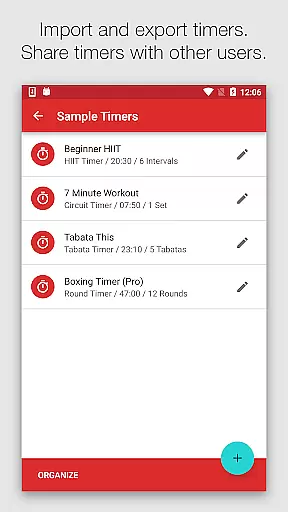
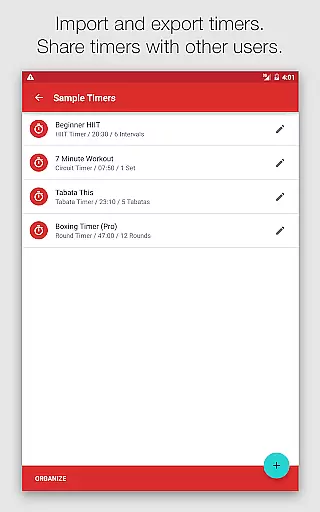
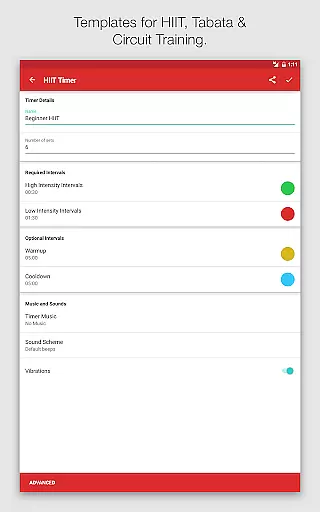
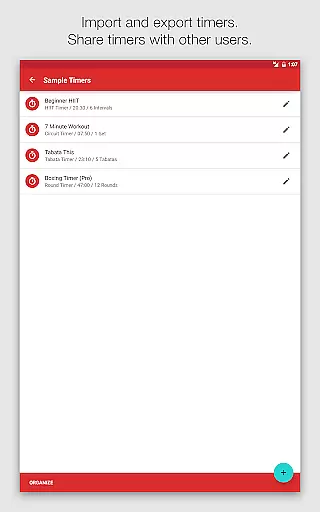
This app offers a large clear timer display, templates for HIIT, Tabata, Circuit Training, and custom timers for any imaginable intervals. It speaks interval names, provides loud or soothing alerts, coordinates music with intervals, and allows sharing or importing of timers. Whether you're a fitness enthusiast or a professional trainer, Seconds Pro caters to all your timing needs with precision and clarity.
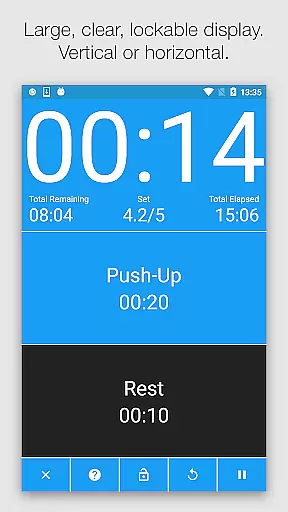
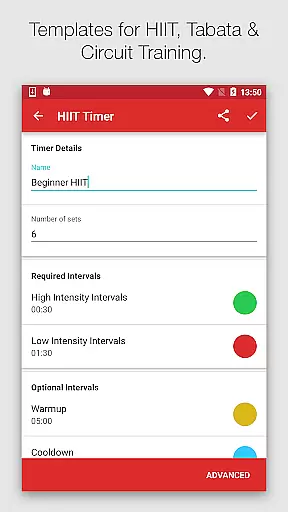
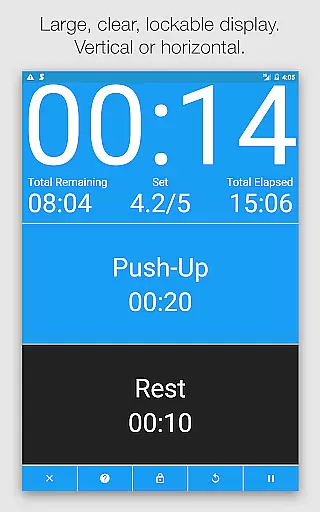
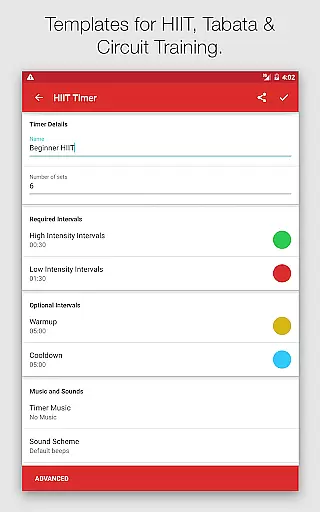
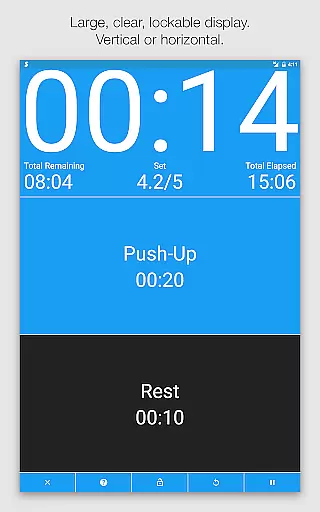
Seconds Pro boasts an array of sophisticated features that cater to diverse workout requirements. The app's large, clear timer display is easily readable from a distance and works in both portrait and landscape modes. Templates for High Intensity Interval Training (HIIT), Tabata, and Circuit Training make programming quick and straightforward.
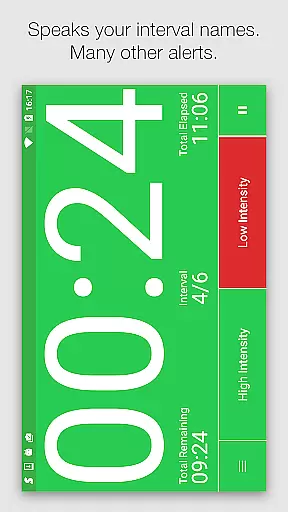
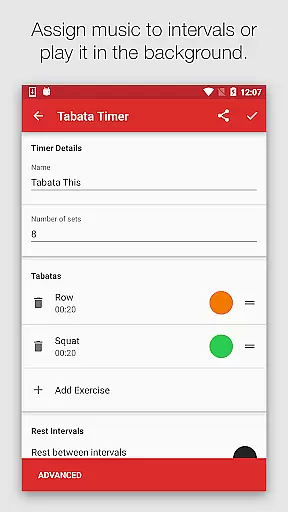
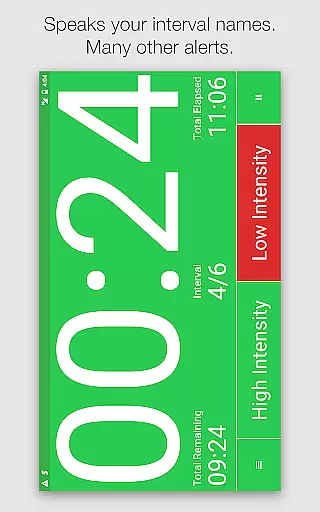
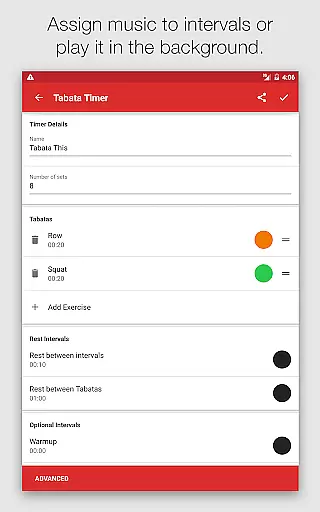
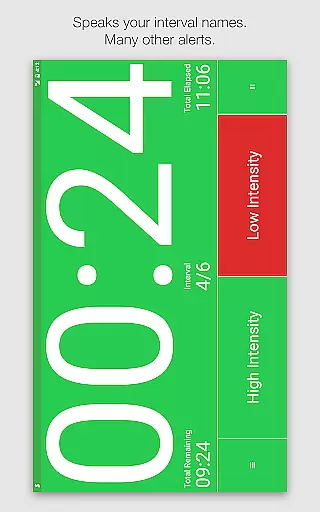
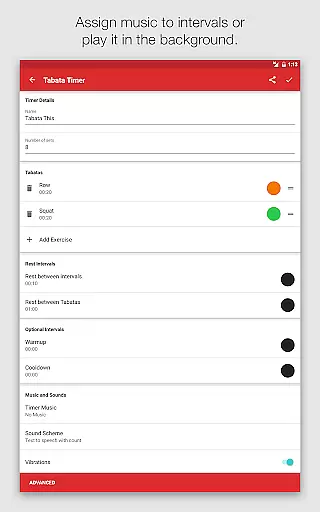
For those seeking advanced options, Seconds Pro doesn't disappoint. Users can create completely custom timers one interval at a time or combine timers to form compound timers. Text-to-speech functionality announces interval names, while built-in alerts range from simple beeps to MMA air horns and boxing bells. Music integration allows matching the intensity of your music to your workout, enhancing motivation and performance.
Personalized planning in fitness applications refers to the ability to tailor workout routines specifically to individual needs and goals. Seconds Pro excels in this area by offering customizable interval timers that cater to various training methods such as HIIT, Tabata, and Circuit Training.
The app provides templates for popular workout regimes, enabling users to quickly set up timers without extensive manual input. For more specific requirements, users can create custom timers from scratch, designing intervals that match their unique workout plans.
This personalized approach not only enhances the workout experience by aligning with personal fitness objectives but also allows for progression tracking over time. Users can adjust intervals as their stamina and performance improve, ensuring continued challenge and growth.
By empowering users to design their own interval training sessions, Seconds Pro delivers a personalized planning feature that adapts to any fitness level or goal, making it an invaluable tool for both amateur enthusiasts and professional athletes.
Progress visualization is a critical component of any fitness app, providing users with tangible evidence of their achievements and motivating continued effort. Seconds Pro offers progress visualization through its clear and informative timer display, which is easily readable and color-coded for quick interval recognition.
During workouts, the app's interface displays the current and upcoming intervals, allowing users to anticipate changes and maintain focus on their exercise. The visual cues provided by the changing colors help users stay engaged with their routine without needing to constantly check the timer names.
While Seconds Pro does not offer traditional charts or graphs, the act of completing complex, user-created interval sessions serves as a form of progress visualization. Each finished workout represents another step towards the user's fitness goals, reinforced by the appu2019s ability to speak interval names and provide auditory alerts.
With these features, Seconds Pro transforms each workout into a visual journey of progress, helping users to remain committed to their fitness plans and witness firsthand the improvements in their endurance and strength.
User-friendly interface
Customizable timers
Voice alerts
Music synchronization
Timer sharing
Premium version costly
Complex for beginners
Limited free features
Occasional bugs
Heavy on battery

The Wear OS BeechBand app is designed to alleviate anxiety and other conditions
 4.0
4.0
Enjoy the Gluten Free living with the best app. SCAN the barcodes & SEARCH.
3.60
A simple way to calculate peptide doses and also to convert different units.
4.4
The Crunch Mobile app - Find a gym, manage favorites, reserve & cancel classes.
4.60
Step Counter, track steps when you walk or run
4.70
You deserve easy access to important insurance information. Download for FREE.
4.70
Personal step counter for you, private and accurate
4.50
This is an application that serves as a companion app for smart watch.
4.20
Jogging app for calorie counter and distance tracker. Running app to lose weight
4.20
Power-lifting, weightlifting and Wendler 531 app to track your workout program.
4.90
Point, scan, and unlock truth in every bite.
4.50
50 HD sounds to help you relax during the day and sleep great at night!
4.40
Pedometer that gives you sweatcoins for steps. It pays to walk!
4.10
beat yesterday.
4.00
Your Health Has Met Its App (℠)
3.90
Make sense of your health data.
3.80
FitCloudPro takes care of your health every minute.
3.70
Dexcom G7 Continuous Glucose Monitoring
3.70
Use your watch as a bike computer, heart rate monitor and cycling power meter
2.50


User Reviews