
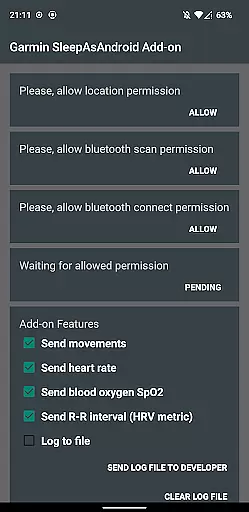
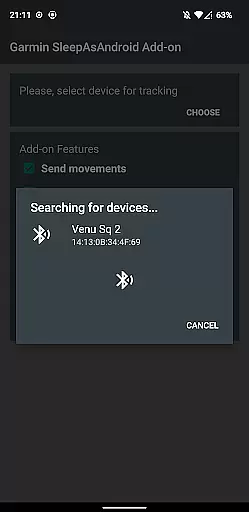
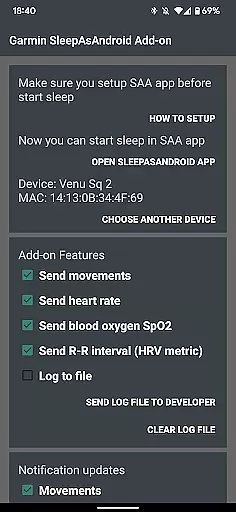
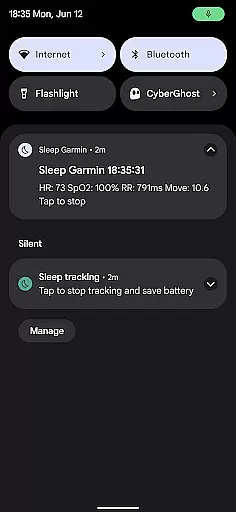
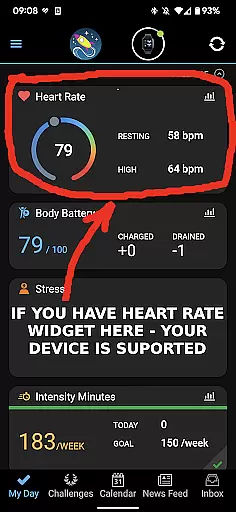
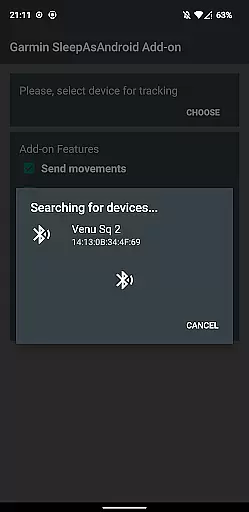
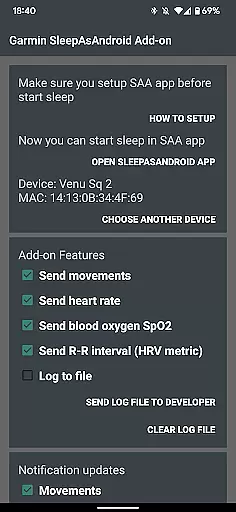
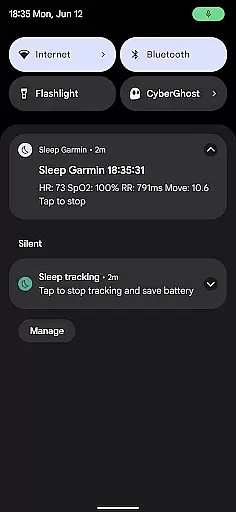
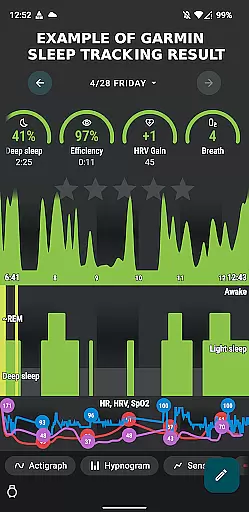
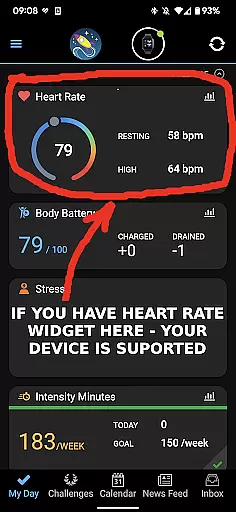
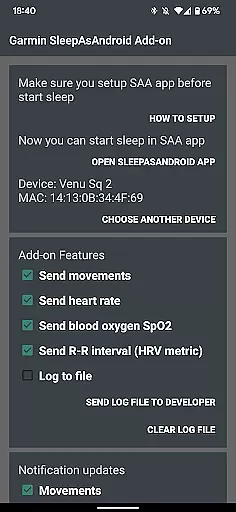
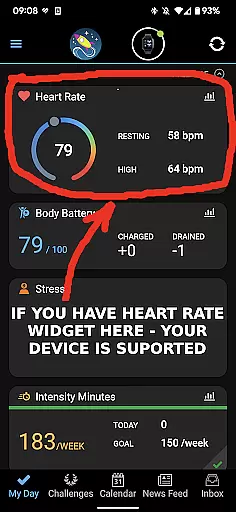
Garmin Sleep Advanced is a specialized health application designed to enhance sleep tracking by utilizing real-time data from Garmin wearables. The app integrates seamlessly with Sleep As Android, providing advanced metrics like HRV, SpO2, heart rate, and motion data. Compatible with all Garmin devices supporting Bluetooth streaming, this tool transforms your wearable into a comprehensive sleep monitor.
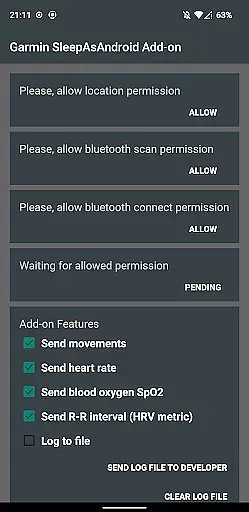
Key features include movement tracking, heart rate monitoring, blood oxygen saturation measurement, and R-R interval analysis. These metrics help users gain deeper insights into their sleep patterns and overall wellness. Whether you're an athlete optimizing recovery or someone focused on improving sleep quality, Garmin Sleep Advanced offers valuable data to support your goals.
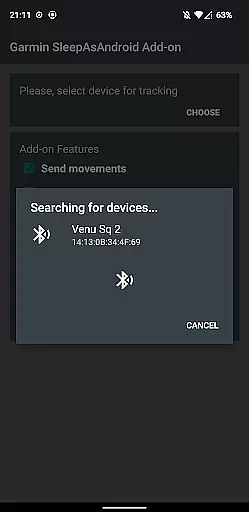
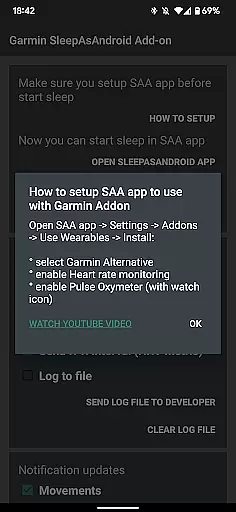
The app's compatibility with Garmin Connect ensures easy setup and reliable performance. By following a few simple steps, users can synchronize their device, adjust settings, and begin tracking sleep metrics effortlessly. This makes Garmin Sleep Advanced an essential tool for anyone seeking to better understand and improve their sleep quality through precise, real-time data monitoring.
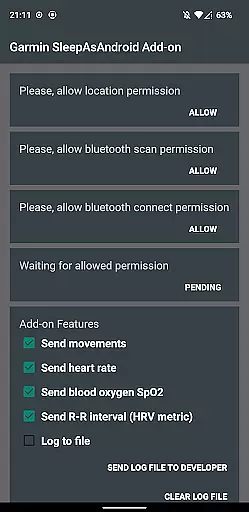
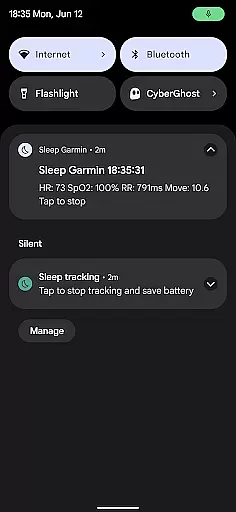
Garmin Sleep Advanced stands out with its ability to provide real-time health metrics directly from Garmin wearables. The app measures critical sleep-related data points including movements, heart rate, blood oxygen saturation (SpO2), and R-R intervals for heart rate variability (HRV) analysis. These features enable users to track their physiological responses during sleep with exceptional accuracy.
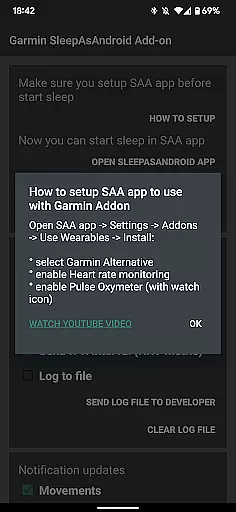
One of the app's notable strengths is its seamless integration with both Garmin Connect and Sleep As Android. This compatibility allows for automatic data synchronization and comprehensive sleep analysis without requiring ConnectIQ support. Users simply need to connect their Garmin device, grant necessary permissions, and configure settings within Sleep As Android to begin receiving detailed sleep reports.
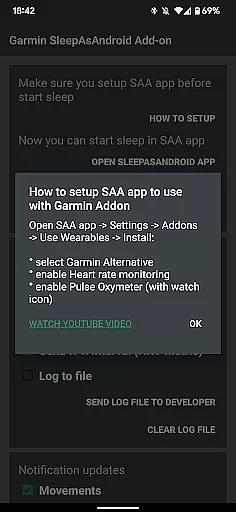
Additionally, Garmin Sleep Advanced offers user-friendly setup instructions and video guides, ensuring accessibility even for those new to sleep tracking technology. While not intended for medical use, the app provides valuable wellness insights that can help users optimize their sleep routines and overall health. Its reliance on Bluetooth streaming makes it compatible with a wide range of Garmin smartbands and smartwatches, enhancing its versatility across different devices.
Personalized planning in Garmin Sleep Advanced involves the use of advanced metrics to tailor sleep tracking and wellness insights specifically for the user. This app utilizes real-time data collection from compatible Garmin wearables, focusing on heart rate variability (HRV), blood oxygen saturation (SpO2), heart rate (HR), and motion to offer a comprehensive analysis of sleep quality.
The application's algorithms process this wealth of data to provide personalized feedback and recommendations aimed at improving sleep patterns and overall wellness. By continuously monitoring these vital signs during sleep, users receive detailed reports that help them understand their sleep cycles, disruptions, and overall restfulness.
For users, this means gaining access to actionable insights that are unique to their physiological data. The ability to customize which metrics are tracked and how they are reported adds another layer of personalization. This empowers individuals to make informed decisions about their health routines, adjust their lifestyles, and potentially consult healthcare professionals with detailed sleep analytics.
Ultimately, the value of personalized planning within Garmin Sleep Advanced lies in its capacity to transform complex health data into understandable and practical advice. Users can leverage these insights to enhance their sleep hygiene, leading to better overall health and well-being.
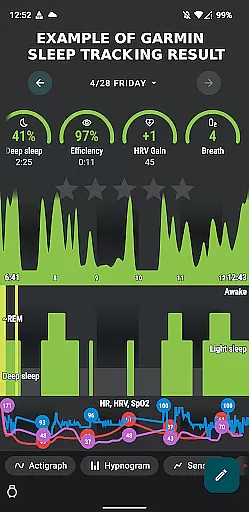
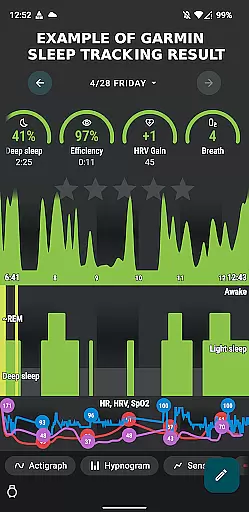
Progress visualization in Garmin Sleep Advanced provides users with clear graphical representations of their sleep data over time. This feature is crucial as it translates complex datasets collected from Garmin wearables into easily digestible visuals that highlight trends, improvements, or areas needing attention in oneu2019s sleep patterns.
Through interactive charts and graphs, users can observe fluctuations in HRV, SpO2 levels, heart rate, and movement across different nights. These visual tools not only display raw data but also integrate analytical perspectives that indicate how various factors might be influencing sleep quality. For instance, noticing a correlation between lower SpO2 levels and less restful sleep can prompt users to investigate potential underlying health issues.
This form of visualization aids in maintaining user engagement by making the abstract tangible; seeing progress or patterns unfold visually can motivate continued use and adherence to healthier habits. Additionally, having such visual records supports discussions with healthcare providers, offering concrete evidence of sleep-related concerns or achievements.
In summary, progress visualization stands out as an essential component of Garmin Sleep Advanced, enhancing user understanding and interaction with personal health metrics. It bridges the gap between raw data and practical health management strategies, fostering a proactive approach to sleep hygiene and overall wellness.
Real-time data monitoring
Wide device compatibility
Comprehensive sleep metrics
User-friendly interface
Seamless app integration
Not for medical use
Dependent on Garmin hardware
Requires multiple apps
Complex initial setup
Premium feature limitations

Create powerful subliminal audio with custom affirmations and background music.
 4.00
4.00
Meditation app, head space app provides calm music to help you meditate & sleep
5.00
HRV4Training helps you optimize goals and improve performance. No sensors needed
3.30
Eat smarter with Eato, your personal calorie counter and nutrition tracker!
4.40
Medbridge GO gets you moving - get back to doing what you love, faster!
4.90
Blood Pressure Log, HRV & Heartbeat Tracker. Pulse Checker.
4.40
Fast Body building & Weight Loss. Home Workouts with Daily Coach, No Equipment.
4.30
Looking to take control of your health? Our psychology-based programs can help.
4.10
Mood journal, habits, self-care tracker, self-love
4.90
App to stop smoking slowly or now with a motivational badges and helpful tips
4.80
Measure your Pupil Distance for Eyeglasses and VR headsets in 3 quick steps.
4.70
Effortlessly and naturally release anxiety by harnessing the power of your brain
4.60
The simplest way to track your 21 Day Program containers, exercises, and water.
4.50
Chair Workout: Women's Edition for safe, flexible, and personalized fitness.
4.40
Get alert about getting out of desired heart rate zone.
4.10
Your personal BP tracking companion, focus on helping you achieve wellness goal.
4.10
beat yesterday.
4.00
Find Paid Clinical Trials In Your Area
3.70
GloryFit is a companion app for the smart bracelet.
3.60


User Reviews