
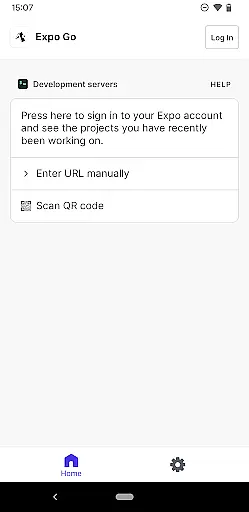
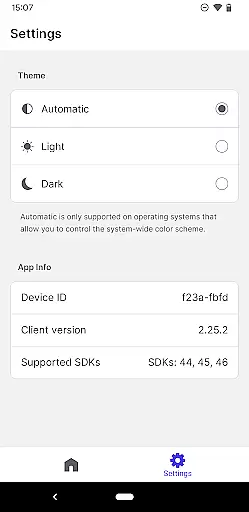
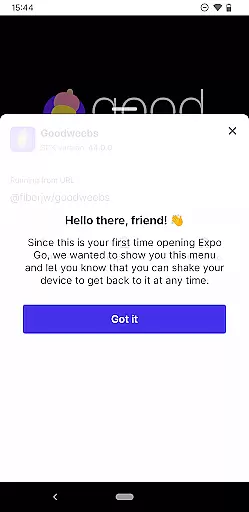
Expo Go is a powerful development tool designed for building rich mobile experiences using JavaScript and React Native. The app allows developers to instantly preview and test their projects on an Android device, eliminating the need for complex configurations. With support for advanced features like Camera integration, Background Location tracking, Audio/Video playback, and SQLite databases, Expo Go provides everything needed to create interactive applications.
This platform is particularly useful for developers who want to streamline their workflow. By simply scanning a QR code, users can load projects directly from their computer to their mobile device. This makes it easy to iterate quickly and see real-time changes. Whether you're building a prototype or refining a production-ready app, Expo Go offers the tools necessary to accelerate development while maintaining high-quality standards.
Expo Go stands out with its comprehensive set of built-in features that cater to modern app development needs. One key feature is its seamless integration with React Native, enabling developers to use familiar web technologies to build native-like experiences. Additionally, the app supports a wide range of APIs for hardware access, including camera controls, geolocation services, media handling, and local database management through SQLite.
Another notable aspect is its cloud-based workflow. Developers can publish their projects directly to Expo's servers, making it easy to share updates with testers or collaborators without going through traditional app store submission processes. Furthermore, Expo Go includes extensive documentation and community support, ensuring that even those new to mobile development can get started quickly. These capabilities make it an ideal choice for both beginners and experienced developers looking to optimize their productivity.
Expo Go offers a comprehensive suite of tools that cater to the diverse needs of app developers. The application supports a wide array of functionalities, including but not limited to interactive gestures, camera integration, background location services, and multimedia handling with audio and video capabilities.
Developers using Expo Go can leverage SQLite for robust database management directly within their applications. This extensive functionality coverage ensures that creators have the necessary resources at their disposal to build rich, engaging experiences without needing to look for external libraries or tools.
The completeness of these features allows both novice and experienced developers to execute complex projects efficiently. With JavaScript and React Native as the core programming languages, Expo Go facilitates seamless development processes across different platforms while maintaining high performance standards.
Expo Go stands out in the realm of developer tools by providing an exceptionally user-friendly environment. Its interface is designed to ensure that even those with minimal programming experience can navigate and utilize its features effectively. The application's documentation and online resources further enhance this ease of use by offering clear guidance and examples.
Operational smoothness is another cornerstone of Expo Go's design philosophy. Developers will find that operations run seamlessly, from the initial setup to the deployment phase. The tool ensures that all integrated services, such as camera access and location tracking, operate without hiccups, thus streamlining the development process.
This dedication to usability and smooth operation significantly reduces the learning curve associated with new software tools. As a result, users can focus more on creativity and innovation rather than troubleshooting technical issues, making Expo Go an invaluable asset for efficient app development.
User-friendly interface
Wide API support
Real-time updates
Cloud publishing
Active community
Limited offline functionality
Requires programming knowledge
Performance overhead
No direct app store deployment
Steep learning curve

Connect and find your Smarttag devices through our app.
 4.00
4.00
Connect your phone to any endoscope camera, USB camera, or borescope with ease.
3.70
A great tool help you to format Micro SD memory Card
3.10
Popular mods fnaf mods for melon playground
4.50
Zlink Carplay Android a mirror link app with a Carplay interface style
4.0
Mirror Link Car Display to share your screen with car dashboard wirelessly
4.1
Mobs maker Minecraft help MCPE creators make their own mob by using Blockbench
3.50
Mirror phone to TV effortlessly! Stream, share & connect with Airplay ease.
3.60
The best PS2 games from your childhood come to life in their mobile version!
4.00
An essential GFX utility developed for specific FPS mobile games
4.50
An impressive collection of tools, characters, weapons, skins and more!
4.30
Easily evaluate the performance of Scandit's barcode and ID scanning SDK
4.10
Mirror link car connector to share your screen with car dashboard
3.80
Now Available on Android ™
3.40
Connect and Find your smart tag via our app.our app is compatible with smarttag.
3.30
DamonSx2 is the open Source LGPL Emulator
3.20
Identify securely online
3.10
Record with Double Camera Video Recording using Dual Camera Front and Back Video
3.00
Enjoy hours of entertainment with our Roblox mobile games app
4.4


User Reviews