
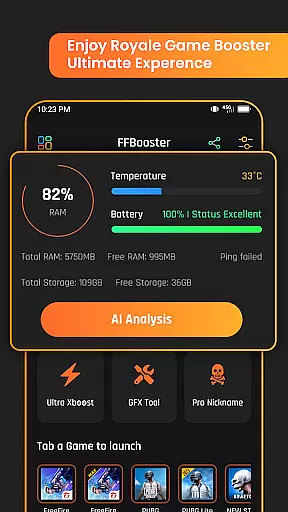
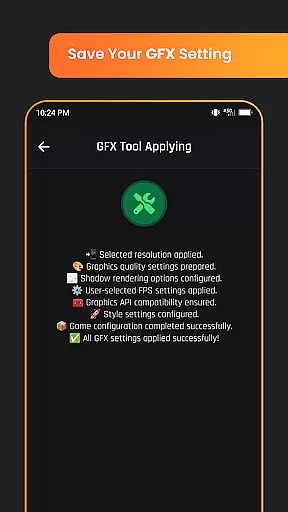
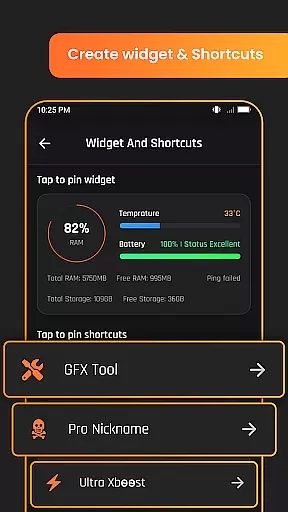
Game Booster GFX Fire Fix is a powerful utility app designed to enhance your mobile gaming experience. This app focuses on optimizing graphics settings and performance for Royale battle games, ensuring smoother gameplay with enhanced visuals.
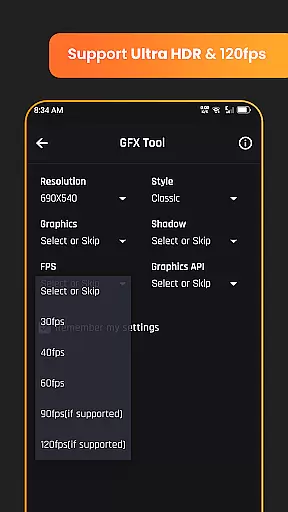
The application provides advanced GFX tools that allow gamers to customize their gaming experience. Key features include support for HDR and Ultra HD graphics, frame rates of up to 120 FPS on compatible devices, instant game launch, custom resolution settings, and realistic graphic style options. These capabilities make it an ideal tool for competitive gamers seeking optimal performance.
Whether you're looking to improve visual quality or boost game speed, Game Booster GFX Fire Fix offers practical solutions. By launching games through the app's extension, users can achieve better results while enjoying a more personalized gaming setup.
Game Booster GFX Fire Fix stands out with its comprehensive suite of gaming optimization features. The app supports both HDR and Ultra HD graphics, delivering stunning visuals that bring games to life. With the ability to reach frame rates of up to 120 FPS on supported devices, it ensures ultra-smooth gameplay without lag or interruptions.
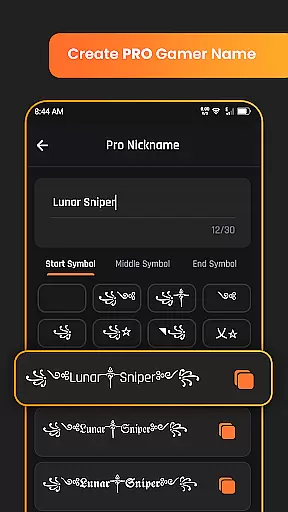
Customization is at the core of this app's functionality. Users can adjust resolution settings, enable or disable shadows, and choose from various realistic graphic styles in GFX mode. These options provide complete control over how games look and perform, catering to individual preferences. Additionally, the built-in Pro nickname generator lets players create unique in-game names, adding a personal touch to their gaming identity.
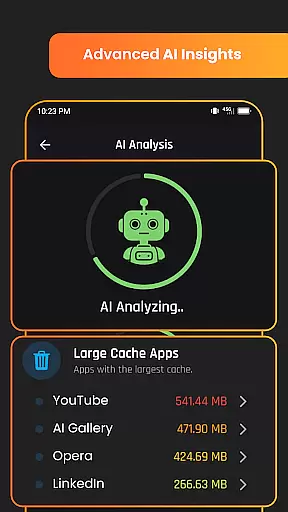
Another notable feature is the AI analysis tool, which uses advanced algorithms to optimize game settings based on device capabilities. This ensures maximum performance without compromising on quality. As an independent utility, the app operates separately from third-party games, maintaining compatibility across different titles while respecting intellectual property rights.
When evaluating a utility application like Game Booster GFX Fire Fix, functionality completeness is paramount. This app offers an extensive suite of features designed to enhance gaming performance and visual quality. With support for advanced graphics settings such as HDR and Ultra HD, the app ensures that users can experience their games with the highest level of detail possible.
In addition to superior graphics, the app provides options for high frame rates of up to 120 FPS on compatible devices, allowing for smoother gameplay. The ability to customize resolution settings and toggle shadows on or off gives gamers control over their visual experience while maintaining optimal performance levels.
Furthermore, the inclusion of AI analysis and a Pro nickname generator demonstrates the app's commitment to covering all aspects of a comprehensive gaming experience. These features not only improve game performance but also add a layer of personalization and strategic planning. By launching games through the app's extensions, users can ensure they are getting the most out of these features.
For any application in the Libraries & Demo category, usability and operational smoothness are crucial factors that determine user satisfaction. Game Booster GFX Fire Fix excels in this area by providing intuitive controls and seamless integration with popular Royale battle games. Users can easily navigate through the app's interface to access powerful GFX tools without any technical expertise required.
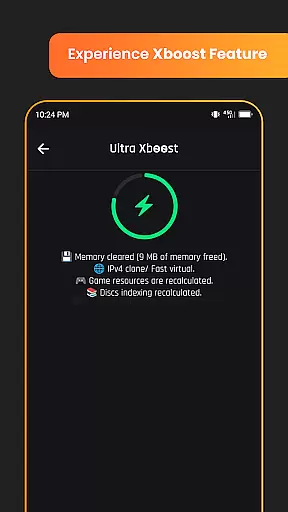
The app streamlines the gaming process by supporting instant game launches, which significantly reduces waiting times and gets players into the action faster. This feature alone enhances the overall user experience by removing common frustrations associated with game loading times.
Moreover, the app's design emphasizes ease of use without compromising on functionality. Whether adjusting graphic styles or generating unique nicknames, every tool within the app is crafted to be both powerful and accessible. As an independent utility, it delivers a smooth operation that respects the integrity of third-party games while offering enhancements that are fully compliant with their terms of service.
Enhances gaming performance
Supports high frame rates
Customizable GFX settings
Easy-to-use interface
AI-based optimization
Limited to Royale games
Device compatibility issues
No direct game affiliation
Premium features locked
Occasional bugs reported

Do you want to drive easy ? do you wanna full mirror link Mobile with your car
 4.10
4.10
Connect and find your Smart Tag 2 devices through our app.
3.60
Connect your phone to any endoscope camera, USB camera, or borescope with ease.
3.70
Block, disable and secure phone camera from secretly taking photos by spyware.
4.50
Zlink Carplay Android a mirror link app with a Carplay interface style
4.4
Recite Quran Majeed القران with special 16 line real Kuran page in hand
4.30
Experience virtual reality on your smartphone with Cardboard.
3.50
The best PS2 games from your childhood come to life in their mobile version!
4.00
Unlock the hidden menus of your phone with our mobile secret codes app.
4.20
SmartCast mirrors Android phone to TV screen With Cast Screen, Chromecast.
4.80
Expo is a free & open source platform to build apps using JavaScript and React.
4.70
Block and secure the microphone and protect from secret listening and recording.
4.50
MirrorLink for connecting your Android phone to your car’s infotainment screen.
4.50
A Pydroid Quick Install repository provider.
4.00
Ps2 plugins for 64 bit artitechture
3.70
Simulator of real black light
3.50
Collection of Maps and Mods for Dmod
3.30
Looking to connect your phone to your car screen? Mirror Link is the solution.
3.20
Enjoy hours of entertainment with our Roblox mobile games app
4.4


User Reviews