
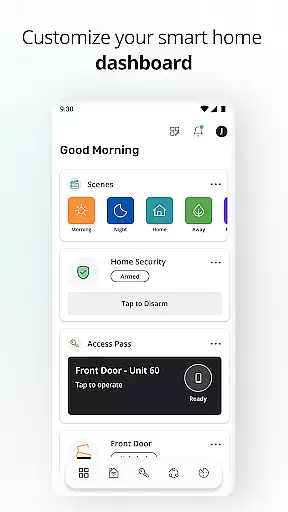
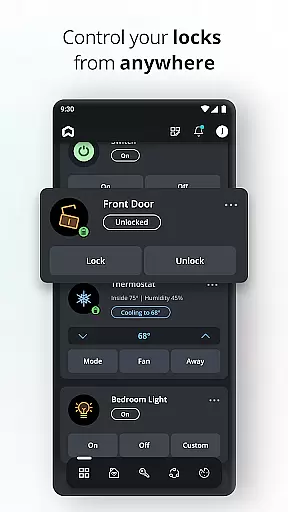
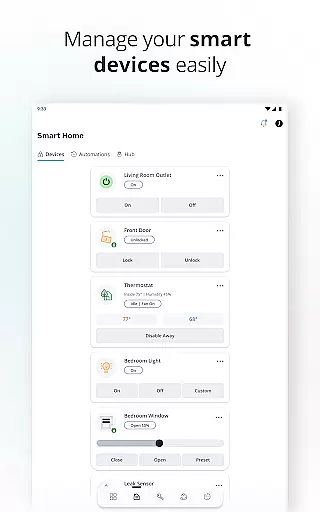
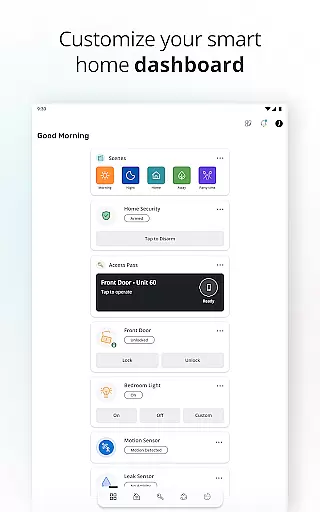
SmartRent is a cutting-edge smart home management application that empowers users to control various aspects of their living environment remotely. The app offers an impressive suite of features including remote door locking, thermostat adjustment, and customizable access codes for enhanced security. Its integration with voice assistants like Amazon Alexa and Google Assistant makes it exceptionally user-friendly.
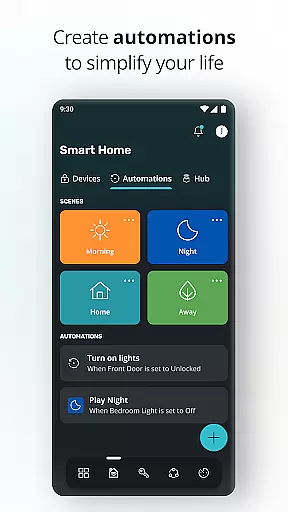
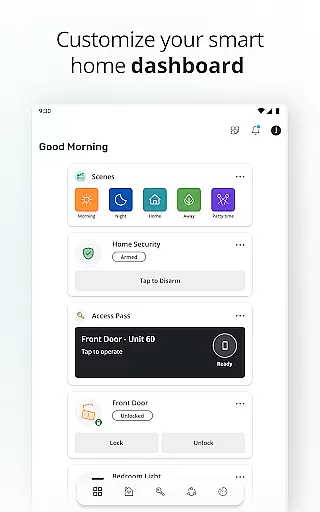
Designed for modern homeowners and renters, SmartRent brings comfort and convenience to a new level. Users can create personalized schedules for energy-saving, set up home automations, and receive instant alerts about potential issues such as leaks. With additional capabilities like lock activity monitoring and Ring account integration, this House & Home app streamlines smart home management while maximizing security and efficiency.
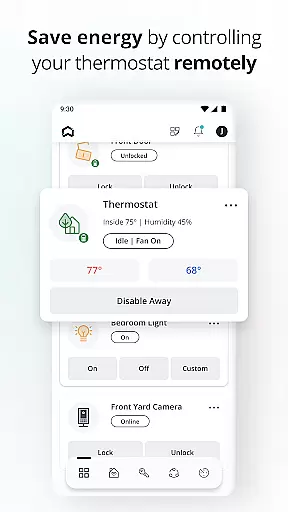
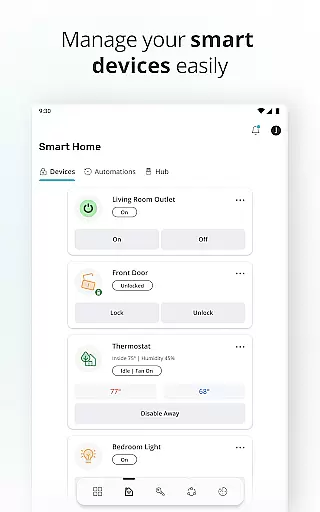
SmartRent distinguishes itself through its comprehensive feature set tailored for smart home management. One of its standout capabilities is the remote door locking and unlocking function, which allows users to secure their homes from anywhere. This feature is complemented by advanced thermostat controls that enable users to optimize their energy usage through custom scheduling.
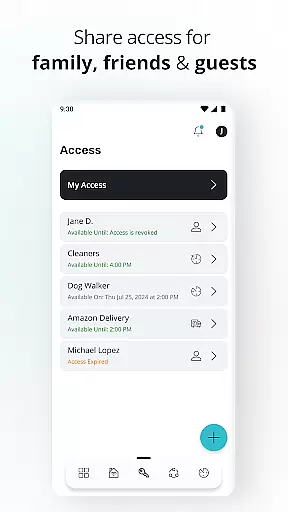
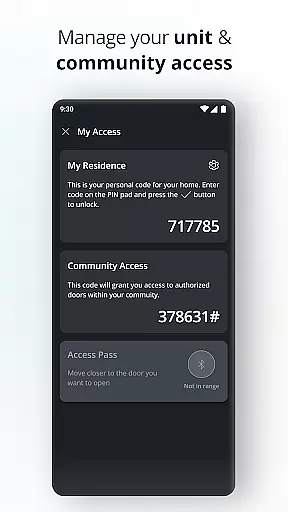
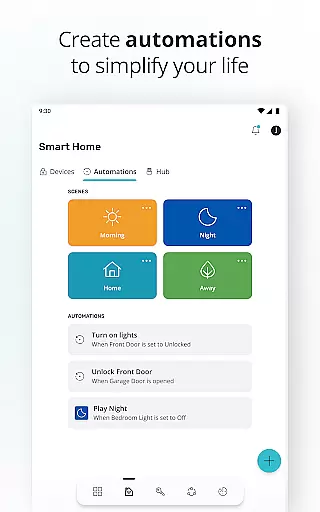
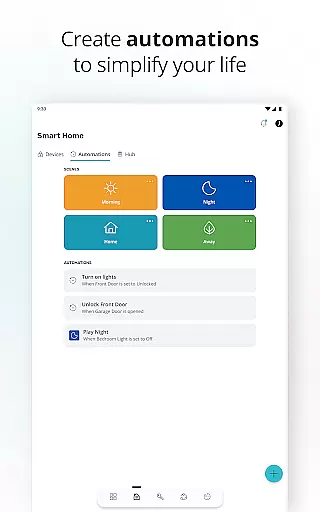
The app also excels in access management, letting users generate time-bound access codes for guests and service providers. Its automation features simplify daily routines by coordinating multiple smart devices. Integration with popular voice assistants and immediate alert notifications for potential hazards demonstrate SmartRent's commitment to both convenience and safety. These robust features make it an indispensable tool for tech-savvy homeowners.
When it comes to managing your home, ensuring the authenticity of property listings is crucial. SmartRent provides verified and up-to-date information about your residence, giving you peace of mind that all details are accurate and reliable.
The app ensures that every aspect of your property's status is regularly updated and cross-checked for consistency. This meticulous attention to detail guarantees that residents can trust the information they receive regarding their living space.
Users benefit from real-time notifications about any changes or updates related to their property. Whether it's maintenance schedules or security alerts, SmartRent keeps you informed with authentic and timely data.
This commitment to accuracy not only enhances user experience but also strengthens the relationship between property managers and residents by fostering transparency and trust.
SmartRent offers an extensive suite of home management features designed to simplify daily life. From controlling your thermostat to managing access codes for guests, the app puts convenience at your fingertips.
One standout feature is the ability to create custom schedules for various smart home devices. This functionality allows users to optimize energy usage and reduce costs while maintaining optimal comfort levels in their homes.
The integration with popular voice assistants like Amazon Alexa and Google Assistant adds another layer of convenience. Residents can issue voice commands to control multiple aspects of their home environment without lifting a finger.
Additionally, SmartRent's comprehensive alert system notifies users of potential issues such as leaks or unauthorized access attempts, ensuring both safety and efficiency in home management.
User-friendly interface
Comprehensive security features
Excellent energy management
Seamless third-party integrations
Reliable notification system
Limited device compatibility
Occasional connectivity issues
Premium feature costs
Steep learning curve
Dependent on stable internet

Use Home by ShowingTime to easily manage showings, tours, feedback and more
 3.60
3.60
Unlock AI-based barcode scanning and support the development of Grocy Android
4.5
Home Ideas | Renovation Advice | Local Pros. Go From Dream to Home with Houzz.
4.70
Technology powering many in-home services for residents across the United States
3.80
Control your Daikin, Amana & Goodman heating & cooling systems from anywhere
4.40
Smart AI plant care schedules, Real plant experts, support & Thriving community!
4.20
Innovative and budget-friendly housing options
4.60
Find the perfect paint color with advanced tools to explore and visualize color.
3.80
A Smarter Home in Seconds
4.70
MLS-powered real estate app to find homes for sale & apartments for rent
4.70
Apartment finder for apartments for rent. Compare prices, amenities & rentals.
4.50
Make Renting Easy
4.40
The official app for Home Assistant. Control your home anywhere in the world.
4.30
Control your thermostat, comfort, and home monitoring from your phone
4.30
Turn your phone into a wifi cam with smart features and umlimited reach.
4.20
Book your local plumber 24/7, track your service order & get exclusive coupons
4.00
Floor Plan Creator Home Design with 2D interior design and 3d view.
3.90
Find paints using a Color Muse & ColorSnap® Match
3.60
PRO Version of GLB AR Viewer
4.2


User Reviews