
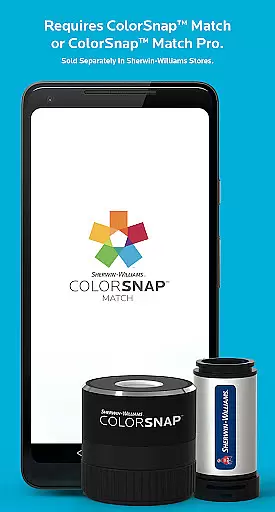
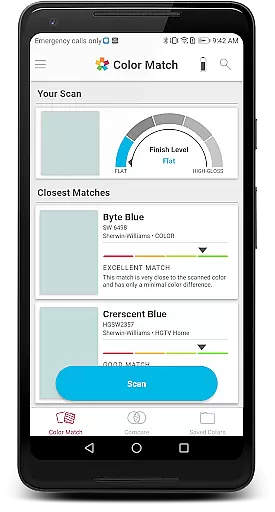
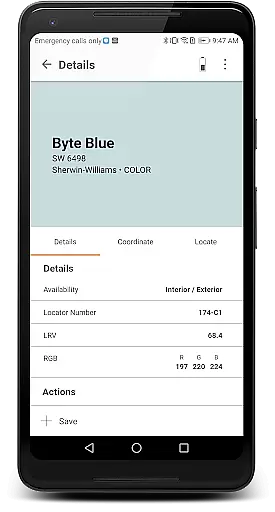
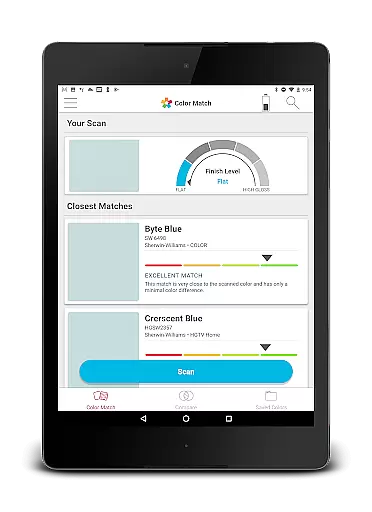
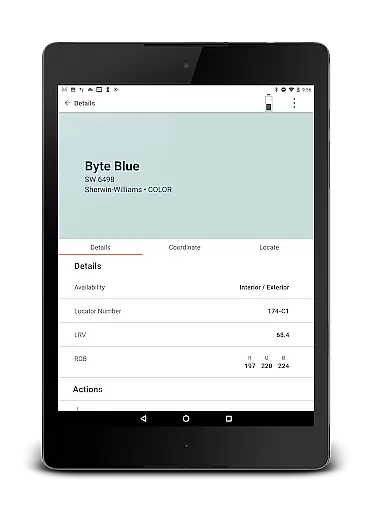
ColorSnap Match is a revolutionary paint matching application designed to simplify the color selection process for both professionals and DIY enthusiasts. The app connects seamlessly with ColorSnap™ Match Pro or ColorSnap™ Match devices, available at Sherwin-Williams stores, enabling users to scan flat surfaces and instantly match them to the closest Sherwin-Williams paint color. For those using the Pro version, the app also identifies the paint's sheen, adding another layer of accuracy to your color matching.
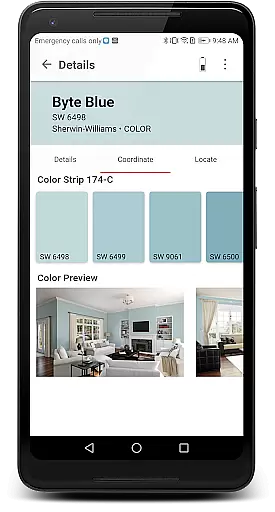
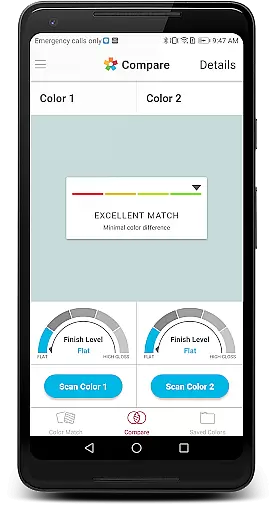
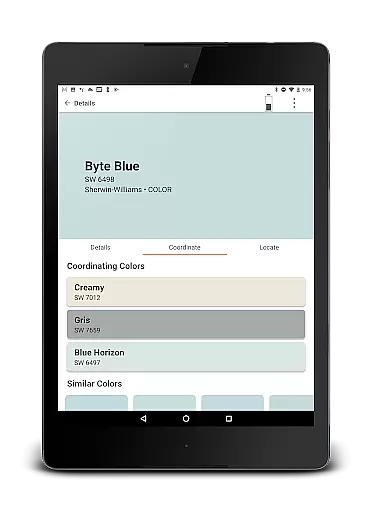
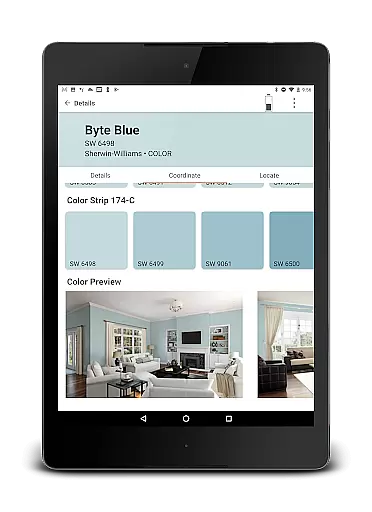
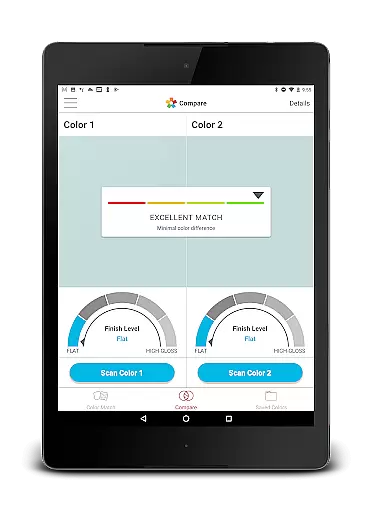
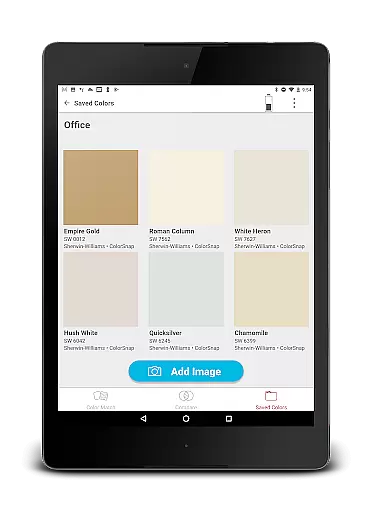
Beyond its core functionality, ColorSnap Match offers several valuable features that enhance the user experience. Users can compare two colors side-by-side, save and share their favorite paint colors along with photos, and view coordinating colors that complement their selections. This makes it an indispensable tool for interior designers, painters, and homeowners looking to refresh their spaces. With the ability to locate the nearest Sherwin-Williams store directly through the app, obtaining the perfect paint has never been easier.
The true value of ColorSnap Match lies in its ability to eliminate the guesswork from paint matching. Whether you're working on a small home improvement project or managing large-scale renovations, this app streamlines the entire color selection process. By providing instant access to precise color matches and related product information, ColorSnap Match saves time and reduces the frustration typically associated with traditional paint sampling methods.
ColorSnap Match stands out in the House & Home category due to its innovative approach to paint color matching. At its core, the app allows users to scan any flat surface and instantly find the closest Sherwin-Williams paint color match. This feature alone transforms how people approach painting projects, making it faster and more accurate than ever before. When paired with the ColorSnap™ Match Pro device, the app goes a step further by identifying the paint's sheen, which is crucial for achieving professional-quality results.
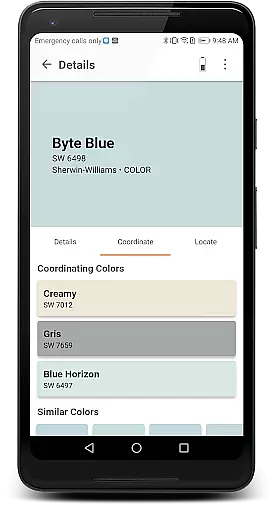
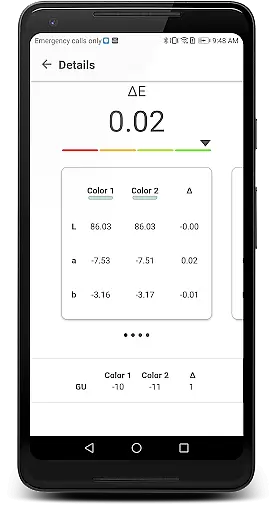
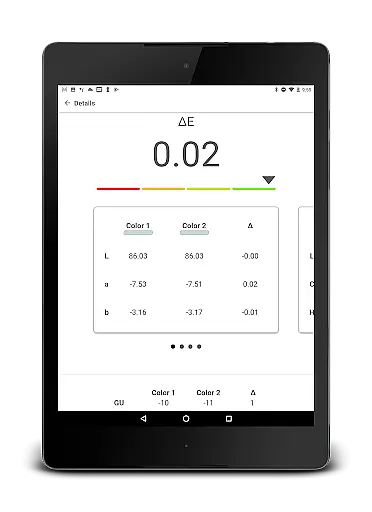
In addition to its primary scanning function, the app includes several other notable features. Users can compare two colors side-by-side, helping them make informed decisions when choosing between similar shades. The ability to save and share paint colors and accompanying photos ensures that users can easily collaborate with others or keep records of their choices for future reference. Furthermore, the app provides coordinating color suggestions, allowing users to create cohesive design schemes without needing extensive color theory knowledge.
One of the most practical aspects of ColorSnap Match is its integration with Sherwin-Williams' retail network. Through the app, users can quickly locate the nearest store, ensuring they can purchase their selected paint colors without delay. This seamless connection between digital convenience and physical product availability sets ColorSnap Match apart from other home improvement apps. Whether you're a professional painter or a homeowner tackling a weekend project, these comprehensive features provide everything needed to achieve perfect paint matches every time.
When it comes to home improvement and design projects, having accurate color representation is essential. The ColorSnap Match app ensures property listing authenticity by providing precise paint color matching. This feature eliminates the guesswork typically involved in identifying paint colors.
The app connects to ColorSnap Match Pro or standard ColorSnap Match devices, which are sophisticated tools available at Sherwin-Williams stores. These devices scan flat surfaces to determine the closest Sherwin-Williams paint color match. For professionals and DIY enthusiasts alike, this means that every scanned color is matched with a reliable and authentic paint option.
Furthermore, the ColorSnap Match Pro device goes a step further by also identifying the paint's sheen. This level of detail ensures that users can achieve an exact match not just in hue but also in finish, making their painting projects more seamless and professional-looking.
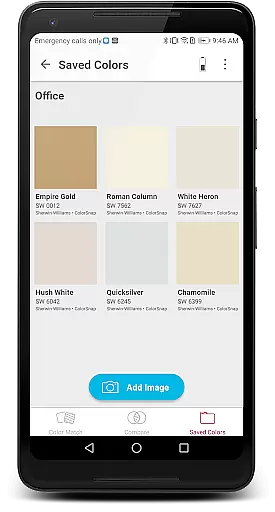
Beyond its primary function of color matching, the ColorSnap Match app offers several home management features that enhance user experience. One key aspect is the ability to save and share paint colors and photos. This functionality allows users to keep a record of their preferred colors and easily collaborate with others involved in the project.
Additionally, the app provides options to compare two colors side-by-side and view coordinating colors. These features help users make informed decisions about their interior design choices without needing physical samples. By visualizing different combinations digitally, homeowners can streamline the decision-making process.
Another valuable feature is the store locator, which helps users find the nearest Sherwin-Williams store. Whether they need to purchase paint or seek expert advice, this tool ensures convenience and accessibility. Overall, these comprehensive home management features make the ColorSnap Match app an indispensable tool for any painting project.
User-friendly interface
Accurate color matching
Sheen identification
Save and share options
Store locator feature
Device sold separately
Limited to Sherwin-Williams
Requires flat surface
No automatic updates
Pro version costs extra

Make Renting Easy
 4.40
4.40
Design house plans in 2D & 3D, style furniture, and preview renovation layouts
3.70
AI floor creator to design your dream house, plan rooms & style your home
4.00
SmartRent - Opening Doors To A Smarter World
4.40
Smart AI plant care schedules, Real plant experts, support & Thriving community!
4.20
Turn old phones into security cameras, baby monitors, pet cams, and more.
4.70
3D House Design and AI Room Planner - from floor plans to full interior design.
4.40
Samsung remote app helps control all Samsung Smartthings TVs. Fast and Stable!
4.10
Make your phone a surveillance camera remote with a home camera app for Android!
4.40
Connect with reliable pros for maintenance services, plumbing, and home design!
4.80
Find your next home, house, apartment, condo, casa, flat, rental, studio, or bed
4.70
Map-based search app for apartments and homes for rent.
4.60
Resident Center, powered by Buildium, is designed with simplicity in mind.
4.50
The only mappable smart lights for custom decoration.
4.50
For all of your Airthings devices
4.30
Control your thermostat, comfort, and home monitoring from your phone
4.30
Technology powering many in-home services for residents across the United States
3.80
This Fire TV Remote control's your Fire TV Device and Insignia Fire TV Remote
3.70
Draw your floor plan smartly. Make house design blueprint with home planner app
3.60


User Reviews