
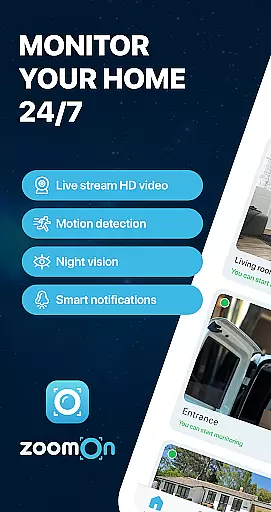
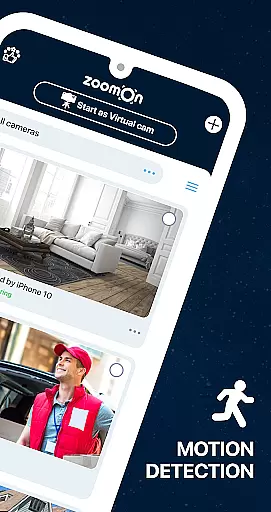
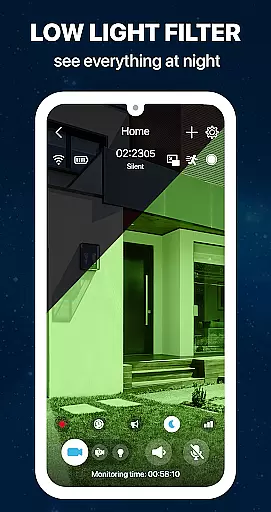
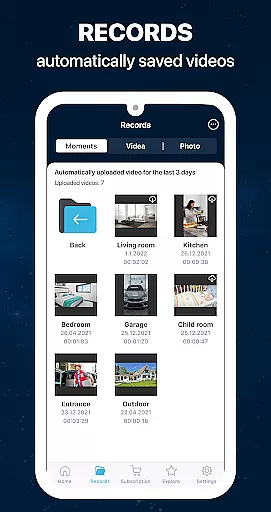
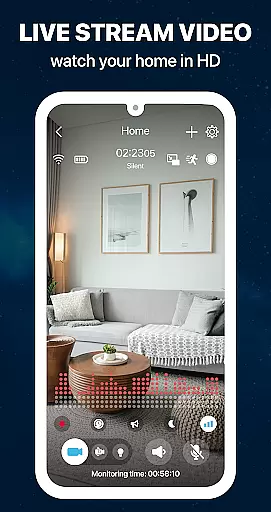
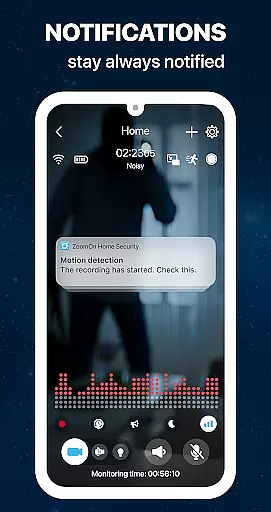
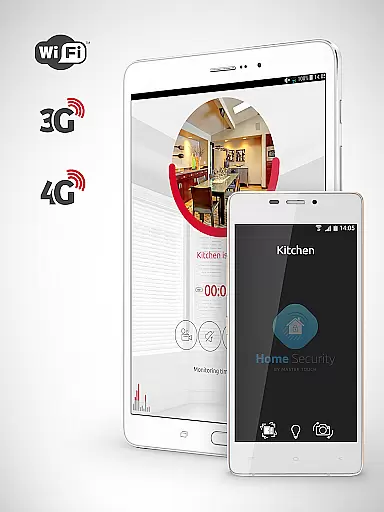
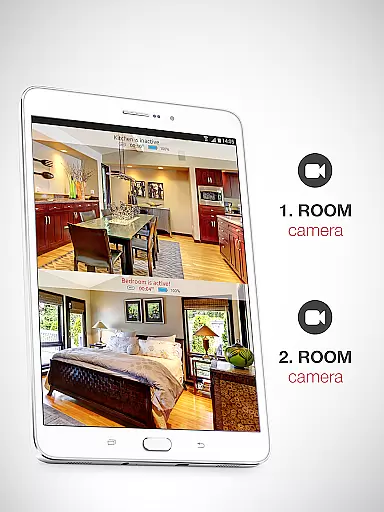
ZoomOn Home Security Camera is a smart home monitoring solution that transforms any two smartphones into a comprehensive security system. The app offers real-time HD video streaming, unlimited reach across various networks, and advanced features like night vision, motion detection, and two-way audio communication.
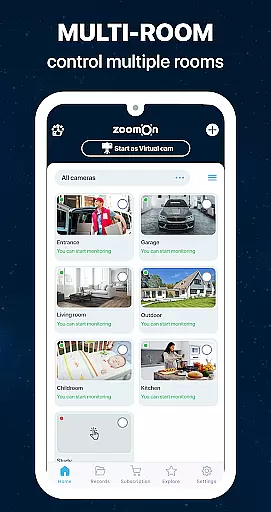
This innovative application allows users to repurpose old devices, providing an affordable alternative to traditional security cameras. With support for multi-room monitoring, smart notifications, and secure encrypted connections, ZoomOn ensures comprehensive home protection while maintaining user privacy.
Whether you're at work or on vacation, ZoomOn keeps you connected to your home environment through continuous monitoring and instant alerts. The app's compatibility with ONVIF-compliant cameras and its flexible subscription model make it a versatile choice for modern home security needs.
ZoomOn distinguishes itself through its unique device pairing system and extensive feature set. Users can connect two devices using numeric or QR codes, creating a private monitoring network that works across different platforms including Android and iOS.
The application's capabilities extend beyond basic video monitoring. It includes advanced functions such as noise detection, time-based scheduling, low battery alerts, and multi-owner access. The implementation of industry-standard encryption ensures that all communications between devices remain secure and private.
What sets ZoomOn apart is its ability to transform existing devices into powerful monitoring tools while offering professional-grade features. The app's support for continuous recording, motion-activated alerts, and customizable sensitivity settings provides users with complete control over their home security system.
In the context of home security, ensuring the authenticity and reliability of your monitoring system is crucial. ZoomOn Home Security Camera provides a dependable solution by transforming your old smartphones into fully functional security cameras. This innovative approach guarantees that every device used in your home security setup is verified and operational.
The app ensures property listing authenticity through its multiplatform support and compatibility with ONVIF-compliant security cameras. By allowing users to connect their devices via QR code or numeric pairing, ZoomOn establishes a secure and authenticated connection between monitoring devices. This verification process eliminates concerns about fake or nonfunctional equipment being used in your security system.
Users benefit from continuous updates and smart notifications that alert them to any disruptions or low battery situations. The app's ability to monitor multiple rooms simultaneously adds another layer of authenticity to your home security setup. With features like motion detection, noise detection, and time plans, homeowners can trust that their property is being monitored accurately and consistently.
The implementation of industry-standard encryption for all communications between devices further enhances the authenticity of the security system. This comprehensive approach to verification and security ensures that users can rely on ZoomOn to provide genuine and effective home monitoring solutions without worrying about false alerts or compromised data integrity.
Effective home management requires tools that simplify security monitoring while providing comprehensive control over various household functions. ZoomOn Home Security Camera excels in this area by offering an intuitive interface combined with advanced features that transform any smartphone into a sophisticated home management tool.
The application's two-way audio and video capabilities allow users to communicate with family members or warn off intruders remotely. Features like night mode, lighting control, and zooming provide enhanced visibility and control over home environments. These capabilities, combined with unlimited reach across various network types, make it an exceptional home management solution.
ZoomOn's smart notifications and automatic timeline creation help users efficiently manage their security monitoring schedules. The app's ability to handle multiple rooms and devices simultaneously streamlines home management tasks. Additionally, features like low battery alerts and audio activity charts enable proactive maintenance of the security system.
By repurposing old devices as security cameras, the app offers an eco-friendly and cost-effective approach to home management. The inclusion of professional-grade features such as ONVIF-compliance viewing and multi-owner mode demonstrates ZoomOn's commitment to providing comprehensive home management solutions that cater to both individual and shared living spaces.
User-friendly interface
Multi-platform support
Secure cloud encryption
Flexible subscription plans
Innovative device reuse
Requires two devices
Internet connection needed
Limited free trial period
Premium features locked
Dependent on device quality

Use Home by ShowingTime to easily manage showings, tours, feedback and more
 3.60
3.60
Make Renting Easy
4.40
Convert your Phone to HiSense Smart TV Remote Control
4.70
Floor Plan Creator Home Design with 2D interior design and 3d view.
3.90
View houses and apartments for rent, updated daily.
4.80
Apartment finder for apartments for rent. Compare prices, amenities & rentals.
4.50
A Smarter Home in Seconds
4.70
Set up your devices, customize settings, and monitor your home—from anywhere
4.40
Find homes for sale and apartments for rent in the best neighborhood.
4.70
Connect with reliable pros for maintenance services, plumbing, and home design!
4.80
Find your next home, house, apartment, condo, casa, flat, rental, studio, or bed
4.70
Search for Homes, Rentals, Agents & Schools
4.70
Map-based search app for apartments and homes for rent.
4.60
Looking for the perfect apartment finder app? Find beautiful rental homes here!
4.60
Resident Center, powered by Buildium, is designed with simplicity in mind.
4.50
The Merkury Smart app makes it easy to control your smart devices.
4.50
WiZ smart light system
4.40
This Fire TV Remote control's your Fire TV Device and Insignia Fire TV Remote
3.70
Unlock AI-based barcode scanning and support the development of Grocy Android
4.4


User Reviews