
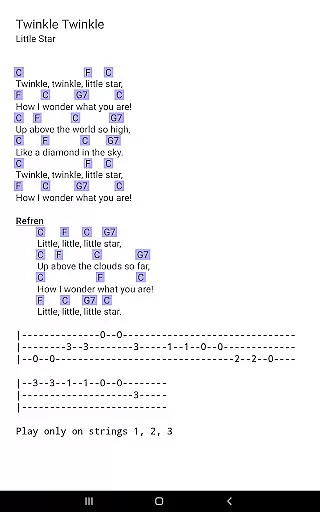
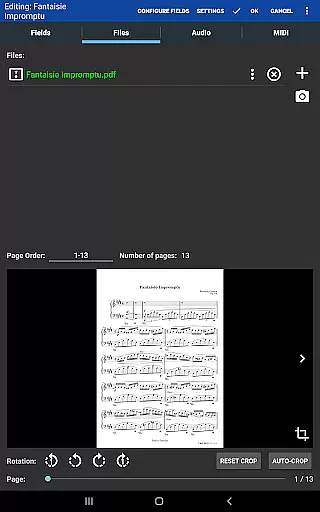
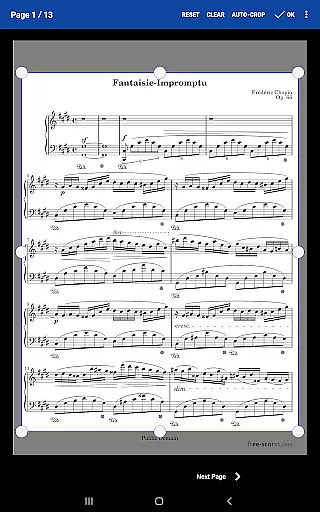
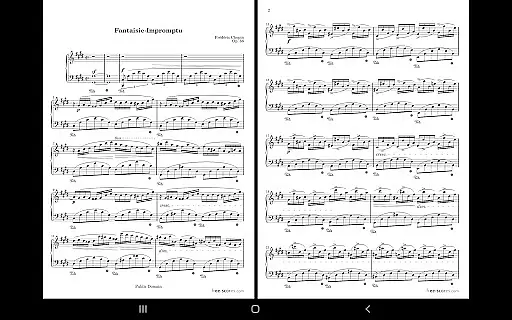
MobileSheets is a premier sheet music viewer designed specifically for Android tablets, offering musicians an efficient and versatile solution for managing and accessing their music library. The application eliminates the need for physical sheet music by providing instant access to any score within its digital library. With support for multiple file types including PDFs, images, and chord pro files, MobileSheets ensures compatibility with a wide range of musical scores.
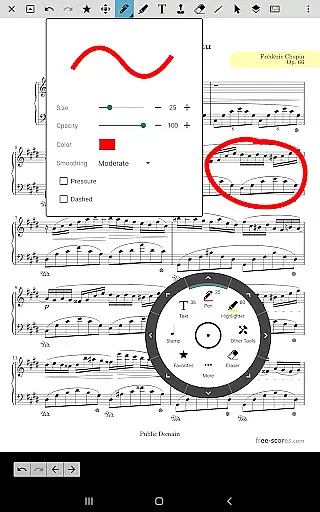
Beyond basic viewing, MobileSheets boasts an array of advanced features tailored to enhance the musician's experience. These include hands-free page turning via Bluetooth or USB devices, automatic scrolling, and even facial gesture controls. Additionally, users can annotate their scores with freeform drawing tools, shapes, text, and stamps, as well as customize page orders and create setlists for seamless playback during performances.
The app also includes practical tools such as a metronome, bookmarks for quick navigation, and smart buttons that trigger configurable actions. Its powerful library management system supports extensive metadata fields, enabling detailed organization and easy retrieval of scores. Designed for tablets 7" and larger, MobileSheets offers a companion PC application for effortless song creation and editing, making it an indispensable tool for modern musicians.
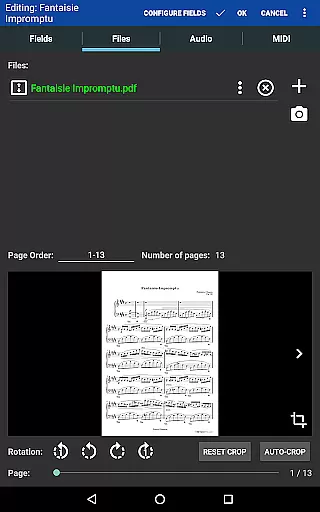
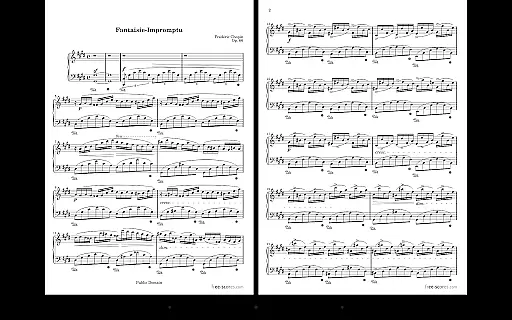
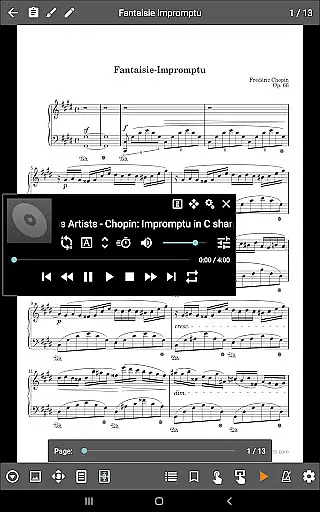
MobileSheets distinguishes itself through a comprehensive suite of features designed to meet the diverse needs of musicians. One standout capability is its support for multiple modes of operation, including side-by-side pages, half-page turns, and vertical scrolling, allowing users to tailor the viewing experience to their preferences. This adaptability extends to page-turning options, where musicians can choose between hands-free methods using Bluetooth pedals, automatic scrolling, or innovative face gestures like smiling to advance pages.
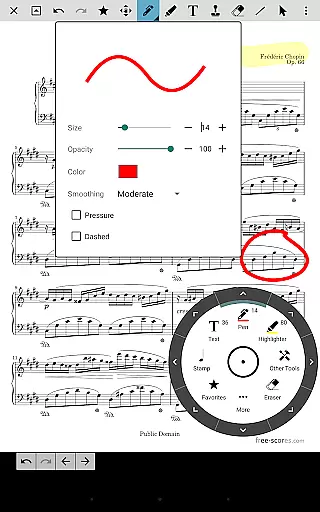
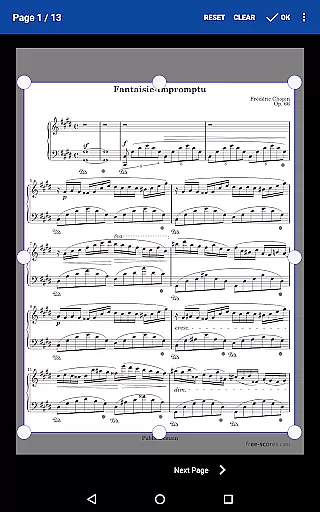
Another key feature is the app's robust annotation system, which empowers users to mark up their scores with precision. Freeform drawing, shape tools, text boxes, and customizable stamps enable detailed notations directly on the sheet music. Furthermore, MobileSheets provides advanced organizational tools such as custom page ordering, link points for handling repeats, and setlist creation for grouping songs efficiently. These features collectively streamline practice sessions and live performances alike.
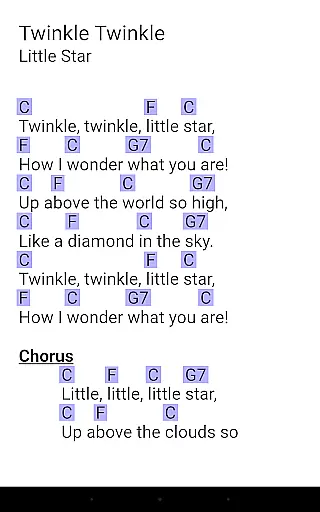
For those requiring additional functionality, MobileSheets integrates seamlessly with MIDI devices over USB, supports chord transposition in compatible files, and includes a built-in metronome with various display modes and sound effects. The inclusion of a companion PC application enhances workflow efficiency by simplifying song creation and editing processes. Together, these features position MobileSheets as a versatile and indispensable tool for musicians seeking to optimize their digital sheet music experience.
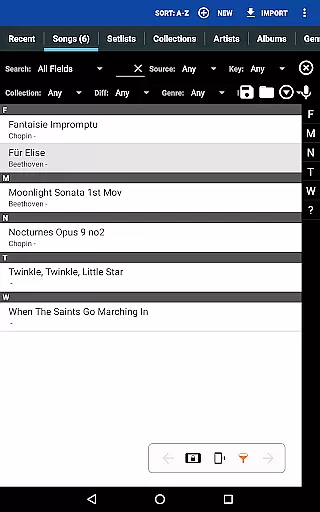
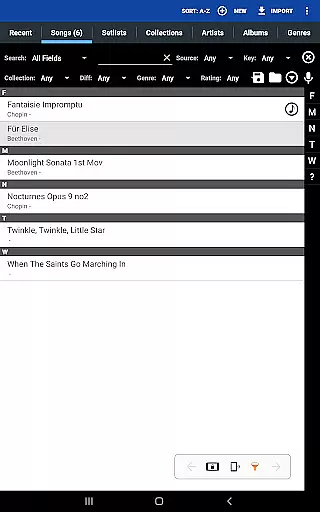
MobileSheets offers an extensive music library management system that supports a wide range of file types including PDFs, images, text files, and chord pro files. This ensures musicians have the flexibility to use their preferred formats while accessing their scores with ease.
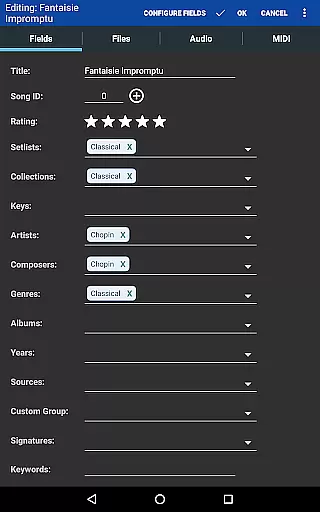
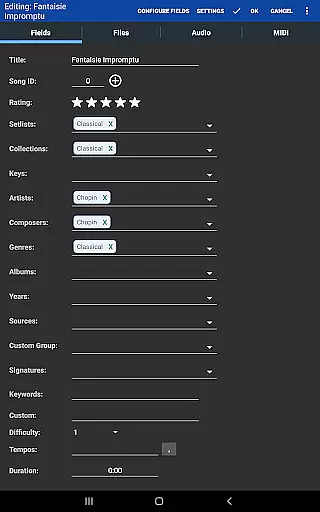
The application provides powerful library management features with a comprehensive list of supported metadata fields. This gives users complete control over the organization and data within their library, ensuring efficient access and management of their music collection.
While MobileSheets does not include any sheet music by default, it allows musicians to import and manage their own content. This approach respects copyright laws and ensures the authenticity of the music library, as users are responsible for providing their own legal copies of sheet music.
Additionally, the app supports importing CSV index files to break up large PDF songbooks, further enhancing its capability to handle diverse music collections. This feature is particularly useful for musicians who need to organize extensive repertoires efficiently.
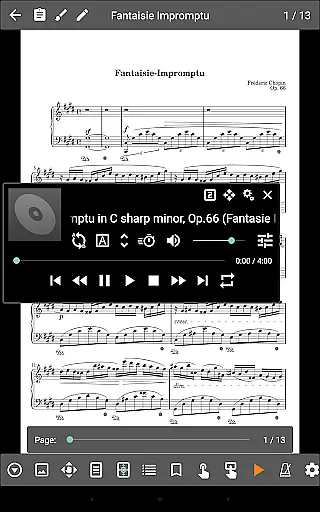
MobileSheets includes a custom audio player designed specifically for musicians who need to play audio tracks alongside their scores. The audio player supports advanced features such as A-B looping, allowing users to repeat specific sections of a track for practice or performance purposes.
The application offers multiple audio player sizes, giving users the flexibility to adjust the interface based on their preferences and device capabilities. This ensures optimal usability regardless of the tablet's screen size or resolution.
While MobileSheets cannot play back PDFs, images, or text/chord pro files directly, it excels in playing high-quality audio files. This separation of functions ensures that each component of the application operates at peak performance without compromising audio quality.
Furthermore, the app's ability to handle various audio formats makes it a versatile tool for musicians who work with different types of audio recordings. This flexibility enhances the overall user experience and supports professional-grade music practice and performance sessions.
User-friendly interface
Extensive file compatibility
Advanced annotation tools
Hands-free page turning
Powerful library management
No built-in playback for PDFs
Limited to Android tablets
Companion app not included
Requires manual data organization
Subscription model for full features

Performance-Synthesizer & Multi-Track-Sequencer, polyphonic + multi timbral!
 4.70
4.70
Enhance the sound quality of your devices, listen to what you want
4.50
Network/Cloud Streaming, Visualization, Graphic Equalizer and Sound Effects.
4.20
USB audio recording and playback finally possible on Android 3.1 or higher!
3.90
Recording studio w/ 10k beats, pro vocal FX and a network of 20M rappers & fans!
4.60
Listen radio AM / FM Stations. Live AM / FM Radio App Station. Radio Com.
4.70
Learn and play 2M+ music tabs & chords on guitar, ukulele, bass, and more
4.30
Help you quickly get started with Shokz headphones
4.40
Simple mp3 and mp4 player with advanced features.
3.40
Offline Music Player & MP3 Player.Powerful equalizer, Lyrics, Themes, Tag Editor
4.80 4.70
4.70
Learn the notes on the guitar fretboard fast with this easy and fun app
4.60
Play KORG’s revolutionary touch-based instrument on a variety of devices.
4.40
Equalizer, Bass Booster and Volume Booster (Eq & Bass) improve sound quality
4.30
Offline and always ad-free - stream in the highest quality available.
4.10
Turn your Android phone into a professional audio analyser with up to 120 bands.
4.00
The only true audiophile music player with Hi-Fi audio rendering and DSP engine
3.90
Powerful beat maker & DJ mixer to remix tracks, make music, & perform DJ mix
3.70
MilkDrop for Android TV
3.00


User Reviews