
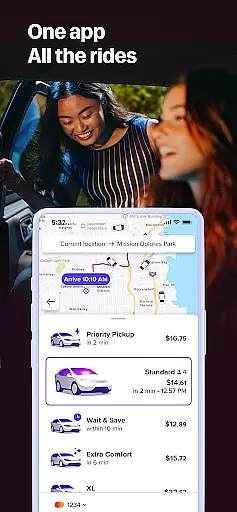
Lyft is a leading transportation app that offers multiple ways to get around, from ride-hailing services to bike and scooter rentals. The app provides users with upfront pricing, real-time tracking, and various ride options tailored to different needs. Whether commuting to work, heading to the airport, or exploring the city, Lyft ensures reliable and efficient travel solutions.
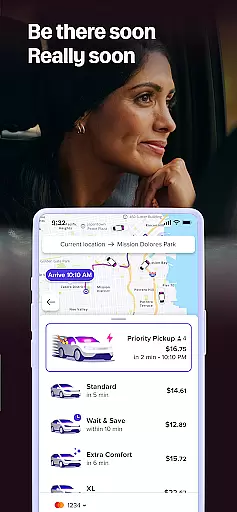
The app stands out with features like Priority Pickup for quick departures, multiple ride types including Lyft XL and Lux, and integration with public transit options. Lyft's user-friendly interface makes it easy to book rides, view costs, and track your driver's location in real time. With its affordable pricing model and diverse transportation options, Lyft caters to both everyday commuters and occasional travelers.
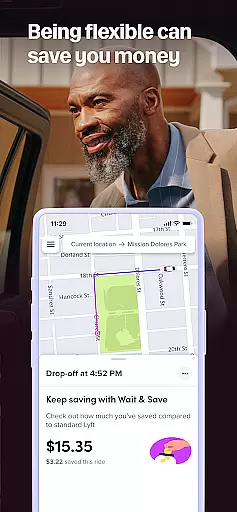
Lyft offers an intuitive and feature-rich platform designed to simplify urban transportation. One of its key strengths is the ability to choose from various ride options, such as Wait & Save for budget-friendly trips, Priority Pickup for faster service, and even bike or scooter rentals for short-distance travel. This flexibility allows users to select the best option based on their budget and time constraints.
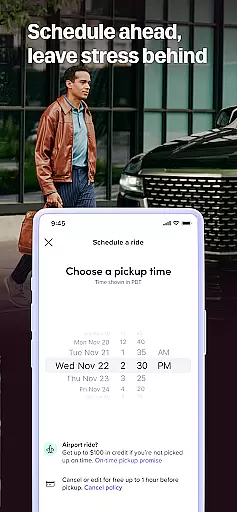
In addition to ride-hailing, Lyft integrates with local transit systems, helping users find the fastest public transportation routes. The app also provides real-time updates on driver locations, fare estimates, and arrival times, ensuring transparency throughout the journey. With added features like scheduled rides and rental services, Lyft goes beyond basic transportation to offer a comprehensive mobility solution.
Map accuracy is crucial for any navigation app, and Lyft excels in this area by providing precise location data. The app uses advanced GPS technology to ensure that both drivers and riders are accurately located on the map.
This level of precision allows users to set exact pickup points, track their ride's progress in real-time, and receive accurate arrival time estimates. Such features significantly enhance the overall user experience, making commutes more predictable and reliable.
Moreover, Lyft continuously updates its mapping data to reflect new roads, construction zones, and other changes in the urban landscape. This commitment to maintaining up-to-date maps ensures that users always have access to the most current route information available.
Effective route planning is essential for efficient travel, and Lyft offers robust tools to optimize journeys. By analyzing traffic patterns and road conditions, the app suggests the fastest and most efficient routes to destinations.
Users can preview their planned routes before confirming a ride, allowing them to make informed decisions about their travel plans. Additionally, during the journey, Lyft provides real-time updates and alternative route suggestions if unexpected delays occur.
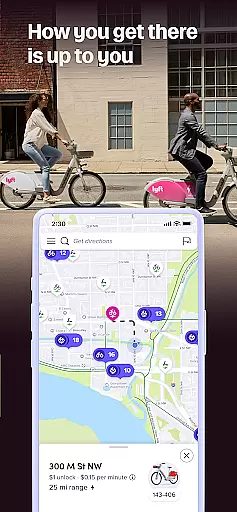
The app also supports various transportation modes beyond cars, including bikes and scooters, each with tailored route recommendations. This flexibility empowers users to choose the best mode of transport based on their specific needs and preferences.
User-friendly interface
Affordable pricing options
Multiple ride choices
Real-time tracking
Transit integration
Limited regional availability
Variable pricing
Occasional surge pricing
Dependent on driver availability
Not all features available everywhere

Offline maps for phone and smart watch: topographic maps, satellite images...
 3.30
3.30
The fastest and most convenient way to pay for parking on our lots.
4.40
Route schedules, maps, and real-time tracking of MTA buses in New York City.
4.20
Play in the outdoors with Android as your Handheld GPS and offline topo maps!
3.50
Find shortest way and save energy . Distance and area calculator.
4.70
Airport parking, with airport shuttle (TPS shuttle), reservations, and Spot Club
4.80
Route Planner is travel map to get turn by turn navigation & driving directions
3.90
Get there with the Waymo Driver — The World’s Most Experienced Driver™
4.90
Navigate MTA, NJ Transit, MBTA, SEPTA, BART, MARTA, CTA & 900+ cities
4.60
Order a cab online. An affordable taxi ride and driver in no time. What a bolt!
4.80
Offline maps & GPS for hiking, travel, fieldwork & outdoor adventures
4.70
Find EV & Tesla charging stations with PlugShare
4.70
Find routes fast with GPS Maps, GPS Navigation & driving directions.
4.10
Use GPS Maps and GPS Voice Navigation to find your way and get directions
4.10
Navigation, weather, offline maps & tools for smarter, safer travel planning.
4.00
Explore Live Earth Map with 3D World Map & locate cites, mountains real time.
3.80
Start your next adventure confidently using our Accurate Compass App
3.70
Gas Station & Fuel Rewards Points
3.70
Your real-time window to the world. Explore anywhere, anytime.
3.30


User Reviews