
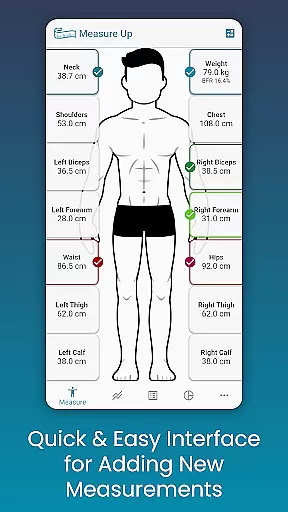
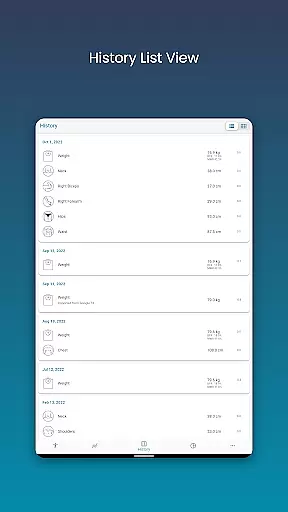
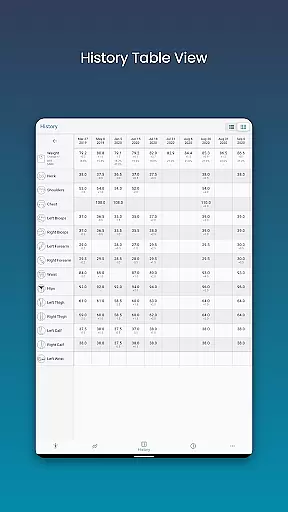
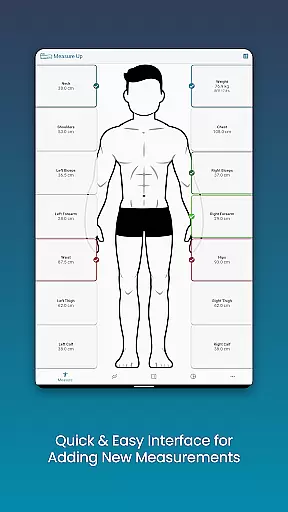
Body Measurement Tracker is a specialized Health & Fitness application designed to simplify the process of monitoring weight loss or muscle gain progress. The app offers an intuitive interface that allows users to quickly record body measurements and track their fitness journey without any hassle.
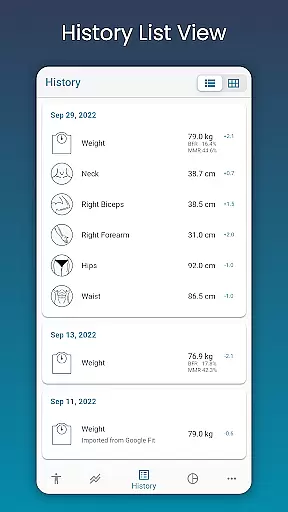
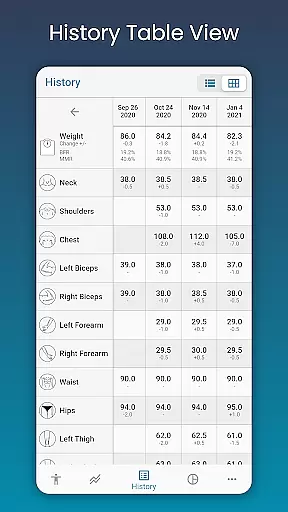
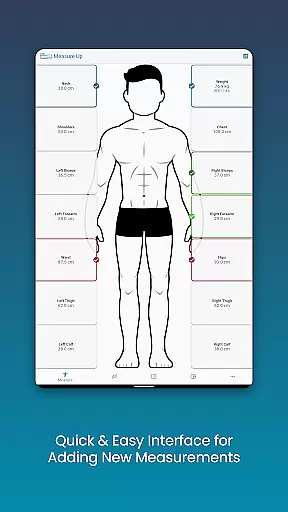
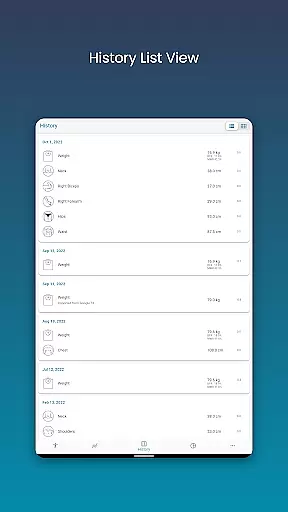
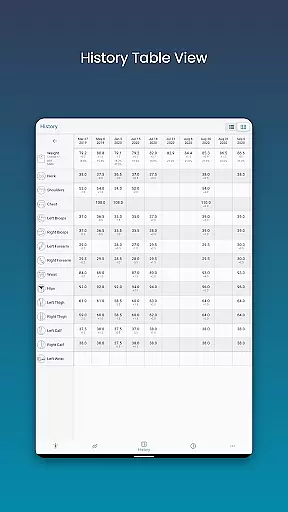
One of the standout features is its ability to visually indicate which body parts have been measured on a given day, ensuring users never lose track of their progress. With multiple data visualization options including charts, tables, and lists, users can interpret their progress in a way that makes the most sense to them. Additionally, the app integrates seamlessly with Google Fit, allowing for synchronized health data across platforms.
This application is particularly useful for individuals who are serious about tracking their fitness goals and want an all-in-one solution for managing their body measurement data efficiently.
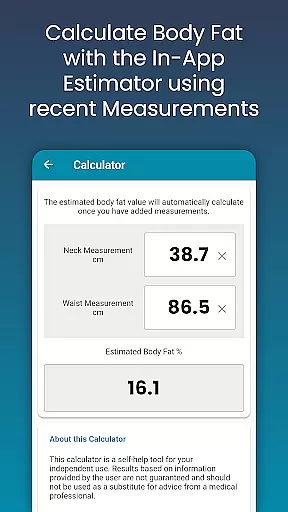
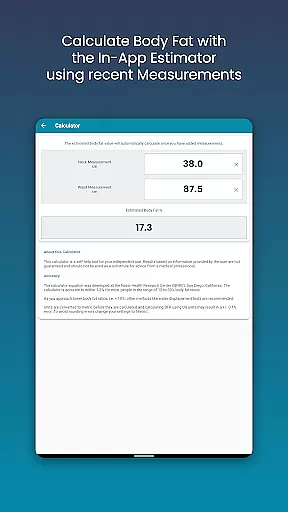
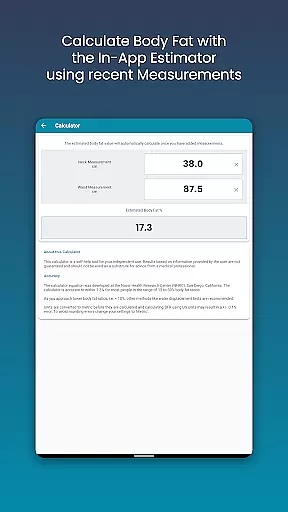
The Body Measurement Tracker stands out with its comprehensive set of features tailored for fitness enthusiasts. First and foremost, the app provides an easy-to-navigate interface that enables quick recording of various body measurements. Users can add past measurements by simply adjusting the date, and even estimate body fat using the built-in calculator.
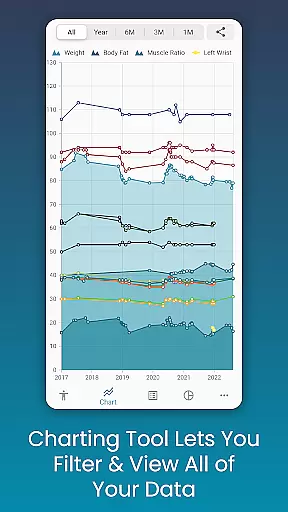
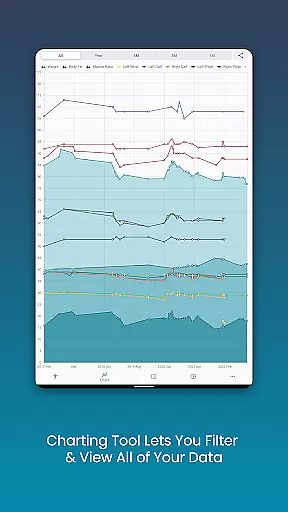
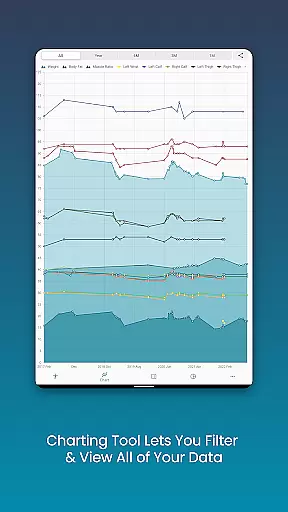
A unique charting feature allows users to visualize all their data in one place. They can toggle different measurements on and off from the legend toolbar, providing a clear picture of their progress. The stacking feature for lean mass, body fat, and muscle helps users understand how they are advancing toward their fitness goals. Furthermore, these charts can be exported as PNG images and shared via popular apps.
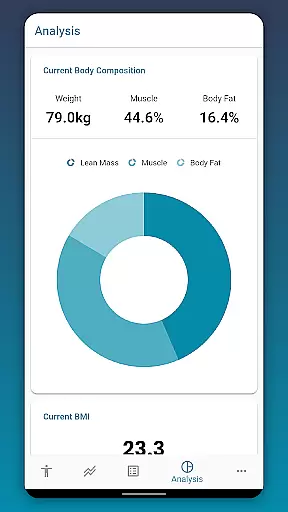
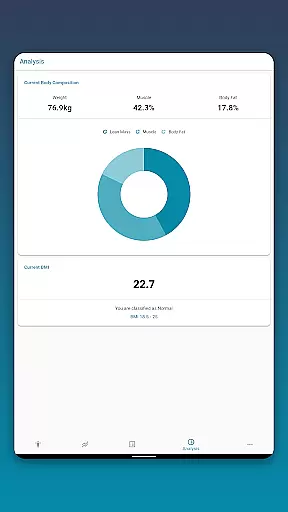
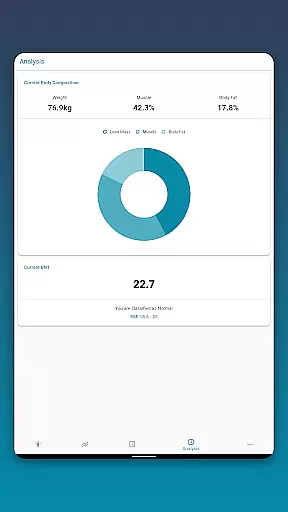
Beyond tracking, the app also offers analysis tools such as Body Mass Index (BMI) and body composition insights. Users can customize their experience by adding custom measurements and changing the color schemes of their charts. With data backup and restore functionality, users can ensure their information is always safe.
Personalized planning in fitness applications refers to the ability to tailor workout and measurement plans according to individual user needs and goals. Body Measurement Tracker excels in this area by offering customizable measurements that can be adapted to track specific body parts and metrics relevant to personal fitness objectives.
The app allows users to add their own custom Length, Weight, or Percentage measurements, ensuring that each person's unique requirements are met. This flexibility enables a more targeted approach to fitness tracking, accommodating various goals such as weight loss, muscle gain, or maintenance.
By integrating with Google Fit, the app further enhances personalized planning through seamless data synchronization with other health apps. Users can thus maintain a comprehensive overview of their progress across different platforms, making it easier to adjust plans as needed.
Ultimately, the personalized planning features of Body Measurement Tracker empower users to create a bespoke fitness journey that evolves with their progress, providing both motivation and measurable outcomes tailored specifically for them.
Progress visualization is crucial in fitness apps as it provides users with clear insights into their achievements and areas needing improvement. Body Measurement Tracker offers robust visualization tools, including Chart, Table, and List formats, allowing users to view their data in ways that best suit their preferences.
The unique chart feature lets users see all their data in one spot, with the ability to toggle different measurements on and off from the legend toolbar. This functionality helps users focus on specific metrics, such as lean mass, body fat, and muscle, offering a clear picture of their progress towards fitness goals.
Additionally, the app supports exporting charts to PNG image format, enabling easy sharing via popular apps. This feature not only enhances user engagement but also serves as a motivational tool by visually documenting milestones and advancements over time.
With its comprehensive progress visualization capabilities, Body Measurement Tracker ensures users remain informed and inspired throughout their fitness journey, promoting sustained commitment and success.
User-friendly interface
Comprehensive charting tools
Customizable measurement options
Google Fit integration
Data backup functionality
Limited advanced analytics
No real-time tracking
Premium features require subscription
Occasional syncing issues
Interface may feel basic to some

SportWerks - Workout Tracker for Wear OS Watches
 3.90
3.90
The simplest way to track your 21 Day Program containers, exercises, and water.
4.50
Home workouts for fitness & fast bodybuilding at home - no equipment needed.
4.90
Weight loss app: home workout for women to lose weight & burn calories.
4.80
For Absolute Novices to Strength Training. Simple. Effective.
4.40
The app helps you address digestive symptoms based on the Fast Tract Diet.
3.50
Use your watch as a bike computer, heart rate monitor and cycling power meter
2.50
Manage your and your family's health information.
4.60
Control your blood pressure, heart rate and blood sugar in a fast way.
4.00
Meditation app, head space app provides calm music to help you meditate & sleep
5.00
Easy access to health benefits
4.70
a fun app full of surprises :)
4.70
Period Tracker, the easiest way to track your periods!
4.50
Point, scan, and unlock truth in every bite.
4.50
Fast Body building & Weight Loss. Home Workouts with Daily Coach, No Equipment.
4.30
Walk, track, and burn calories with step counter & GPS walking tracker
4.20
Understand your body’s most meaningful messages and transform your health.
3.90
Pupillary distance PD with camera quick and easy, checking glasses frames on you
3.70
The Wear OS BeechBand app is designed to alleviate anxiety and other conditions
4.5


User Reviews