


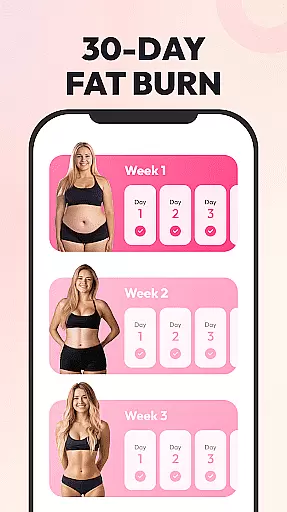
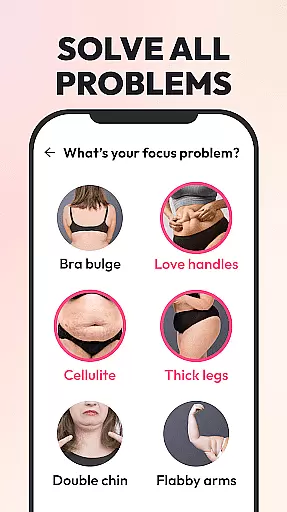
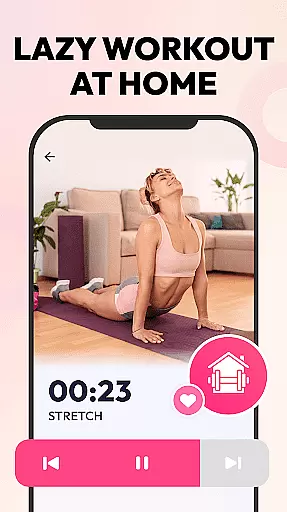
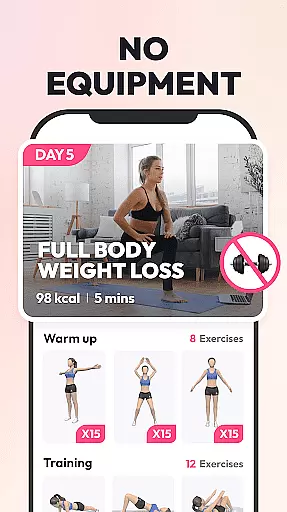
Weight Loss for Women is a specialized home workout application designed to help women achieve their ideal body shape through effective weight loss plans. The app offers personalized fitness programs based on individual goals, body status, and fitness levels, making it suitable for both beginners and advanced users. With multiple difficulty levels and targeted workouts, users can customize their routines even if they have physical limitations.
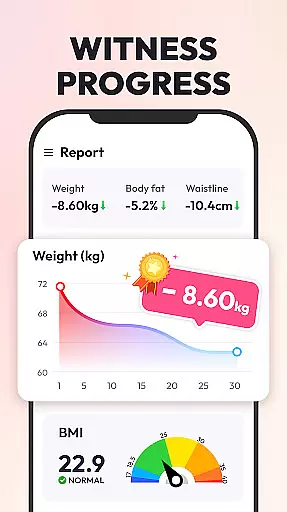
The app requires no equipment and provides quick 4-8 minute daily workouts that are easy to follow and maintain. It includes features like HIIT workouts for maximum calorie burning, low-impact exercises for post-injury recovery, and various plans focusing on full-body weight loss, belly fat reduction, and specific muscle toning. The built-in tracking system allows users to monitor their progress through weight graphs, BMI calculations, and calorie burn tracking.
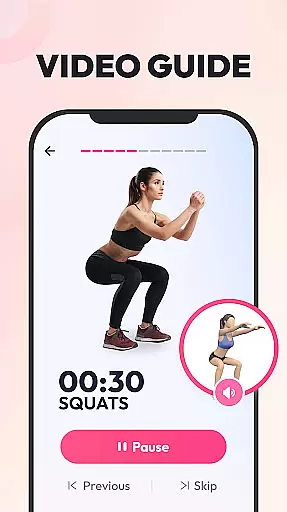
This app is particularly beneficial for women seeking a convenient and science-based approach to weight loss. By incorporating 3D animations, video guidance, and written instructions, the app ensures proper form and technique, reducing the risk of injury while maximizing workout efficiency.
Weight Loss for Women stands out with its comprehensive set of features tailored specifically for female users. The app provides four distinct workout plans targeting different areas such as full-body weight loss, belly fat reduction, and muscle toning. Each plan is developed by professional trainers and reviewed by experts, ensuring a science-based approach to fitness.
One of the key highlights is the ability to customize workouts according to individual needs and fitness levels. Users can choose from three difficulty levels ranging from beginner to pro, allowing for progressive training. The app also includes low-impact options for those recovering from injuries. Detailed guidance is provided through 3D animations, video demonstrations, and written instructions, mimicking the experience of having a personal trainer.
Tracking progress is made simple with visual aids like weight graphs and BMI calculators. Users can set target weights, log daily changes, and monitor calorie expenditure. Additional features include a workout reminder system and diverse daily exercises to keep routines engaging. All these elements work together to create an effective and motivating weight loss journey.
Personalized planning in fitness applications refers to the creation of tailored workout plans that adapt to individual needs, goals, and physical conditions. This feature is crucial as it ensures that users engage in exercises that are both effective and safe for their specific circumstances.
Weight Loss for Women excels in delivering personalized experiences by assessing user's weight loss objectives, body status, and fitness levels. The app offers multiple difficulty levels ranging from beginner to pro, ensuring that each user can find a suitable plan regardless of their starting point.
Users benefit significantly from this feature as it considers personal limitations and goals, such as targeting trouble zones or accommodating physical injuries. This leads to optimized workouts that are more likely to produce visible results while minimizing the risk of injury.
The true value of personalized planning lies in its ability to keep users motivated. By allowing adjustments based on progress and providing positive feedback through tracked changes in weight and BMI, the app fosters a supportive environment that encourages continued effort towards achieving an ideal body shape.
Progress visualization in fitness apps involves presenting users' achievements and physical improvements through clear, visual formats like graphs and charts. This feature plays a vital role in maintaining user motivation by providing tangible evidence of progress over time.
In Weight Loss for Women, progress visualization is executed through detailed tracking of weight loss journeys. Users can set target weights and monitor real-time changes, observing their advancement towards goals with the aid of comprehensive graphs.
This approach benefits users by offering more than just weight tracking; the app includes a BMI calculator and daily calorie burn records, delivering expert health guidance and a holistic view of their fitness journey.
By visually showcasing milestones and continuous progress, the app taps into the psychological boost that comes from seeing hard work materialize. This not only enhances user engagement but also transforms the sometimes daunting task of weight loss into an achievable and rewarding endeavor.
User-friendly interface
Customizable workout plans
No equipment required
Detailed exercise guidance
Progress tracking tools
Limited male-oriented content
Internet connection needed
Occasional app crashes
Ads between sessions
Premium features locked

Live Heart Rate Pro - Real Time Heart & Workout Data For Wear OS & Bluetooth BLE
 3.20
3.20
Control your sleep in real-time wearing Garmin device
3.60
a fun app full of surprises :)
4.70
Period Tracker, the easiest way to track your periods!
4.50
See what's really going on inside your head! Real time EEG graphs from your Muse
4.40
Wall Pilates at home & Pilates workout for beginners for core and weight loss.
4.80
3D Body Measurement System
3.60
Eat smarter with Eato, your personal calorie counter and nutrition tracker!
4.40
The most accurate heart rate app to monitor and track your heart rate & pulse.
4.40
sobriety counter app to help and motivate people to stop drinking alcohol.
4.90
Walk. Earn: Get rewarded for every step! Walk, move, and earn real rewards.
4.70
Drink water reminder app. Track water intake. Smart simple hydration tracker.
4.70
Effortlessly and naturally release anxiety by harnessing the power of your brain
4.60
Get lasting results with Chair Yoga, Wall Pilates, and Walking workouts!
4.60
Relax to calm sounds, white noise, music, guided meditation and bedtime stories
4.40
Interval timer for High Intensity Interval Training, Tabata and Circuit Training
4.20
Walk, track, and burn calories with step counter & GPS walking tracker
4.20
Get alert about getting out of desired heart rate zone.
4.10
GloryFit is a companion app for the smart bracelet.
3.60


User Reviews