
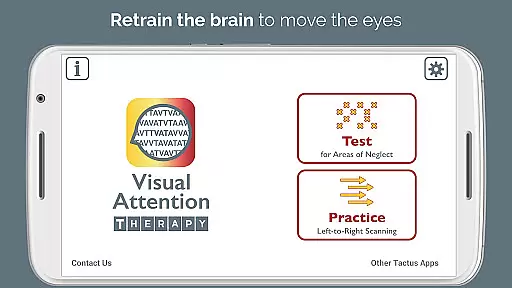
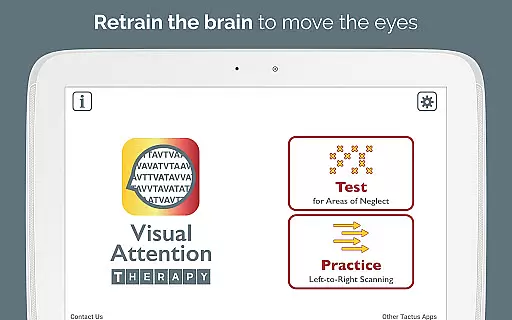
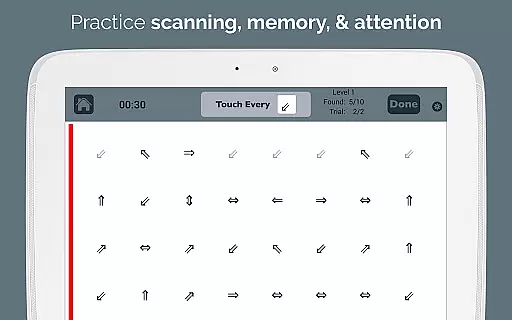
Visual Attention Therapy is a specialized medical application designed to assist individuals with visual attention deficits, particularly those recovering from brain injuries or strokes. The app focuses on retraining the brain to correctly move the eyes across the screen from left to right, which can significantly enhance skills such as reading, concentration, memory, and attention to detail.
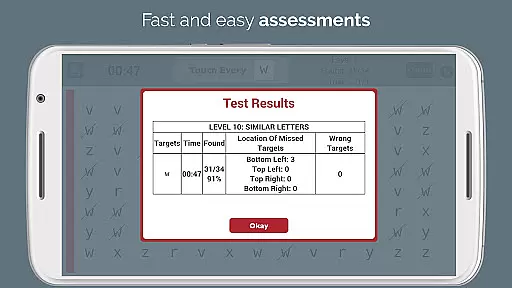
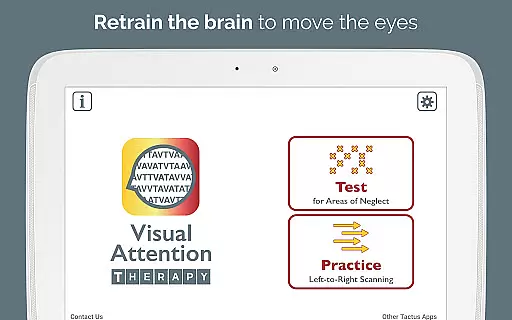
The application offers two primary modes of operation: Test mode and Practice mode. Test mode helps in identifying if there is a visual attention deficit and its location. Practice mode trains users to find targets sequentially, promoting thorough scanning of the entire screen. This feature is especially beneficial for occupational therapy and speech therapy professionals who work with patients exhibiting right or left neglect.
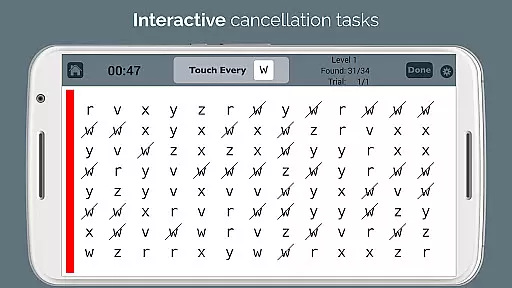
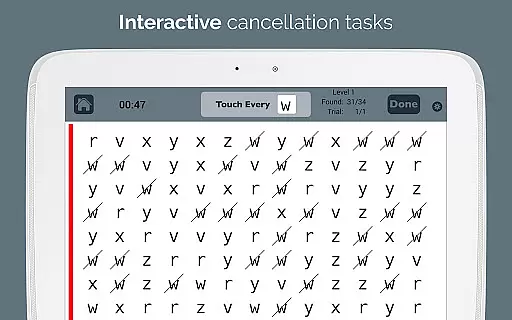
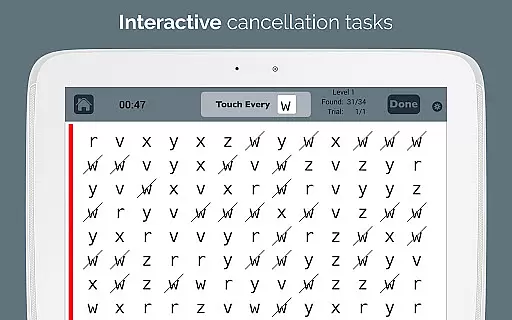
Visual Attention Therapy transforms traditional cancellation tasks into an interactive tool suitable for all ages. By incorporating timed exercises, immediate feedback, and automated scoring, it ensures users remain engaged while working quickly and accurately. The app's adaptability in layout and difficulty levels makes it a versatile tool for various therapeutic needs.
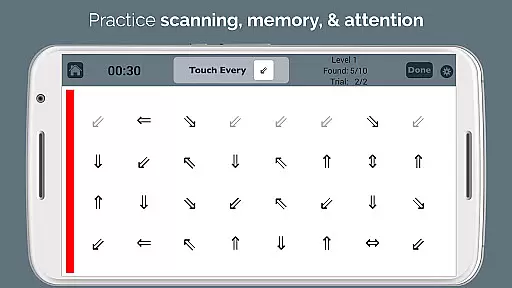
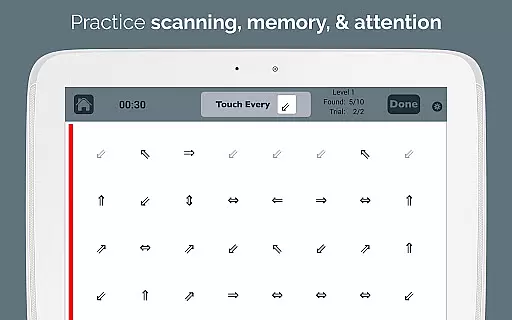
Visual Attention Therapy boasts several distinctive features that set it apart in cognitive rehabilitation. One key feature is the requirement for users to tap targets in a specific sequence—left to right, top to bottom—in Practice mode. This trains users to slow down and methodically scan the entire screen, enhancing their attention to detail.
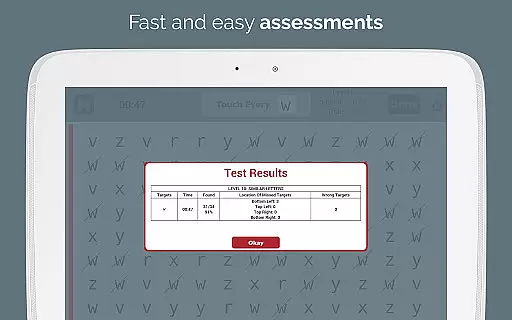
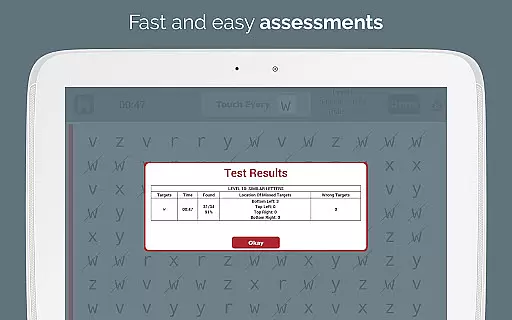
Immediate feedback through visual and auditory cues keeps users engaged and motivated. Timed exercises further encourage quick and accurate performance, while automated scoring provides detailed reports on accuracy by quadrant, completion time, and errors made. These reports can be emailed directly to healthcare professionals, streamlining the assessment process.
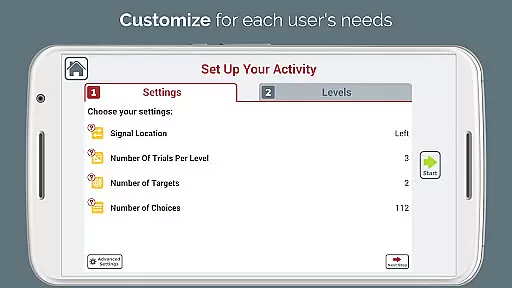
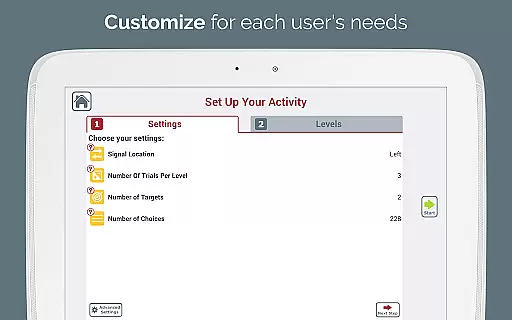
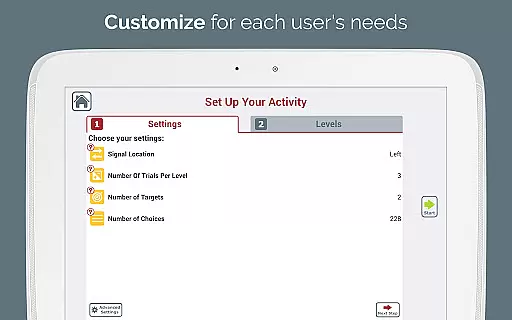
Customization options are abundant, with adjustable layouts and ten levels of difficulty to cater to varying user needs. A flashing sidebar signal in multiple colors draws attention to neglected areas, and the endless variety of target combinations eliminates the need for photocopying exercises. Additionally, the app supports both single and dual targets, challenging users with working memory and alternating attention deficits.
Visual Attention Therapy stands out for its strong foundation in medical expertise and professional validation. Developed by a certified Speech-Language Pathologist (SLP), the app is designed to address critical cognitive challenges such as left neglect, dyslexia, and attention deficits. This ensures that the therapeutic exercises provided are not only engaging but also grounded in scientific research and clinical best practices.
The app's content undergoes rigorous expert review, making it a trusted tool for both therapy professionals and patients. Occupational therapists, speech-language pathologists, and neuropsychologists worldwide rely on Visual Attention Therapy to assist adults recovering from strokes and brain injuries, as well as children with learning difficulties. The app's ability to adapt to various needsu2014through adjustable layouts and multiple difficulty levelsu2014further underscores its credibility and commitment to delivering personalized, effective treatment.
Users benefit from the assurance that every feature, from the timed exercises to the automated scoring system, is crafted to enhance cognitive rehabilitation accurately and efficiently. With its foundation in expert knowledge and continuous refinement based on professional feedback, Visual Attention Therapy delivers an authoritative approach to improving essential skills like reading, memory, and attention to detail.
While Visual Attention Therapy does not provide traditional teleconsultation services, it excels in offering high-quality, remote cognitive rehabilitation support. The app bridges the gap between patients and healthcare providers by enabling users to perform essential therapy exercises at home while still maintaining professional oversight. This innovative approach allows occupational therapists and speech-language pathologists to extend their reach and impact beyond traditional clinical settings.
One of the standout features contributing to the app's teleconsultation-like quality is its automated scoring and reporting system. By generating detailed, professional e-mailed reports, therapists can monitor patient progress remotely. These reports include crucial data such as accuracy by quadrant, completion time, and error tracking, ensuring that therapists have the insights needed to adjust treatment plans effectively.
Additionally, the app's dynamic and interactive nature keeps users engaged and motivated, simulating the guidance and encouragement they would receive during in-person sessions. With real-time feedback through visual and auditory cues, patients remain focused and committed to their rehabilitation goals. This blend of expertly designed content and advanced technology makes Visual Attention Therapy a reliable tool for enhancing teletherapy outcomes.
User-friendly interface
Automated scoring system
Customizable difficulty levels
Engaging feedback mechanisms
Versatile therapeutic tool
Limited free version
Requires internet connection
Premium features cost extra
Complex for beginners
Occasional bugs reported

MySafeRide simplifies booking and managing rides for health plan members.
 3.50
3.50
We’ve made it easy for Oscar members to get care on the go.
4.30
Secure video visits with your VA care team from anywhere
4.50
World's largest contact lens store
4.60
One app to unlock your health
4.30
The Omada app enhances your program experience and helps you stay engaged.
4.50
Master AEMT with 1,400+ study items, TEIs, practice tests, and scoring.
4.10
700 questions, 2 full exams, Predictive Scoring—your key to NREMT success!
3.90
The world's best selling 3D Human Anatomy app with groundbreaking 3D technology
2.00
Access health information and communicate with your care team anytime, anywhere.
4.80
Live vet support by text/video
4.80
Want to make it easier to manage your health? We’re with you, wherever you are.
4.70
Enables quick access to medical data and contacts in case of emergency (ICE)
4.70
Blue Cross and Blue Shield of Texas member information
4.60
The official DSM-5-TR® app
4.50
Your pocket guide to following The Monash University Low FODMAP diet.
4.20
Donating plasma just got easier with the BioLife Plasma Services mobile app.
3.90
Continuous Glucose Monitoring
3.40
OKN Strips, OptoDrum, OKN
4.5


User Reviews