
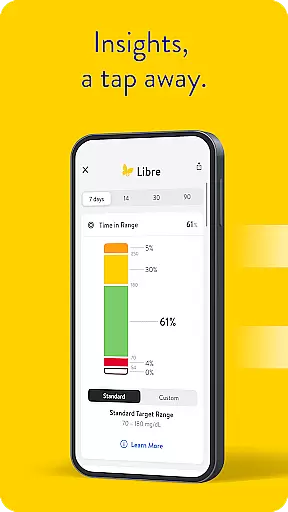
Libre by Abbott is a leading continuous glucose-monitoring (CGM) application tailored for individuals managing diabetes. This app enables users to track their glucose levels with ease, offering real-time updates directly on their smartphones. Designed as an upgrade from the FreeStyle Libre 2 and FreeStyle Libre 3 apps, it maintains compatibility with these systems' sensors while introducing enhanced features.
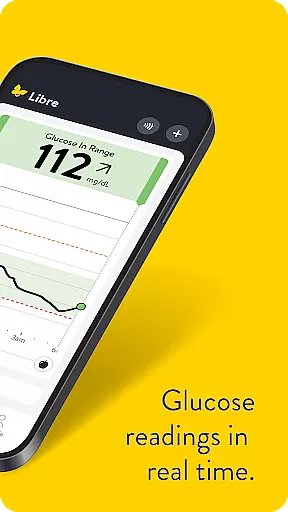
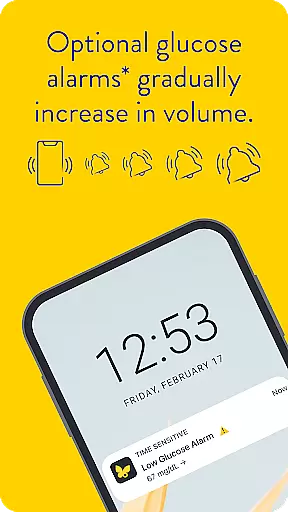
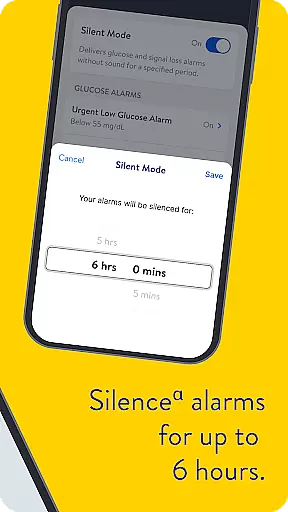
One of the standout capabilities of Libre app is its automatic minute-by-minute glucose reading updates. Additionally, users can opt for discreet alarms that notify them of significant glucose level changes. These alerts can be temporarily silenced for up to six hours, providing flexibility based on user needs. The app caters to both Android and iOS users, though compatibility may vary depending on the device model and operating system version.
The practical value of Libre app extends to its support for diabetes management across different age groups. It's suitable for individuals aged four and above when paired with FreeStyle Libre 2 and FreeStyle Libre 3 sensors, and for those aged two and older with FreeStyle Libre 2 Plus and FreeStyle Libre 3 Plus sensors. This makes it a versatile tool for families and healthcare providers seeking reliable glucose monitoring solutions.
Libre by Abbott distinguishes itself through several notable features designed to enhance user experience in diabetes management. First and foremost, the app provides continuous glucose monitoring with readings updating every minute, ensuring users have the most current information about their glucose levels at all times. This feature alone significantly aids in maintaining optimal glucose control throughout the day.
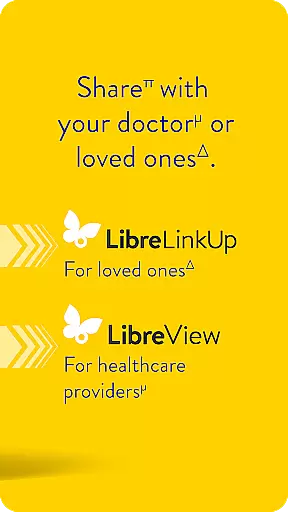
Beyond frequent updates, Libre app offers customizable alarm settings that discreetly alert users to critical glucose level fluctuations. Users can choose to silence these alarms for periods up to six hours, allowing for uninterrupted sleep or meetings. Furthermore, the app supports comprehensive data management through integration with LibreView software, enabling both patients and healthcare professionals to analyze historical glucose data effectively.
Another key aspect is its broad compatibility range. While primarily supporting FreeStyle Libre 2 and FreeStyle Libre 3 system sensors, the app also accommodates newer models like FreeStyle Libre 2 Plus and FreeStyle Libre 3 Plus. This ensures that users can transition between sensor types without losing access to essential app functionalities. Moreover, the requirement for internet connectivity facilitates automatic data uploads to LibreView and sharing with connected LibreLinkUp app users, streamlining diabetes management workflows.
Medical content credibility is essential for any health-related application, especially for those managing chronic conditions like diabetes. Libre by Abbott ensures that all the information provided within the app is not only accurate but also aligns with medical guidelines and standards. This commitment to accuracy is reflected in its compatibility with FreeStyle Libre 2 and FreeStyle Libre 3 system sensors, which are trusted tools for glucose monitoring.
The app's functionality has been reviewed by experts in the field of diabetes care, ensuring that users receive reliable data regarding their glucose levels. The integration of automatic minute-by-minute updates on the user's phone enhances the reliability of the information provided. Additionally, optional alarms offer discreet notifications about glucose levels, which have been designed based on clinical insights to support effective diabetes management.
Users benefit from this expertly reviewed content as it allows them to make informed decisions about their health. By consulting with healthcare professionals, individuals can confirm whether Libre by Abbott suits their needs or address any queries about using the CGM systems for treatment decisions. This collaborative approach between technology and healthcare expertise underlines the app's dedication to providing credible and actionable medical content.
Teleconsultation quality is a critical aspect of remote healthcare services, allowing patients to consult with healthcare providers without the need for physical presence. Libre by Abbott does not directly provide teleconsultation services; however, it supports the process by offering precise and timely glucose level data that can be crucial during virtual consultations. The app's ability to deliver real-time glucose readings ensures that healthcare professionals have access to up-to-date patient information, facilitating more accurate assessments and recommendations.
The app's design emphasizes ease of use and accessibility, making it simpler for users to share their glucose data with healthcare providers. With compatibility across various devices and operating systems, Libre by Abbott ensures that most users can utilize its features effectively. Furthermore, the option to upload glucose data automatically to LibreView when the useru2019s device has internet connectivity aids in maintaining comprehensive records for teleconsultations.
By integrating seamlessly with digital health ecosystems, Libre by Abbott enhances the quality of teleconsultations. Patients and healthcare professionals can collaboratively review historical glucose meter data through LibreView, supporting effective diabetes management. This synergy between the app and data management software underscores the importance of high-quality teleconsultation tools in modern healthcare practices.
User-friendly interface
Real-time glucose tracking
Customizable alerts
Wide sensor compatibility
Data sharing capabilities
Limited device compatibility
Requires prescription
Internet connectivity needed
Potential alarm fatigue
Age restrictions apply

Enables quick access to medical data and contacts in case of emergency (ICE)
 4.70
4.70
Be more confident prescribing homeopathy at home for your family.
4.80
OKN Strips, OptoDrum, OKN
4.5
Conveniently receive lab results, schedule lab appointment and pay your bills
3.70
Log your symptoms in the MyZio app — the perfect companion to the Zio monitor!
4.60
A comprehensive 3D atlas of the human body
4.80
The doctor will see you now
4.70
Secure video appointments
4.50
Tap & save. Coupons that fit in your pocket. Find low prices on prescriptions.
4.80
The Better Pharmacy Experience
4.90
Leafly is a weed app for finding dispensaries, cannabis strains, & more.
4.70
This app is simply 1 book (also large app) and 17 other apps combined into 1
4.70
Anthem/Wellpoint and other health insurance plans
4.60
The official DSM-5-TR® app
4.50
Assess and treat left neglect more effectively in stroke and brain injury rehab.
4.30
Over 1,200 review questions and 5 exams—pass the NREMT with EMT Review Plus!
4.10
The Client Portal app empowers you to manage care from one secure place
4.10
Hearing aid app for Android solves your hearing problems.
4.00
Care Simplified by MyChart
3.40


User Reviews