
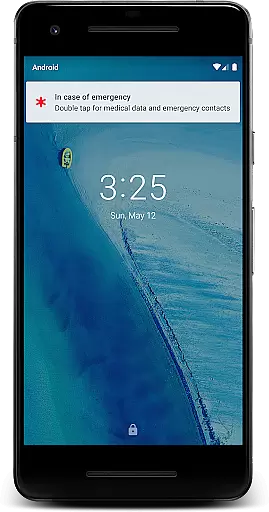
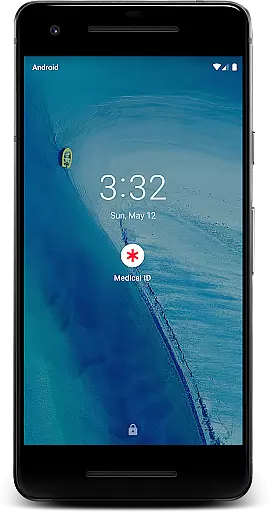
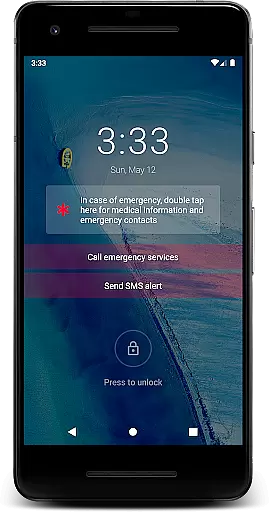
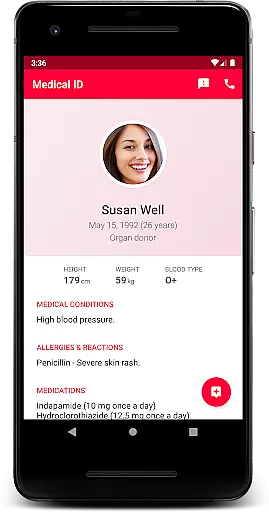
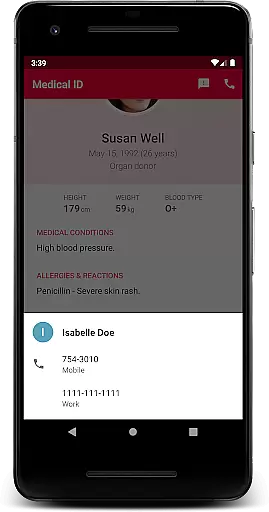
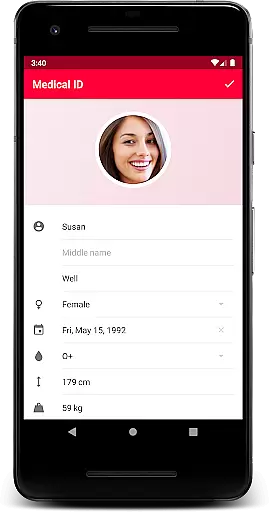
Medical ID is a premium application designed to transform your Android device into an essential medical tool. The app allows users to create comprehensive medical profiles that are accessible directly from the lock screen, ensuring vital information is available during emergencies. Key details such as allergies, blood type, and emergency contacts can be quickly retrieved by first responders or medical personnel, potentially saving lives.
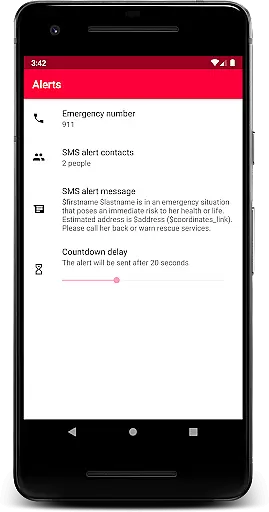
In addition to its core functionality, Medical ID offers advanced features like one-click emergency SMS alerts with location data, continuous location sharing with designated contacts for up to 24 hours, and direct calling to emergency contacts without unlocking the device. These capabilities make it an invaluable resource in critical situations where immediate access to medical information is crucial.
The app's accessibility service displays a widget over the lock screen, enabling individuals with disabilities and medical professionals to easily access important health data. With additional tools like BMI calculation and a built-in compass, Medical ID stands out as a comprehensive solution for personal medical preparedness. This application ensures that your medical information remains on your device, giving you full control over your data while providing life-saving potential.
Medical ID distinguishes itself through a robust set of features designed to enhance user safety and convenience. One of its standout capabilities is the quick access to medical information right from the lock screen, which is made possible through an innovative accessibility service. This service not only aids individuals with disabilities but also assists first responders in accessing crucial medical data swiftly during emergencies.
The app includes an emergency alert feature that sends SMS messages with the user's estimated location at the press of a button. Furthermore, it enables continuous location sharing with trusted contacts even when the app is closed, lasting up to 24 hours or until manually stopped. Users can also place calls directly to their emergency contacts without needing to unlock their devices, streamlining the process of seeking help.
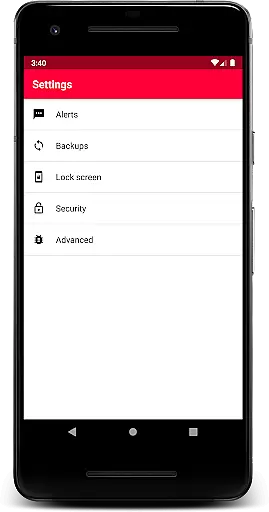
Additional functionalities include a backup feature that users can trigger manually, Body Mass Index (BMI) calculation, current location tracking with GPS coordinates, and a built-in compass. These features collectively ensure that Medical ID serves as a versatile tool for both everyday use and emergency preparedness. By keeping all medical information stored locally on the device, the app prioritizes user privacy while delivering powerful, life-saving capabilities.
Medical ID (premium) ensures the credibility of medical content by allowing users to input vital information such as allergies, blood type, and emergency contacts directly into their profiles. This data is accessible from the lock screen, ensuring that first responders can obtain accurate and essential details in emergencies.
The app's features are designed with both functionality and reliability in mind. For instance, it includes an emergency alert feature that sends SMS messages with the user's estimated location. Additionally, it offers a Body Mass Index (BMI) calculation tool and displays the user's current location, including address and GPS coordinates. These features are developed based on recognized medical standards, ensuring that the information provided is both relevant and trustworthy.
Users benefit from having a reliable source of personal medical information that can be quickly accessed when needed most. The ability to share this data with medical professionals during critical moments can significantly enhance the quality of care received. Furthermore, the app's integration with an accessibility service allows individuals with disabilities to access their medical data easily, reinforcing its role as a dependable health companion.
While Medical ID (premium) does not offer traditional teleconsultation services, it enhances remote medical interactions by providing essential patient information quickly and securely. In situations where time is critical, having immediate access to a user's medical profile can greatly improve the quality of teleconsultations or remote assessments conducted by healthcare providers.
The app facilitates direct calls to emergency contacts from the lock screen without needing to unlock the device. This feature ensures that medical personnel or family members can be reached swiftly, streamlining communication during urgent situations. Moreover, the app allows temporary location sharing with designated contacts for up to 24 hours, which can prove invaluable during extended medical evaluations or follow-ups.
By enabling these functionalities, Medical ID (premium) supports high-quality remote consultations by ensuring that all parties involved have access to necessary medical details. This capability empowers healthcare providers to make informed decisions based on comprehensive patient data, ultimately leading to better health outcomes for users.
User-friendly interface
Comprehensive medical profile
Emergency SMS alerts
Location sharing feature
Direct emergency contact calls
Premium version cost
Device compatibility issues
Limited free version
Requires manual backups
Accessibility service setup

Live vet support by text/video
 4.80
4.80
The Omada app enhances your program experience and helps you stay engaged.
4.50
Manage your prescriptions anytime, anywhere with the Publix Pharmacy mobile app.
4.80
Log your symptoms in the MyZio app — the perfect companion to the Zio monitor!
4.60
Remote, medical-grade heart care at your fingertips
4.70
Take on apraxia and aphasia with a powerful video-driven speech therapy app.
4.60
Pelvic Floor Muscle Exercises
4.80
Manage your health care in one easy place
4.40
Continuous Glucose Monitoring
3.40
CPR Timer for High Performance AHA BLS / ACLS
5.00
This app is simply 1 book (also large app) and 17 other apps combined into 1
4.70
Blue Cross and Blue Shield of Texas member information
4.60
Secure video visits with your VA care team from anywhere
4.50
Radiographic Positioning Guide for Medical Imaging Professionals and Students
4.50
Personalized hearing experience and health data tracking
4.50
We’ve made it easy for Oscar members to get care on the go.
4.30
A rapid reference for healthcare professionals caring for pediatric patients.
4.30
Hearing aid app for Android solves your hearing problems.
4.00
Easy access to benefits and rewards
3.70


User Reviews