
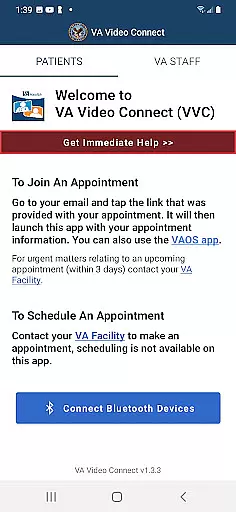
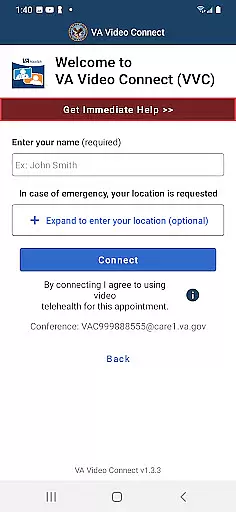
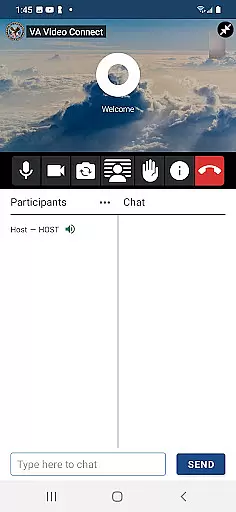
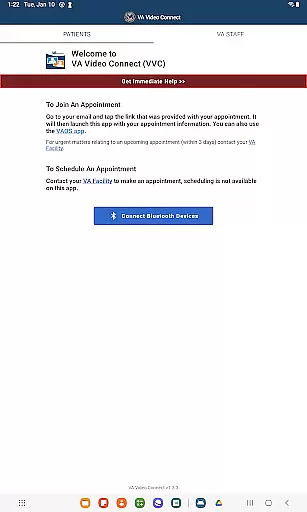
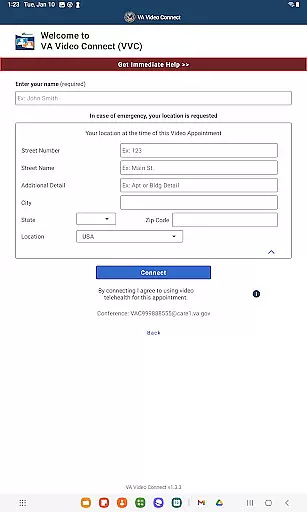
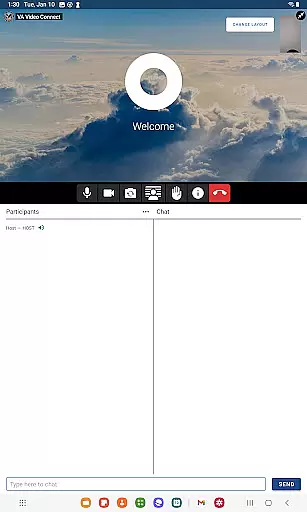
VA Video Connect is a telehealth application specifically designed for veterans to connect with their healthcare providers remotely. The app ensures secure and encrypted video sessions, allowing users to consult with their healthcare team from any location. This makes VA healthcare more accessible and convenient, particularly for veterans in rural areas who face challenges in accessing physical healthcare facilities.
The Android version expands this capability to mobile devices, enabling veterans to access healthcare services directly from their smartphones or tablets. With features that prioritize security and ease of use, the app significantly reduces travel time and enhances the overall healthcare experience for veterans.
VA Video Connect offers robust telehealth capabilities tailored for veterans. The app uses advanced encryption protocols to ensure all video consultations are private and secure, meeting strict healthcare compliance standards. Its cross-platform compatibility allows seamless connection between veterans and their healthcare providers regardless of device type.
Additional features include easy appointment scheduling, real-time video consultations, and integration with existing VA healthcare systems. These functionalities not only streamline the healthcare process but also provide quick and reliable access to medical professionals, especially benefiting those in remote locations with limited healthcare options.
In the realm of telehealth, the credibility of medical content and the thoroughness of expert reviews are paramount. VA Video Connect sets a high standard by facilitating secure, encrypted connections between Veterans and their healthcare providers. This ensures that all medical information exchanged is both reliable and private.
The application's development involved healthcare professionals to guarantee that the features meet clinical standards. By incorporating encryption protocols, VA Video Connect safeguards sensitive health data during virtual consultations. This level of security reassures users that their health discussions are confidential and professional.
Furthermore, VA Video Connect undergoes regular updates and evaluations to maintain its compliance with healthcare regulations. These ongoing assessments ensure that the app remains a credible tool for delivering quality medical services remotely. As a result, Veterans can trust the platform for accurate and expert-reviewed medical interactions.
Teleconsultation has become an essential aspect of modern healthcare delivery, and VA Video Connect excels in providing high-quality virtual appointments. The app offers clear audio and video communication, which is crucial for effective teleconsultations between Veterans and their healthcare team.
With features tailored to support clinical workflows, VA Video Connect ensures that each session is smooth and uninterrupted. The app's design prioritizes ease of use without compromising on the quality of the interaction, allowing healthcare providers to focus on patient care rather than technical difficulties.
Additionally, the convenience of accessing VA Video Connect from Android mobile devices enhances the overall quality of teleconsultations. Veterans benefit from reduced travel times and more flexible scheduling options, leading to improved health outcomes. This accessibility makes it easier for patients to receive timely medical advice and follow-up care from virtually anywhere.
User-friendly interface
Secure video sessions
Wide device compatibility
Reduced travel time
Accessible healthcare
Limited to veterans
Requires internet
Android-specific
Dependent on VA system
No offline mode

Behavioral Health Portal
 4.70
4.70
Adaptive-learning flashcards and quizzes for the Top 250 Drugs
4.60
The NightOwl Companion app allows you to interact with the NightOwl sensor.
4.70
A fantastic 3d reference that includes over 300 structures and a quiz function.
3.00
Amplify surrounding sounds, conversations, TV or lectures for louder hearing.
4.70
Medication reminder, Medicine list, Trackers for BP, glucose, weight, water, etc
4.70
Log your symptoms in the MyZio app — the perfect companion to the Zio monitor!
4.60
700 questions, 2 full exams, Predictive Scoring—your key to NREMT success!
3.90
This app is simply 1 book (also large app) and 17 other apps combined into 1
4.70
The Better Pharmacy Experience
4.90
Manage your prescriptions and pharmacy care anytime, anywhere.
4.80
Save up to 80% on your pharmacy prescriptions & medications with free Rx coupons
4.70
Remote, medical-grade heart care at your fingertips
4.70
Take your aphasia therapy to the next level with 4 evidence-based advanced apps
4.70
Radiographic Positioning Guide for Medical Imaging Professionals and Students
4.50
The official DSM-5-TR® app
4.50
Personalized hearing experience and health data tracking
4.50
Manage your health care in one easy place
4.40
The world's best selling 3D Human Anatomy app with groundbreaking 3D technology
2.00


User Reviews