
Videous lite is a streamlined video management and editing application tailored for both casual users and professional creators. The app offers an intuitive interface with practical features that simplify video processing, making it accessible for all skill levels. Its key strength lies in the seamless combination of essential editing tools, efficient video organization, and easy content expansion.
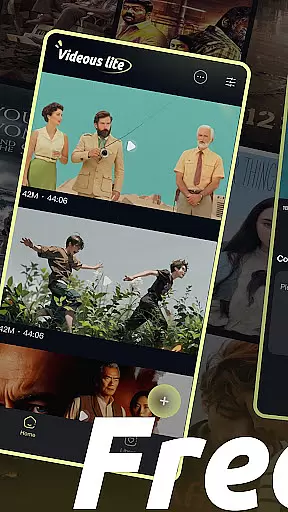
The app's homepage displays a well-organized video library, presenting clips in chronological order with clear metadata such as length and size. Users can effortlessly upload local videos using the prominent + button, while advanced features like drag-and-drop editing and customizable tags allow for precise modifications and systematic categorization. Whether you're looking to enhance personal entertainment or manage professional projects, Videous lite provides the necessary tools to transform raw footage into polished content.
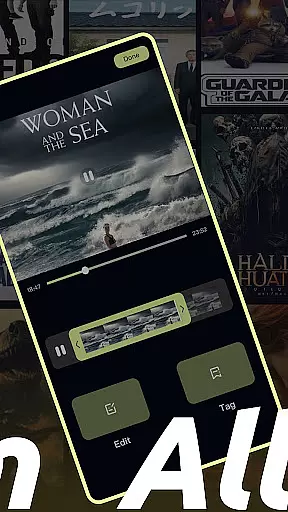
Videous lite stands out with its user-friendly design and robust functionality. One of its core features is the ability to quickly upload and expand your video library through the + button on the homepage. This ensures that users can easily add new content without any hassle. Additionally, the app provides an intuitive editing interface where users can trim videos by dragging the progress bar, enabling precise adjustments to create the perfect clip.
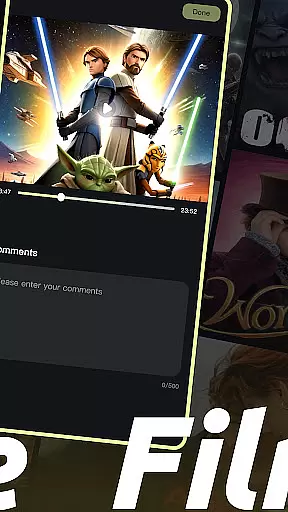
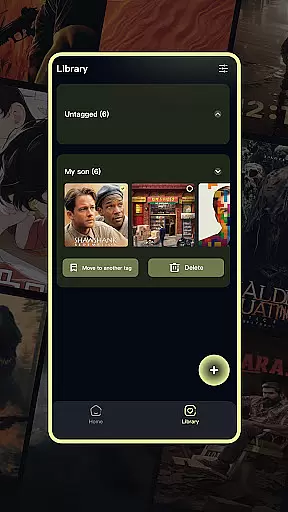
Another notable feature is the tag customization system, which allows users to categorize and retrieve videos efficiently. The Library Page consolidates all video tags into a single view, offering options to filter, select, move, and delete videos. These organizational tools help maintain a clean and structured video library. Furthermore, the settings menu lets users personalize their experience, while administrative functions like viewing comments and deleting videos are conveniently accessible from the more button.
In the realm of digital content, having a diverse and frequently updated library is crucial for user engagement. Videous lite-Made Easy offers an extensive array of video management and editing features that cater to both personal entertainment and professional creation needs.
The app's interface is designed to be simple and intuitive, ensuring users can efficiently locate, upload, and manage their video files. With capabilities such as chronological organization, length and size indicators, and customizable tags, Videous lite ensures that users have all the tools they need to maintain a dynamic and easily navigable video library.
Moreover, Videous lite supports quick uploads from local storage, making it effortless for users to expand their collection. This constant influx of new content keeps the app's library fresh and engaging, encouraging users to return and explore more creative possibilities.
User engagement and retention are key metrics in evaluating the success of any entertainment application. Videous lite-Made Easy excels in these areas by providing powerful yet accessible video editing tools that invite users to spend more time within the app.
Features like an intuitive progress bar for precise editing and easy-to-use tag customization options not only streamline the video editing process but also make it enjoyable. These elements contribute to longer user sessions as creators meticulously craft their ideal clips.
Additionally, Videous liteu2019s organized library page with comprehensive tag lists allows users to swiftly find and manage their content. Such efficiency in navigation and video management enhances the overall user experience, promoting higher retention rates as users continue to discover value in maintaining an orderly and creative video collection.
User-friendly interface
Efficient video editing
Customizable tagging system
Seamless video uploads
Organized video library
Limited advanced editing
Few transition effects
No cloud backup
Basic audio tools
Occasional lag

Create melty bead designs by numbers, photos or your imagination
 4.40
4.40
Best of icon for christmas
4.30
Scan sets, track your builds, and enjoy intuitive digital instructions.
4.70
Stream Live TV, News & Documentaries. Watch Full Seasons with PBS Passport.
4.80
The Xbox app keeps you connected to your gaming community.
4.50
Official KennysGifs Stickers
4.20
Catch the latest episodes of The Voice or live stream NFL games with The NBC App
4.20
Watch Reels, Drama Shorts & TV Series Anytime. Download DramaWave Now!
4.70
Create your Songs. Cover Maker with any Voice, Song Generator
3.30
Pathfinder 2e initiative tracker with bestiary, HP, reaction, conditions, etc
4.80
Time tracking, lap counting and much more for Carrera® Digital 132/124
4.80
Chat with AI characters! Anime, games, roleplay & more.
4.50
Earn gift cards for playing games. Become a real game tester!
4.40
Exclusive Short Drama Video! All in HD. Bringe trending reels & enjoy drama time
3.80
Watch New Episodes & Live TV
3.80
Your choice of 350+ networks plus movies and full TV series on-demand.
3.70
NFL, NBA, NHL, MLB, local sports coverage, shows, movies & news!
3.20
Disney Stickers: Zootopia 2
4.1
The classic game of rock, paper, scissors
4.5


User Reviews